
Graphic design
Coreldraw - Lesson 9: Road Drawing Tools
LINE drawing tools in CorelDRAW 12 allow creating lines or curves through points. Review the key facts and practical impact.
Browse more Find practical software and app guides, setup instructions, troubleshooting steps and productivity tips for popular desktop and online applications.
LINE drawing tools in CorelDRAW 12 allow creating lines or curves through points. Review the key facts and practical impact.

The Pen tool is used to draw lines, curves and closed areas. Review the key facts and practical impact.

Coloring tools with many different styles such as uniform fill (Uniform Fill), gradient coloring (Fountain Fill) with multiple choices, pattern fill (Pattern.
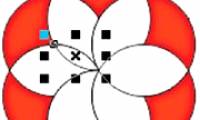
After introducing you to the basic tools of Corel Draw 12, starting from this issue, we will in turn present each specific example as practical exercises.

Sometimes, when visiting a friend's blog, people see empty pictures or cliché words that do not match the content of the article.

In this exercise, to practice some rectangle drawing tools (Rectangle Tool) we will guide you to draw a basic pinwheel shape.
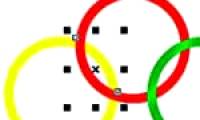
Figure is the focus of this article. In this exercise we use the circle drawing tool (Ellipse Tool) and some commands to draw nested circles.
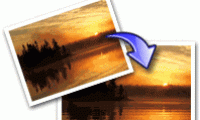
Select is the focus of this article. You have a lot of photos of waterfalls, streams, or photos other than nature.

In this exercise, we will show you how to draw and decorate the square using some drawing tools for the Rectangle Tool, the Ellipse Tool and some commands.

Select is the focus of this article. You want to draw a globe yourself?. Review the key facts and practical impact.

In this exercise we only use the Bezier Tool, Shape Tool and the coloring tool of Corel Draw. Review the key facts and practical impact.
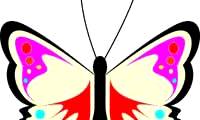
Figure is the focus of this article. Do you always follow our basic drawing exercises with Corel?. Review the key facts and practical impact.
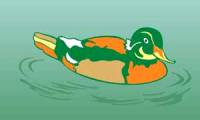
Step 1: Draw the swimming duck shape - Select the Bezier tool to draw the shape of the swimming duck - Draw the tail, wings, eyes and beak parts of the duck.

Figure is the focus of this article. In this exercise, we use two main commands: Interactive Blend Tool and Fountain Fill.
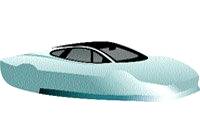
Step 1: Draw the shape and color the car - Select the Bezier tool to draw the shape of the car (Figure 1) - Draw the lower parts of the car (Figures 2 and 3).
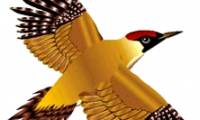
Brush is the focus of this article. Previous post TipsMake. Review the key facts and practical impact.
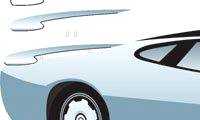
In the previous post, we showed you how to draw the body of a sports car, this article will complete your favorite car.

On the occasion of the first Asia Pacific Economic Forum - APEC 2006 held in Vietnam, we will learn how to draw the official symbol of the forum this time.

This is a very useful and interesting exercise, with just a few simple steps using the fillter filter you will create a tornado with lots of colors.

Step 1: Draw a flag shape - Select the rectangle tool (Rectangle Tool - F6) draw a rectangle about 2/3 in width - Click 2 l.