Edit photo
How to Record and Run Actions in Photoshop
Record a repeatable set of edits in Photoshop, test it on a copy, and run it on one image or a whole folder.
Browse more Find practical software and app guides, setup instructions, troubleshooting steps and productivity tips for popular desktop and online applications.
Record a repeatable set of edits in Photoshop, test it on a copy, and run it on one image or a whole folder.

Upload a photo to UnblurImage, compare the before-and-after view, and check whether the sharpened version improves the details you need.

Choose a batch photo editor based on the job, whether you need to rename files, sync edits, resize images, or add a watermark.
Enable the Copilot new tab page in Edge, switch back to the standard layout, and check what to do if the setting is missing.

Compare Samsung Internet and Chrome on Android for one-handed browsing, video controls, private tabs, and everyday use.

Use Chrome's built-in controls to simplify your toolbar, organize tabs, and make pages easier to read before adding extensions.

Compare Copyleaks, BitMind, and Hive for checking suspected AI content, and learn how to interpret their scores and verify the source.

Find what fills your iCloud account and reclaim space from old backups, large files, photos, and messages without losing copies you need.

Compare Google One and OneDrive for family storage, desktop Office apps, photo uploads, and the work involved in moving files.

Select lines from a song, turn them into a shareable lyric card, and see what to do when the Share button is missing.
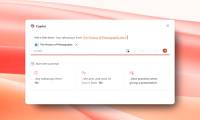
Reference a document in PowerPoint, draft one slide with Copilot, and verify its figures and wording against the source.

Rename shapes, pictures, text boxes, and groups in PowerPoint so that you can find the right object on a busy slide.

Use PowerPoint's 3-D Rotation to tilt a picture in perspective, or edit a filled shape to create an angled outline.

Duplicate a slide, change the angle of the same 3D model, and use Morph to animate the move between its two positions.
Start a project in Meta's Edits app, arrange clips, adjust sound, and export a video for Instagram or Facebook.

Change a personal Instagram profile to a Business account, choose what contact details to show, and find Insights in the Professional dashboard.

Hide posts with unwanted keywords or hashtags from your Home timeline or notifications and choose how long the mute lasts.

Recognize when scrolling affects sleep, mood, or self-image, and try practical changes to your feed, notifications, and routine.

Find the Activity panel for your own Highlight and learn when Instagram stops showing individual viewers.

See how Instagram's Edits app handles captions, recording, exports, and Reel insights, and compare those features with your CapCut workflow.