Table of Contents
This updated guide explains how to switch to a business Instagram account with clear steps, practical tips, and useful context. Instagram business accounts provide many settings and features suitable for businesses so that they can advertise products, or support the process of posting content on Instagram.
How to Switch to an Instagram Business Account
Step 1:
On the personal Instagram interface, select the profile icon below. In the personal interface, select the 3-dash icon .

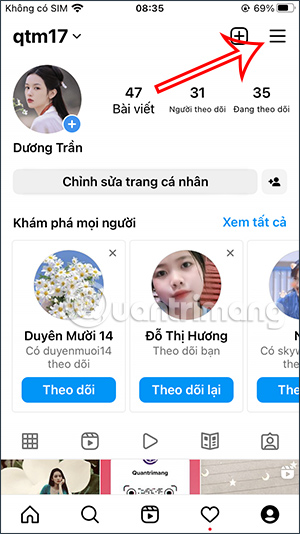
Step 2:
Display the interface below, you select Settings to adjust the Instagram account. In this interface, the user will continue to select Account to adjust again.
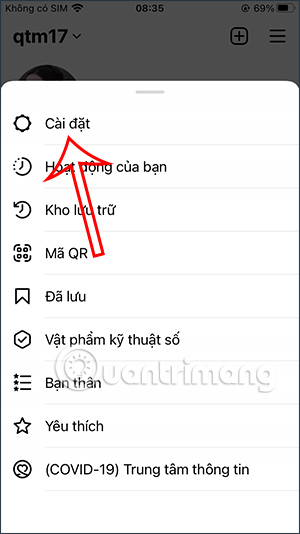
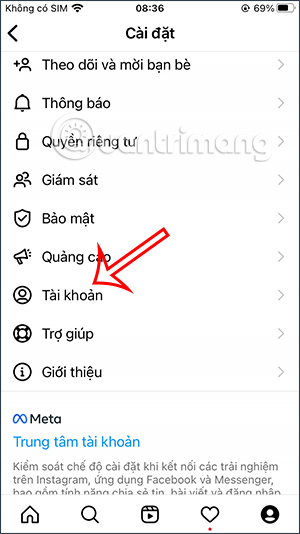
Step 3:
In the list of options for the Instagram account, we select the Switch to work account setting . The user will then see a notification about switching to an Instagram business account. The process of switching from a personal Instagram account to a business account is completely free. choose Continue below to perform the operation.
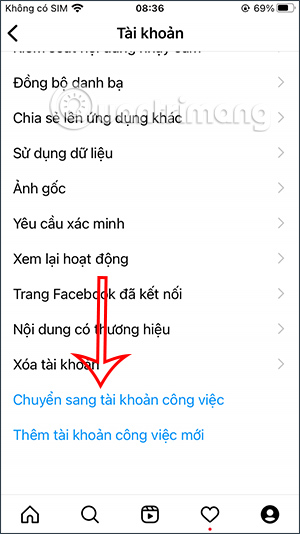
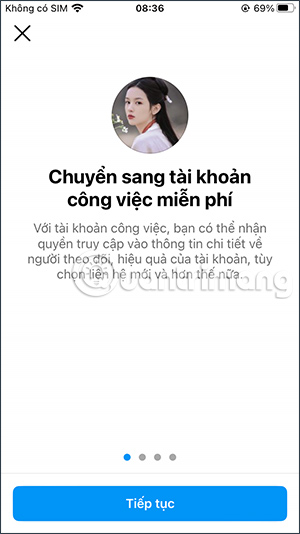
Step 4:
Instagram will ask you what type of Instagram business account you have. Tap select and then select Done below to complete the conversion.
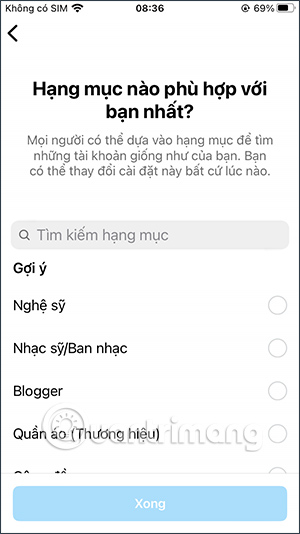
Step 5:
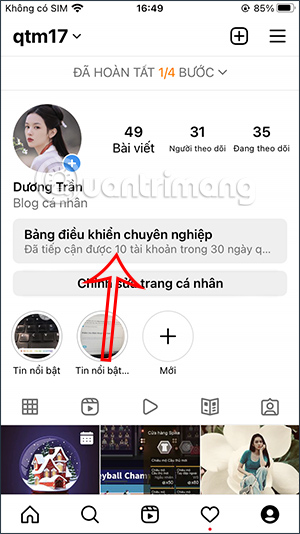
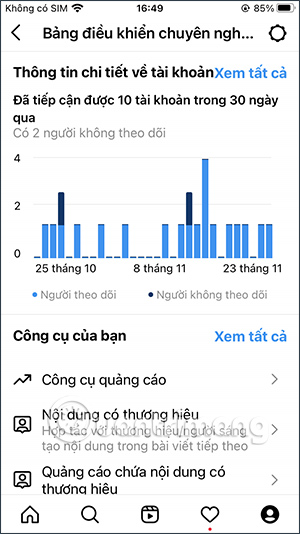
Go back to the personal Instagram interface. Now you see the interface will have some more information and manage your business Instagram account. We select Professional Dashboard . Now you will see the interface of statistics on people accessing your Instagram account.
Below are the tools to manage your business account. select the gear icon in the right corner to see more settings.
Step 6:
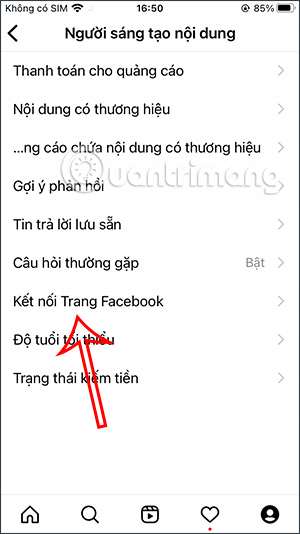
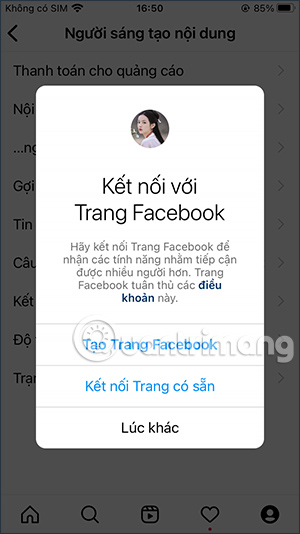
Then we will see some other options for Instagram account, for instance you can connect Instagram account with Facebook Fanpage.
Video Tutorial on Transferring Business Instagram Account
FAQ
What should I prepare before I switch to a business instagram account?
Review the requirements and options in the guide first. Having the correct device, app version, account access, or materials ready helps prevent avoidable errors.
How long does it take to switch to a business instagram account?
The time depends on the task and your setup. Most basic steps can be completed quickly, while downloads, updates, scans, or troubleshooting may take longer.
What should I do if the steps do not work?
Repeat the instructions in order, confirm that your software or device is supported, and check permissions, connectivity, and available updates before trying again.
Related Articles
 Instagram Account Is Hacked, This Is All You Need to Do13 minutes read
 What's the Difference Between Personal, Business, and Creator6 minutes read
 How to Create Quick Reply Messages on Instagram3 minutes read
 50 Most Popular Instagram Accounts in 20188 minutes read
 How to Change Instagram Account Information on the Computer3 minutes read
 Instructions for Registering an Instagram Account on Your Phone3 minutes read
Reader Comments 0
Sign in with email or Google to join the discussion.