
Graphic design
How to Make 3D Text in Canva
Use a Canva app for extruded lettering or apply an editable depth effect. Find out how to choose colors, place the result and check readability.
Browse more Find practical software and app guides, setup instructions, troubleshooting steps and productivity tips for popular desktop and online applications.
Use a Canva app for extruded lettering or apply an editable depth effect. Find out how to choose colors, place the result and check readability.

Use the Skew Image app to slant a photo horizontally or vertically, then position it and check the result before exporting.
Learn which Canva options remove a photo background for free, which export settings require an eligible plan, and how to reuse your cutout.

Compare Pixlr and Photoshop for quick edits, RAW processing, layered file exchange, AI tools and subscriptions.

Learn how to remove an object in Adobe Express, compare it with Apple Photos Clean Up, and choose the tool that suits the image.

Write an effective prompt, choose the right aspect ratio, and check Fotor's credits, image quality and export options before downloading.

Pick an online template, add the party details and RSVP information, then save a readable invitation for messaging or printing.

Set up an Aiarty cutout, compare matting previews, fix difficult edges, and export a transparent PNG or a replacement background.

Compare browser bandwidth caps, memory limits, sleeping tabs, and gaming features to choose what helps while you play.

Find Chrome tools for a sleep timer, intro skipping, floating playback, ratings and watch parties, with tips for checking access and compatibility.
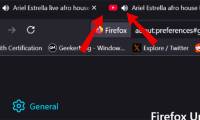
Use the tab menu to mute audio, or hide the tab sound button with a reversible userChrome.css rule on compatible Firefox versions.

Work out whether Chrome itself starts slowly or only the first page stalls, then test startup tabs, extensions and connection settings.

Set the PasswordExportEnabled policy on Windows, verify it in Edge, and restore the default when the restriction is no longer needed.
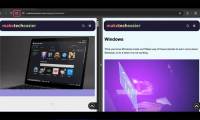
Put two tabs side by side or stack them in desktop Chrome, resize the panels and separate them when you're done.
Transfer bookmarks from a Chrome profile on the same computer or import a bookmarks HTML file on a different device.
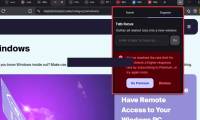
Turn on Tab Focus Mode, use a topic to find related tabs, and check what information Brave Leo uses before running it.

Disable Chrome graphics acceleration, relaunch the browser, and test whether it fixes flicker, video glitches or display crashes.

Compare autocomplete, maps, quick answers, widgets and service integration, and learn what DuckDuckGo already supports.

Check blocked trackers on a single website or across your browser profile, and learn what Edge's tracking prevention levels change.

Allow a trusted site through Edge's tracking prevention when a feature breaks, then remove the exception once it is no longer needed.