Table of Contents
Keep Samsung Internet if you use its Video Assistant, customizable toolbar, or Secret mode controls. Chrome may be easier if you already sync your browsing data across devices with a Google account. Try the features you use most before switching your default browser.
One-handed browsing and toolbar shortcuts
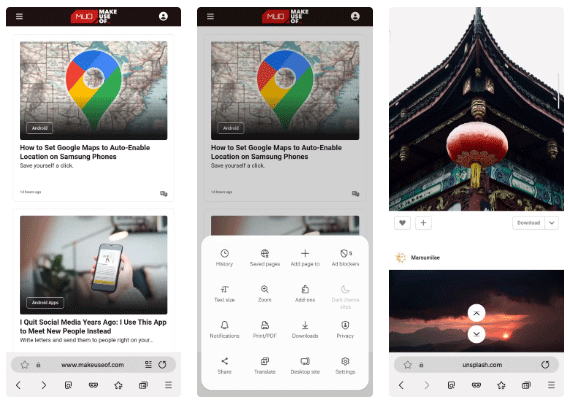
Samsung Internet lets you move the address bar closer to your thumb and customize the buttons in its menu. Chrome on Android also supports a bottom address bar, so choose based on the shortcuts you want within reach. See how to move Chrome’s address bar if that’s your main reason for switching.
Video Assistant on supported sites
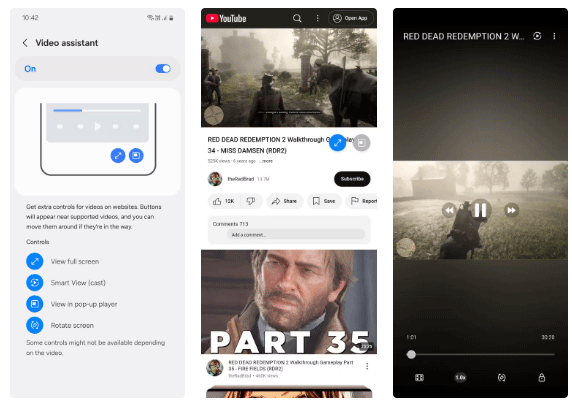
Samsung’s Video Assistant can offer full-screen or pop-up playback controls on compatible pages. Try it on the sites you actually use, because picture-in-picture and background playback can vary by site and browser version.
Secret mode and Chrome Incognito
Samsung offers a lock for Secret mode, such as a password or biometrics where supported. This can help keep private tabs separate from someone who uses your phone. Both browsers’ private modes mainly limit what is saved to the local browser history. Websites and network operators can still see activity under some conditions. See Samsung’s Secret mode instructions for lock options.
Tracking and page controls
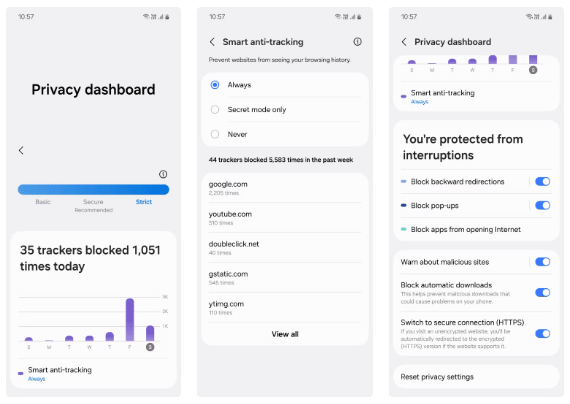
Review Samsung Internet’s privacy dashboard and Smart Tracking Protection settings. If you want stricter popup or download controls, check what’s enabled in your version and try a site you rely on before changing several settings at once.
Dark pages and battery use
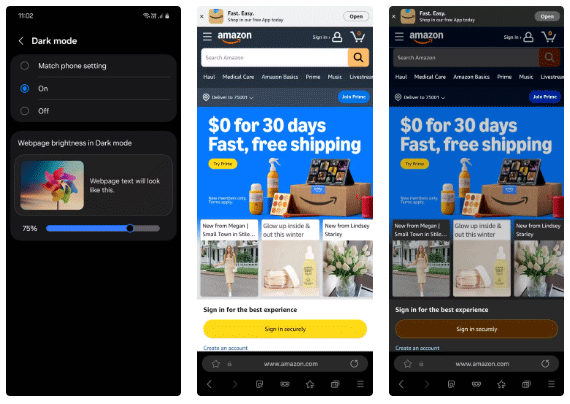
Samsung Internet can darken compatible web content in addition to the browser controls. Compare the reading experience on your usual sites. If battery life matters, compare the two on the same phone with similar brightness and activity. Streaming, site scripts, and connection quality can each change the result.
For more controls to try, see these Samsung Internet features.
Related Articles
 Why should you ditch Chrome for Samsung Internet on Android?
 Why should you replace Samsung's Internet browser with Google Chrome on your Galaxy phone?
 Reasons to ditch Google Keep for Samsung Notes
 Samsung Browser for Windows: Features, Sync, and Trade-offs
 Following the trail of Internet Explorer 6, does Google Chrome fail?
 Google and Samsung will announce the first Chrome computer?
Reader Comments 0
Sign in with email or Google to join the discussion.