
Music Software
How to Transfer Spotify Playlists and Saved Music to Apple Music
Use Apple Music's transfer option or a playlist transfer service. Check unmatched songs and the final playlists before canceling Spotify.
Browse more Find practical software and app guides, setup instructions, troubleshooting steps and productivity tips for popular desktop and online applications.
Use Apple Music's transfer option or a playlist transfer service. Check unmatched songs and the final playlists before canceling Spotify.

Manage what plays next, turn filtered Liked Songs into a playlist, and use Hide or Snooze when you want to hear less of a track.

Check for the Limit Sharing option in TikTok's direct message settings and review the privacy controls available if it's missing.

Hide the typing dots in an individual Messenger chat by turning off Show Typing Indicator in the conversation's settings.
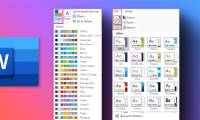
Set accent and hyperlink colors, choose heading and body fonts, and save the combination as a reusable Word theme.
Try GIMP's docks, Cage Transform, symmetry painting, editable filters, and Perspective Clone, then test whether it fits your work.

Use Google Password Manager's password checkup, see when Chrome can help change a leaked password, and update it manually if needed.

Compare built-in call translation on supported phones with apps that dial phone numbers or share call links. Test language support before relying on one.
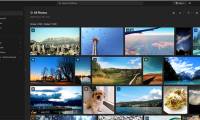
Remove small distractions, copy text from a screenshot, change a photo background, or resize an image without opening another app.

Use Microsoft's Bing Wallpaper app for daily images, set a saved picture manually, or rotate a folder of favorites in Windows.

Compare TinyPNG, Shrink.media, Compressor.io, iLoveIMG, and ImageResizer. Learn how to hit a file limit while keeping the image readable.
Use a block arrow with text or pair a line arrow with a text box. Keep the annotation attached to an Excel chart when it moves.
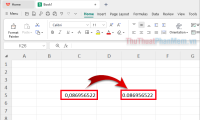
Set the decimal symbol in WPS Spreadsheets or Windows, then check whether existing cells contain numbers or imported text.
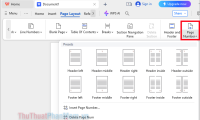
Insert automatic page numbers in WPS Writer, choose their position and starting value, and remove them from a section or the whole document.
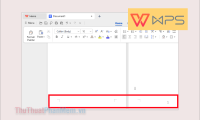
Hide the number on the cover or make the second physical page display 1. Use the method that matches your document's numbering rules.
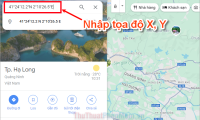
Paste coordinates into Google Maps in the correct order, recognize supported formats, and check what to do with X/Y grid coordinates.
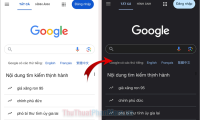
Set Google Search to dark mode in a browser or follow your phone's theme, and change the separate Google Search widget's appearance.

Attach a note to an Excel cell, show or edit existing notes, and decide when a threaded comment works better for collaboration.

Build a BuzzKill rule for noisy group chats, important contacts or promotions, then test what the rule matches and review notification access.

Use the Screenshots list in Google Maps for iPhone or iPad. Choose individual photos or enable auto-scan, then verify the place before saving.