Application
How to create a PowerPoint presentation from notes with Copilot
Give Copilot structured notes, review its outline, generate slides, and check the facts, visuals, and speaker notes before presenting.
Browse more Find practical software and app guides, setup instructions, troubleshooting steps and productivity tips for popular desktop and online applications.
Give Copilot structured notes, review its outline, generate slides, and check the facts, visuals, and speaker notes before presenting.

Find the right manual, forum, repair guide, or video for a device problem, and learn when to stop and use a technician.
Learn how to change fonts in powerpoint slides extremely quickly with clear steps, practical tips, and troubleshooting guidance for common issues.

Learn how to create excel formulas using AI with clear steps, practical tips, and troubleshooting guidance for common issues.

Explore reasons to switch from notion to obsidian with practical comparisons, key features, and guidance to help you choose the right option.

Explore free anti keylogger tools with practical comparisons, key features, and guidance to help you choose the right option.

Explore Windows notepad is now a real writing tool thanks to this AI upgrade with clear explanations, practical guidance, key takeaways, and answers to common.

Explore favorite AI tools for web research with practical comparisons, key features, and guidance to help you choose the right option.
Find archived web pages, books, classic software, films, and concert recordings. Learn how to search each collection and check what you can access.

Set a built-in wallpaper, use an image from your computer, or choose a solid color for the Firefox New Tab page on desktop.

Change the order of overlapping images with Send Backward or the Selection Pane. Adjust transparency when you want both images to show.
Fill formulas, AutoFit columns, reuse Format Painter, and open chart or PivotTable settings with double-click shortcuts in desktop Excel.

Find the Workspace smart features switch in Gmail on the web, Android, and iPhone. See which other features the switch affects.

Find TikTok's AI Mermaid effect, record a clip, and check Drafts while the transformation is processing.
Use Reply All by Meeting in new Outlook or Reply with Meeting in classic Outlook. Check attendees and the copied message before sending.

Set up a Milanote board with notes, images, files, and checklists. Learn when a template helps and how to export the finished board.
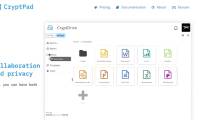
Create a CryptPad document, choose view or edit access, and use passwords, expiration dates, or a team drive for different sharing needs.
See how GIMP 3 handles editable filters, layers, PSD files, brushes, and text. Test a real project before changing your image-editing workflow.

Use Word's Document Inspector on a copy to remove author details, comments, and hidden information. Check visible content before sharing.

Restore Word's zoom slider by switching from Side to Side to Vertical page movement. If zoom stays unavailable, test another document and check add-ins.