Table of Contents
This updated guide explores instructions to block taking screenshots of messages on TikTok with practical details, clear explanations, and useful takeaways. TikTok has just updated a setting to block screenshots of messages to protect the content of your message conversations. When you activate this feature, you cannot take photos or record videos on the messaging interface.
How to Block TikTok Message Screenshots
Step 1:
You select the 3 dashes icon in your TikTok interface and select Settings and privacy. Next, switch to the new interface and select Privacy .
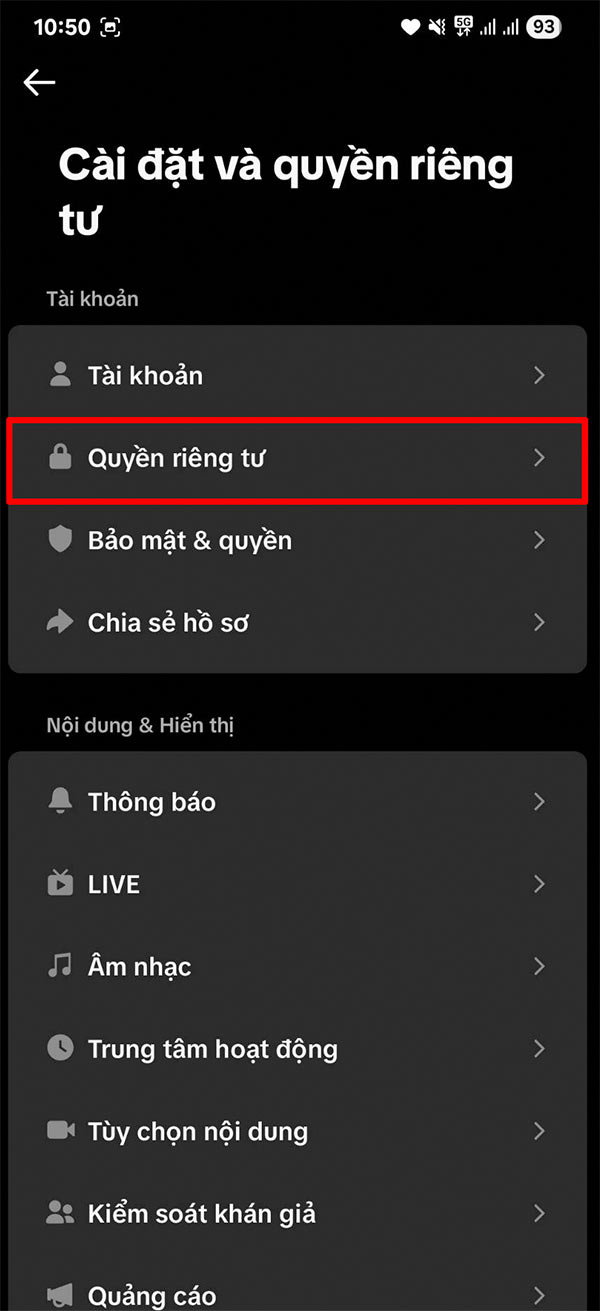
Step 2:
Switch to the new interface, select Direct Message to adjust the messaging settings in the application. Then users will see the Limit Sharing setting to activate the feature to block taking messages in TikTok.
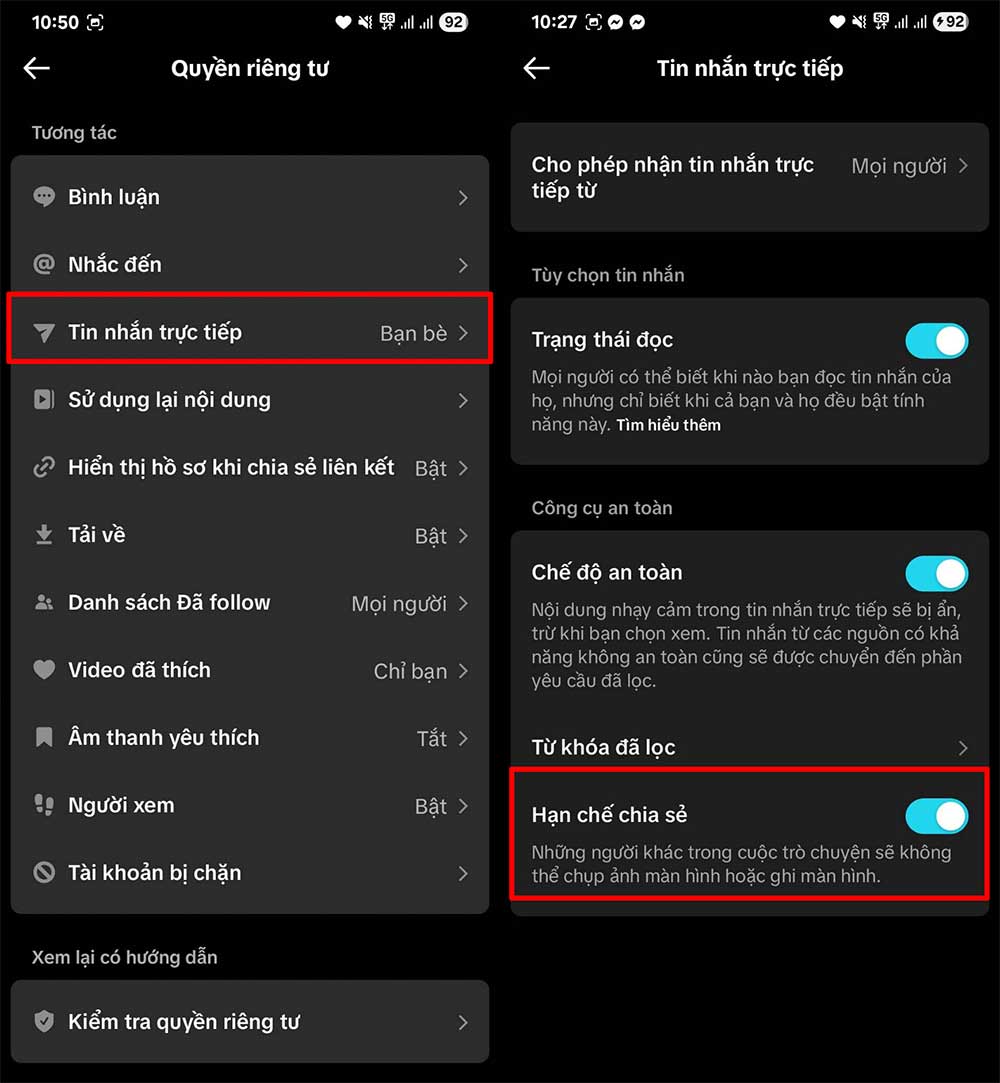
So you have successfully enabled the feature to block TikTok message screenshots. The other person will also receive a notification in case they take a photo or record a message screen on the app.
FAQ
What is the main takeaway about Instructions to Block Taking Screenshots of Messages on TikTok?
The key is to understand the core idea, compare the available options, and apply the practical guidance that matches your situation.
What should beginners know about Instructions to Block Taking Screenshots of Messages on TikTok?
Start with the essential steps and terminology. Avoid changing advanced settings until you understand how they affect performance, privacy, cost, or compatibility.
How can I use this information in practice?
Follow the relevant section in order, test one change at a time, and confirm the result before moving to the next step or recommendation.
Related Articles
 When does Facebook Messenger notify others about5 minutes read
 How to Block Tagging Your Tiktok Account3 minutes read
 Instructions to Block Messages When Spammed on Viber3 minutes read
 How to Taking Screenshots with Snagit: Step-by-Step Guide14 minutes read
 How to Block AI Videos in TikTok: Step-by-Step Guide4 minutes read
 Instructions to Block Spam Messages on Facebook3 minutes read
Reader Comments 0
Sign in with email or Google to join the discussion.