Table of Contents
This updated guide explains how to set new tab wallpaper on firefox with clear steps, practical tips, and useful context. Users can now set new tab wallpapers on Firefox with available wallpapers, or wallpapers that you upload from your computer. With this new update, Firefox lets you personalize your browsing experience without using extensions or additional tools.
How to Set New Tab Wallpaper on Firefox
Note: Firefox's custom new tab feature is only available on Firefox 138 and above.
Step 1:
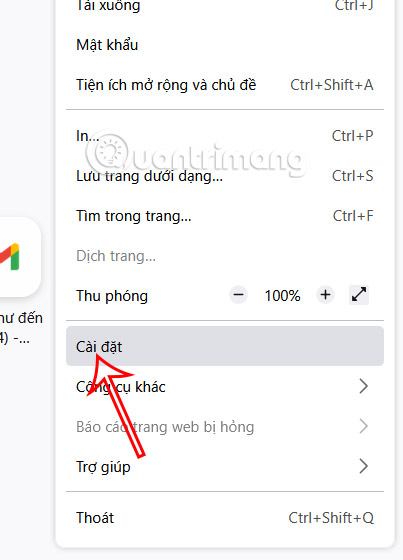
On the Firefox browser interface, select the 3-dash icon and select Settings in the displayed list.
Step 2:
Switch to the new interface, we select Firefox Labs on the left side of the interface.
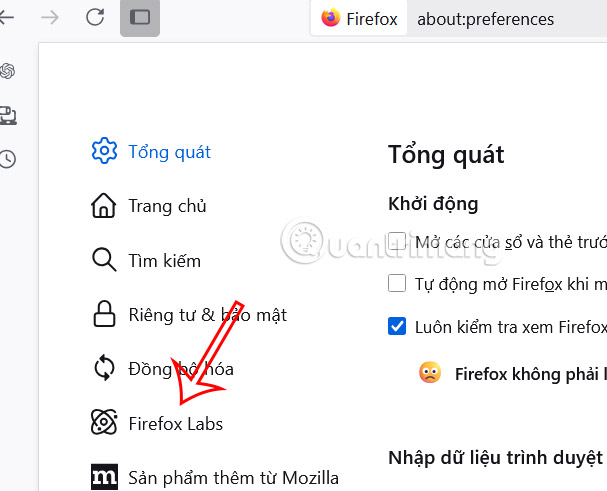
Look to the right side, we select Select custom background or color for new tab . Then you restart Firefox browser to apply the changes.

Step 3:
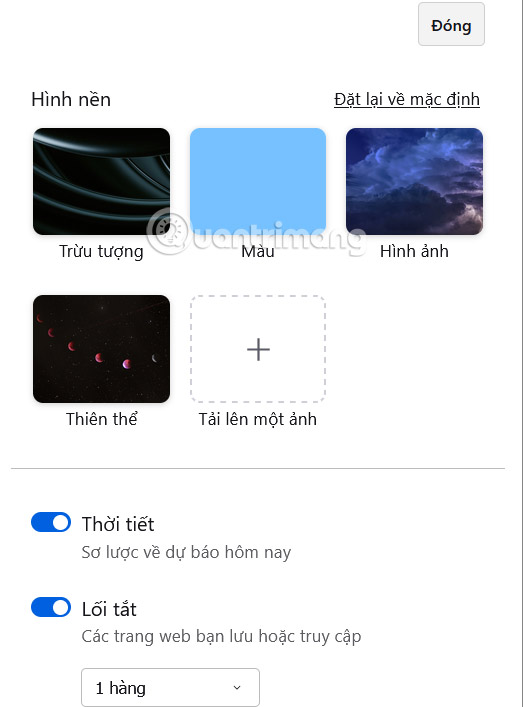
Open a new tab on the browser, then select the gear icon in the right corner and you will see the option to set the wallpaper for the new tab on the browser. There are some pre-given wallpapers, or you select Upload an image to download a wallpaper from your computer.
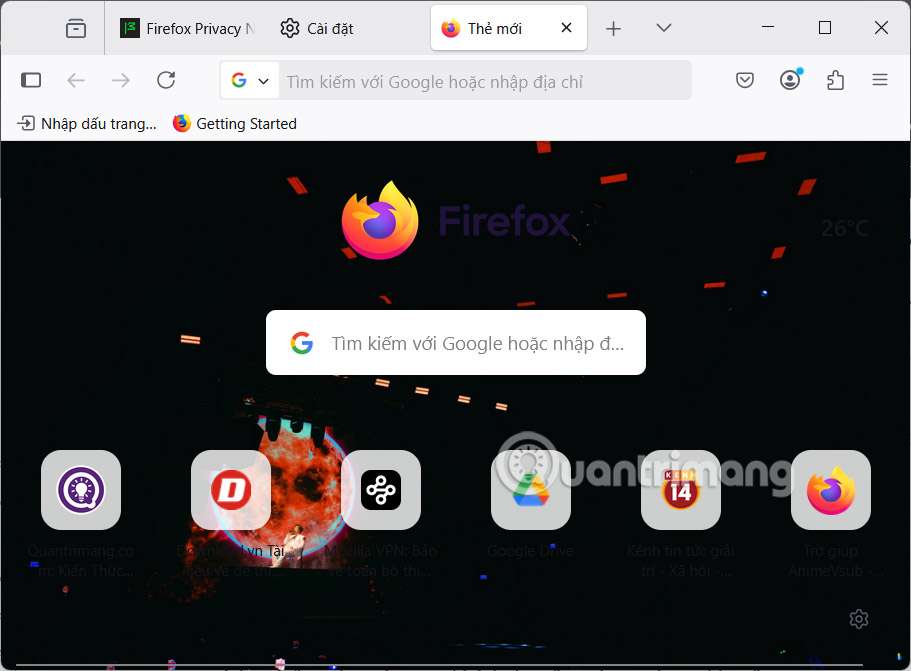
After selecting a background image for the new tab on Firefox, the new tab interface will be completely changed.
FAQ
What should I prepare before I set new tab wallpaper on firefox?
Review the requirements and options in the guide first. Having the correct device, app version, account access, or materials ready helps prevent avoidable errors.
How long does it take to set new tab wallpaper on firefox?
The time depends on the task and your setup. Most basic steps can be completed quickly, while downloads, updates, scans, or troubleshooting may take longer.
What should I do if the steps do not work?
Repeat the instructions in order, confirm that your software or device is supported, and check permissions, connectivity, and available updates before trying again.
Related Articles
 Instructions for Changing the Wallpaper for Firefox4 minutes read
 Experience Bing Wallpaper: the Application Automatically4 minutes read
 How to Set IMessage Group Wallpaper on iPhone2 minutes read
 How to Set a Wallpaper That Doesn't Cover Your Face on iOS 164 minutes read
 Instructions for Setting up 360-Degree Wallpaper for New Chrome Tab4 minutes read
 Setting up Firefox 4 Requires Saving Passwords for Paypal, Citybank…3 minutes read
Reader Comments 0
Sign in with email or Google to join the discussion.