Table of Contents
Learn how to cancel or pause your netflix subscription with clear steps, practical tips, and troubleshooting guidance for a reliable result.
How to unsubscribe from Netflix
After logging into your account, click on your profile picture and then select Account > Membership Details > Manage Membership .
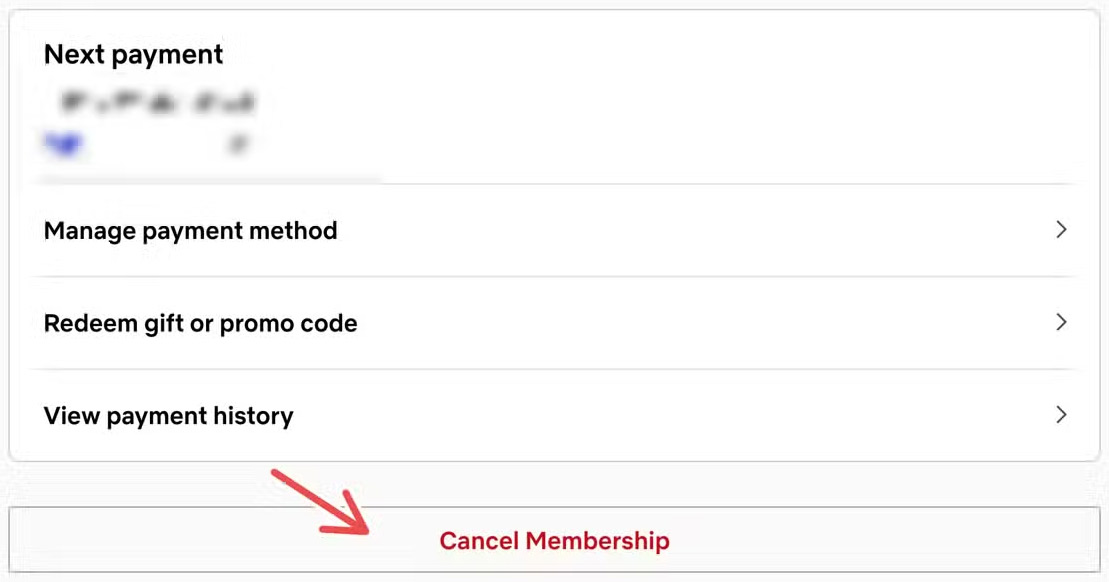
Scroll down and click on Cancel Membership to cancel your Netflix subscription.
Finally, click Finish Cancelation to complete the Netflix cancellation process.
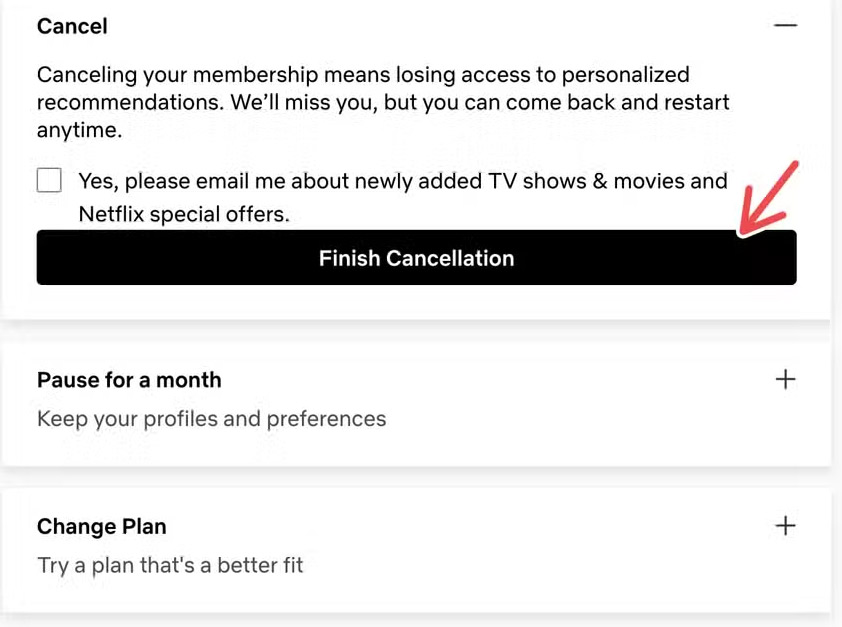
If you cancel your Netflix membership while your billing cycle is still ongoing, you can still access your Netflix account and stream until your next billing cycle (the end of the billing cycle). Once that date arrives, your membership will be automatically canceled. Your Netflix membership fees will stop accruing until you rejoin Netflix.
If your primary payment method is a gift card or you have a promotional balance, you can continue using Netflix until your gift card or promotional balance runs out.
How to pause your Netflix subscription
You can pause your Netflix subscription for one month. When you pause your Netflix membership, you can still watch movies until your next billing date.
Once the one-month suspension period ends, your member account will resume and you will be charged on the next billing date.
Clicking on Cancel Membership will take you to an interface with the option Pause for a month to temporarily suspend your membership for one month.
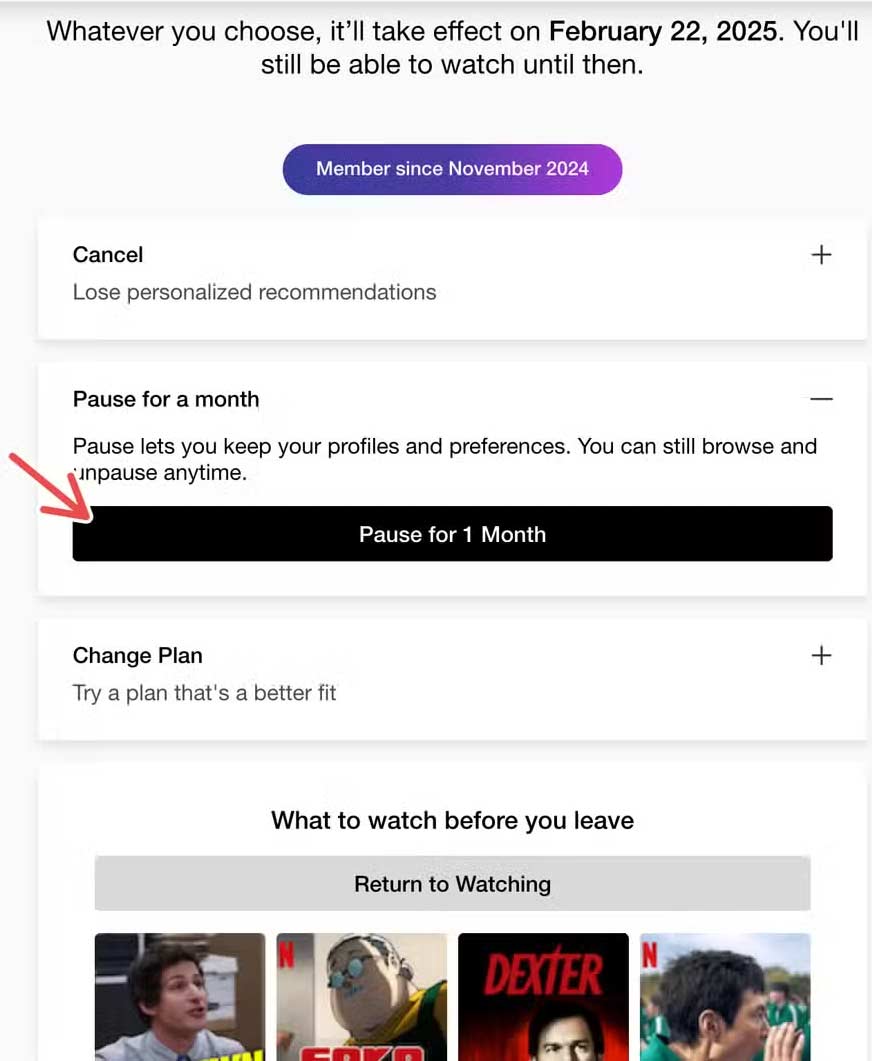
You can only pause your Netflix subscription when you're not using the Basic plan. This feature is also not available for major payment methods such as Direct Debit Card and Gift Card.
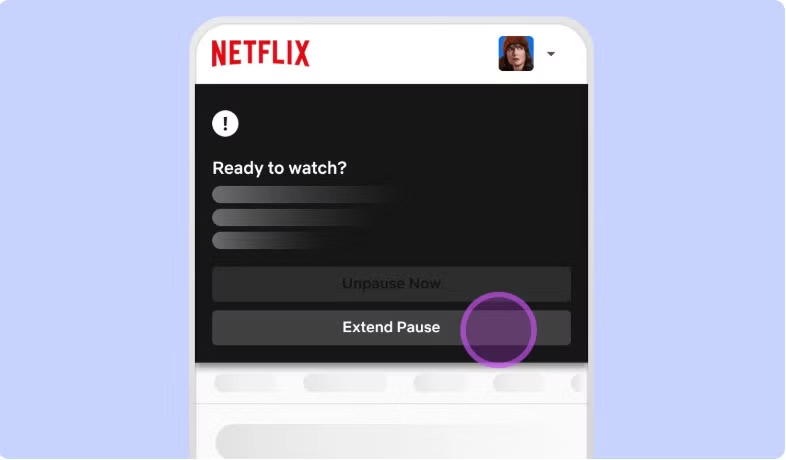
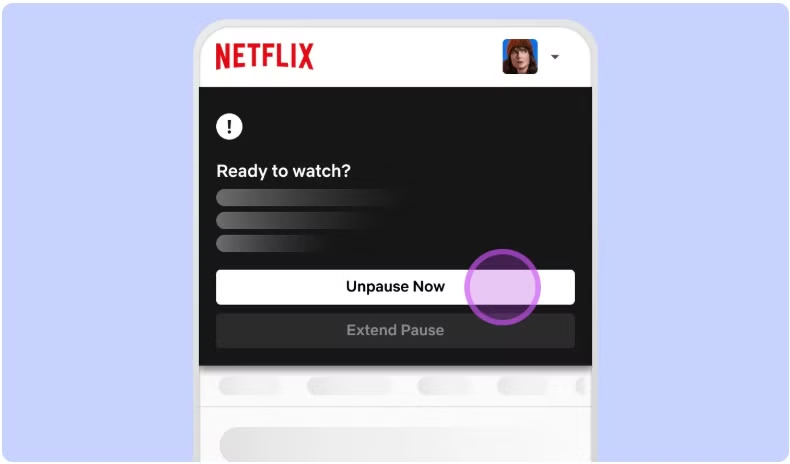
When you pause your membership for a month, Netflix allows you to extend the pause for another month . A week before the pause ends, you are given the option to extend the pause. Press Extend Pause to extend it.
How to renew your Netflix subscription
If you want to continue your Netflix subscription, simply go to your account management page and click Unpause Now .
Final Thoughts
Use this guide as a practical checklist for how to cancel or pause your netflix subscription. Work through the steps in order, verify each result, and adjust the options to match your needs.
FAQ
What do you need before following this How to Cancel or Pause Your Netflix Subscription guide?
Review the required tools, accounts, settings, or materials mentioned in the article. Learn how to cancel or pause your netflix subscription with clear steps, practical tips, and troubleshooting guidance for a reliable result.
What are the main steps for how to cancel or pause your netflix subscription?
Follow the sections in order, especially How to unsubscribe from Netflix, How to pause your Netflix subscription, How to renew your Netflix subscription. Complete each step before continuing and verify the result as you go.
What should you do if the process does not work as expected?
Recheck the prerequisites, update the relevant app or service, review the settings, and repeat the step that caused the issue. Use any troubleshooting notes included in the guide.
Related Articles
 How to Cancel Netflix: Complete Guide9 minutes read
 Why Do So Many People Still Not Cancel Their Netflix Subscription: Explained6 minutes read
 Netflix Will Cancel Your Account If You Do Not Use It3 minutes read
 How to Cancel an Office 365 Subscription3 minutes read
 How to Cancel iCloud + Subscription on iPhone3 minutes read
 How to Cancel Netflix Plan, Cancel Netflix Online Movie Service2 minutes read
Reader Comments 0
Sign in with email or Google to join the discussion.