Table of Contents
With just a few practical tweaks, you can boost your router's performance and enjoy more stable Internet on all your devices.
Whether you're working from home, streaming your favorite shows, or playing online games, the reliability of your internet connection can make or break your day. Yet your router —the backbone of your WiFi network —is often overlooked. If you're having network issues, the good news is that you don't need new hardware or an expensive upgrade to see improvements.
With just a few practical tweaks, you can boost your router's performance and enjoy more stable internet across all your devices. If you've ever been frustrated by dropped connections, lag, or slow speeds, these tweaks can dramatically improve your online experience.
8. Update your router's firmware
Just like on smartphones and laptops, updates are important.
One of the simplest yet most effective ways to improve the reliability of your router is to update its firmware. Firmware is the software that comes pre-installed on your router and controls its functions. Like any other software, firmware is updated regularly to add new features, fix bugs, patch security holes, and address performance bottlenecks, making your router run faster.
Installing the latest firmware updates can help fix any reliability issues you may be having with your internet. If you bought your router a few years ago and have never updated the firmware, this could be the cause of your unreliable internet.
7. Reduce the load on the device
Number of devices affects reliability

The number of devices connected to your router affects the speed and reliability of your Internet. While modern routers can handle dozens of connected devices without any trouble, it's easy to forget how many devices are connected to your router at any given time.
From smartphones, laptops, tablets, Smart TVs, security cameras, and IoT devices like smart light bulbs, a typical home network can have dozens of active connections at once. As more devices are added, the router has to work harder to allocate bandwidth and maintain a stable connection. This overload can lead to lag, caching, or even random disconnections.
6. Enable MU-MIMO and Beamforming (if supported)
The perfect combination for better connectivity
Modern routers often include advanced features like Multi-User, Multiple Input Multiple Output (MU-MIMO) and beamforming, all of which can significantly improve Wi-Fi reliability. MU-MIMO allows the router to communicate with multiple devices at once instead of serving each device one by one like older routers. This reduces latency and ensures your connection is faster and more stable, even if you have multiple devices running in your home.
5. Change Wi-Fi channel to avoid interference
Wi-Fi channels are important
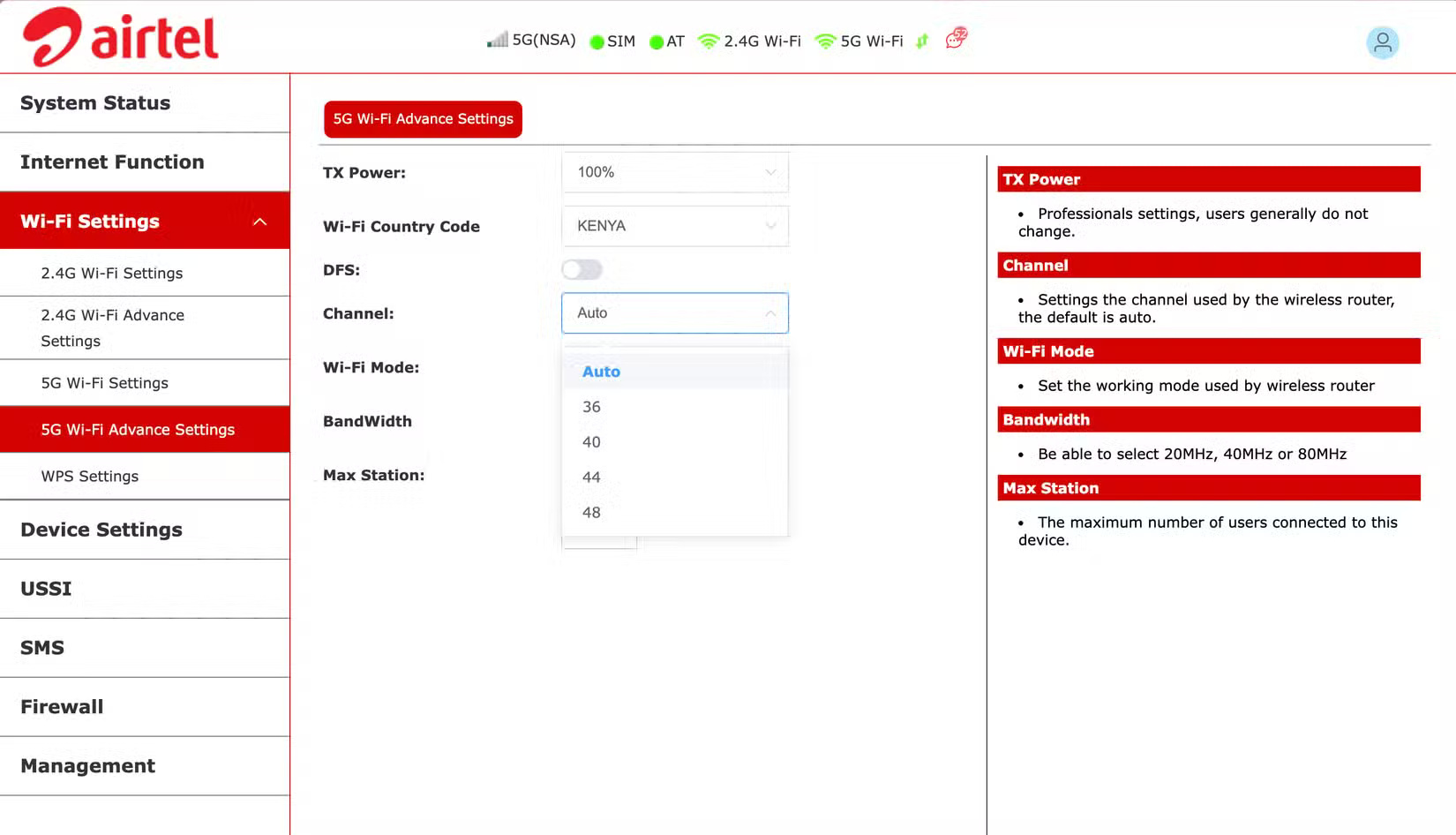
You can think of Wi-Fi bands as roads and Wi-Fi channels as individual lanes on a highway. Your router broadcasts Wi-Fi on a specific channel, just like radio stations use different frequencies. The problem with channels is that when multiple routers broadcast on the same channel, it causes interference. This interference can slow down your Wi-Fi connection and, in the worst case, cause frequent connection drops.
4. Place the router in a central location
Place the router in the optimal location
The location of your router has a significant impact on the stability of your Internet connection throughout your home. By default, Wi-Fi signals are spread out in all directions, so placing your router in a central location ensures more even coverage in every room.
Ideally, your router should be in the middle of your home, on a shelf or mounted on a wall, and in an open space rather than hidden behind objects. Placing your router in a central location can be difficult in some cases. For example, if your Internet connection enters your home from one side, it can be difficult to move the router. However, you can overcome this by using a longer Ethernet cable.
3. Switch to the appropriate Wi-Fi band
Each Wi-Fi band has its own pros and cons.
Most modern routers are dual-band or even tri-band, meaning they broadcast multiple Wi-Fi signals – usually 2.4 GHz, 5 GHz, and on newer models, 6 GHz. Each band has its own strengths and weaknesses, and choosing the right one can help make your Internet more stable.
To get the benefits of all three bands, use the 2.4GHz signal to connect to devices farther away from the router and those that don't support the new bands, then use 5GHz or 6GHz for devices closer to the router. For the best experience, you'll need a tri-band router for your home.
2. Enable Quality of Service (QoS) settings
QoS is the hidden feature you didn't know you needed
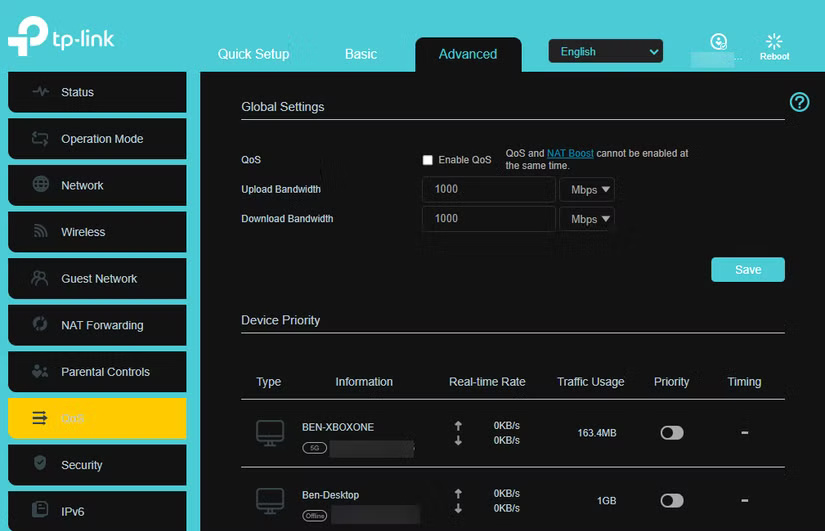
When multiple devices are in use, your network can quickly become congested, leading to slowdowns. That's where Quality of Service (QoS) settings come in. QoS is a feature that lets you prioritize certain types of traffic on your router, ensuring they get enough bandwidth even when there are multiple devices connected.
1. Secure your network with strong passwords
Prevent identity thieves from slowing down your network
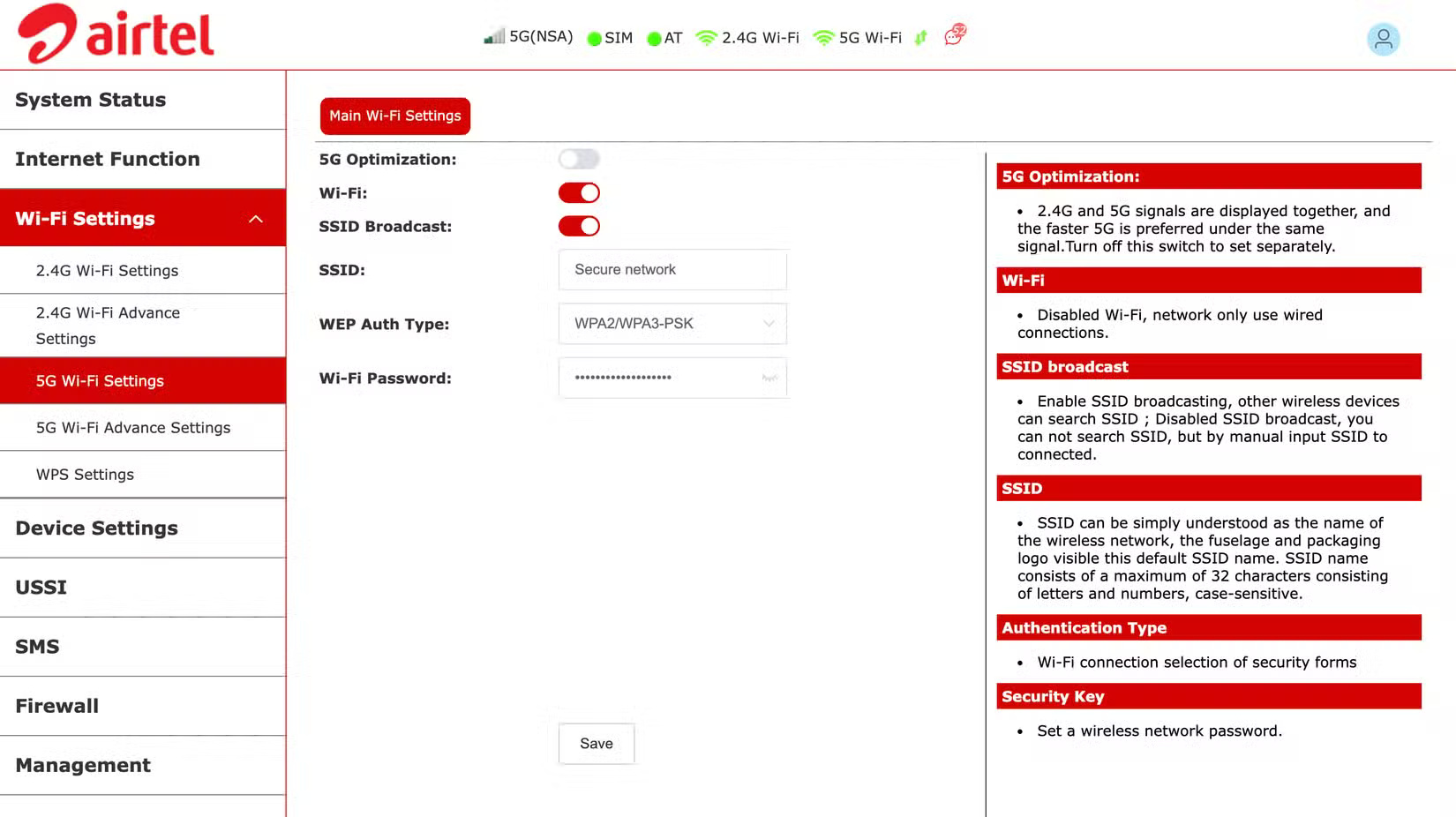
Security is essential to getting a fast and stable Internet connection from your router. If you don't protect your Wi-Fi network, anyone within range can connect to it, hogging bandwidth and slowing down your devices. That's why setting a strong password is one of the most important steps you can take to secure your router.
By securing your network with strong passwords and proper encryption, you not only prevent connection thieves, but you also ensure your Internet remains fast and reliable for those who use it.
FAQ
What should you know about the options in this guide?
In practical terms, with just a few practical tweaks, you can boost your router's performance and enjoy more stable Internet on all your devices.
Which option is the best choice?
The best choice depends on your priorities, compatibility, budget, and the specific features discussed in the comparison.
What should you compare before deciding?
Compare core features, limitations, ease of use, compatibility, and long-term value before making a decision.
Related Articles
 How to Get the Fastest Internet Connection from Your Router7 minutes read
 How to Configure Pppoe Connection on Tp-link Wi-Fi 6 Router8 minutes read
 How to Turn Off Internet Connection Sharing on Windows4 minutes read
 Internet: Why Should You Restart the Router Regularly?5 minutes read
 How to Share an Internet Connection14 minutes read
 How to Speed Up Slow Internet Connection12 minutes read
Reader Comments 0
Sign in with email or Google to join the discussion.