Table of Contents
The MultiGo application launched by the Ho Chi Minh City Department of Construction helps users track bus routes in real time without having to waste time waiting for the bus.
The MultiGo application of the Ho Chi Minh City Department of Construction has been launched to help users track real-time bus routes without having to waste time waiting for the bus. You will know the bus route you need, travel time, and time to the pick-up point. Below are instructions for tracking bus routes on MultiGo.
Instructions for tracking bus routes at MultiGo
Step 1:
You can download the MultiGo application for your phone using the link below.
- Download MultiGo for Android
- Download MultiGo for iOS
Step 2:
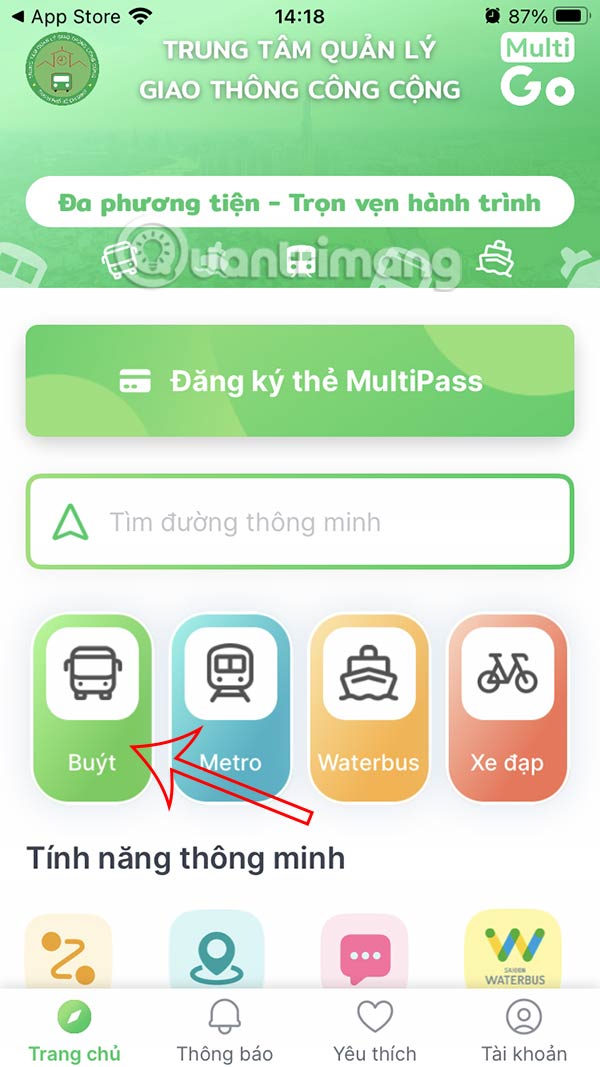
In the interface, Click on the Bus section To see the list of bus routes running in Ho Chi Minh City. Enter the bus route You want to see the travel route.
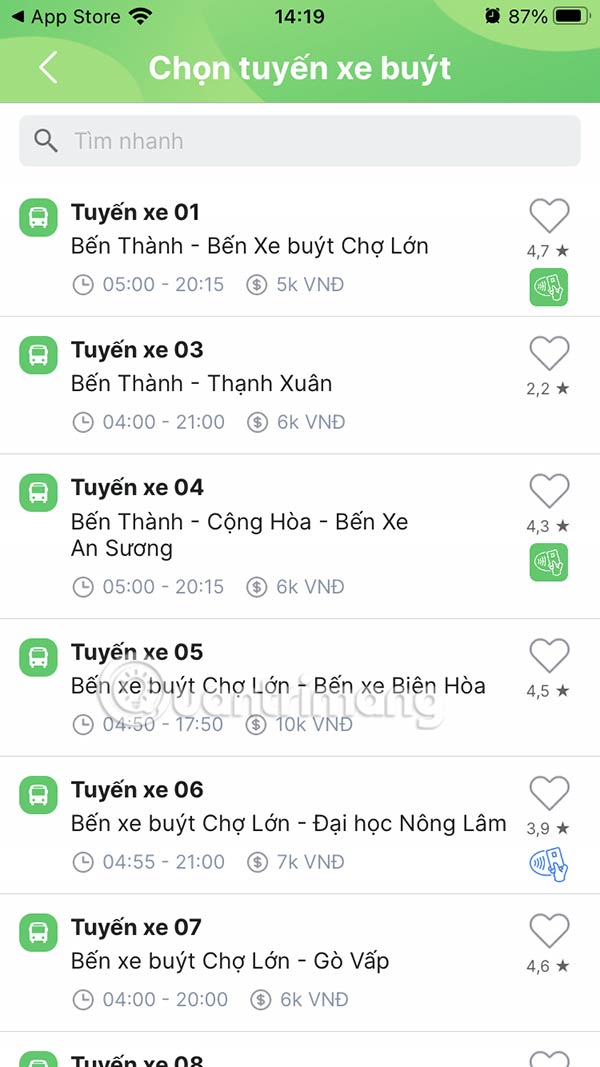
Step 3:
Each bus route has A specific stop clearly marked . You go to The stop and click on view details To see the real-time waiting time. Then you will see how long it will take for the bus to arrive at the stop.
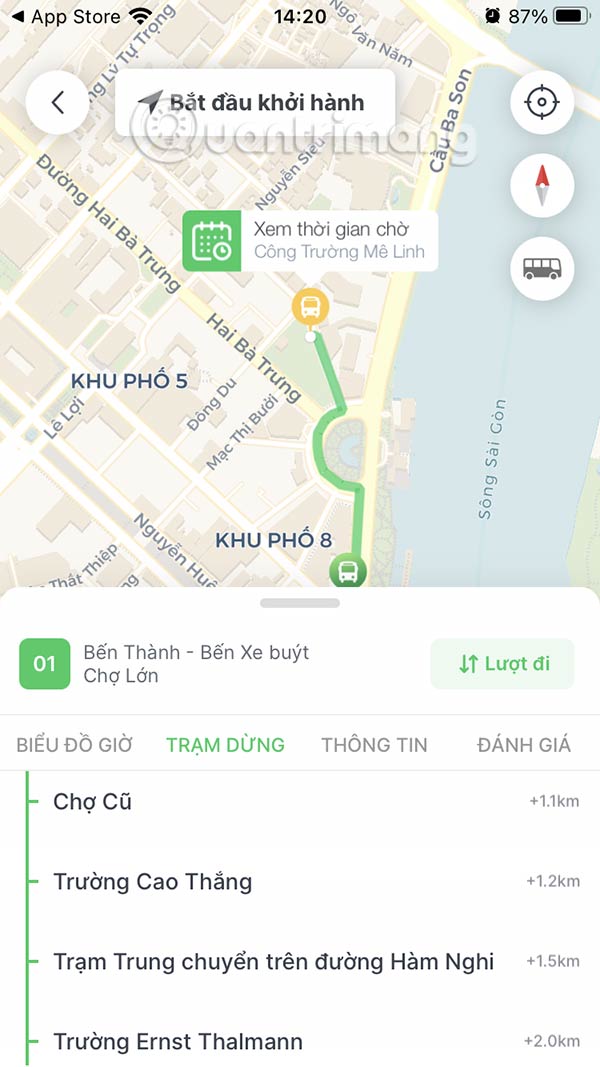
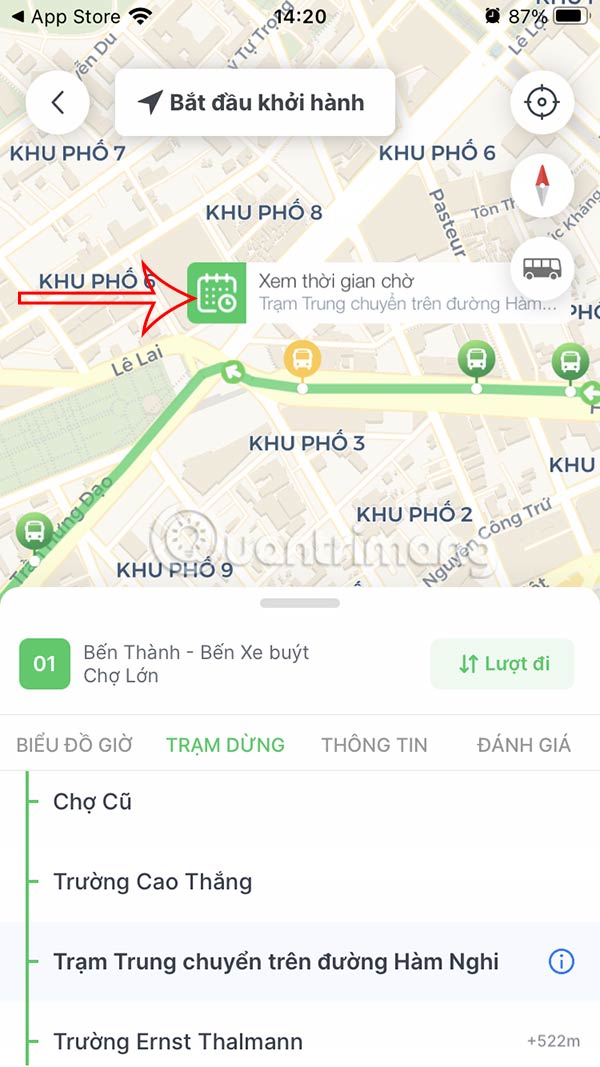
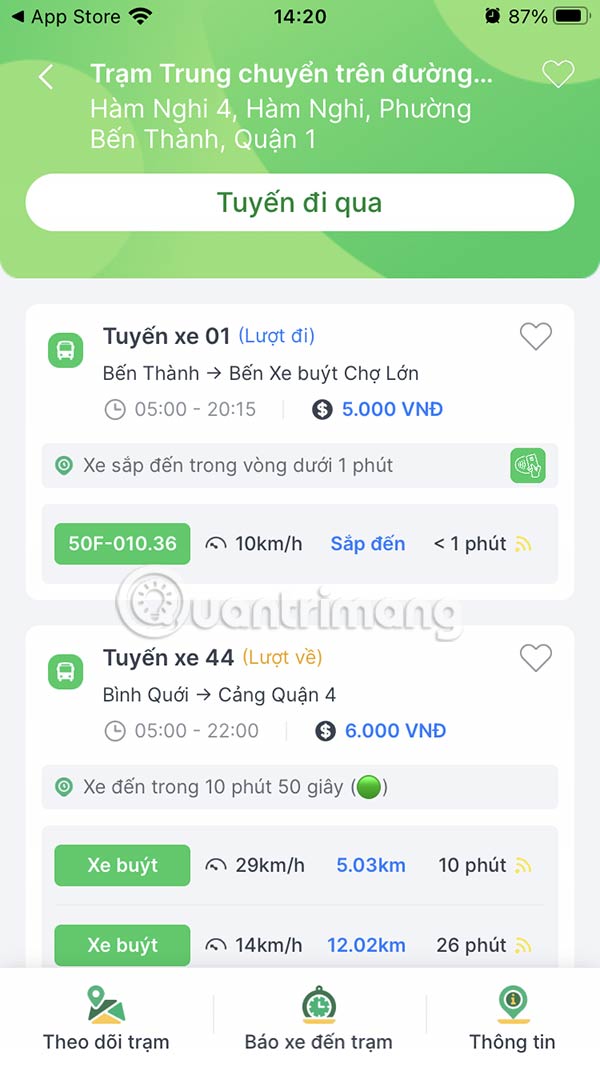
Step 4:
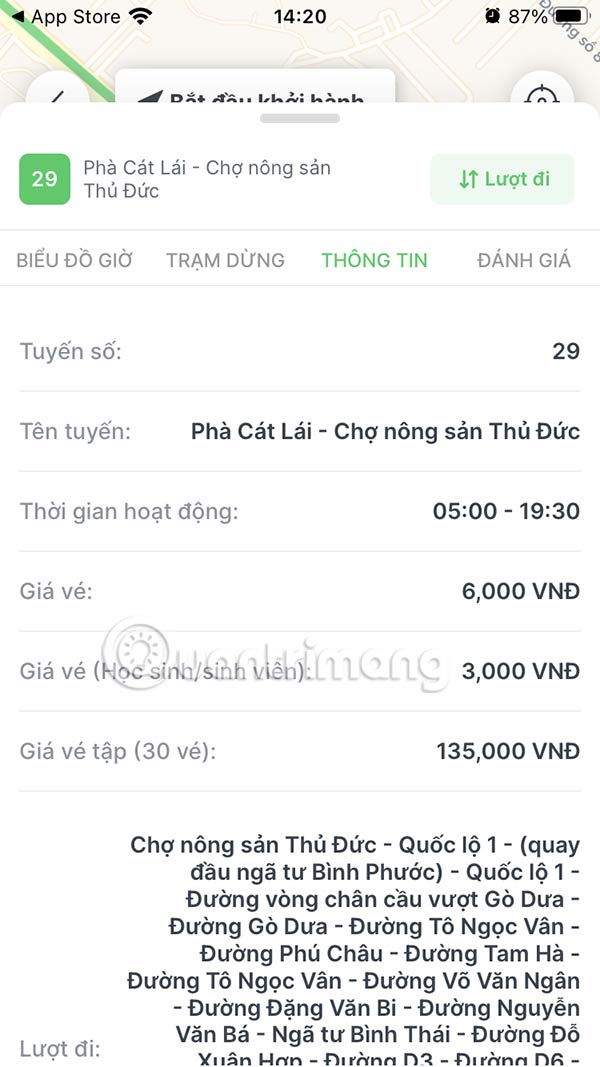
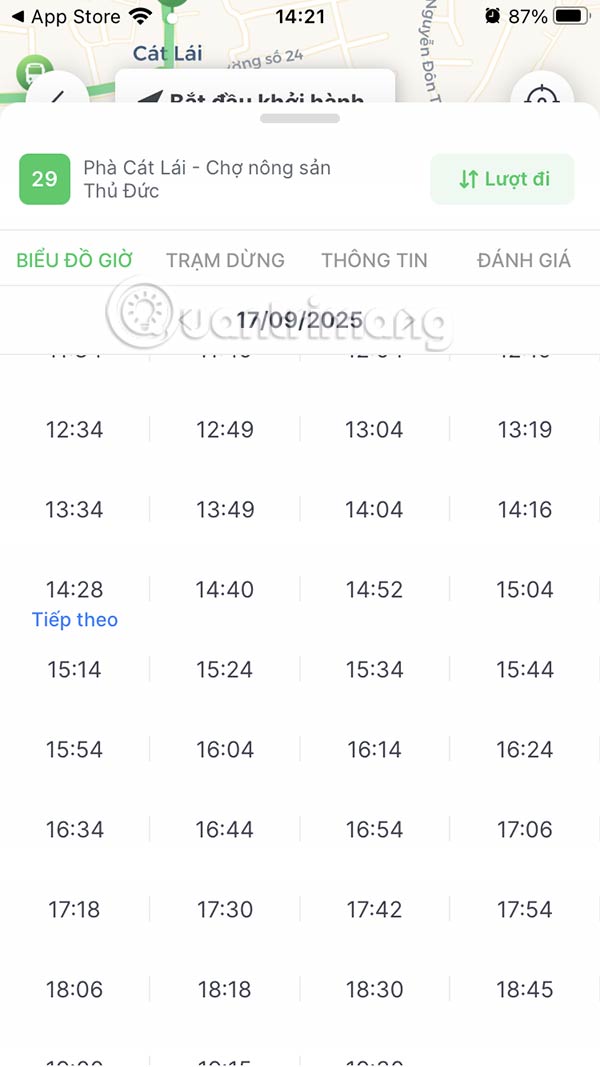
In this interface you also have Information about the departure and return locations Of this bus route. The Time Chart Section is the bus travel time for each day and may change depending on the announcement from the transport unit.
Step 5:
Return to the home page interface, click on Find route . In this interface, Select the location you want to find the bus route that passes through .
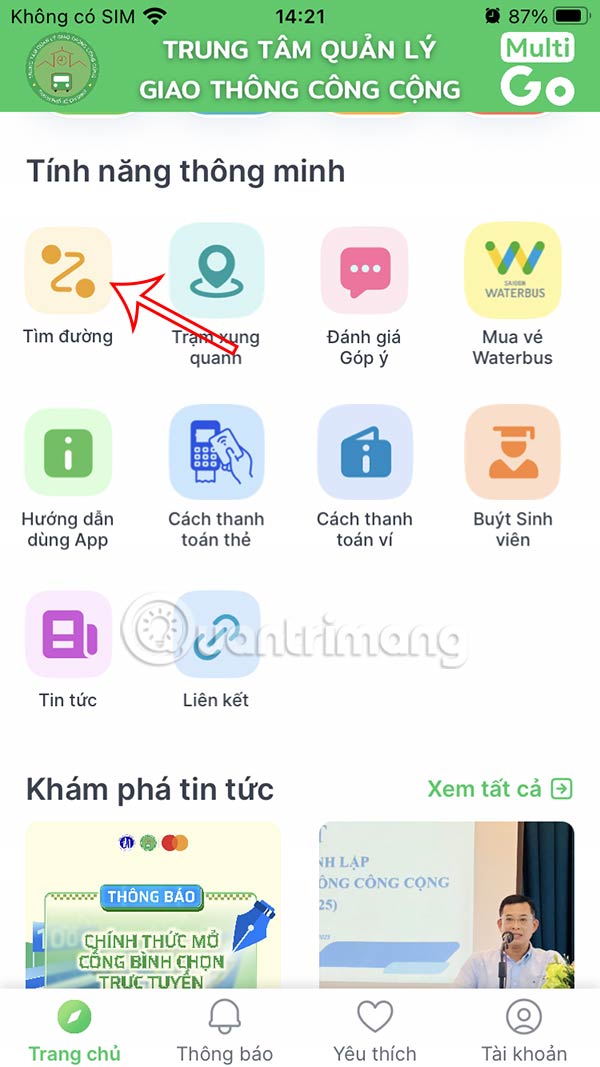
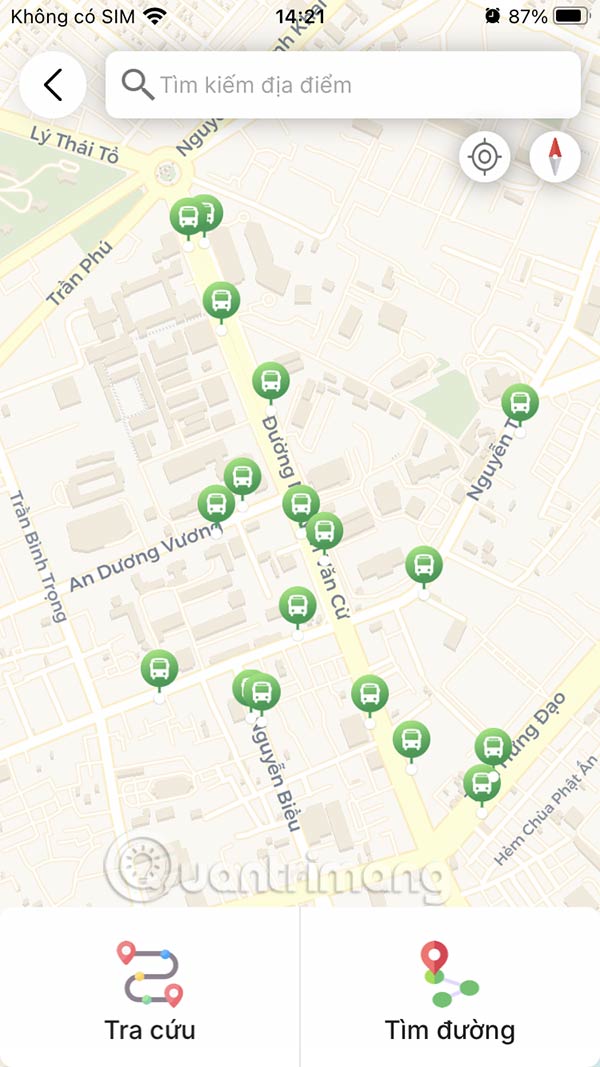
Then you will see the bus routes that pass through the location you want.
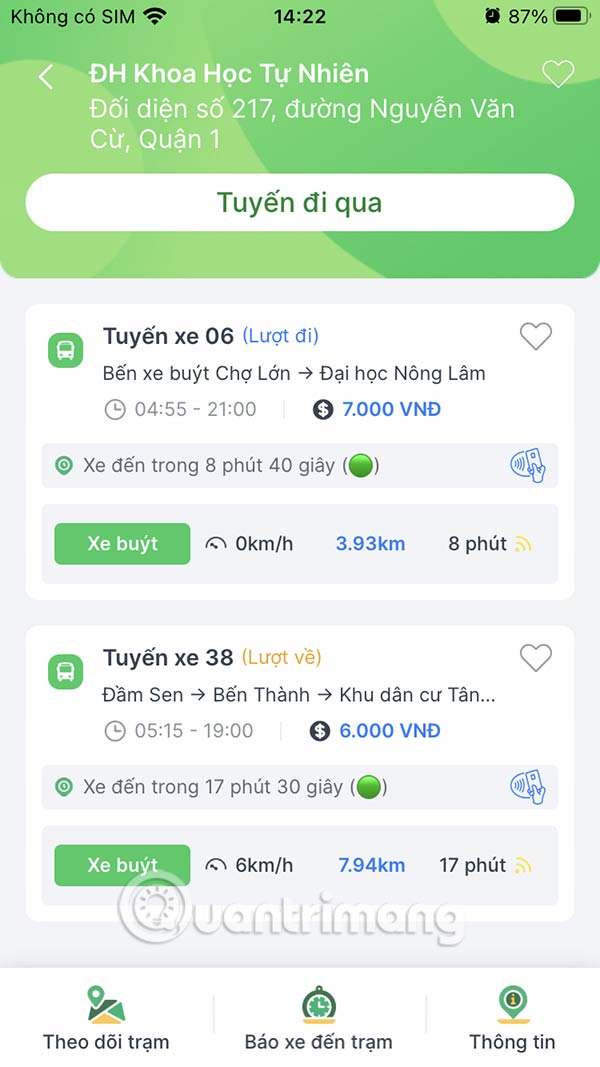
Step 6:
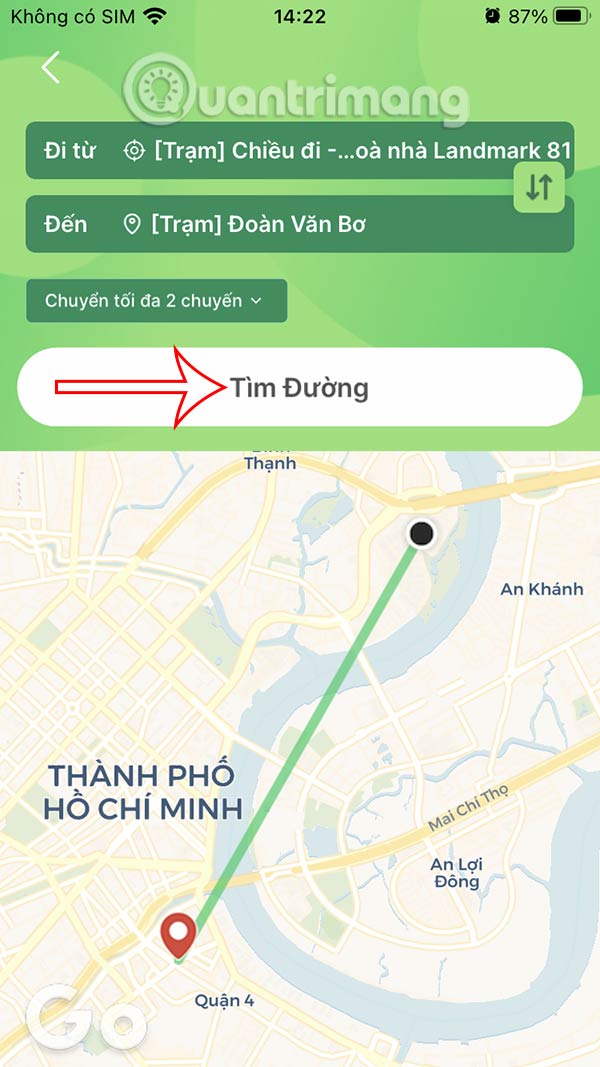
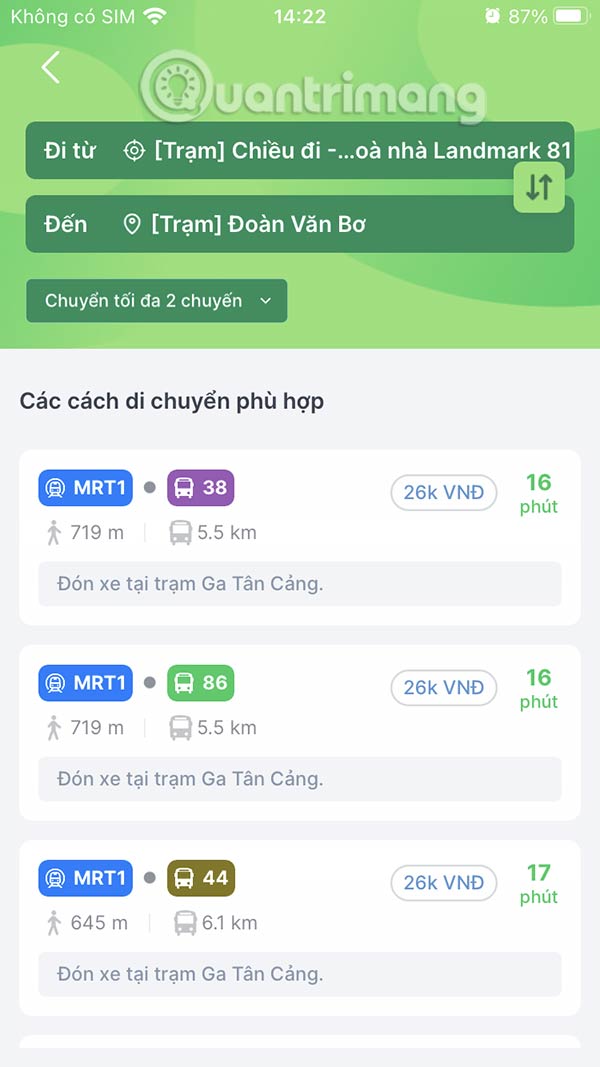
Or you can search for bus routes according to the travel route you want. The application results will clearly display suitable travel routes by different means of transport.

BusMap bus lookup in Ho Chi Minh City
- Download BusMap app for Android Download BusMap app iOS
Step 1:
After downloading the BusMap application to the device, we start the application. In the first interface, the user will be asked to Update the location So that the application can operate easily, press Yes.
Next, if you want To receive notifications from BusMap , click Yes.
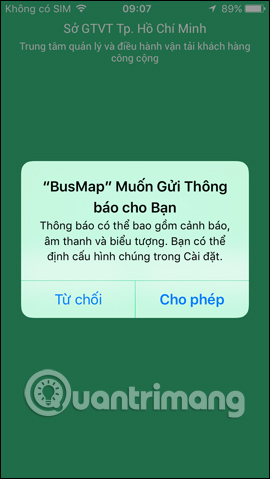
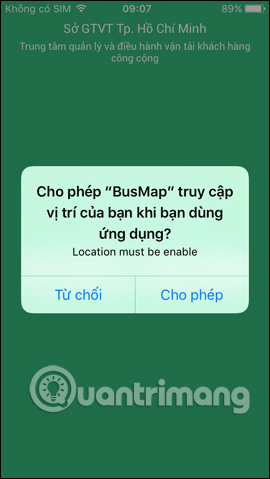
Step 2:
Switch to the new interface, select The language to use Including Vietnamese and English. Then, you wait for the application to start and search for your current location.
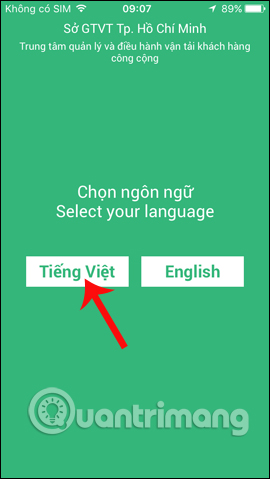
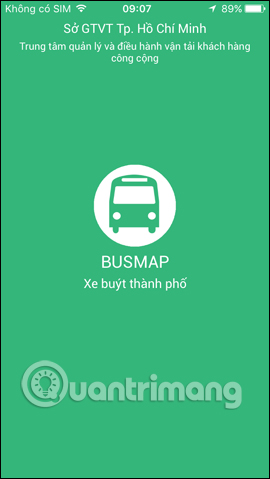
Step 3:
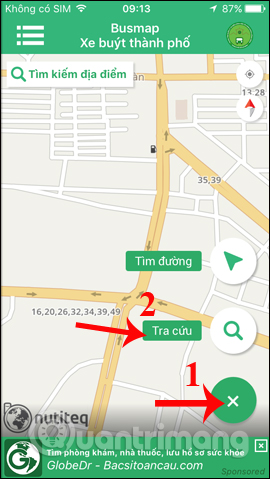
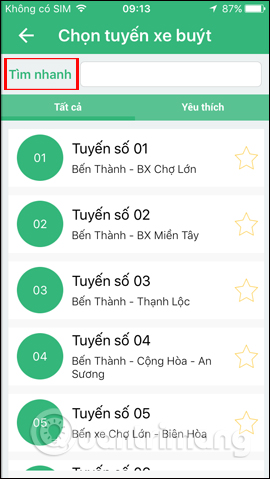
In the main interface of the application, click on The green plus icon . You will see 2 items: Search and Find route. Click on The Search button First. A list of bus routes currently operating in Ho Chi Minh City appears. you can enter keywords about the location in The Quick Search box To get the bus route, based on the search word.
Step 4:
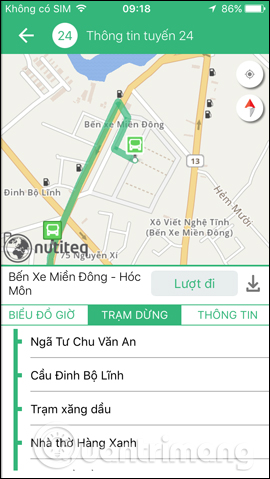
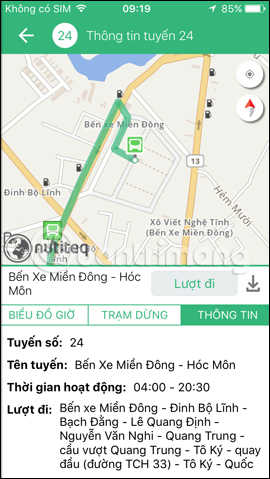
Each bus route will have directions for each bus stop, for example I will choose Route 24. The detailed route of Route 24 will appear immediately after. The bus has its starting stop at Mien Dong Bus Station and its ending stop at 19/5 Bus Station. The Information section will be general information about the bus route.
We just need to follow the points on the list to find the right stop to get off and catch the bus.
Step 5:
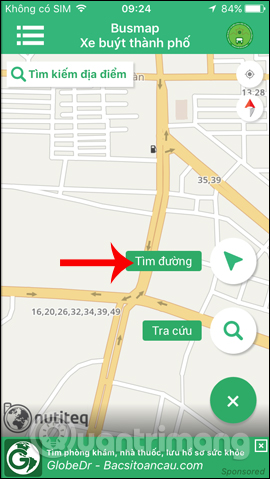
Return to the bus map interface, click on The plus icon And click on Find Routes . In the Find Routes interface, this guide will see 2 locators for Departure Location and Destination Location. Or you can directly enter the departure location and destination in the box.
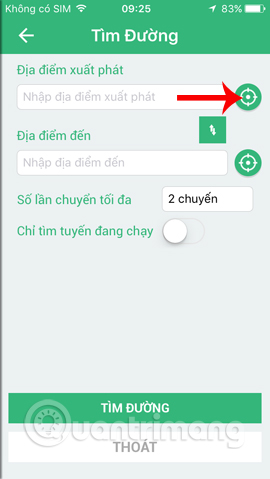
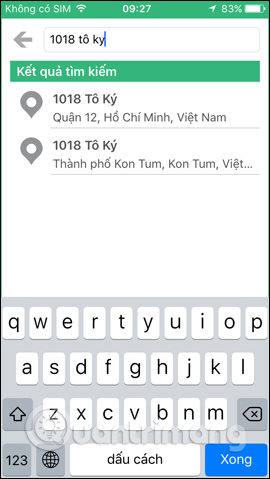
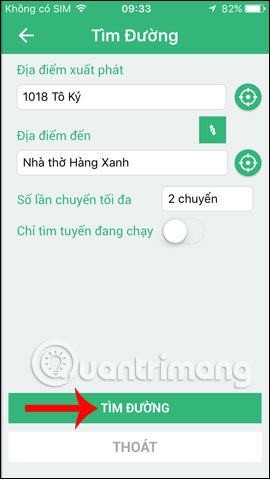
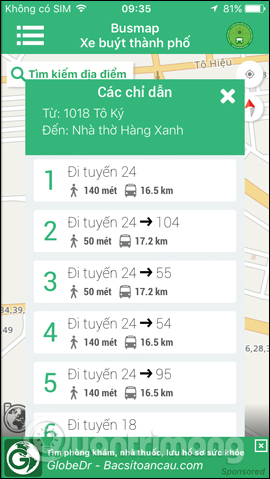
Enter the address name in the Search Area. For example, I will choose the starting point as 1018 To Ky, District 12 and the destination as Hang Xanh Church. Once you have the location, click Find Directions Below.
Step 6:
Wait a few seconds for the application to search for information and return the results to you. On the Directions Interface, there will be different bus routes for you to choose from.
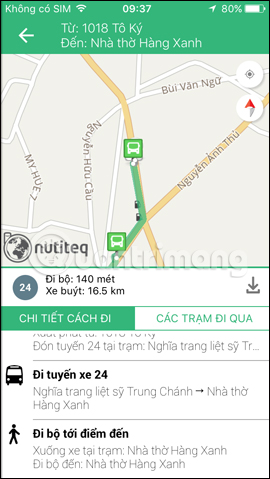
The walking route will include the approximate distance from your current location to the bus stop. When you click on a bus route, you will get detailed instructions on how to get there, from your starting point to your destination.
If we use GPS, the interface will show a green circle. When the green circle matches the green distance on the map, it means you are on the right track.
So, you know how to find bus routes in Ho Chi Minh City based on your current departure point to your destination.
How to use BusMap to find buses in Hanoi
Currently, the BusMapHN application for searching for buses in Hanoi only has a version for Android. The iOS version will be updated in the near future.
- Download BusMapHN Android app
Step 1:
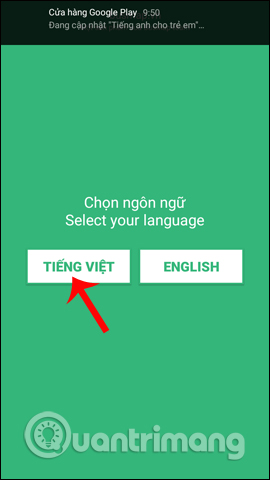
We download the BusMapHN application from the link above and then start it. In the first interface, this guide will also be asked to choose The language to use , click Vietnamese. Then wait for the application to complete the startup.
Step 2:
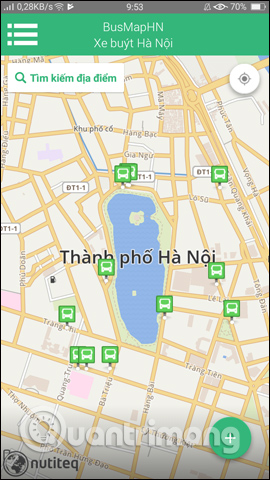
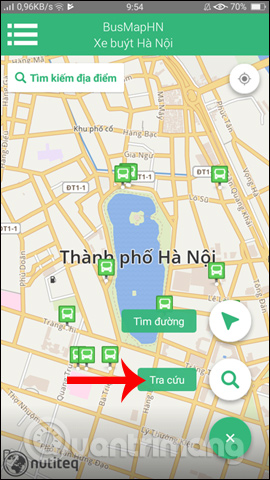
Next, you Click on the check mark To skip the application introduction interface. On the main interface, this guide will see a general map of bus routes in Hanoi. Here, you also click on The blue plus icon , then click on The Search section .
Step 3:
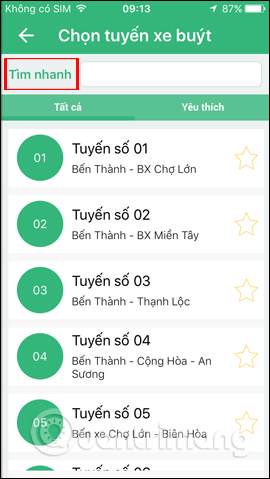
Switch to the Select bus route Interface, enter a location in the Quick Find box or tap a bus route in the list. Tapping a bus route, such as route 20, will show detailed information about the bus stops, the starting point and the ending point of the route.
When clicking on the points in the list, the bus map will jump to the specific bus stop for the user to understand clearly.
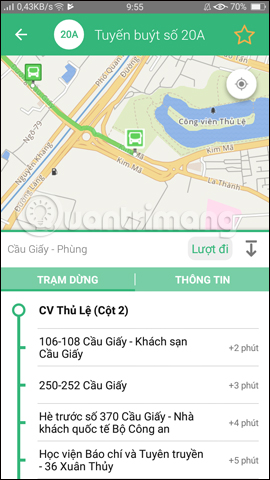
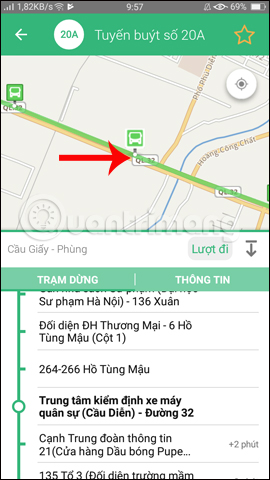
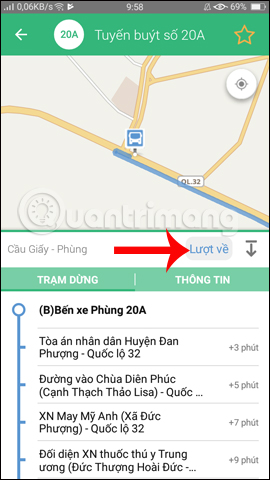
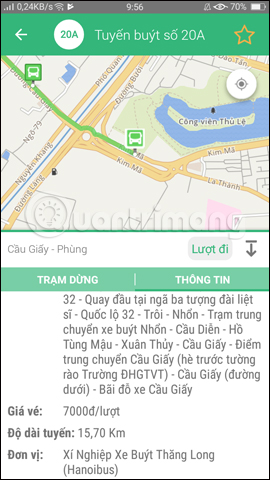
Tap the Outbound Button to toggle between Outbound and Return . The bus stop information will automatically switch between Outbound and Return. The Info Section will outline the bus route, along with the fare for each trip.
Step 4:
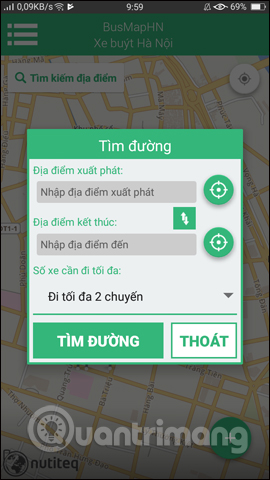
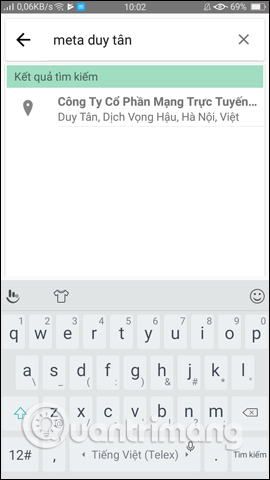
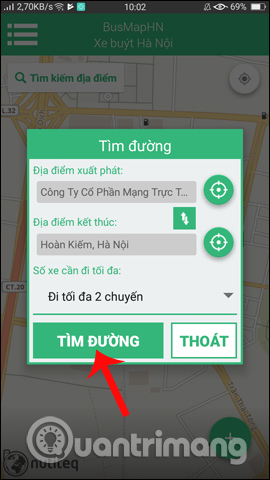
Go back to the main interface and click on The Find Route button . An interface appears for us to enter the starting point and departure point information. You can click on the location icon to display your current Coordinate Point.
Or You can enter names for each starting point and destination. Then click Find Route To find the route.
Step 5:
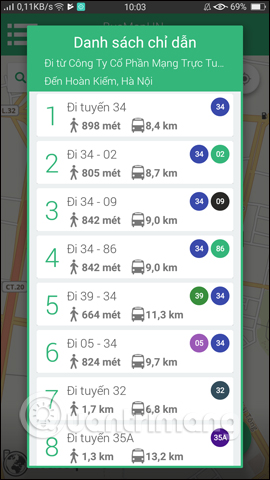
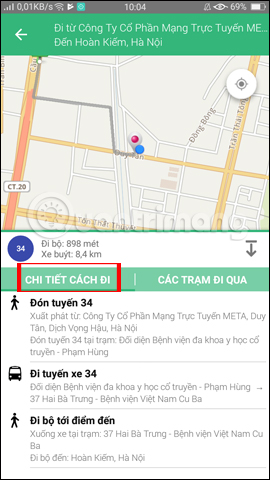
You will then have The Directions List . The walking icon also tells you how far we need to go to get to the bus stop. The Directions Details Interface will guide the user on how to get there. The stations we pass through will be the bus stops to pick up and drop off passengers.
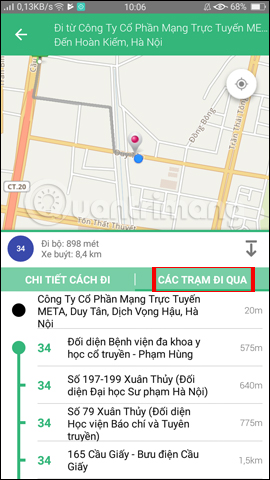
Above is a detailed guide on how to use the BusMap application to search for bus stations in Ho Chi Minh City and Hanoi. You can search for bus routes based on their travel route, then choose the most suitable bus route to travel.
Good luck!
FAQ
How do you track real-time bus routes: using busmap app?
In practical terms, the MultiGo application launched by the Ho Chi Minh City Department of Construction helps users track bus routes in real time without having to waste time waiting for the bus.
What should you check before getting started?
Review the requirements, compatible device or software version, and any warnings described in the guide before making changes.
What should you do if the steps do not work?
Repeat the steps in order, confirm that your app or system is up to date, and review the troubleshooting details provided above.
Related Articles
 How to Search Bus Routes in Hanoi and Ho Chi Minh City9 minutes read
 Traceroute Explained10 minutes read
 How to Use Real Time Text (RTT) on Mac and iPhone8 minutes read
 How to Turn Off Favorite Routes in Apple Maps: Step-by-Step Guide2 minutes read
 6 Safe Ways to Track Someone's iPhone9 minutes read
 British Scientist Uses Radar to Track Bee's Lifelong Route5 minutes read
Reader Comments 0
Sign in with email or Google to join the discussion.