Table of Contents
If you forgot your Facebook password, you cannot retrieve the old password from Facebook—you must reset it. Start from Facebook's official login screen, select Forgot password?, identify your account, and use a recovery method you still control.

Security warning: A genuine Facebook recovery code is for you alone. Do not share it with someone claiming to be a friend, seller, support agent, or Meta employee. Open Facebook directly instead of following a login link from an unexpected message.
Reset your Facebook password
- Go to the Facebook app or facebook.com and select Forgot password?.
- Enter an email address, mobile number, full name, or username connected to the account, then select Search.
- Choose the correct account. If the first recovery option is unavailable, select Try another way.
- Select an offered method you can access, such as email or SMS. WhatsApp may appear for some accounts or regions, but it is not guaranteed.
- Enter the code that Facebook sends. Request a new code only after checking the address or number shown on screen and waiting a few minutes.
- Create a new, unique password. If asked, choose to log out of other devices when you do not recognize all active sessions.
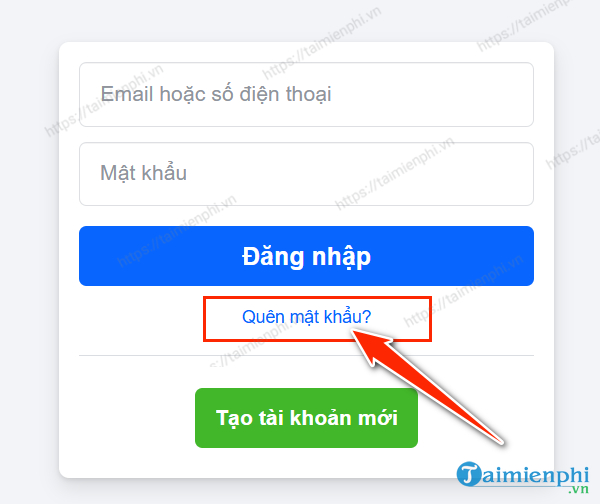
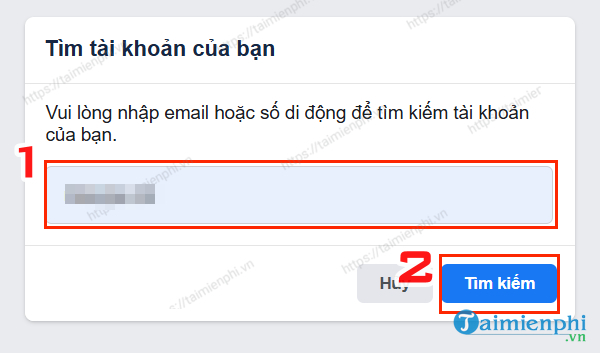
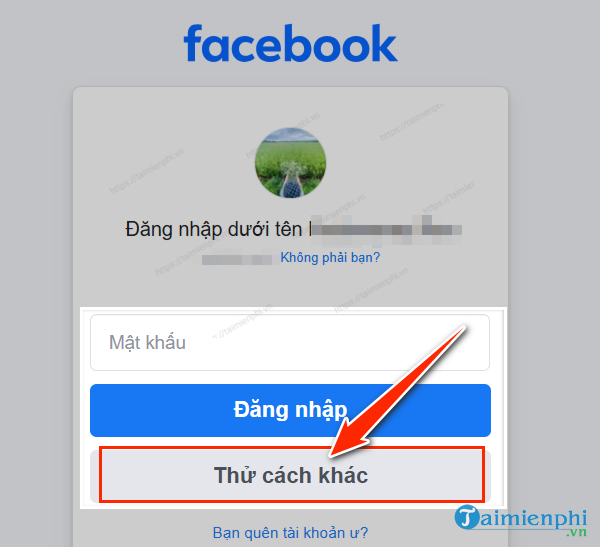
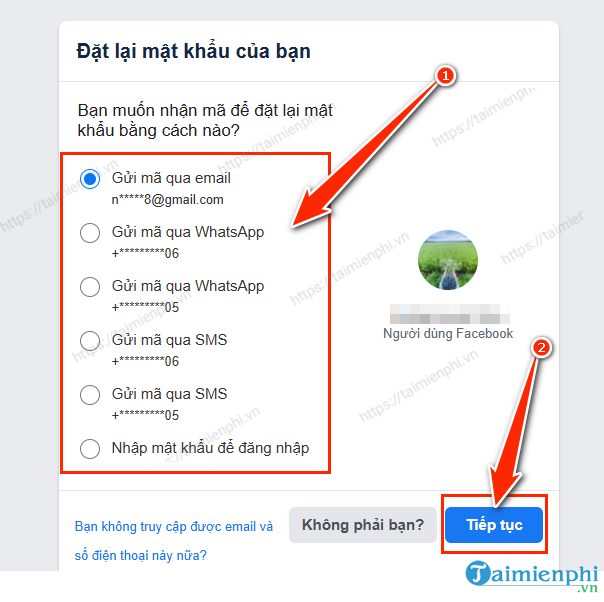
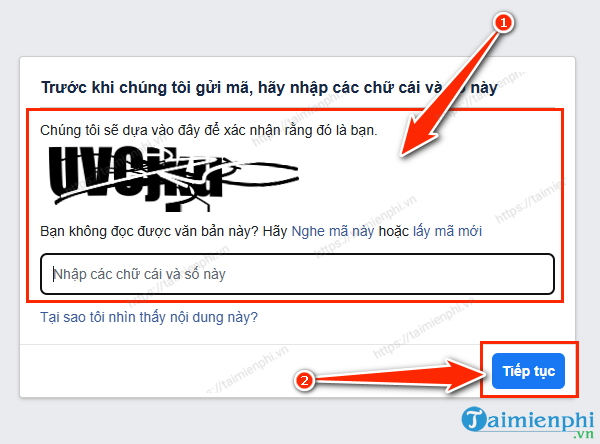
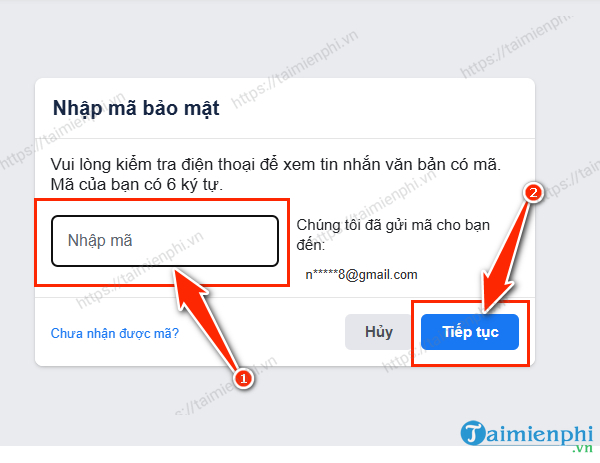
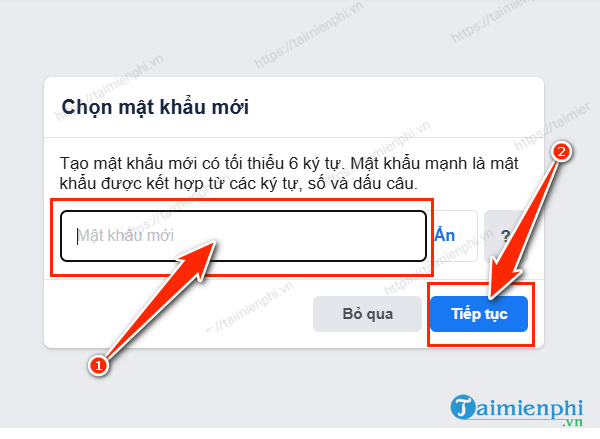
Facebook's interface changes, but the account search and verification sequence remains similar. The official password reset help lists the current options. After resetting, follow TipsMake's Facebook login guide if you need help signing in on another device.
If you cannot find the account
- Try every email address or mobile number you may have attached to Facebook.
- Enter the number with its country code, and try without the domestic leading zero.
- Try the username from your profile URL. Ask a friend to open your profile and send its URL if necessary.
- Use a browser and device that you have previously used for Facebook. A familiar device can make account identification easier.
- Check that you are recovering the personal profile rather than a Page, Meta account, or a duplicate profile with a similar name.
If you no longer have the email address or phone
Select Try another way and follow any identity-check options Facebook offers. Options differ by account and cannot be forced. If you are still signed in on another trusted device, use it to update your contact information in Accounts Center > Personal details > Contact info before logging out.
If no valid recovery method appears, follow Facebook's guide for recovering an account without the registered email or phone. Do not pay a self-described “account recovery expert”; outsiders cannot legitimately bypass Facebook's verification process.
If the reset email or code does not arrive
- Email: Check spam, junk, promotions, and any filters that might move automated messages. Search for messages from Facebook, but verify links before using them.
- SMS: Confirm the number shown is yours, check mobile signal, restart the phone, and make sure short-code messages are not blocked by the carrier or device.
- Too many attempts: Stop requesting codes for a while. Repeated requests can invalidate earlier codes or trigger a temporary limit.
- Code rejected: Use the newest code and type it manually. Codes expire and older messages may arrive after newer ones.
- Wrong account: Return to account search and confirm the profile picture and partially masked contact details before sending another code.
Facebook's reset troubleshooting page covers additional error cases.
If you think the account was hacked
A password reset alone may not be enough if an intruder changed your contact details, added a login method, or left an active session. Visit facebook.com/hacked on a device you have used before and follow the guided checks. Then:
- Set a password not used on any other site.
- Review logged-in devices and end unfamiliar sessions.
- Remove unknown email addresses, phone numbers, apps, and browser integrations.
- Check recent posts, messages, ads, Pages, and payment activity.
- Secure the email account connected to Facebook as well.
If the normal workflow fails, see how to contact Facebook account support.
Protect the account after recovery
Use a unique password
Choose a long password or passphrase that is hard to guess and not reused elsewhere. A password manager can create and store unique credentials; compare TipsMake's password manager options. Do not use a sample password copied from an article.
Turn on two-factor authentication
In Facebook, open Settings, then Accounts Center > Password and security > Two-factor authentication. Choose an authentication app, security key, or another method Facebook offers. Save recovery codes somewhere separate from the device. Meta's two-factor authentication guide has the current menu path.
Review sessions and alerts
In Password and security, review where the account is logged in and enable alerts for unrecognized logins if available. End any session you do not recognize, then change the password. A location can be approximate because mobile networks and VPNs affect it, so compare the device and time as well.
Keep recovery details current
Maintain at least one email address and phone number you control, and remove old contact details promptly. Protect the connected email account with its own unique password and two-factor authentication.
What not to do
- Do not send anyone a reset code, recovery code, cookie, or screenshot containing one.
- Do not install remote-control software at a stranger's request.
- Do not keep guessing passwords until Facebook temporarily limits attempts.
- Do not reuse the new password on email, banking, or other social accounts.
- Do not assume a message is genuine because it uses the Facebook logo; verify alerts inside the app or site.
Related Articles
 How to Retrieve Facebook Password When Forgotten by Phone7 minutes read
 How to Retrieve a Facebook Password When It Is Forgotten4 minutes read
 How to Recover Your Forgotten Gapo Password5 minutes read
 How to Recover Your Facebook Password When It Is Forgotten4 minutes read
 Steps to Reset Forgotten Password on Windows 105 minutes read
 How to Access Your MacBook When You've Forgotten Your Password7 minutes read
Reader Comments 0
Sign in with email or Google to join the discussion.