Table of Contents
You cannot legitimately view the private posts, Stories, or Reels of an Instagram account unless the account owner approves your follow request or shares the content with you. Websites and apps that claim to bypass a private profile are not an authorized solution and may be scams designed to collect passwords, payments, or personal data.
What a private Instagram account hides
A private profile may still display limited information such as its username, profile photo, bio, and follower or following counts. Posts and other audience-limited content are visible only to approved followers, subject to Instagram's current privacy rules.
Private means the account owner wants to choose who can view that content. Trying to work around that choice can violate the person's privacy and expose your own account to security risks.
Send a follow request
The normal way to request access is to open the profile and tap Follow. The request remains pending until the account owner approves or removes it.
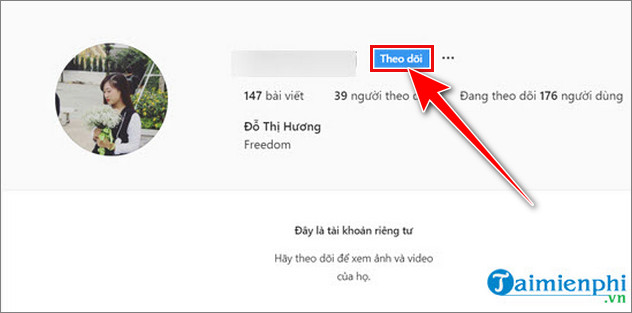
If the person may not recognize you, make your own profile accurate enough to identify you. A clear profile photo, genuine name or context, and ordinary account activity can help the recipient understand who is asking. Do not impersonate someone, create a deceptive account, or repeatedly send requests after being declined.
Ask the person directly
If there is a legitimate reason to see a particular photo or update, send a respectful message explaining who you are and what you are asking for. The person may approve the follow request, share the specific item, or decline. Their decision should be respected.
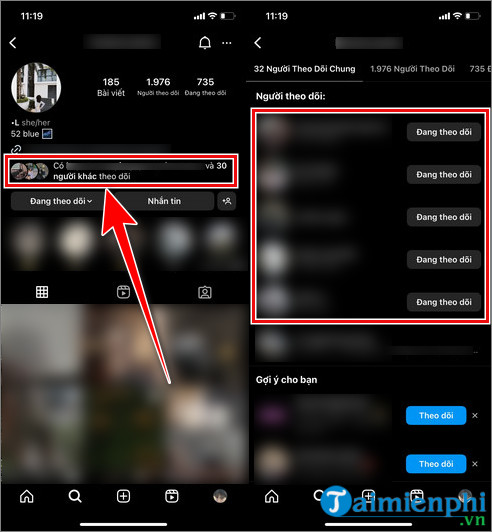
A mutual contact can introduce you if appropriate, but should not copy, screen-record, or forward private posts without the account owner's permission.
What a web search can and cannot show
A search engine may display information that was already public elsewhere, such as a public profile snippet, an old public page, or content the person posted on another public service. It does not unlock the current private Instagram feed.
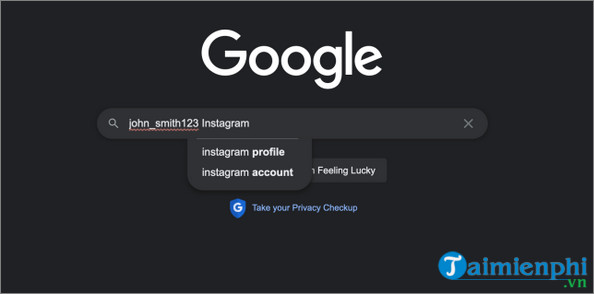
Search results can be outdated, misidentified, or copied without context. Confirm that a result belongs to the correct person and do not treat cached or reposted material as permission to redistribute it.
Avoid “private Instagram viewer” websites and apps
Claims that a tool can reveal private posts without approval are a major warning sign. Common risks include:
- fake login pages that steal Instagram credentials;
- surveys, subscriptions, or payment requests that never provide access;
- malicious apps or browser extensions;
- requests for verification codes or account recovery details;
- impersonation, spam, or unauthorized activity from a compromised account; and
- fabricated previews that do not come from the requested profile.
Never enter your Instagram password or one-time login code into a third-party viewer. Do not install a mobile app, configuration profile, browser extension, or executable file to bypass someone else's privacy setting.
If you already used a private-profile viewer
- Change your Instagram password using the official app or website.
- Review active login sessions and sign out devices you do not recognize.
- Enable two-factor authentication.
- Remove unfamiliar connected apps.
- Secure the email account linked to Instagram with a separate password.
- Review your profile, messages, and recent activity for unauthorized changes.
TipsMake's guide on what to do when an Instagram account is hacked covers additional recovery steps. It is also worth reviewing information that should not be shared on social media.
Protect your own Instagram privacy
If you want more control over who sees your content, switch your account to private in Instagram's privacy settings, review pending and approved followers, limit mentions and tags, and remove followers you no longer trust. Privacy settings reduce casual access, but viewers you approve can still capture or share what they see, so avoid posting highly sensitive material.
For related account and privacy instructions, browse TipsMake's social-network guides.
Related Articles
 Instructions to View Instagram Account History3 minutes read
 How to See Instagram Account Profile Picture2 minutes read
 Instagram Account Is Hacked, This Is All You Need to Do13 minutes read
 To View Photos on Instagram, You Must Register, You Can No Longer2 minutes read
 How to Block and Unblock Users on Instagram5 minutes read
 How to View Instagram Account Name Change History3 minutes read
Reader Comments 0
Sign in with email or Google to join the discussion.