Table of Contents
Instagram Notes are short status updates displayed above the Direct Messages inbox. A Note is temporary, and people in the audience you choose can tap it to send a private reply. Notes are useful for quick questions, announcements, song choices, or conversation starters that do not need a full Story or post.
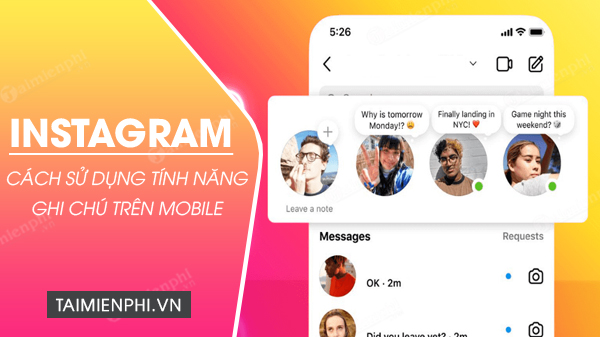
How Instagram Notes work
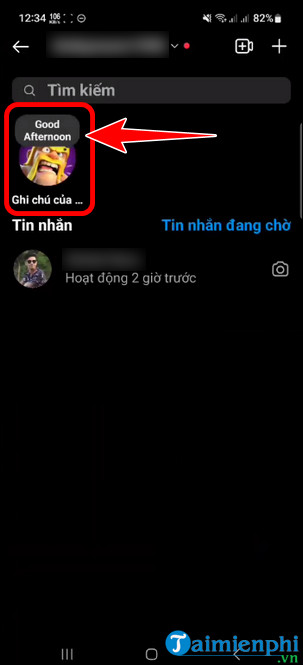
- A Note appears near your profile picture at the top of the inbox.
- It is visible only to the audience selected when you share it.
- It disappears automatically after its temporary display period.
- Replies arrive as private direct messages, not public comments.
- Music, prompts, or other additions may be available depending on the account, region, and app version.
Notes are not a personal note-taking system. If you need to store private reminders or long information, use a dedicated notes app rather than posting it to an Instagram audience.
Create and share an Instagram Note
- Open Instagram and tap the Messages or inbox icon.
- At the top of the inbox, tap your profile picture or the Your Note control.
- Enter the short message you want to share. Add music or another supported element only if the option appears and is relevant.
- Choose the audience offered by Instagram, such as followers you follow back or your Close Friends list.
- Review the message and audience, then tap Share.
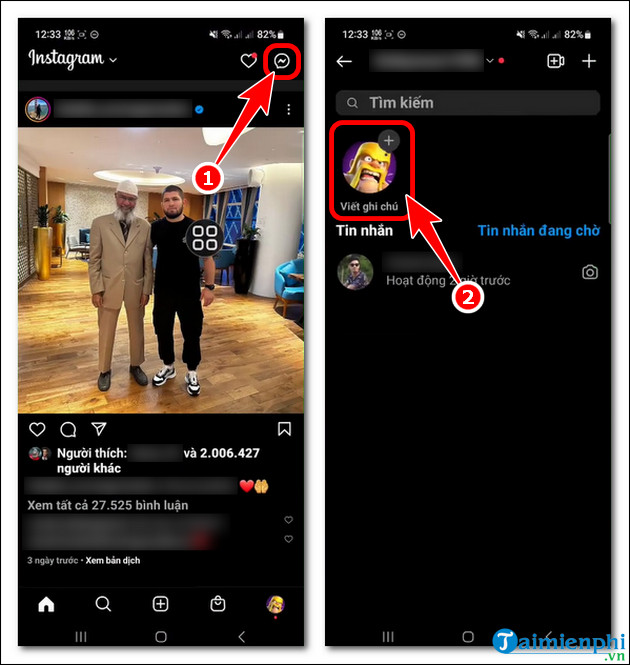
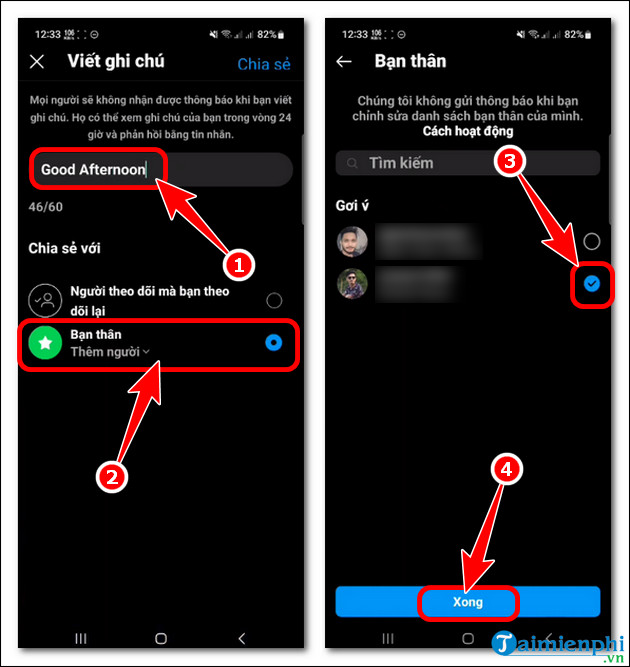
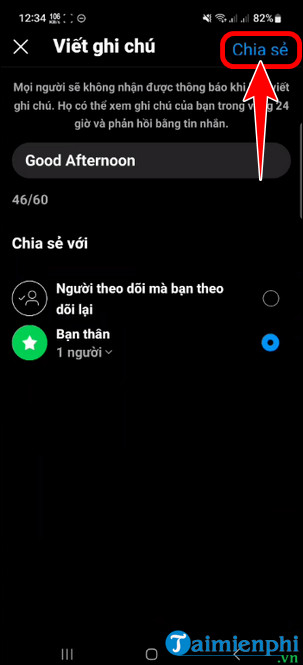
The screenshots show an older version of the feature. Current audience labels and editing controls may be arranged differently.
Choose the right audience
Read the audience line before sharing. A Close Friends Note is limited to the list you maintain, while a broader option may reach people who follow you and whom you follow back. Instagram can adjust these choices, so rely on the audience label displayed in your app.
Do not put passwords, private contact details, travel plans, financial information, or other sensitive data in a Note. It may feel informal, but it is still content shared with other accounts.
Reply to someone else's Note
Tap the Note above the person's profile picture, enter your response, and send it. The reply should open or continue a private conversation in Direct Messages. Other viewers of the Note do not see your reply.
If no reply field appears, the Note may have expired, the account's messaging controls may limit replies, or Instagram may have changed the interaction available for that Note type.
Delete or replace your Instagram Note
Open the inbox and tap your active Note. Choose the delete option if you want to remove it before it expires. To post a different message, use the option to leave a new Note when available; Instagram may replace the current one rather than display both.
After deleting, return to the inbox and confirm that the Note no longer appears above your profile picture.
Mute Notes from another account
If you do not want to see one person's Notes, press and hold their Note or open the account's following controls and look for a mute option. Instagram may let you mute Notes separately from posts and Stories. Muting is private: it does not unfollow, restrict, or block the account.
To reverse the setting, return to the account's mute controls and enable Notes again.
Why Instagram Notes may be missing
- The app is outdated: Install the current Instagram update from the official app store.
- The feature is not available to the account: Rollouts and supported Note types can vary by account and region.
- The inbox layout changed: Open Direct Messages and check the top row rather than the profile or feed.
- A temporary app problem occurred: Close Instagram, reopen it, and sign out only if ordinary restarting does not help.
- The network is unstable: Switch connections and allow the inbox to refresh.
- No audience qualifies: Some sharing options depend on Close Friends or mutual-follow relationships.
Avoid clearing app data or reinstalling until you have checked drafts, remembered your login method, and confirmed that simpler steps do not work.
Notes, Stories, and regular posts compared
- Use a Note for a brief status or prompt designed to start a private conversation.
- Use a Story for temporary visual content, stickers, video, and richer audience interaction.
- Use a regular post or Reel for content you want to remain on your profile unless you remove it.
For related messaging and social features, browse TipsMake's Instagram guides. You can also learn how Instagram chat themes are created if you want to customize conversations started from Note replies.
Related Articles
 How to Create Chat in Instagram Notes3 minutes read
 You Can Write Notes for Reels Instagram Videos3 minutes read
 How to Share Spotify Songs to Instagram Notes in Real Time3 minutes read
 12 Tips to Make It Easier for You to Master Instagram8 minutes read
 How to Pin Notes on Apple Notes - Mark Important Notes4 minutes read
 How to Use Instagram for New Users: Instagram Use9 minutes read
Reader Comments 0
Sign in with email or Google to join the discussion.