Table of Contents
The safest way to download a Facebook video is to use Facebook's own download or data-export option for content you posted. For a video posted by someone else, use Save video to bookmark it inside Facebook or ask the creator for the original file. Third-party downloader sites can work with some public videos, but they introduce privacy, malware, copyright, and reliability risks.

Before downloading a Facebook video
- Download only content you own or have permission to copy.
- A public post is visible to more people, but that does not automatically make its video free to reuse.
- Never paste Facebook cookies, login credentials, page source, or private-group content into a downloader.
- Do not install an extension from an unfamiliar publisher merely to save one clip.
- Keep the original file if you plan to upload video regularly; social networks may recompress uploaded copies.
Download a Reel you posted
Facebook provides a download command for eligible Reels you shared. In the mobile app, open your profile, go to Reels, open your Reel, tap the options menu, and look for Download reel. The available result can depend on when the Reel was posted and whether it contains licensed music or other restricted material.
If the command is missing, use the export method below. Facebook documents the current Reel procedure in its Reel download help.
Export videos and other Facebook data you own
Meta's export tool is the most reliable way to obtain a copy of your own Facebook information:
- Open Settings & privacy, then Settings.
- Go to Accounts Center.
- Open Your information and permissions and choose Export your information.
- Select the Facebook profile, choose whether to export to a device or another destination, and select the categories you need.
- Choose a date range, media quality, and format, then start the export.
- Wait for Facebook to prepare the archive. Download it only from Accounts Center or a notification you have verified inside Facebook.
Large exports may be split into several files. Store the archive carefully because it can contain personal information. Meta's export instructions reflect the current Accounts Center workflow. You can also read TipsMake's guide to downloading Facebook photo albums.
Save someone else's video inside Facebook
If you only want to watch the video later, downloading is usually unnecessary:
- Open the video's options menu, normally shown as three dots.
- Select Save video or Save Reel.
- Open Facebook's Saved section to find it later.
The item remains subject to the creator's privacy settings and may disappear if it is deleted or you lose access. Saving does not create an offline file.
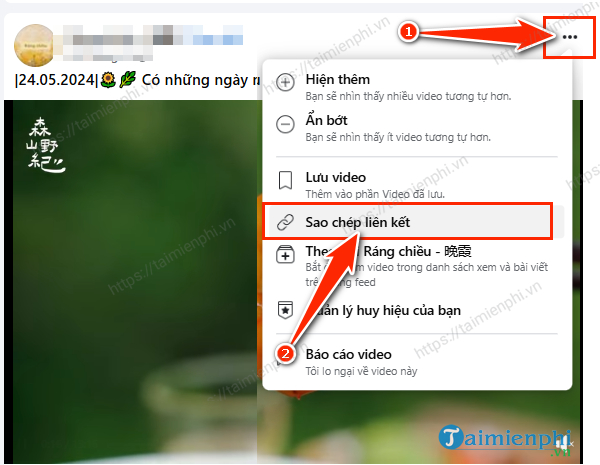
Copy a public video link
When a creator has given permission to download or share a public video, first obtain the correct post URL. Open the video, use the three-dot or Share menu, and select Copy link. On a desktop browser, you can also open the video on its own page and copy the address from the address bar.
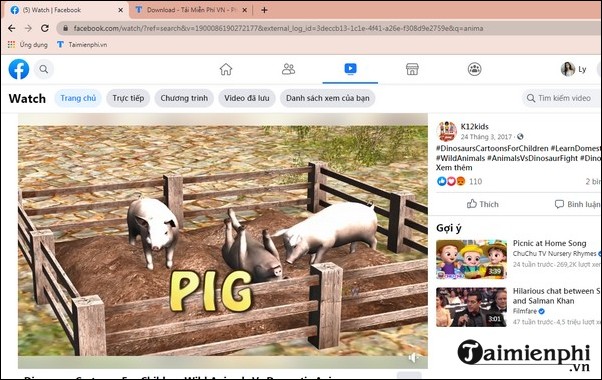
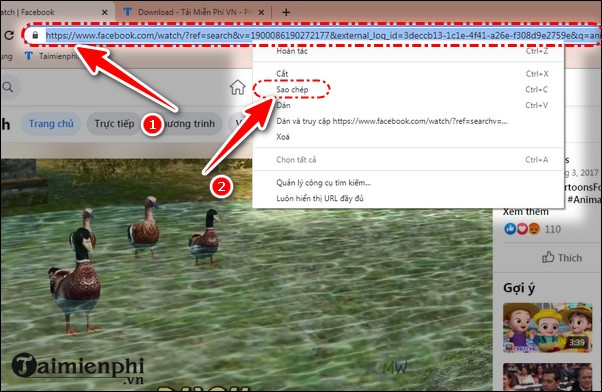
Using a browser or download manager
Some browsers and established download managers detect media that the page is already allowed to play. Availability changes as Facebook updates its player, so no tool should be treated as guaranteed. Check the publisher, permissions, privacy policy, and recent reviews before installing anything. See TipsMake's overview of Chrome video download extensions and the separate Video DownloadHelper guide.
Cốc Cốc browser
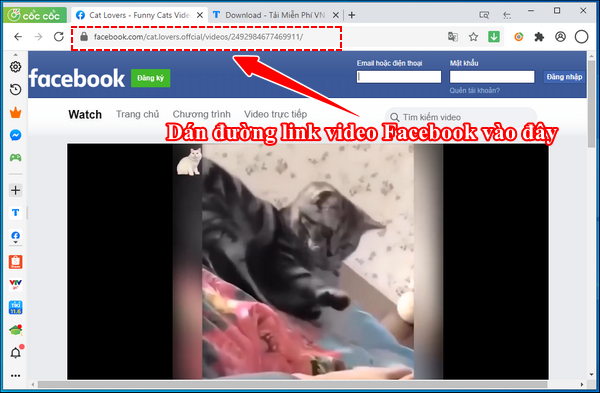
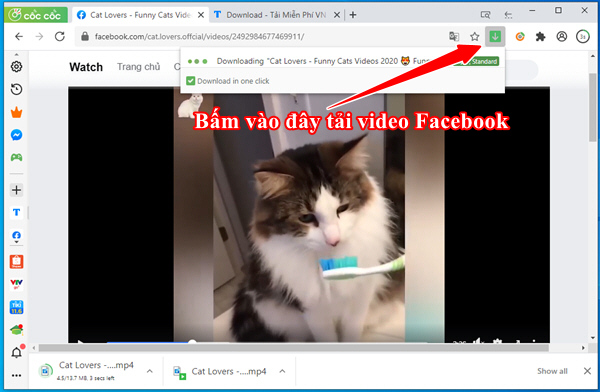
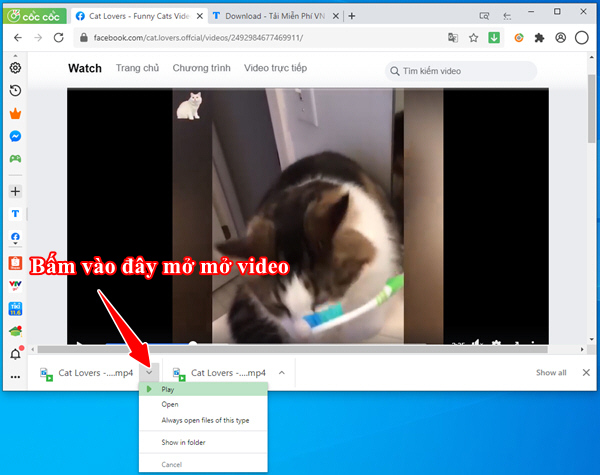
On supported pages, Cốc Cốc may show a media-download control near the video or browser toolbar. Open the public video, play it, inspect the available formats, and save only a permitted copy. If no control appears, the current page or video may not be supported; do not provide your Facebook password to another site as a workaround.
Internet Download Manager on Windows
IDM may display a download panel when its browser integration detects a playable file. Confirm that the detected item is the intended video, choose a local folder, and start the download. The screenshots below show an older interface, so button placement may differ in a current release.

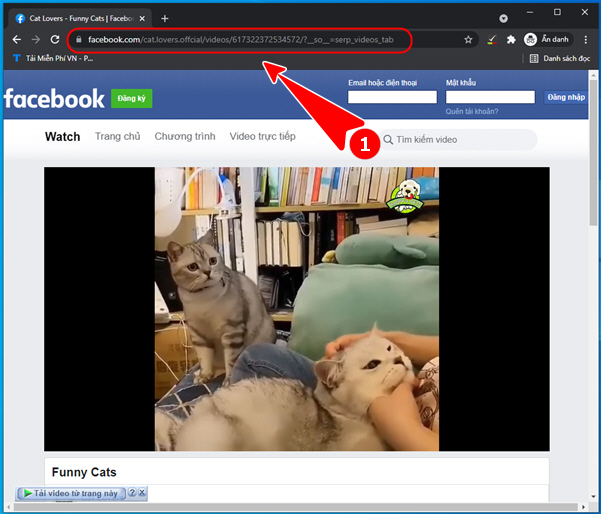
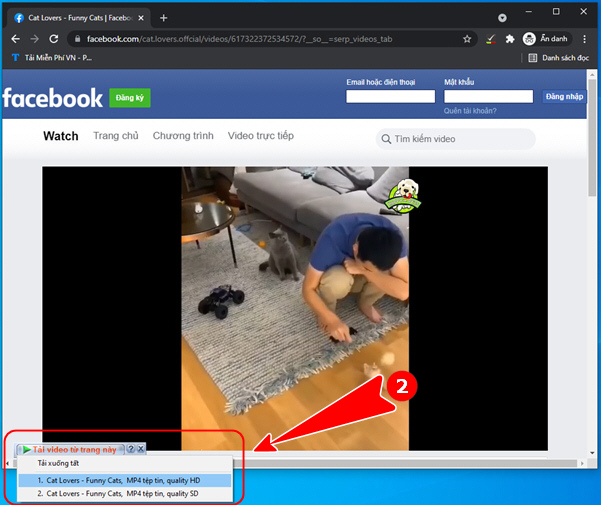
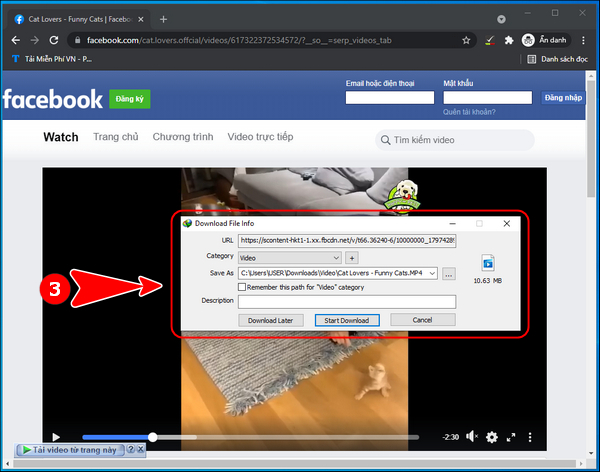
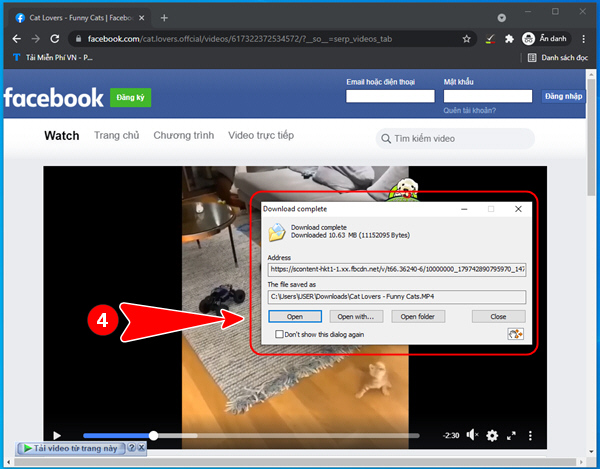
If browser integration is missing, update IDM and its official extension, then restart the browser. Avoid look-alike extensions and cracked installers.
Why online Facebook downloaders require caution
Online downloaders frequently change domains, owners, advertising networks, and behavior. A page that once worked may later show misleading download buttons, notification prompts, pop-ups, or unwanted installers. If you choose to use one for a permitted public video:
- Submit only the public post URL—never your Facebook password or a private page's source code.
- Reject browser-notification requests and do not install a “required” codec or extension.
- Check the downloaded file's extension before opening it. A video should not arrive as an executable file.
- Scan unexpected files and delete anything that is not the media format you selected.
- Do not assume an HD or 4K option is real; a downloader cannot recover quality absent from the available stream.
For broader options and their trade-offs, see ways to download video from the web.
Do not use the “private video” source-code method
Some older instructions tell users to copy an entire Facebook page's source into a third-party website. That source can contain personal identifiers, temporary media URLs, or session-related data. It also attempts to bypass the context in which private content was shared. Do not use this method. If you are entitled to the video, ask its owner for the file or use Facebook's export feature for your own account.
Where to find the downloaded file
- Windows or Mac: Check the browser's Downloads list and your system's Downloads folder.
- Android: Look in the Files app under Downloads, unless you selected another folder.
- iPhone or iPad: Browser downloads normally appear in the Files app; a Reel saved by Facebook may appear in Photos if permission was granted.
Before reposting a downloaded clip, get permission from the creator and retain any required attribution. Downloading for offline access and republishing to another platform are separate uses.
Related Articles
 The Fastest Way to Download Facebook Videos to Your Computer Without10 minutes read
 Guide to Downloading Facebook Videos to Your Computer Super Fast6 minutes read
 Instructions for Downloading Facebook Videos on iOS and Android8 minutes read
 How to Download the Facebook Video HD on the Computer4 minutes read
 Instructions for Downloading Private Videos on Facebook3 minutes read
 How to Download Private Facebook Videos to Your Phone Super Fast4 minutes read
Reader Comments 0
Sign in with email or Google to join the discussion.