Table of Contents
You can log in to Facebook with an email address, a mobile number, or—in many cases—your Facebook username. Use the official Facebook app or type facebook.com directly into your browser, enter the password for that Facebook account, and select Log in.
Important: Your Facebook password is not necessarily the same as the password for your email account. Never give a login code, password, recovery code, or access token to a website or person claiming they can sign in for you.

Log in on a computer
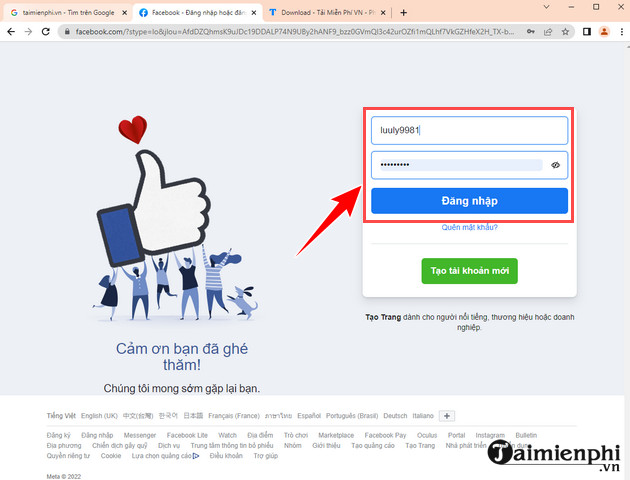
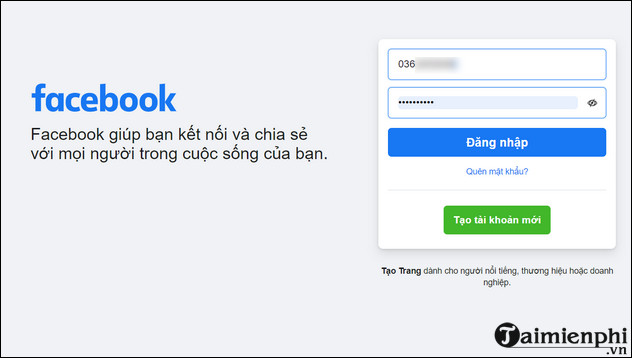
- Open a current web browser and go to facebook.com.
- In the first field, enter an email address, mobile number, or username connected to your account.
- Enter your Facebook password and select Log in.
- If Facebook asks for a security code, approve the login from a trusted device or enter the code from your configured two-factor authentication method.
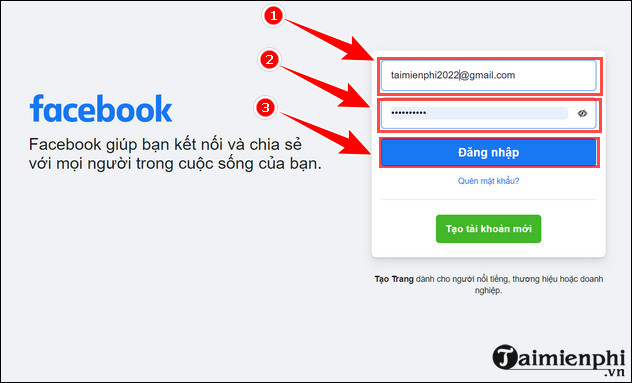
On a shared or public computer, do not save your login information. Log out when finished and avoid checking any option that keeps the account signed in.
Log in with the Facebook app
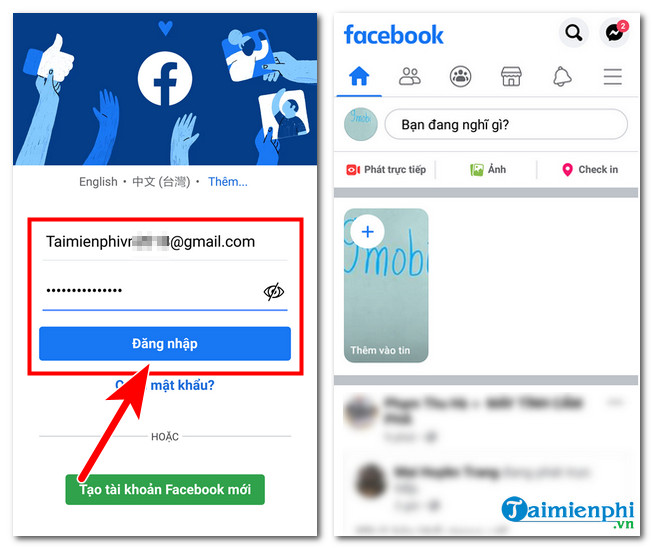
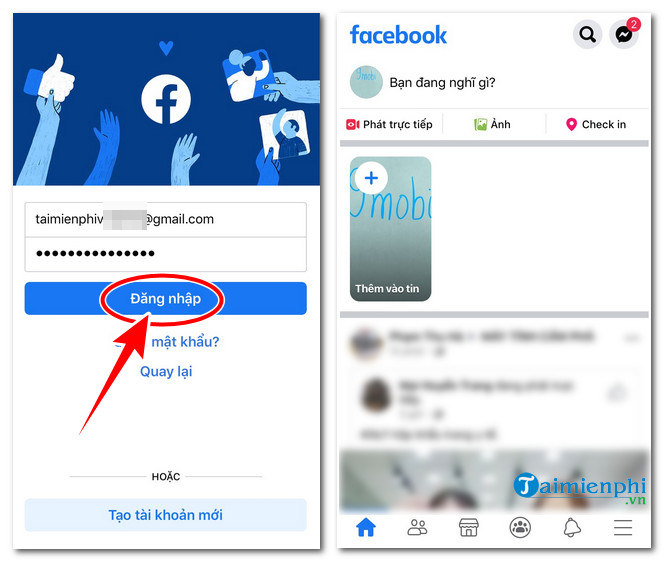
Install the official Facebook app from Google Play on Android or the App Store on iPhone. Open it, enter an email address or mobile number attached to the account, type the Facebook password, and tap Log in. A login alert or verification prompt may appear when Facebook does not recognize the device.
Which account identifier should you use?
Email address
Enter any confirmed email address listed in your Facebook contact information. This does not have to be Gmail; other email providers work as long as that address is connected to the account.
Mobile number
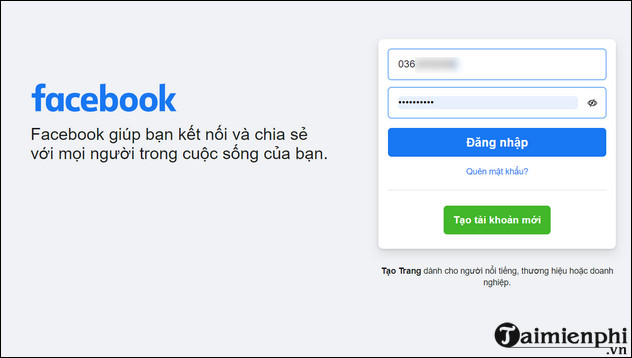
Enter a confirmed number associated with the account. If it is not accepted, try including the country code and omitting any leading zero used for domestic calls. A phone number cannot be used to sign in until it has been added to the account and confirmed.
Facebook username
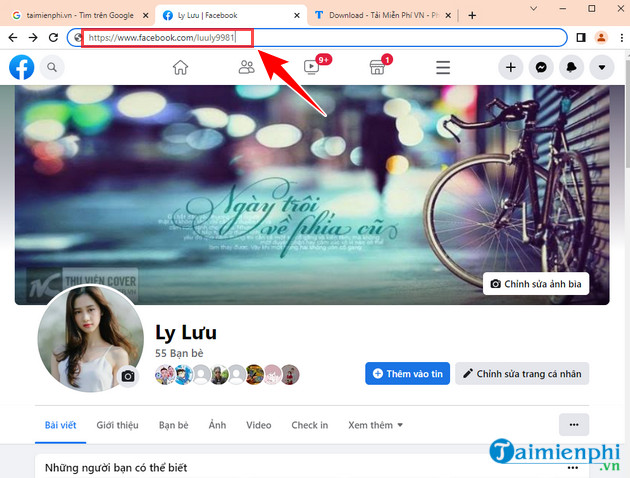
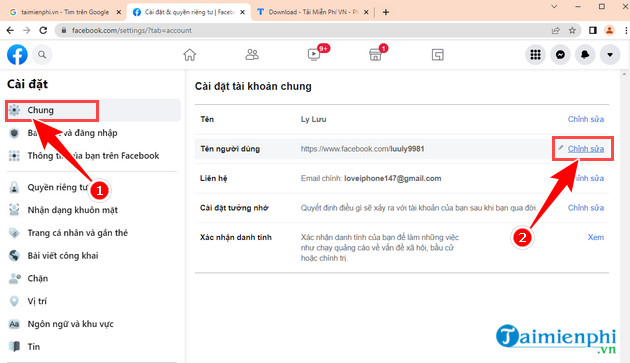
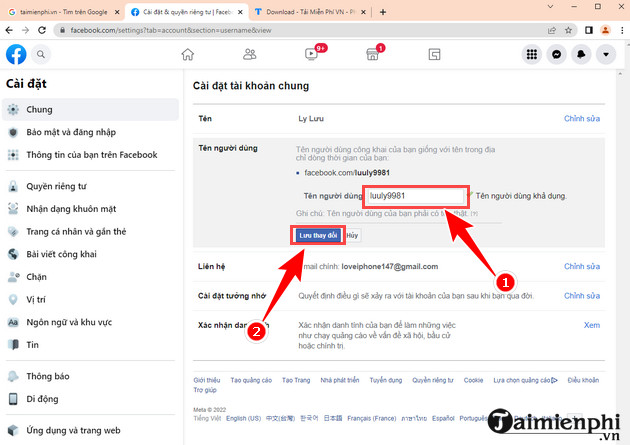
A username is the unique part of a profile URL. For example, in facebook.com/example.name, the username is example.name. If the account has a username, it can often be entered in the same login field as an email address or phone number. A username is not a substitute for the password.
Add or update a phone number
If you can already sign in, add a current phone number so it can help with login and account recovery:
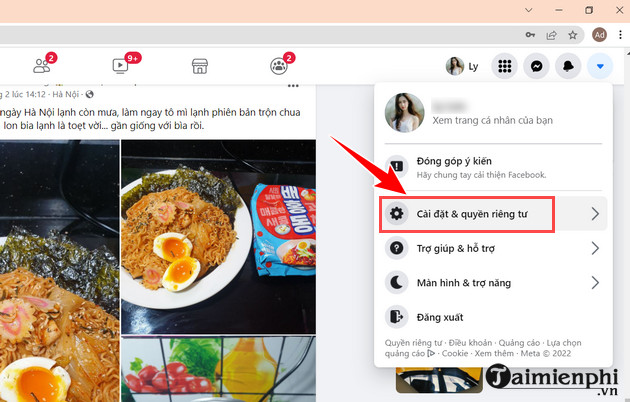
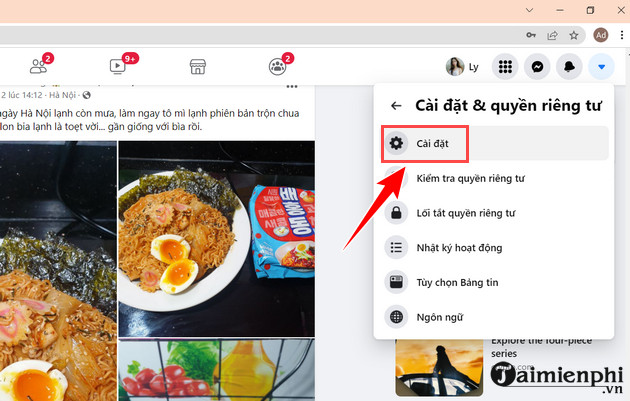
- Open Settings & privacy, then Settings.
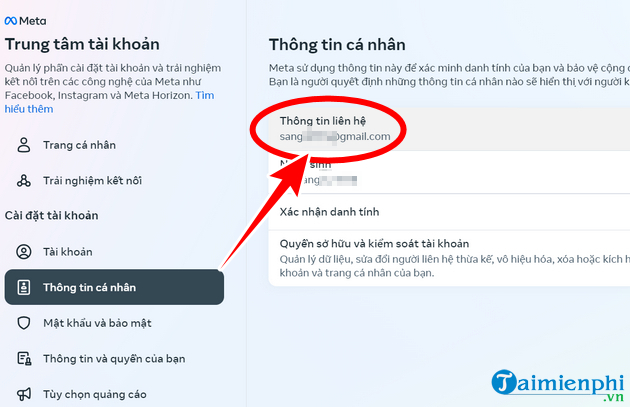
- Open Accounts Center and choose Personal details.
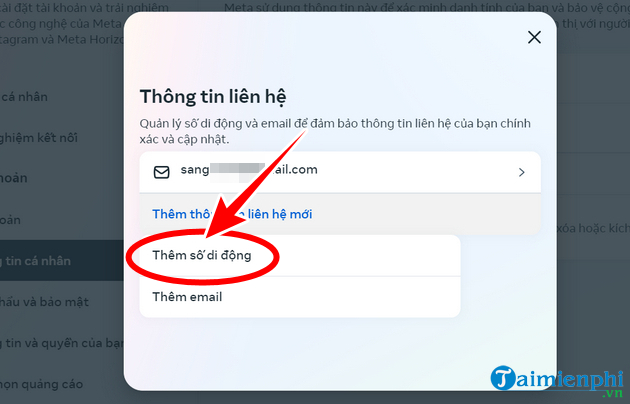
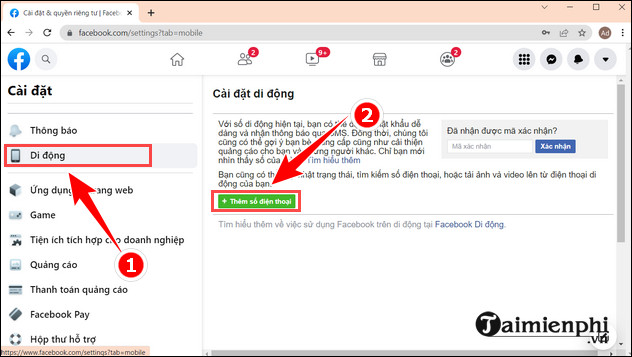
- Select Contact info, then Add new contact or Add mobile number.
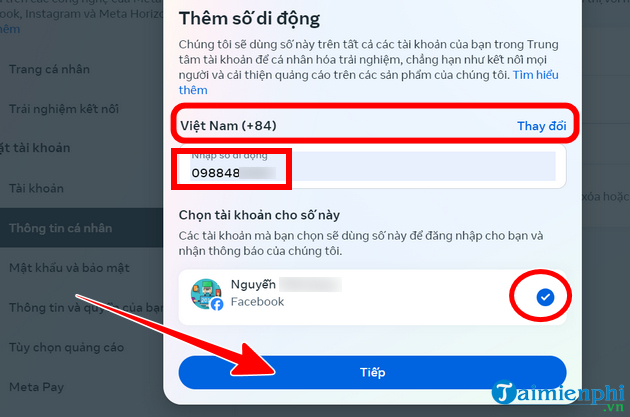
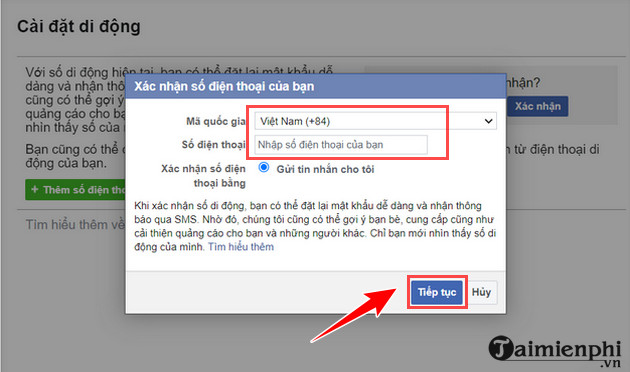
- Choose the relevant account, enter the number and country code, and follow the confirmation prompts.
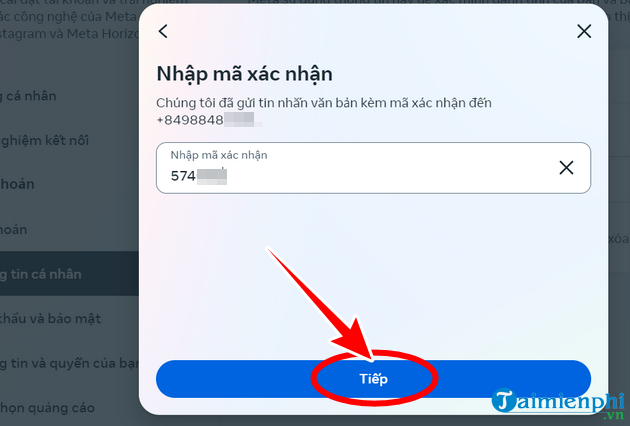
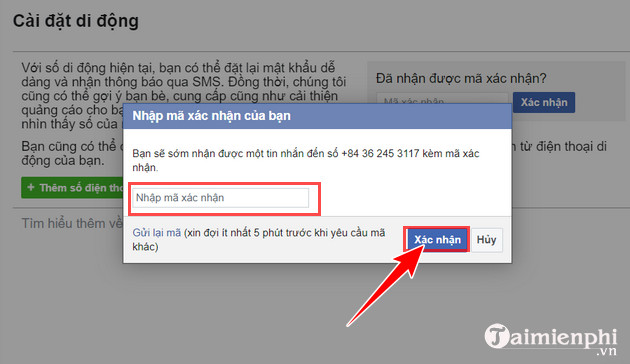
- Enter the verification code sent to that number.
Menu names may vary slightly between the app and desktop site. Facebook's current help page explains how to add or remove a mobile number. Keep at least one current email address as a backup in case you lose access to the phone.
Use a saved profile carefully
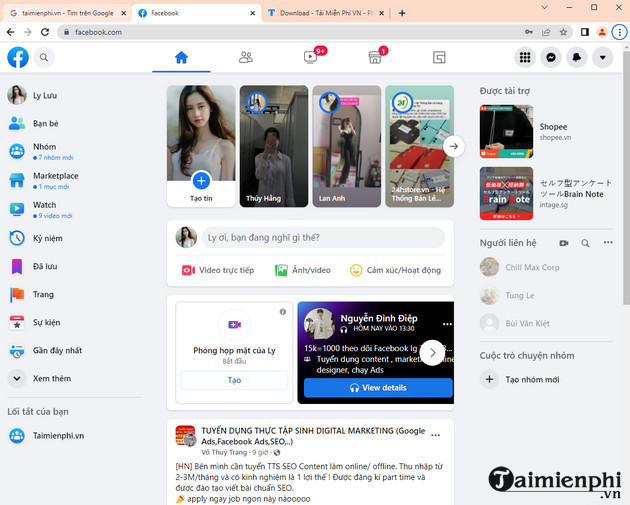
Facebook may offer to remember a profile on a device. The next time you open the app or site, selecting the profile may fill in some or all login details. This is convenient on a personal device but unsafe on a shared one. Remove the saved profile from the login screen if other people can access the device, and protect the device with a passcode or biometric lock.
Do not use access tokens as a login shortcut
Access tokens are credentials used by authorized apps and developers. They are not a safe alternative to the normal Facebook login screen. A site, extension, or script that asks you to paste a token can gain access to account data or actions covered by that token. Use only Facebook's official sign-in flow, and revoke any unfamiliar app sessions in your security settings.
Fix common Facebook login problems
- Wrong password: Check Caps Lock, keyboard layout, and saved-password autofill. Use Forgot password? instead of repeatedly guessing. See this guide to recover a forgotten Facebook password.
- Email or number not recognized: Try another confirmed email address, the full phone number with country code, or the profile username. Ask a friend to open your profile and send you its URL if you cannot remember the username.
- No verification code: Confirm that the phone has service, check spam or junk folders for email codes, and wait before requesting another code. Try an approved device or a backup authentication method if one is configured.
- App will not load: Check the internet connection, update the Facebook app, restart it, and try the mobile browser. On Android, clearing the app cache can help; on iPhone, reinstalling may be necessary after you confirm that you know the login details.
- Account may be compromised: Stop entering credentials on the current page, open Facebook directly, change the password, review active sessions, and remove unknown apps. If normal recovery fails, use Facebook's account recovery flow.
For related security steps, compare password manager options and learn how to contact Facebook account support.
Do not edit the Hosts file, install a random proxy, or “fake” your IP address merely because Facebook will not load. First test another reputable network, check whether Facebook is experiencing an outage, and make sure the device date and time are correct.
Older Facebook interface reference
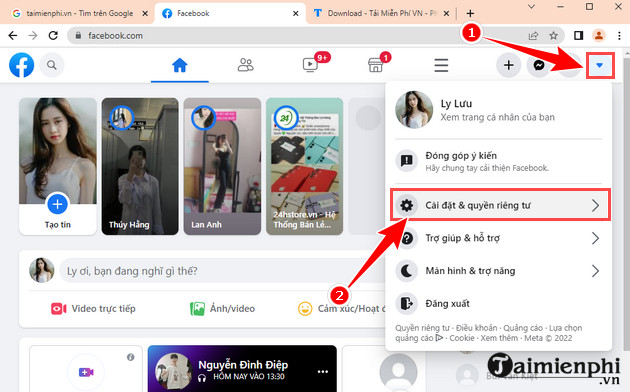
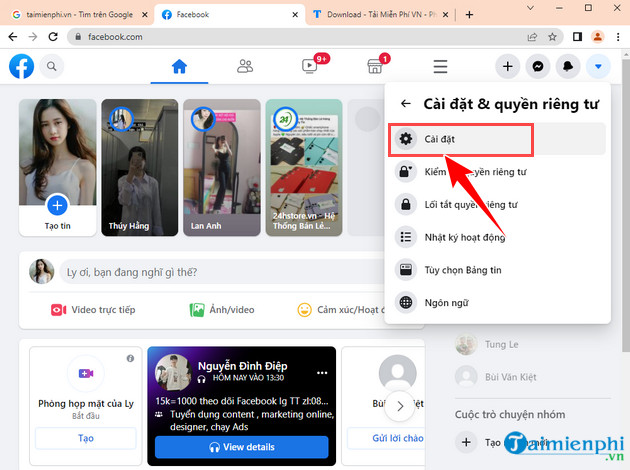
The following screenshots show older Settings layouts. They can help identify the equivalent contact-information and username controls on an older app build, but the current path normally runs through Accounts Center.

Related Articles
 How to Block Ads on Facebook Fastest and Simplest 20204 minutes read
 The Simplest and Fastest Way to Speed up Your Windows8 minutes read
 The Simplest Way to Split Your Computer and Phone Screens in Half Explained13 minutes read
 The Simplest and Fastest Way to Record Audio on a Computer: Complete Overview13 minutes read
 How to Change Phone Number on Facebook Computer, Phone4 minutes read
 5 Simple and Fastest Ways to Take Macbook Screenshots7 minutes read
Reader Comments 0
Sign in with email or Google to join the discussion.