Table of Contents
You can create a Threads profile using an existing Instagram account, which lets Threads carry over your Instagram username and offer profile-import and follow suggestions. Threads may also support other account or sign-up arrangements depending on your region and current Meta account setup, but this guide focuses on the Instagram-based process.
Before you create the Threads profile
- Update Instagram and Threads from the official app store.
- Confirm that Instagram is signed in to the account you want to use.
- If you manage several Instagram profiles, check the username carefully during setup.
- Make sure you can complete any security check required for the Instagram or Meta account.
You can use the Threads mobile app and, where supported, the Threads website. The available sign-up screens can differ between devices and regions.
Create Threads using Instagram
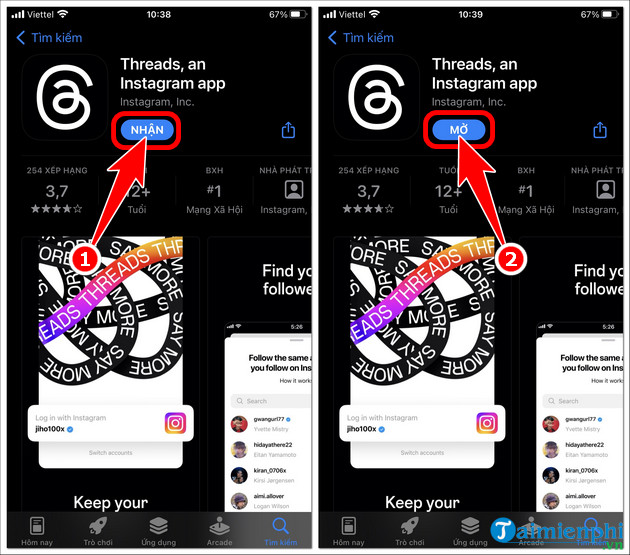
- Install and open the Threads app, or open the official Threads website.
- Choose the option to continue or log in with Instagram.
- Select the correct Instagram account. If it is not listed, use the account-switching or login option shown by Meta.
- Review the proposed Threads profile and continue to the profile setup screen.
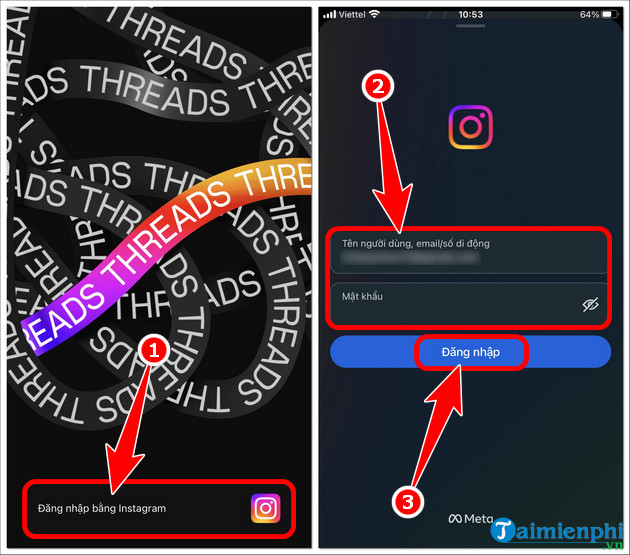
Enter passwords and verification codes only in the official Instagram, Threads, or Meta sign-in flow. Do not use a third-party site that claims it can create or verify a Threads profile for you.
Decide whether to save login information
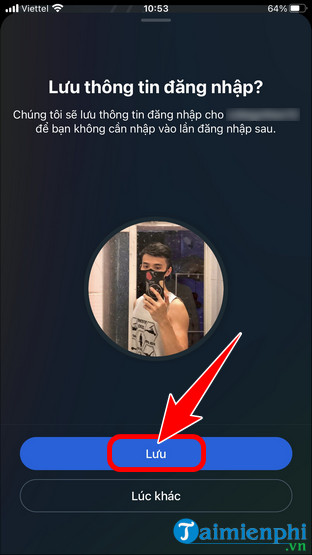
Threads or Instagram may ask whether to save your login on the device. Saving can make future access easier on a personal, locked phone. On a shared or public device, decline the option and sign out when you finish.
Import or customize your profile
Threads may offer to import your Instagram profile photo, bio, and link. Importing is convenient, but it is optional. Review each item because the audience and purpose of a Threads profile may differ from Instagram.
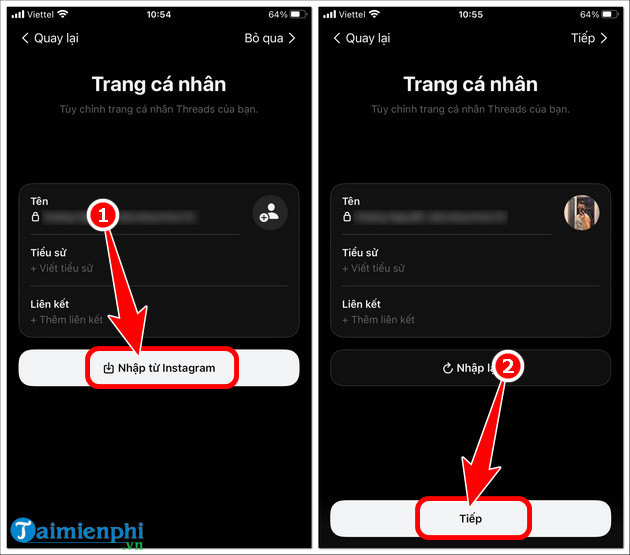
You can edit the Threads profile later. The Instagram username associated with the profile may remain important to account identity, while other profile details can be customized specifically for Threads.
Choose accounts to follow
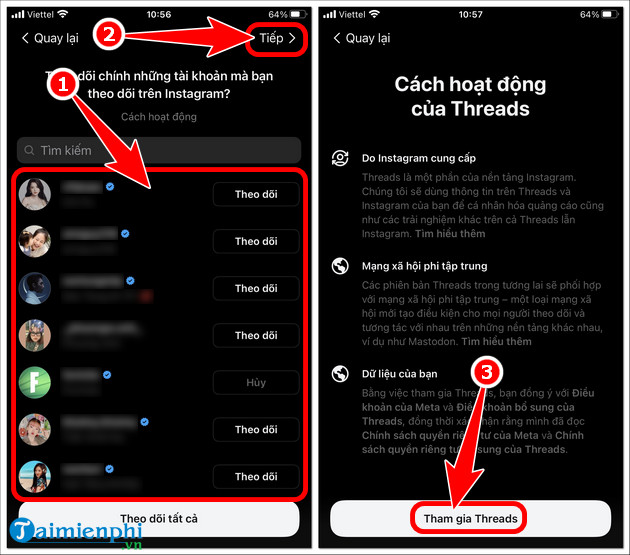
Threads can suggest accounts based on whom you follow on Instagram. Select individual accounts, follow the offered set, or skip the step and build your feed later. Following the same people is optional; do not approve a large list without reviewing it.
Select public or private visibility
Review the privacy choice before joining. A public profile allows a broader audience to see and interact with content, while a private profile gives you more control over followers. Meta may apply a private default for some younger users or regions.
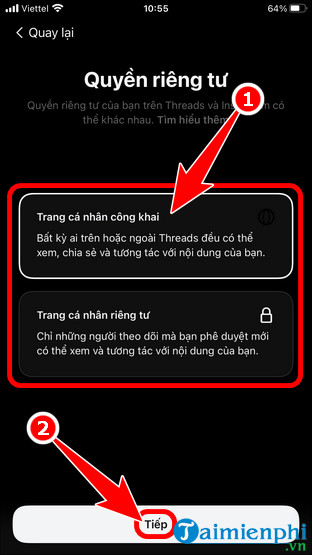
You can adjust privacy, mentions, replies, muted accounts, hidden words, and other interaction controls after setup. Review them before posting personal information.
Join Threads and check the account
Read the final setup information, tap the join or continue button, and wait for the feed to load. Open the profile tab and verify the username, profile photo, bio, link, and privacy setting.

What you can do on Threads
Threads is designed for public and private conversations built around text posts, replies, links, photos, and video. Features continue to change, so avoid relying on old character, attachment, or video-duration limits without checking the current composer.
You can follow people, reply, repost, quote a post, search topics, manage custom feeds where available, and share eligible content between Meta services. For current account requirements, use the official Threads profile setup help.
Fix common setup problems
- The wrong Instagram account appears: Cancel setup, switch accounts in Instagram, and restart Threads.
- Login loops back to the start: Update both apps, restart the device, and complete any pending Instagram security check.
- Import is incomplete: Continue with a manual profile and edit the missing photo, bio, or link later.
- The desired username is unavailable: Confirm which Instagram or Meta account is being used and follow the username guidance shown by Threads.
- You cannot select public visibility: Age, region, or account rules may restrict the available choice.
- The app is unavailable: Check the official app store or use the verified Threads website rather than an unofficial APK.
Threads account safety
Enable two-factor authentication for the connected account, use a unique password, and review login activity through Meta's security settings. Be cautious when adding a Threads profile to Accounts Center, because connected experiences can affect login and sharing across Meta apps.
For more platform tutorials, browse TipsMake's social-network guides. To compare Threads with other services, see TipsMake's overview of popular social networks.
Related Articles
 What's Coming to Threads9 minutes read
 How to Change Threads Account, Threads Account Transfer Instructions4 minutes read
 minutes read
 How to Register for Instagram Account Verification3 minutes read
 How to Share Threads Post to Instagram Story3 minutes read
 How to Register an Instagram Account on a Computer4 minutes read
Reader Comments 0
Sign in with email or Google to join the discussion.