Table of Contents
While useful, browser extensions can also demand a lot of access to what you do in your browser. And if your worst nightmare is having a third-party tool take a screenshot of your browser and send it to a third-party company, then unfortunately, there's some bad news.
A "prominent" Chrome extension is tracking you
Koi Security has published a report on how the FreeVPN. One Chrome extension abuses the Chrome extension permission system to repeatedly take screenshots of users' browsers. This isn't some random extension that was uploaded last week with no users. Its Chrome Web Store page boasts over 100,000 installs, a Featured badge, and a checkmark that says "The publisher has a good track record and no history of violations."
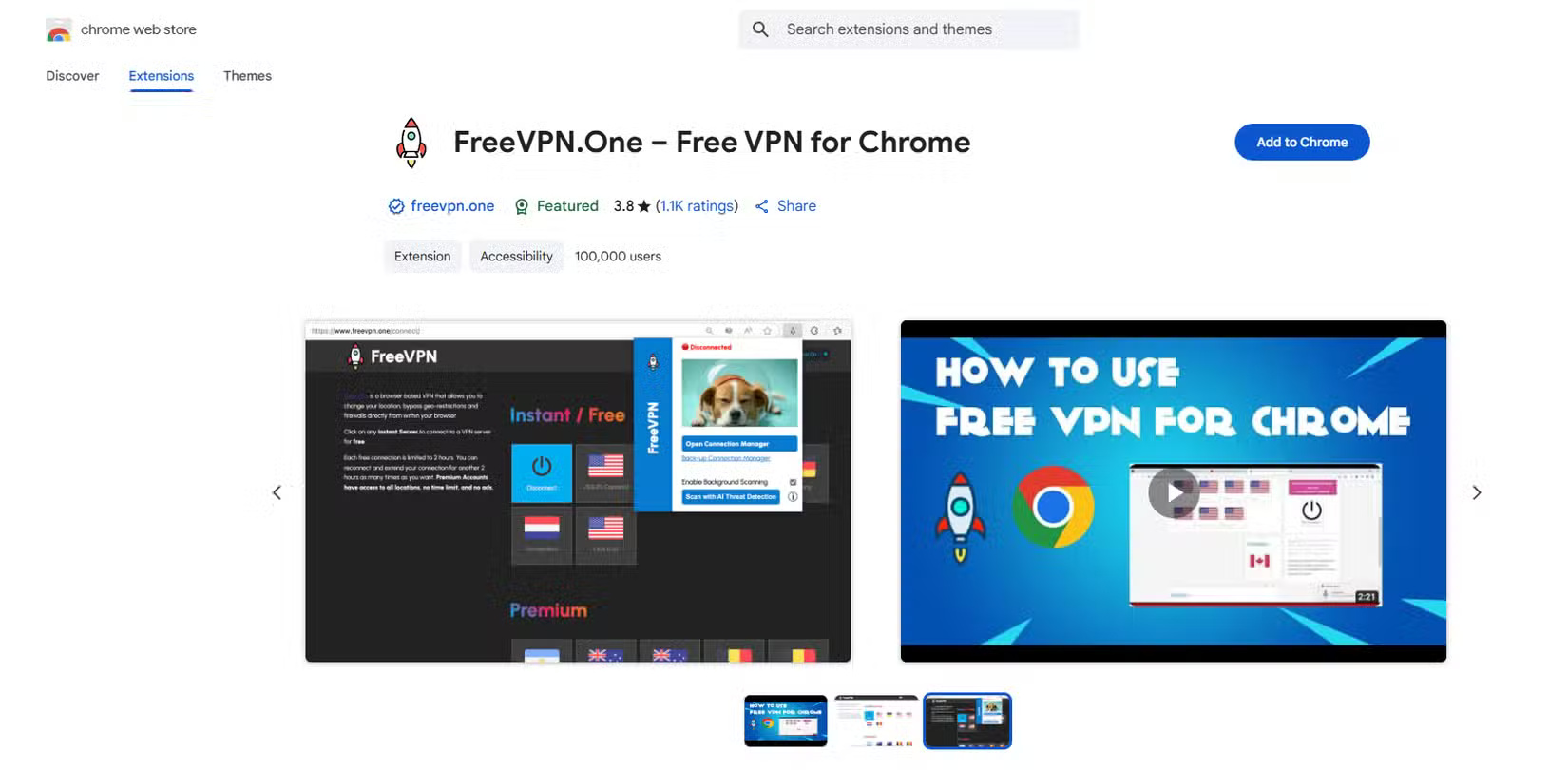
Once installed, the extension will work in the background, recording data without you knowing. Every time you load a page, it will automatically take a screenshot and record data about the page you are visiting, such as the URL and any unique identifiers for you. It will then send this information to a server controlled by the extension developer.
While it started out as just a VPN, the extension has added an 'AI Threat Detection' feature to its service. This provides a page where you can paste in any URL and AI will (theoretically) analyze whether the URL is safe or not. The site's privacy policy does mention that it will upload screenshots, but it doesn't mention that screenshots are taken continuously in the background.
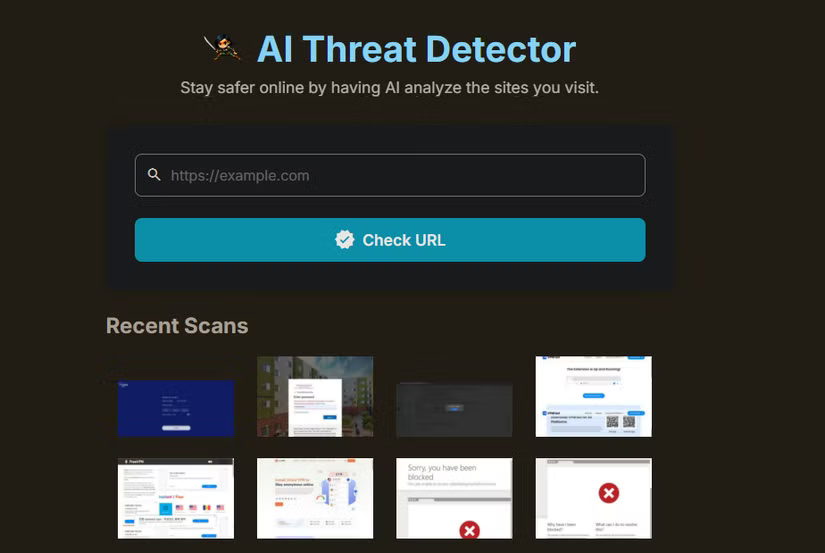
The level of surveillance increases over time
Koi Security's report explains why this didn't happen all at once. The FreeVPN. One extension has been around for a while, with reviews dating back to at least 2020. However, the tracking behavior only began in April 2025. That's when the extension was updated to request access to all the URLs you visit — a much broader set of permissions than a VPN should require.
In June 2025, the extension received another update, which included the aforementioned 'AI Threat Detection' tool, along with another permission to inject scripts. This scanner could be added as an excuse to take and upload screenshots. Then, on July 17, 2025, the extension received another update with full tracking capabilities. On July 25, another update added the ability to encrypt the exported data, making it harder to detect what was going on.
The Koi team reached out to the developer, but his claims didn't add up. He claimed that screenshots should only be enabled on suspicious websites, but the Koi team saw screenshots on well-known domains like Google Photos.
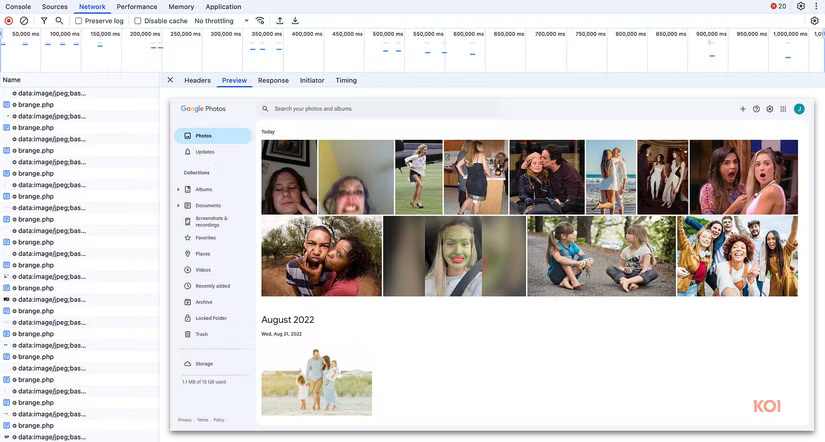
He says the screenshots aren't stored, but there's no way to prove it. And he stopped responding when they asked for proof that any of this was related to a legitimate company. The developer contact email on the Chrome extension page points to a generic Wix launch page.
Avoid dangerous tools that track you
We've seen time and again how Chrome extensions can become threats — even ones that were previously legitimate. And while it's ironic that this spyware is now labeled "Featured" in the Chrome Web Store, there are lessons to be learned that can help you avoid similar situations in the future.
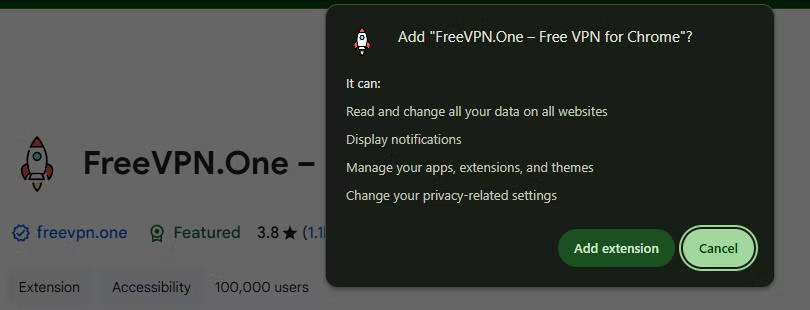
First, be careful with permissions when installing a Chrome extension. When you click Add to Chrome , you'll see a pop-up window telling you what permissions the extension requires. Think about what the extension might need to do the function it promises. In this case, a VPN isn't needed to manage your extension and change data across all websites.
Second, you should quickly scan the documentation for the app or extension you're considering downloading. This extension's Overview section is riddled with confusing language and poor grammar, including lowercase "chrome" and "ip."
And the claim 'a VPN is free, unlimited, and completely free for anyone to use' is a huge red flag. While legitimate free VPNs are fine, all VPNs need to make money somehow. No VPN provider can offer free service forever. Like 'lifetime' VPN plans, this is a sign that the VPN provider is either young and naive, or has bad intentions.
The VPN's website is also extremely basic; you'd expect more than an amateurish design for something that's been around for years. While small developers won't have impressive websites that rival the big companies, they'll usually have at least a GitHub page, a contact page, or something to show they're not developing in complete secrecy.
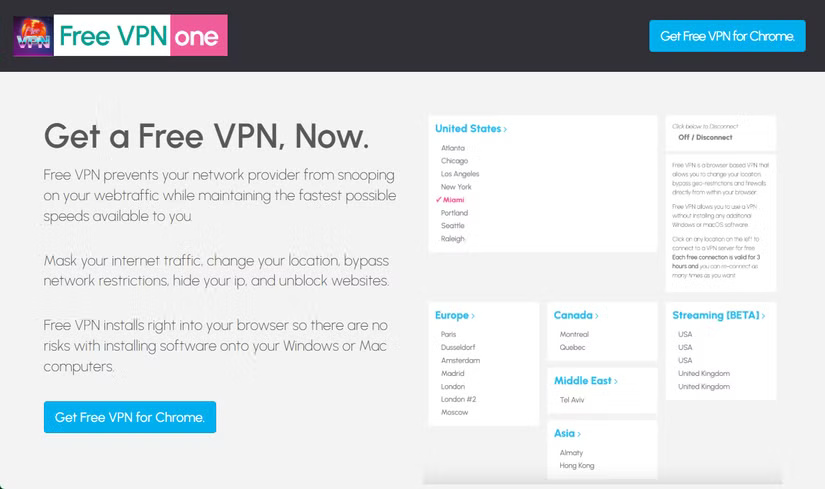
Check the browser extensions you use carefully and don't trust random free VPNs that aren't affiliated with real companies. There are plenty of reputable VPNs out there, so never put yourself at risk by installing one of them.
Final Thoughts
The development covered in this article is worth following, but specifications, dates, and feature details may change until the relevant company or organization publishes an official confirmation.
FAQ
What is the main development covered in this article?
While useful, browser extensions can also demand a lot of access to what you do in your browser.
What should you know about A "prominent" Chrome extension is tracking you?
Koi Security has published a report on how the FreeVPN. One Chrome extension abuses the Chrome extension permission system to repeatedly take screenshots of users' browsers. This isn't some random extension that was uploaded last week with no users.
Is every reported detail officially confirmed?
Not necessarily. Product leaks, preview builds, research reports, and early announcements can change. Confirm important specifications, dates, and availability through an official source before making a decision.
Related Articles
 How to Quickly Turn Off Gadgets, Apps, Themes on Chrome3 minutes read
 280 Million People Have Installed malware-infected Chrome3 minutes read
 Best AI Extensions for Google Chrome5 minutes read
 Instructions for Installing Extension for Chrome on a Computer3 minutes read
 Listed 15 Chrome Extension for Programmers6 minutes read
 How to Install the Chrome Utility for Firefox: Chrome Store Foxified5 minutes read
Reader Comments 0
Sign in with email or Google to join the discussion.