Table of Contents
What is WPS Office?
WPS Office is a productivity application developed by Kingsoft Office. As the name suggests, it is a free alternative to solve your daily Office needs. WPS Office includes a word processor, spreadsheet, and presentation maker.
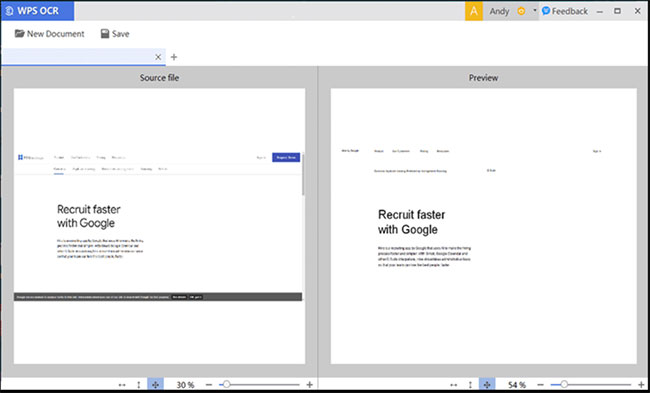
WPS Office is compatible with Microsoft Office and can serve as a cost-effective alternative to this suite. WPS Office even mimics the interface and basic features of Microsoft's popular Office suite quite a bit. Furthermore, it works well with other popular packages, such as OpenOffice and LibreOffice. Additionally, WPS Office uses less space and resources than its competitors.
Features of WPS Office
Providing all the tools you need
WPS Office has the features that many Office suites offer. It can create new documents or edit existing ones. In addition to the typical tools, such as adjusting font styles and sizes, adding slides, and creating formulas, WPS Office also has some advanced features for its suite. Some of these features include the ability to track changes, print using Google Cloud Print, and encrypt files. You can also install additional fonts to add your favorite options.
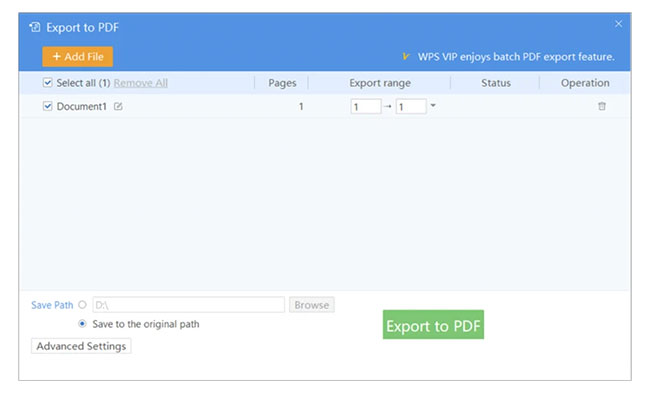
The app also takes its spreadsheet program a step further by adding built-in formulas and chart support. Meanwhile, the presentation suite has a presenter mode that shows your slides with a laser pointer. You can use this pointer by drawing on the screen. Finally, the Writer app — WPS Office Free's version of Microsoft Word — has a read-only view. Here, you can flip through pages like a book. Plus, it comes with a PDF viewer, although you can't edit your files.
The app also offers free cloud storage. However, you can only save small files that are no larger than 1GB. Furthermore, despite its comprehensive list of features, WPS Office still misses out on some important things. Unlike Microsoft Office, there are no built-in templates. Users will have to manually download them from Kingsoft's website and load them into the app to use them. Additionally, the presentation also lacks convenient tools like animations.

Familiar interface
WPS Office offers an interface that is reminiscent of the new version of Microsoft Office. If you have used this application before, then using WPS Office will be very easy. It uses the same ribbon with all the most commonly used tools and options displayed prominently. This way, you will not spend much time looking for the settings menu or the tools you need. As mentioned, the application has low requirements on system resources, ensuring fast performance.
That said, users should note that WPS Office does not work like other free Office suites. It does not allow users to use all of its features. Instead, certain features are only accessible on a time-based basis. To get time to use them, users will have to watch ads. It is a small sacrifice that you will need to make to enjoy this great suite.
Open multiple tabs at once
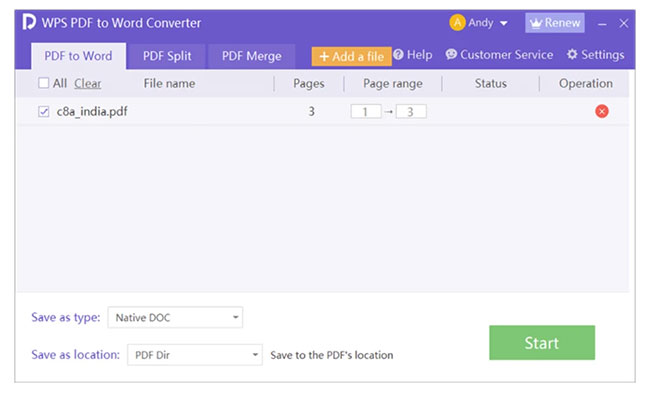
With WPS Office, you can open multiple tabs at the same time such as WPS Presentation, WPS Spreadsheets, WPS Document, etc. This multitasking ability is highly appreciated by users in work and study. It will help you save time and perform operations quickly and conveniently.
PDF export and reading feature
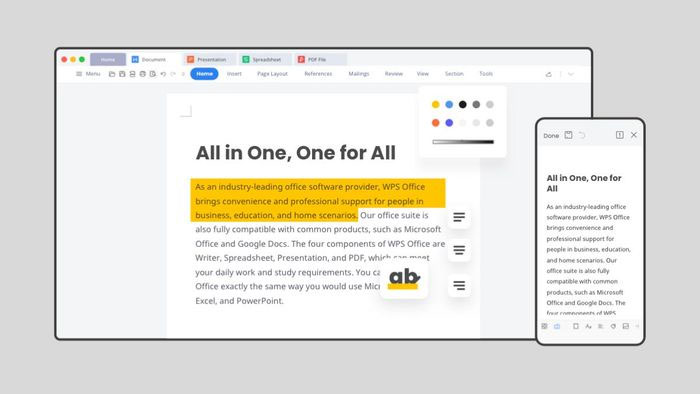
With this feature, you do not need to use third-party software to open and edit PDF files. This makes it more convenient and easier to use for users. Your task is simply to operate the PDF export button (Save to PDF) to transfer data.
Compatible with Microsoft Office files
Microsoft Office is also a very popular application. Understanding the needs of users, WPS Office also has a feature compatible with Microsoft Office. Thanks to that, you can easily use all Microsoft Office files on the application. Contributing to the professionalism of the application.
WPS Office can easily store data on the cloud
Application files are synchronized on WPS Cloud, ensuring uninterrupted work. This smart storage capability is a very useful outstanding feature for users. This is considered a big plus that is increasingly popular. You can comfortably store, share and manage data easily.
Overall, WPS Office is a valuable alternative to MS Office. Its suite of tools comes with a comprehensive list of handy features. It is also very flexible and integrates well with other similar programs. Furthermore, WPS Office comes with a familiar ribbon interface, allowing you to use it with ease. However, WPS Office lacks some of the features that MS Office offers. Some tools are also only available after viewing ads. Still, it is a great choice.
Final Thoughts
The development covered in this article is worth following, but specifications, dates, and feature details may change until the relevant company or organization publishes an official confirmation.
FAQ
What is the main development covered in this article?
WPS Office is a productivity application developed by Kingsoft Office. As the name suggests, it is a free alternative to solve your daily Office needs. WPS Office includes a word processor, spreadsheet, and presentation maker.
What should you know about What is WPS Office??
WPS Office is a productivity application developed by Kingsoft Office. As the name suggests, it is a free alternative to solve your daily Office needs. WPS Office includes a word processor, spreadsheet, and presentation maker.
Is every reported detail officially confirmed?
Not necessarily. Product leaks, preview builds, research reports, and early announcements can change. Confirm important specifications, dates, and availability through an official source before making a decision.
Related Articles
 5 Best Alternatives for Microsoft Excel6 minutes read
 How to Use Microsoft Office for Free: Practical Guide13 minutes read
 Students and Students Enjoy Free Office 3654 minutes read
 How to Download Microsoft Office Version Completely Free?7 minutes read
 Ways to Get Microsoft Office for Free5 minutes read
 How to Cancel an Office 365 Subscription3 minutes read
Reader Comments 0
Sign in with email or Google to join the discussion.