Table of Contents
Letting Chrome handle all your passwords may not be the ideal solution. you will find 5 more Chrome extensions to manage your passwords.
The built-in password manager on Google Chrome helps you store all your login information for multiple websites. However, letting Chrome handle all your passwords may not be the ideal solution. In this guide, you will find 5 more Chrome extensions to manage your passwords.
LastPass Password Manager
- LastPass: Free Password Manager
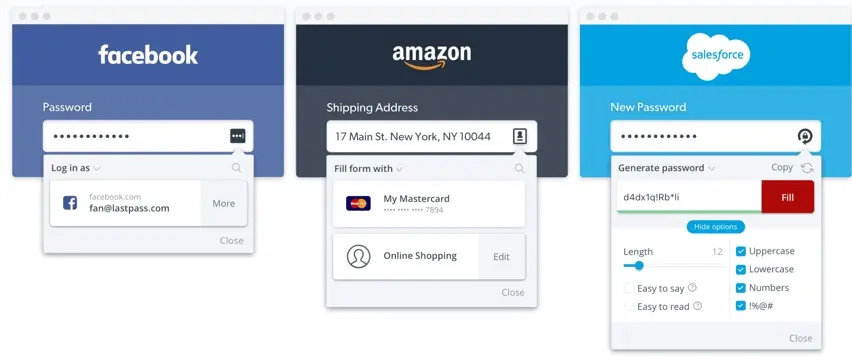
LastPass is the ultimate password manager for the Chrome browser. You can secure all your saved passwords with a master password to prevent others from seeing your login information. While you can use most of the free features in the Chrome extension, you can also use the premium app separately on your device if you want.
Advantage:
- Cloud-based password extension.
- Has strong mechanisms and requires multiple two-factor authentication to prevent unauthorized logins
- Login information is encrypted and stored on Lastpass servers.
- The extension will encrypt and decrypt passwords as needed, so even people inside Lastpass can't see your passwords.
Dashlane
- Download Dashlane — Password Manager
Dashlane is a Chrome extension that lets you securely manage all your website passwords in one place. Dashlane features:
- Encrypt and store passwords.
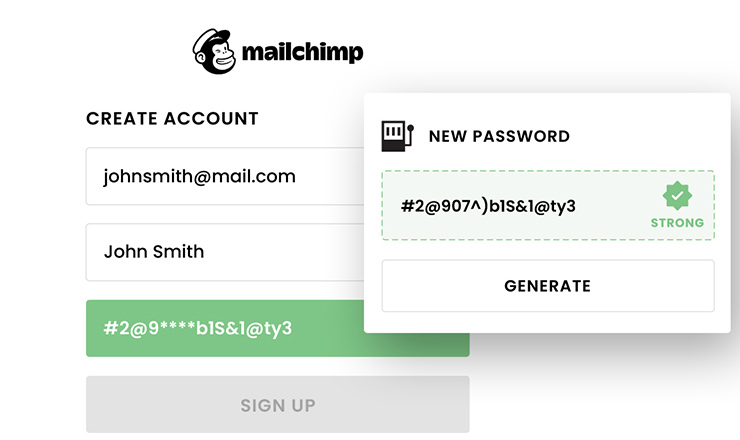
- Generate random passwords
- Easy-to-use interface, allowing you to access your passwords easily on any platform.
- Allows for strong password generation and auto-fill of login information.
- Choose to store all login information locally instead of storing it in the cloud for improved security.
- Information is encrypted using AES standard, it will take many effort for hackers to break it, especially when passwords are changed frequently.
RoboForm Password Manager
- RoboForm Password Manager
RoboForm Password Manager stores all your Chrome passwords in one place, similar to other extensions. Pros:
- Log in to the website with just one click.
- Import from Chrome password manager.
- You can save your password to your RoboForm account and use it as an authentication method.
- Has a built-in password generator to create strong passwords.
KeePass Password Safe
- Download KeePass Password Safe
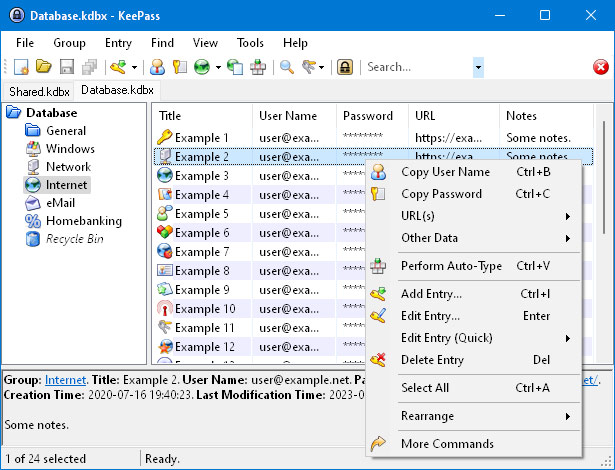
KeePass is a free, open-source password manager that meets all your needs. KeePass stores all your passwords in a local database, and you need extensions like ChromeKeePass to export passwords from the KeyPass database to Chrome. Key features of the extension:
- You can export passwords to a file in text, CSV, XML or HTML format.
- Allows importing passwords from other password manager applications.
- Easily transfer master password database from one computer to another.
1Password – Password Manager
- 1Password – Password Manager
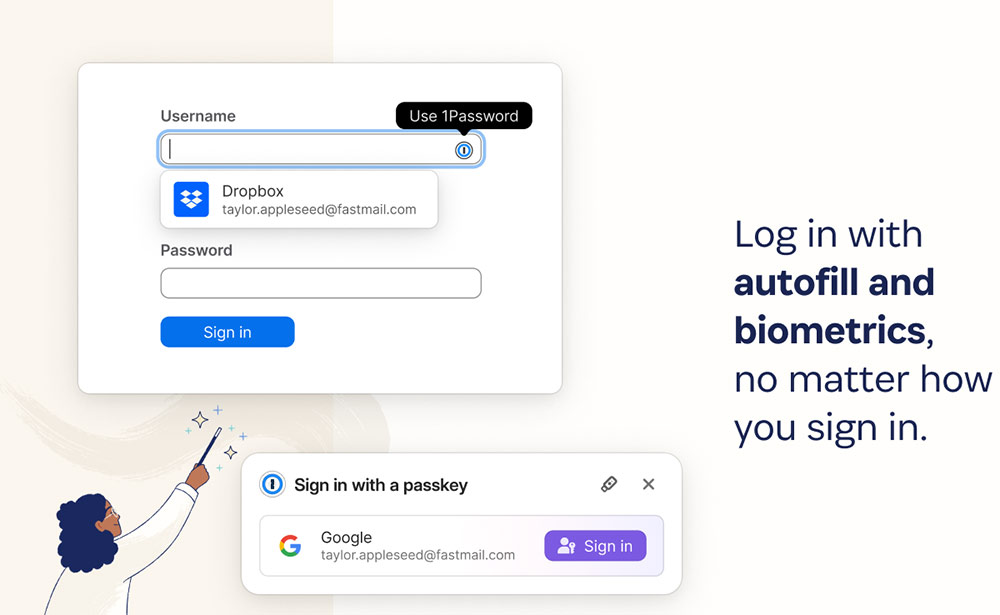
1Password is a Chrome extension that protects all your saved passwords with a master password. Extension features:
- Allows using cards to quickly find out passwords.
- Easily generate strong passwords and autofill credit card information.
- Option to erase sensitive data.
- You can sign in to authorized apps with just one tap.
FAQ
What should you know about the options in this guide?
In practical terms, letting Chrome handle all your passwords may not be the ideal solution. you will find 5 more Chrome extensions to manage your passwords.
Which option is the best choice?
The best choice depends on your priorities, compatibility, budget, and the specific features discussed in the comparison.
What should you compare before deciding?
Compare core features, limitations, ease of use, compatibility, and long-term value before making a decision.
Related Articles
 How to Use the Smart Lock Password Generator for Chrome5 minutes read
 Happy Birthday, Chrome Has a New Interface and Password Manager4 minutes read
 Top 10 Best Google Chrome Extensions to Avoid Distractions When10 minutes read
 How to Set a Password for Google Chrome: Set Chrome Password5 minutes read
 10 Utilities on Chrome You Should Not Ignore: Chrome Add-Ons8 minutes read
 5 Best Password Management Apps for iOS8 minutes read
Reader Comments 0
Sign in with email or Google to join the discussion.