Office information
Fix Error When Excel File Is Minimized: Microsoft Excel
Occasionally, when printing an Excel file, you often encounter a file error that is automatically shrunk.
Browse more Explore practical Office information guides, useful tools, setup instructions and troubleshooting tips for common tasks, features and problems.
Occasionally, when printing an Excel file, you often encounter a file error that is automatically shrunk.

In some cases when using Excel users often encounter many errors, in which the most serious error is data loss - File Error: data may have been lost.

You need to convert Excel columns into rows or convert data in Excel rows into columns, if retraining takes a lot of time, just a trick that Network.
PDFs are designed to support raw text with fonts, images, sound and many other effects. Review the key facts and practical impact.
Excel 2016 has improved some new features. Review the key facts and practical impact.
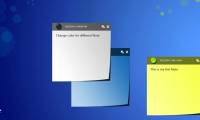
Restore Sticky Note Erase is the focus of this article. If you accidentally accidentally missed the important Note, how to restore these Note.
Sometimes your spreadsheet has too many blank lines and empty columns look very messy and lose aesthetics.
Compared to aligning margins in Microsoft Word, when creating margins on Google Docs is much simpler and easier.
Sometimes in some cases, users using Office often make an error: We're sorry, something went wrong and we can't do this for you right now.

To save your time and effort, you can use Format Painter to copy the text format without having to edit it again.
The Microsoft Office Ribbon toolbar is quite useful, making it easy for users to access and access features.
To protect PDF file content is always safe, do not allow others to change or edit, usually the computer user or set an access password or set certain limits.

Suppose that when you receive text documents created on Microsoft Word 2013 versions, your computer has installed Word 2010, 2007.

What Is PDF is the focus of this article. PDF (Portable Document Format) is a popular mobile document format and text file from Adobe Systems.
Convert PDF to Word is the focus of this article. Now there are many tools and software to support converting and converting PDF to Word.
Using the Quick Access Toolbar allows you to shorten the operation and save time. Review the key facts and practical impact.
Screentip Word 2013 is the focus of this article. ScreenTips are notes, short instructions about functions or tasks of program icons.

The Move or Copy command allows you to easily move or copy the entire worksheet, including all data and formats in Excel, in case you create a new sheet or a.

Word is the focus of this article. Hidden text is text that you can't see on the screen. Follow the main steps and troubleshooting guidance.
Split PDF File is the focus of this article. In the previous article, we showed you how to convert PDF to Word without Vietnamese error.