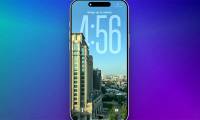
Wallpapers and Ringtones
How to Turn a Photo Into a 3D iPhone Lock Screen With Spatial Scene
Enable Spatial Scene from Photos on a compatible iPhone, preview the depth effect, and find out why some images don't show the option.
Browse more Discover mobile guides, app tutorials, troubleshooting steps and useful tips for iPhone, Android phones and other connected devices.
Enable Spatial Scene from Photos on a compatible iPhone, preview the depth effect, and find out why some images don't show the option.

Find the charge estimate on the Lock Screen or in Battery settings, and see why the time or target percentage can change.
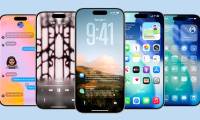
Find Call Screening, group polls, Visual Intelligence, Photos collections, Visited Places, Lock Screen controls, and Adaptive Power in iOS 26.
Compare how iPhone and Android handle call screening, message filters, charge estimates, translation, visual search, and location history.

Choose which Apple Health data a contact can see, understand provider and app sharing, and change your settings later.
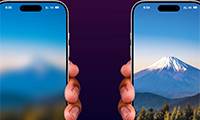
Keep your wallpaper sharp by turning off Blur in the Home Screen editor. You can change it without replacing your Lock Screen.

Set a snooze interval from 1 to 15 minutes for a Clock alarm, or turn snooze off. Check the setting separately for each alarm.
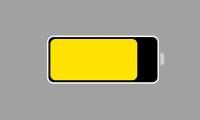
Learn how to enable low power mode on iPhone with clear steps, practical tips, and troubleshooting guidance for common issues.
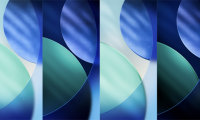
Browse the iPhone and iPad wallpaper variants, open full-size copies, and set one as your Lock Screen or Home Screen background.

Compare Mail Privacy Protection, VIP notifications, Gmail labels and search, and how each app handles new messages on iPhone.
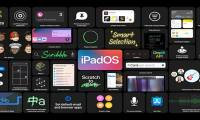
See how iPadOS 26 changes multitasking, folders, PDF markup, audio capture, and Apple Intelligence, with settings to try first.
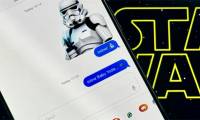
Find Star Wars images in Disney's app, copy one into an iPhone message, and troubleshoot when a chat app won't paste it.
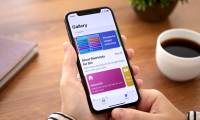
Start with an Apple Gallery shortcut, build a reusable message action, and learn when to use a shortcut versus a personal automation.

Keep one color in a Motorola photo while the rest turns grayscale. See how to choose the hue and when to try Samsung Color Point or Google Photos Color Pop.

Record a synthesized version of your voice in Accessibility settings, then select it in Live Speech to speak typed text aloud.
Send a file with an expiration time to a compatible Galaxy device, revoke access afterward, and understand what ordinary Quick Share links allow.
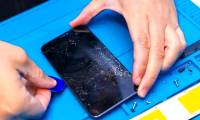
Compare battery and screen replacement costs, parts availability, repair manuals, and software support for the exact phone model.
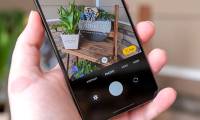
Copy text from a photo, translate a sign, scan a QR code, or use an image to find the correct product and manual.
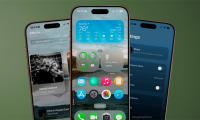
Apple aligned its operating system numbers with its annual release cycle. Here's what the jump means for iPhone users and why hardware names differ.
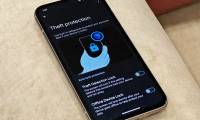
Limit app access to location and photos, hide lock-screen messages, and set up theft protection or a separate app space where supported.