Table of Contents
This updated guide explains how to share health data on iPhone with clear steps, practical tips, and useful context. Users can securely share data in the iPhone Health app with family, friends, or their doctors. With the data sharing feature in the Health app, managing the health of you and your loved ones becomes easier and more seamless.
How to Share Health Data on iPhone
Step 1:
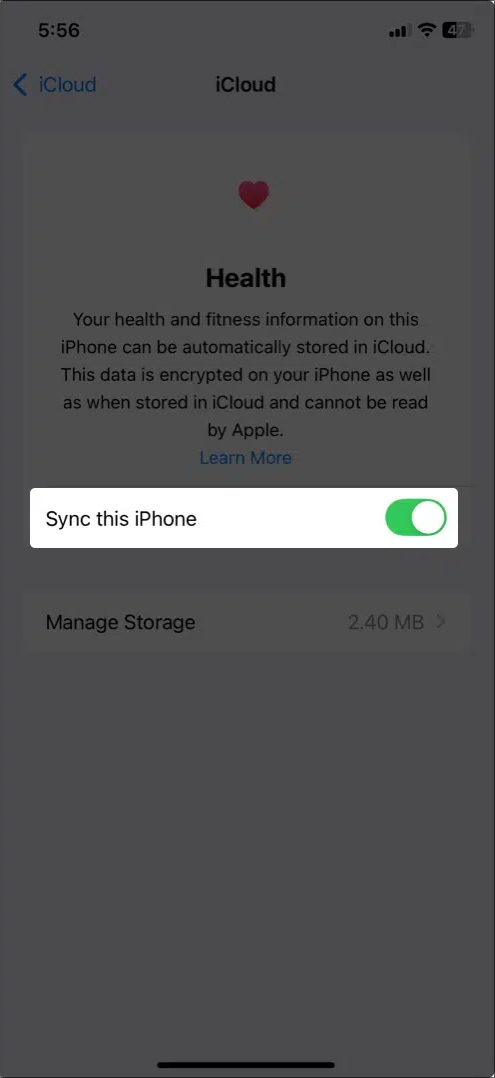
We need to enable iCloud sync for the Health app on iPhone. open Settings then select iCloud and enable data sync for the Health app on iPhone.
Step 2:
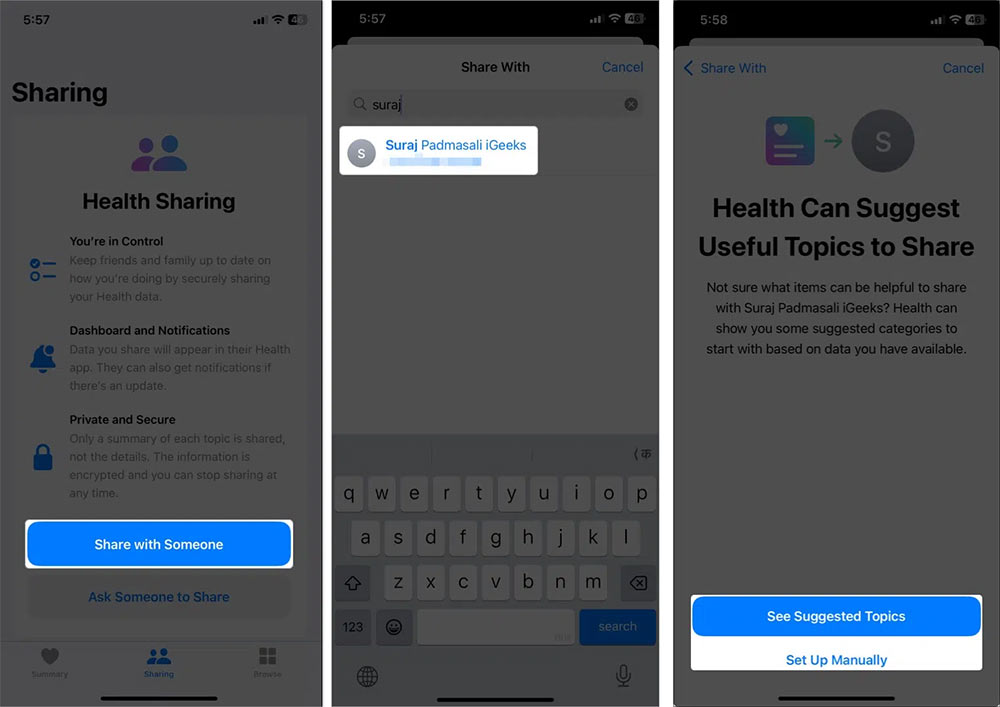
Next, we need to enable two-factor authentication for the Apple ID. The person sharing the data must be in your contacts with their iCloud email. You tap the Health app , then tap Share with Someone , then select the person in your Contacts to share with. Next, tap See Suggested Topics to select the data you want to share.
Step 3:
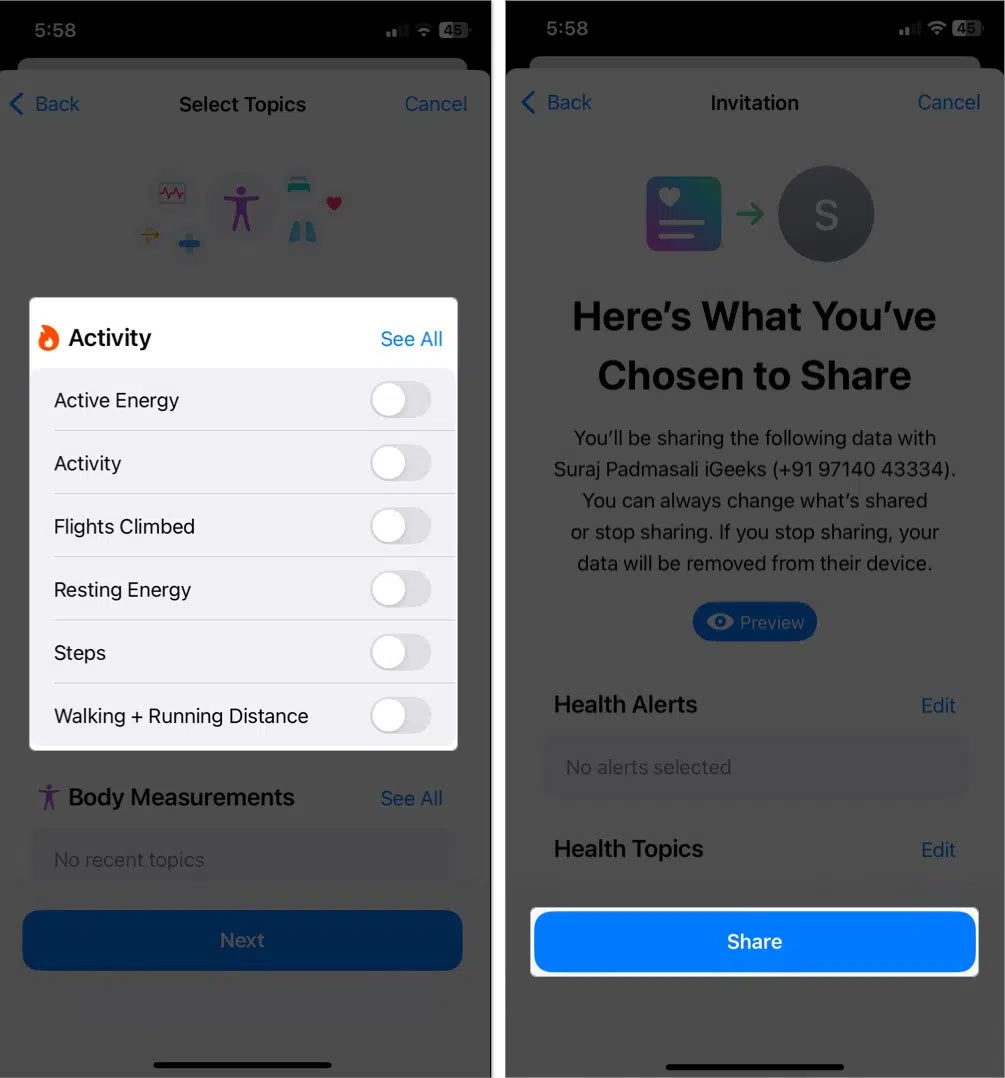
If you want to share any data , activate that data and select Share below to do so.
Step 4:
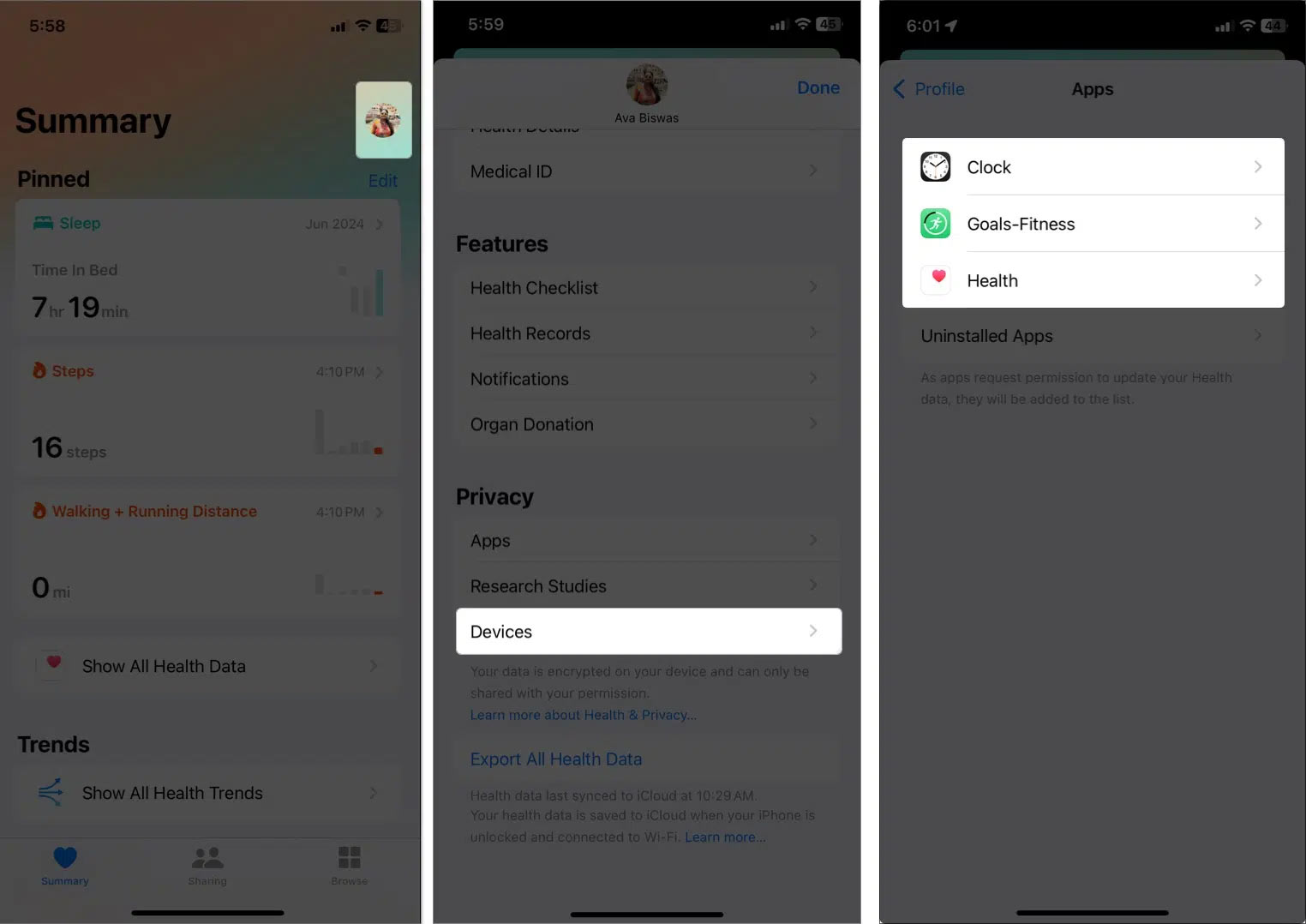
If you want to share health data with other apps and compatible devices , tap your profile picture in the Health app and select Apps Services or Devices .
FAQ
What should I prepare before I share health data on iphone?
Review the requirements and options in the guide first. Having the correct device, app version, account access, or materials ready helps prevent avoidable errors.
How long does it take to share health data on iphone?
The time depends on the task and your setup. Most basic steps can be completed quickly, while downloads, updates, scans, or troubleshooting may take longer.
What should I do if the steps do not work?
Repeat the instructions in order, confirm that your software or device is supported, and check permissions, connectivity, and available updates before trying again.
Related Articles
 How to Manually Add Data to the Health App on Iphone3 minutes read
 How to Share Passwords on iPhone / iPad with Airdrop5 minutes read
 How to Set up Health Profile on iPhone Is Very Simple5 minutes read
 How to Share Calendars on iPhone: Step-by-Step Guide3 minutes read
 Instructions for Backing up and Restoring iPhone Data with Itools3 minutes read
 How to Share Data Between 2 iOS Devices with Airdrop6 minutes read
Reader Comments 0
Sign in with email or Google to join the discussion.