Table of Contents
This updated guide explores the iPhone finally gets 6 features Android has had for years with practical details, clear explanations, and useful takeaways. Apple's upcoming iOS 26 update promises more than just a visual refresh with a slick new Liquid Glass interface. it is catching up, finally adding some of the best features Android users have had in years.
6. Call Screening
If you've ever gotten a call from an unknown number out of the blue, only to be greeted by a robocall, you'll probably like what's coming in iOS 26. Apple is adding a new Call Screening feature that will answer unknown calls on your behalf. Instead of blindly picking up the phone, you'll see a live transcript of what the caller is saying. You can then decide whether to pick up or let the call open voicemail.
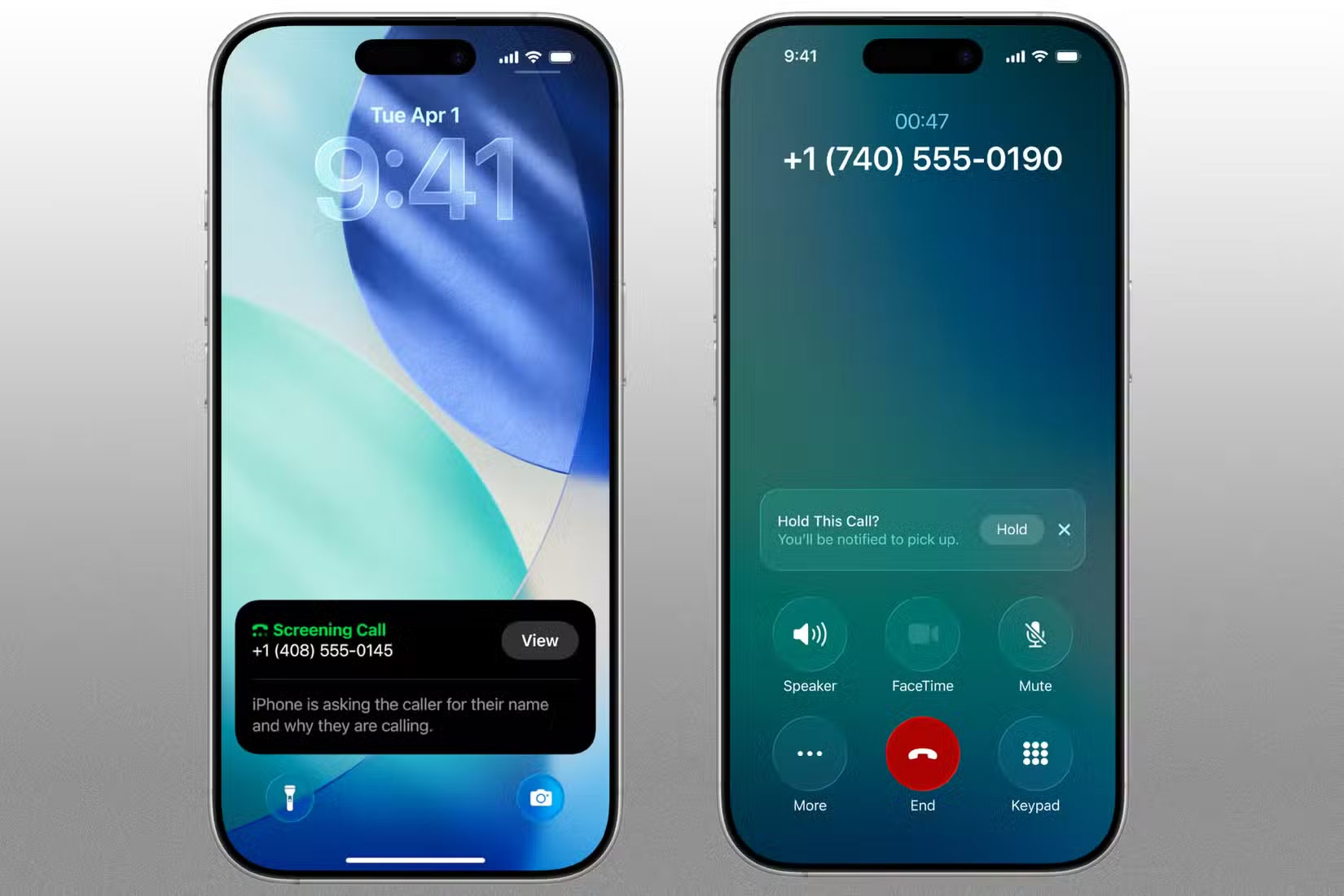
Android phones have had Call Screen since 2018, a feature that lets Google Assistant answer and transcribe calls. Samsung Galaxy devices offer a similar feature, letting you use Bixby Text Call, which turns voice calls into text chats.
iOS 26 will also bring a feature called Hold Assist, which will activate when you're listening to music on hold, automatically silencing the other end of the line until someone actually joins the call. Google's Pixel devices already offer a similar feature called "Hold for Me," which puts your phone on hold and lets you know when someone picks up.
5. Spam Detection
Another feature in iOS 26 that helps reduce spam is automatic filtering of messages from unknown senders. If someone who isn't in your contacts messages you, their message will not appear in your main inbox. Instead, it'll be saved in a separate folder.
Your iPhone will not even ring or show those messages on the lock screen. Once you open the folder, you can mark the sender as known or just delete the message.
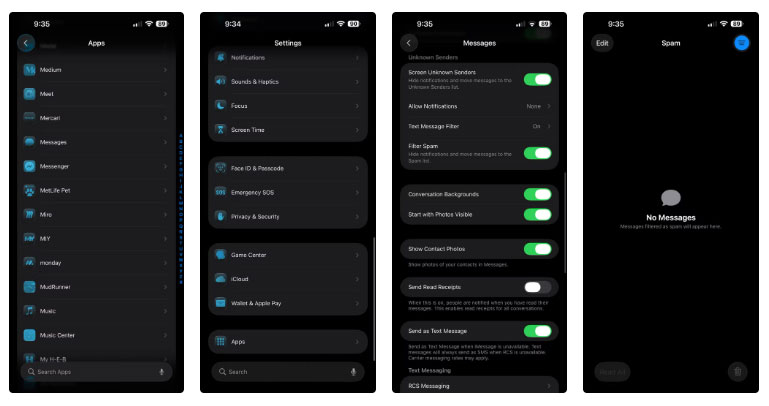
Now, if you've been using Android for a while, this might not be very exciting. Google Messages has had similar spam filters and controls for years.
4. Estimated Charging Time
One of the small but surprisingly useful features that Android users have enjoyed for years is the simple ability to see how long it will take for their phone to charge. Plug it in, and within seconds, your phone will tell you something like '50 minutes to full.' Not flashy, but practical. But for iPhone users, it is a blessing.
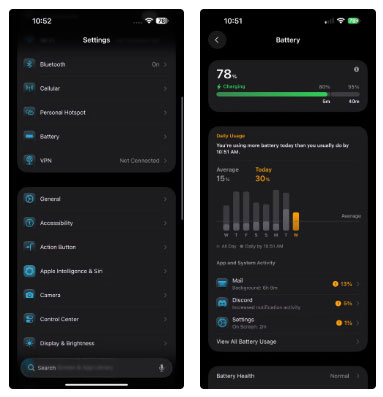
that is finally changing. With iOS 26, Apple is adding estimated charging times to the lock screen and battery settings. Once you plug in your iPhone, it will show you how long it will take to fully charge based on your current charging speed. If you're using a slow charger, it will also indicate that.
3. Direct Translation
iOS 26 will bring real-time language translation to Messages, FaceTime, and regular phone calls. This means you can chat with someone who speaks another language and get a live translation as you speak. And it works both ways.
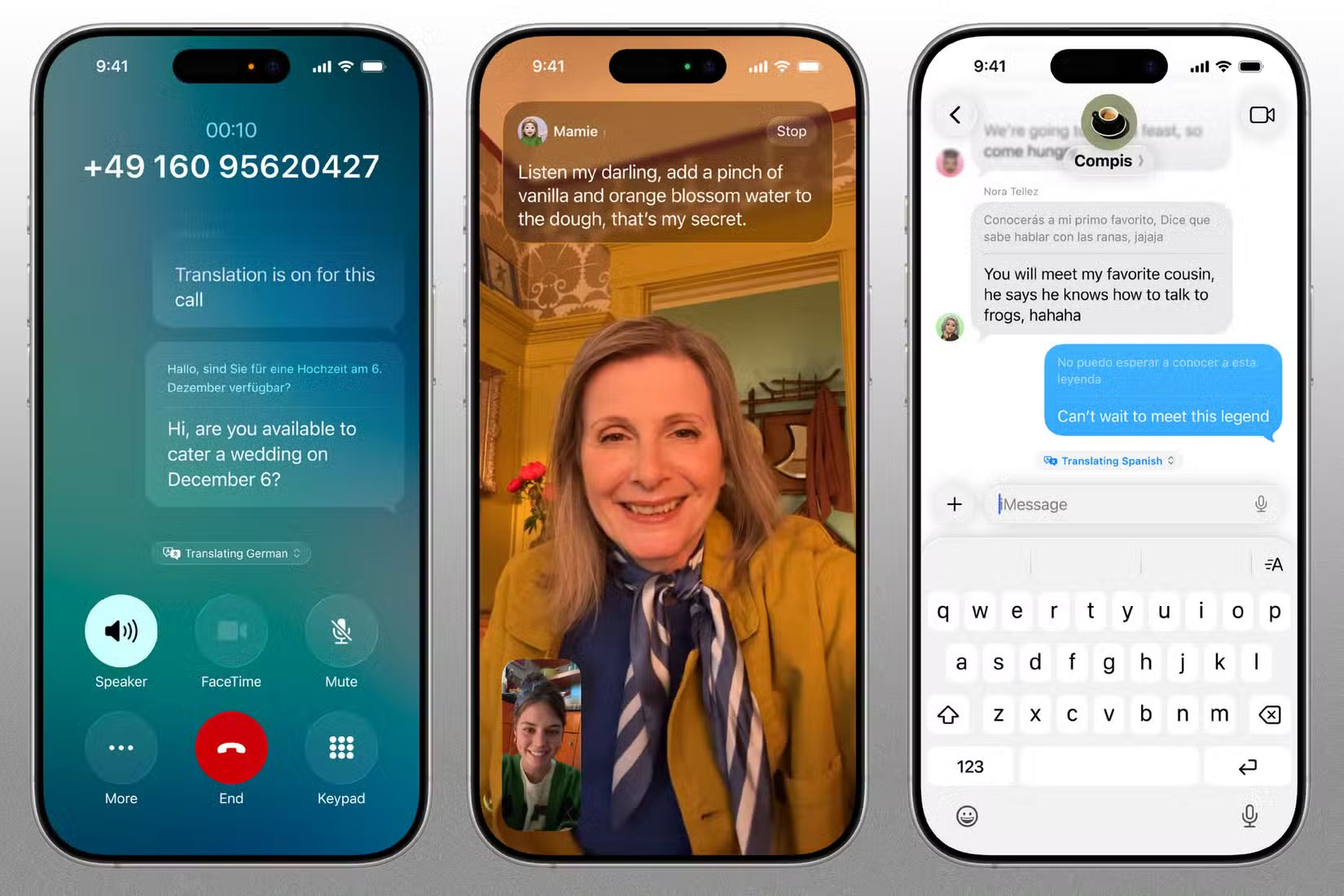
Everything is handled directly on your iPhone, so your conversations are always private and secure. If you're using AirPods, your phone can even read the translation aloud while you're talking.
Google introduced a similar feature called Live Translate with the Pixel 6. It works with phone calls, text messages, video chats, and even audio messages. Live Translate also works offline on Pixel phones, making it more versatile in situations where there's no internet connection.
2. Visual Intelligence
Apple's Visual Intelligence feature isn't new, but iOS 26 takes it a step further. If you spot something you like while scrolling through Instagram or browsing a website, like a jacket or a desk lamp, just take a screenshot and scribble or circle it. Your iPhone will recognize what you've highlighted and help you find it online.
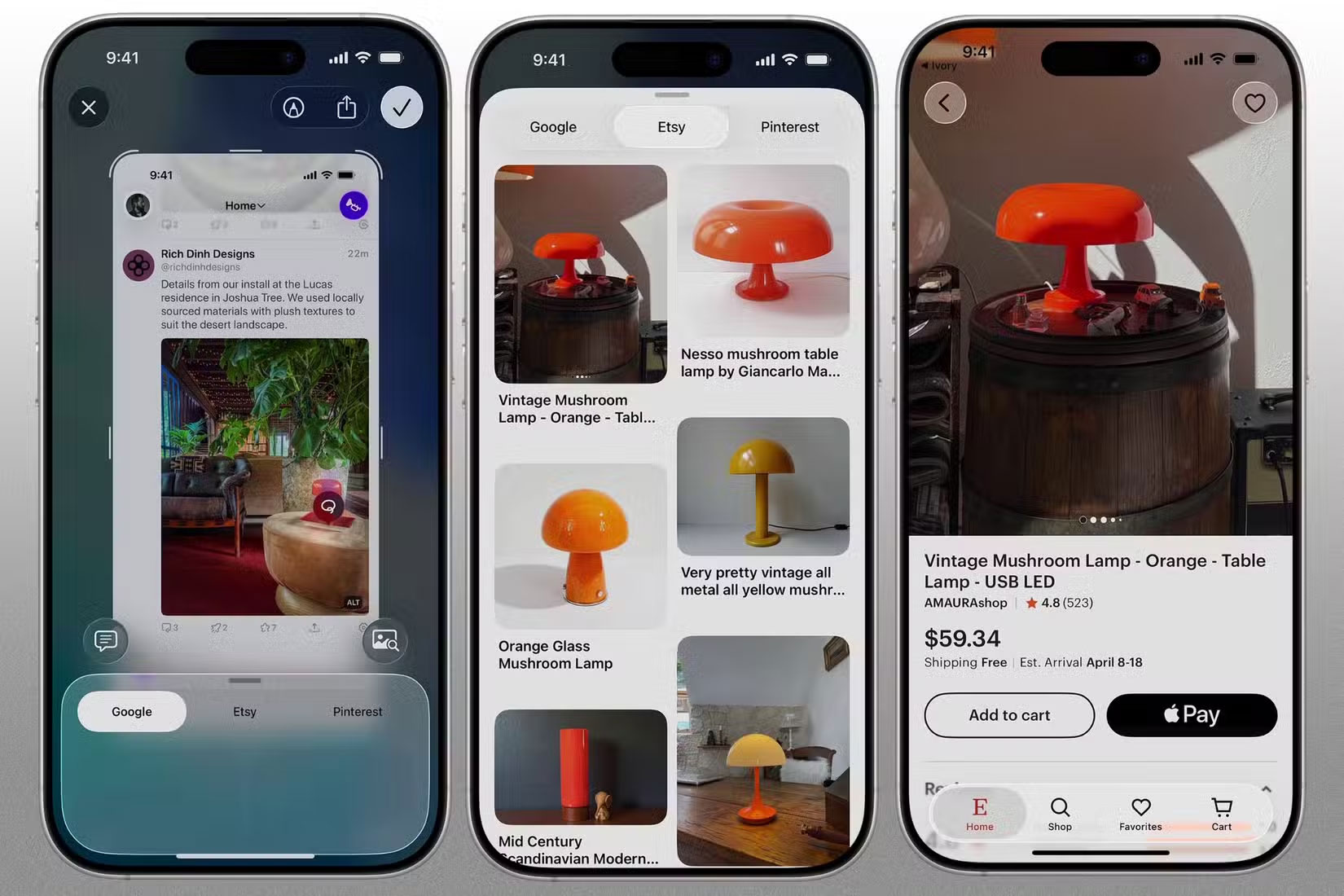
If this sounds familiar, it is probably because Android users have had a similar feature for a while. Google 's "Circle to Search" works much the same way on Android phones, with the main advantage being that you can use Circle to Search without taking a screenshot.
1. Visited Places in Apple Maps
Finally, Apple Maps in iOS 26 will get a new feature called Visited Places. As the name suggests, it will save information about where you've been—be it restaurants, stores, parks, or stops along the way—so you can easily review and retrace your steps. And do not worry, all of this data is protected by end-to-end encryption, so not even Apple can access it.
The feature will also help your iPhone learn your regular routes and routines, so if there are any delays during your regular commute or disruptions to your regular route, it can provide warning information.
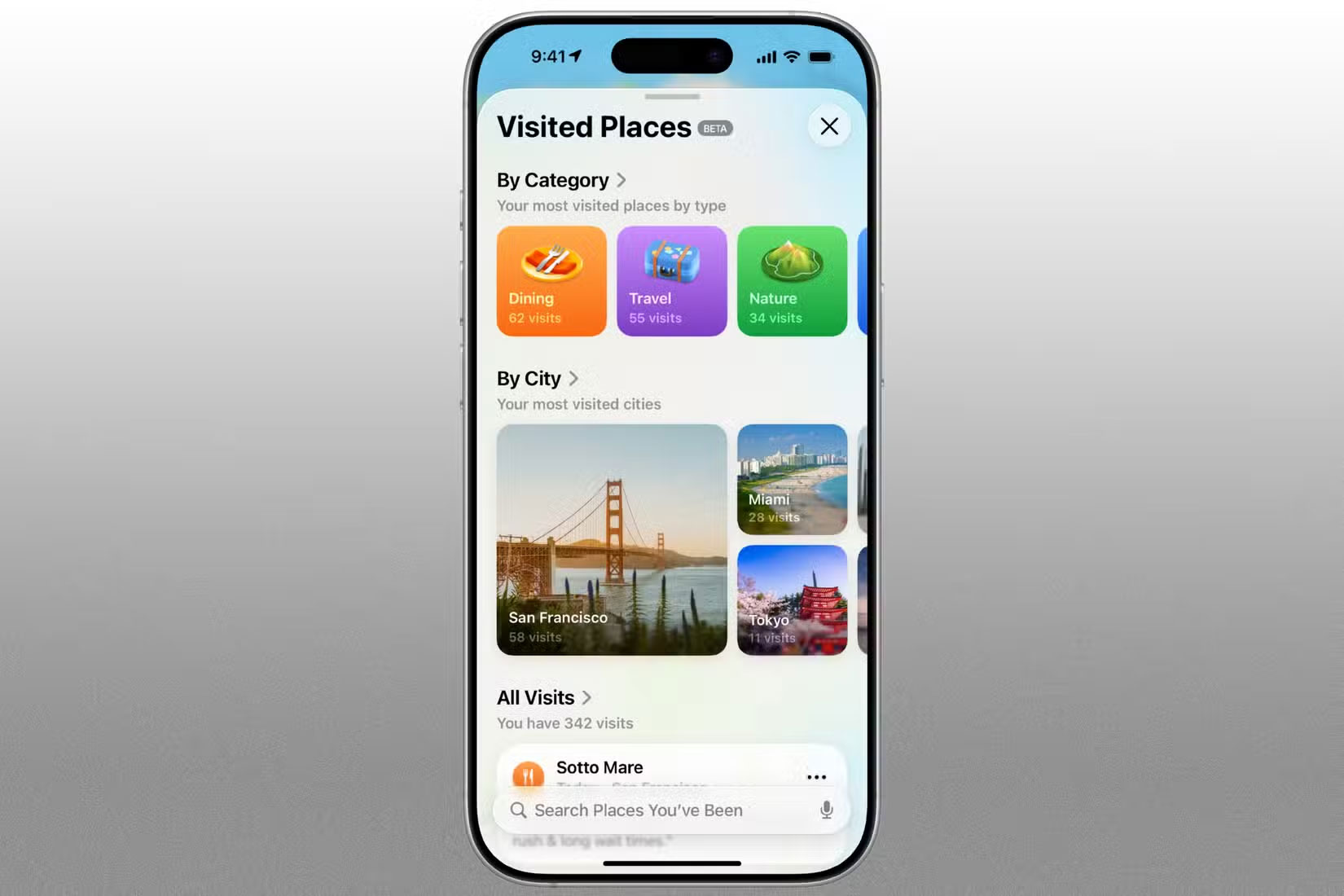
Google Maps has offered a similar feature for years called Timeline, so if you prefer Google Maps over Apple Maps, you can use Timeline on your iPhone.
There's nothing wrong with one OS taking inspiration from another, especially if it results in a better user experience. But the real test will come when iOS 26 rolls out and people actually start using these features. Since it is Apple, it wouldn't be surprising if the final implementation is even smoother than it is on Android.
FAQ
What is the main takeaway about The iPhone Finally Gets 6 Features Android Has Had for Years?
The key is to understand the core idea, compare the available options, and apply the practical guidance that matches your situation.
What should beginners know about The iPhone Finally Gets 6 Features Android Has Had for Years?
Start with the essential steps and terminology. Avoid changing advanced settings until you understand how they affect performance, privacy, cost, or compatibility.
How can I use this information in practice?
Follow the relevant section in order, test one change at a time, and confirm the result before moving to the next step or recommendation.
Related Articles
 iPhone 12 Marks 13 Years of Change for Apple9 minutes read
 5 Android Features That Make Apple Fans Jealous6 minutes read
 Android 11 Will Finally Have an Important Feature, Which the3 minutes read
 The 6 Top New Features in Android 14: Recommended Choices7 minutes read
 Apple 'Transferred' the Camera of the iPhone 16 to the iPhone 16e, but There5 minutes read
 3 Newly Changed Settings of Android P5 minutes read
Reader Comments 0
Sign in with email or Google to join the discussion.