Table of Contents
This updated guide explores summary of new features on ipados 26 with practical details, clear explanations, and useful takeaways. Today, Apple officially unveiled iPadOS 26 along with the launch of iOS 26, this version of iPadOS is considered the most groundbreaking ever.
This is not just a regular update, but a quantum leap, affirming the superior capabilities and unmatched versatility of iPad.
Fresh Interface
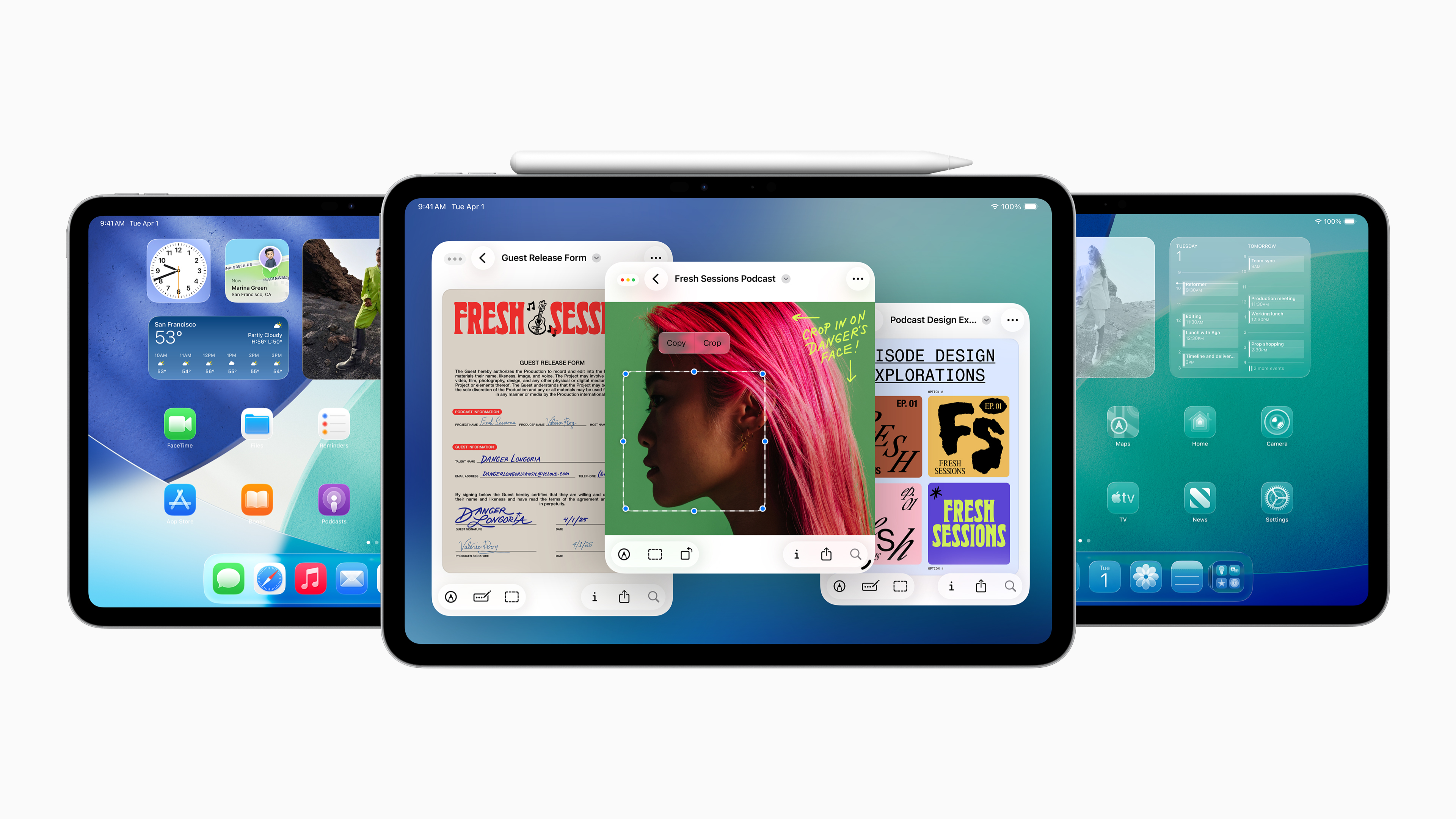
The first highlight is the completely new design, bringing a fresh and attractive look to iPad. The experience of interacting with the device will now be more lively and enjoyable than ever. iPadOS 26 also introduces an extremely efficient and intuitive window management system, along with a series of smart features, allowing you to easily control, arrange and switch between applications while maintaining the inherent simplicity of iPad.
The all-new design of iPadOS 26 not only provides a more immersive and engaging experience, but also maintains the familiarity and ease of use of iPadOS. The special feature of this design is the use of Liquid Glass - a semi-transparent material that can reflect and refract the surrounding space. This not only creates an impressive visual effect but also interacts with user operations, automatically adjusting to help you focus on the most important content.
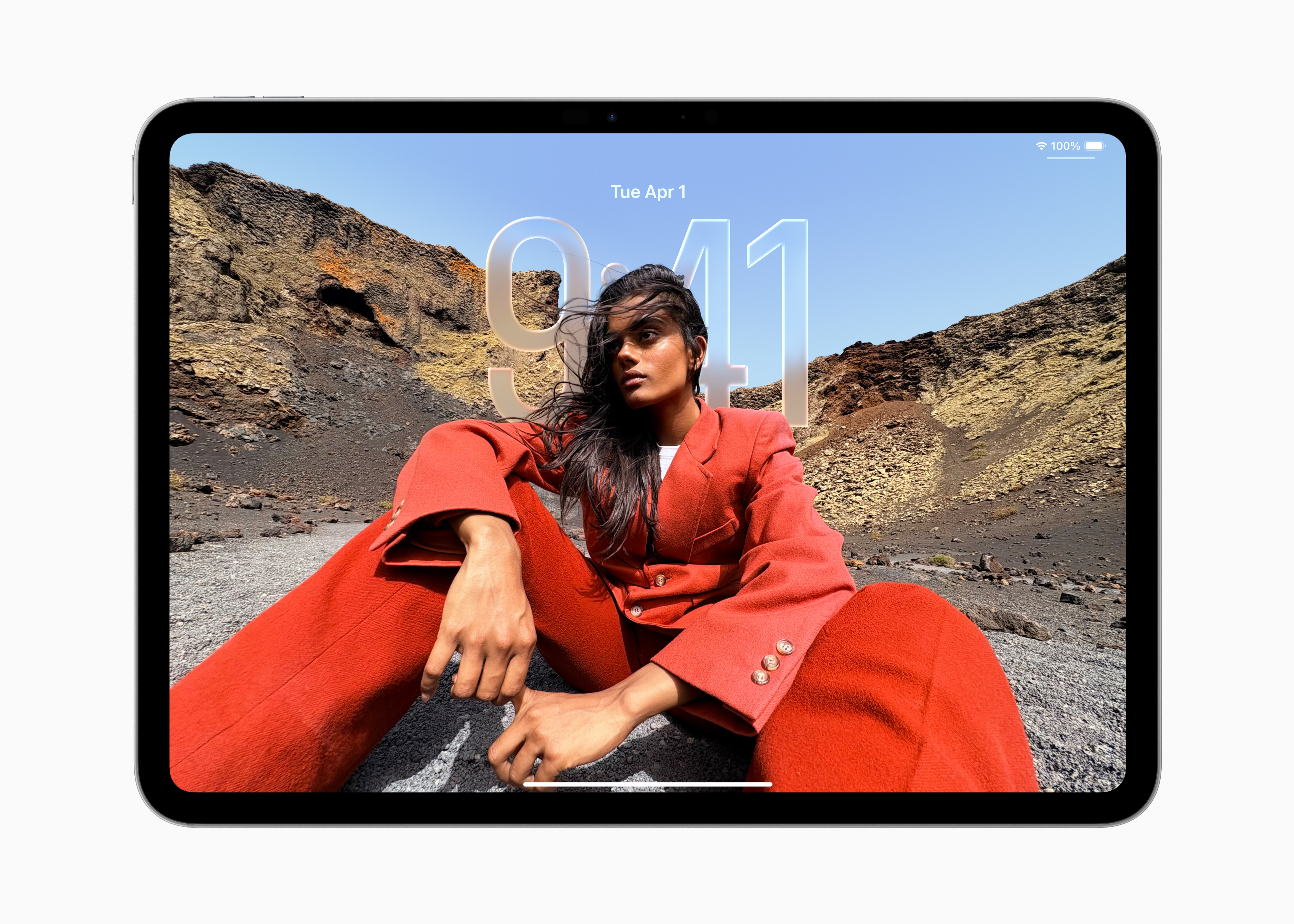
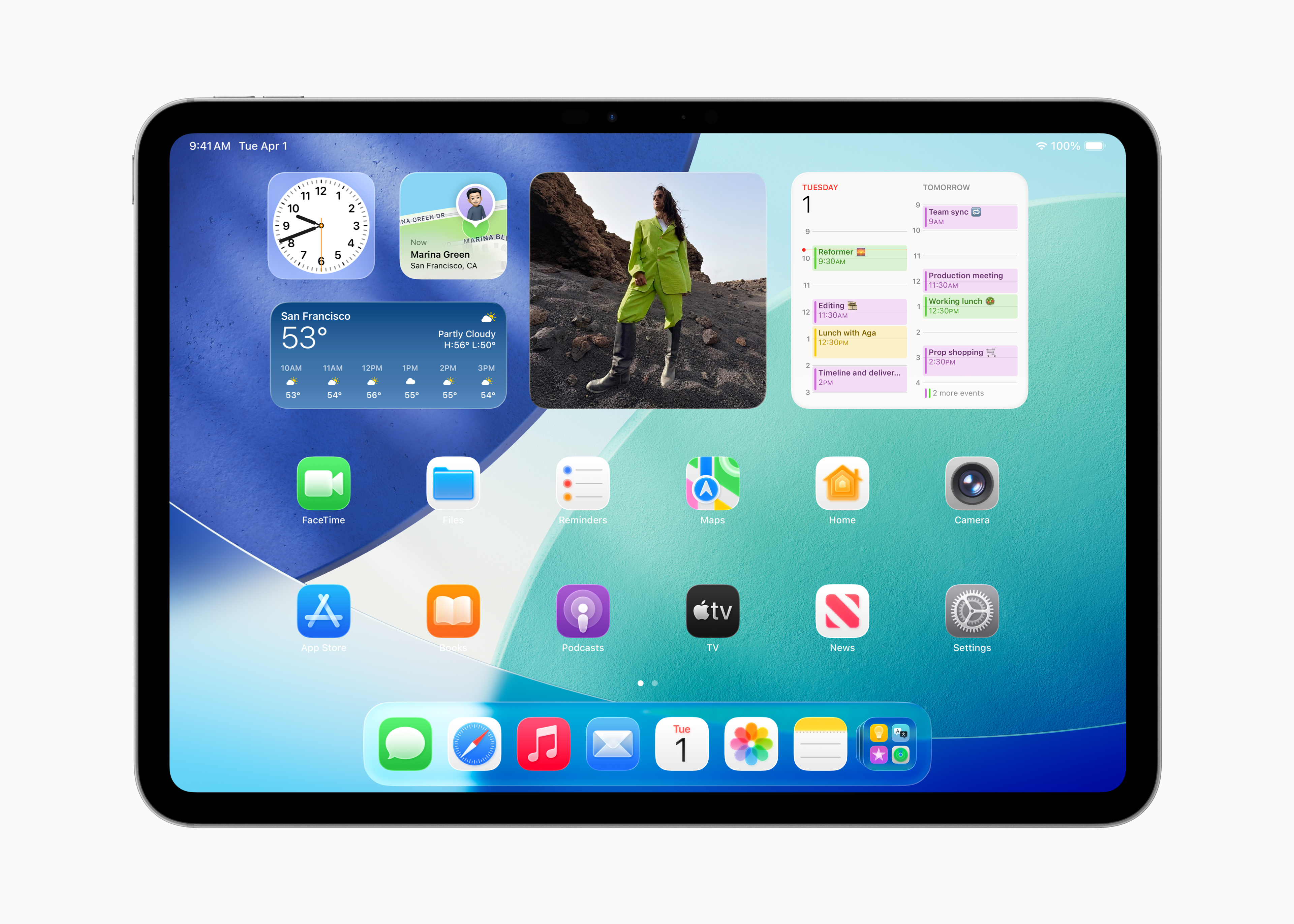
This redesign brings a more dynamic Lock screen and Control Center experience, and opens up new ways to personalize your Home Screen. App icons are refreshed, available in light or dark, with dynamic light and dark tones and an elegant transparent interface. Controls and navigation tools are also upgraded, extending to apps like Mail, Safari, Apple TV, Apple Music, and more.
Optimized File Management
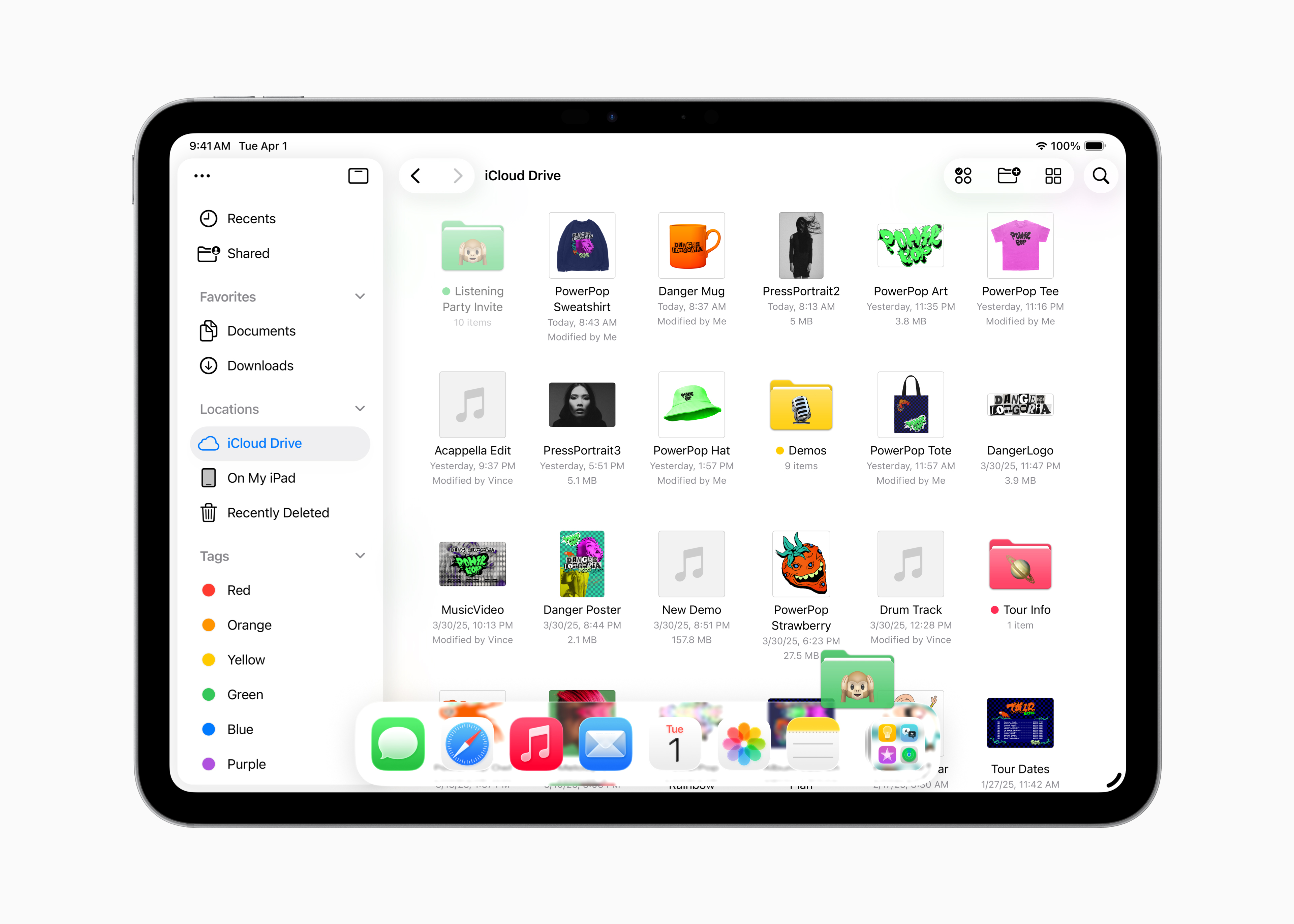
The Files app has also been significantly upgraded, providing new ways to organize documents and personalize folders. In particular, the Folders feature in the Dock gives you quick access to downloads, documents, and more with extreme convenience.
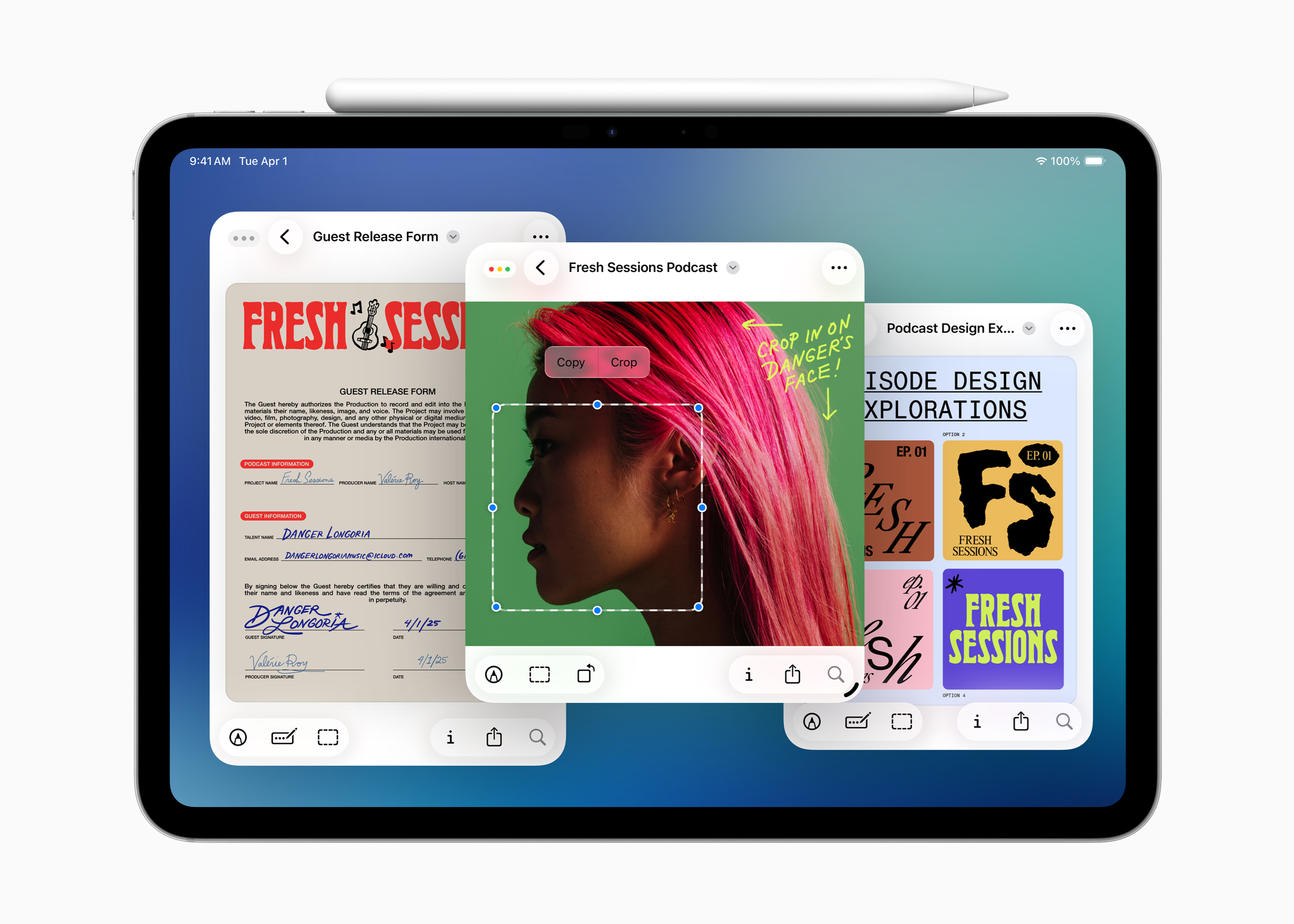
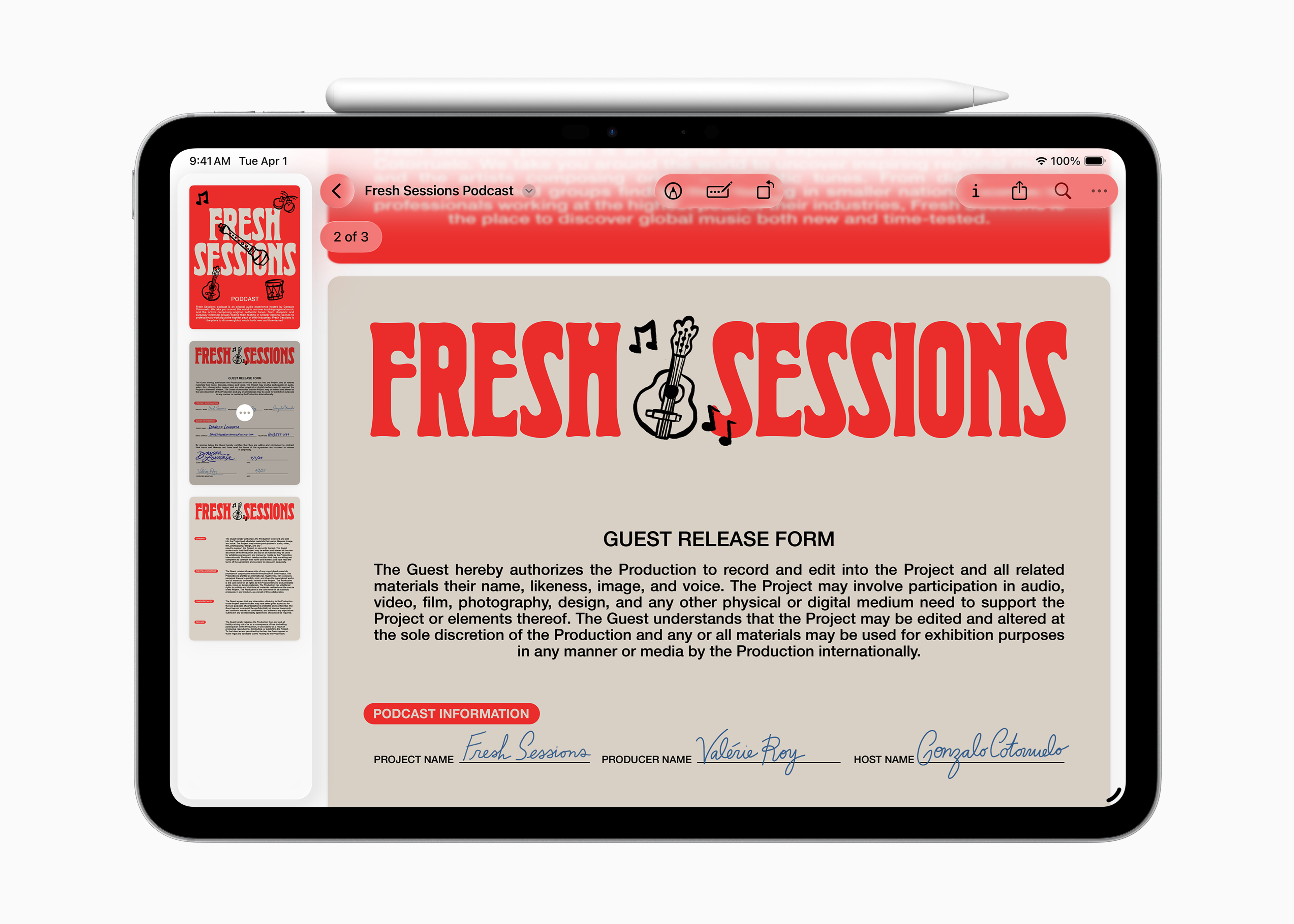
Another piece of good news is that Preview is now available on iPad. it is a dedicated tool for viewing and editing PDFs, with powerful features like Apple Pencil Markup and AutoFill .
iPadOS 26 does not stop there, it expands the capabilities for creative professionals in audio and video with features like Background Tasks, multiple audio input options, and Local capture.
New More Intuitive Window System
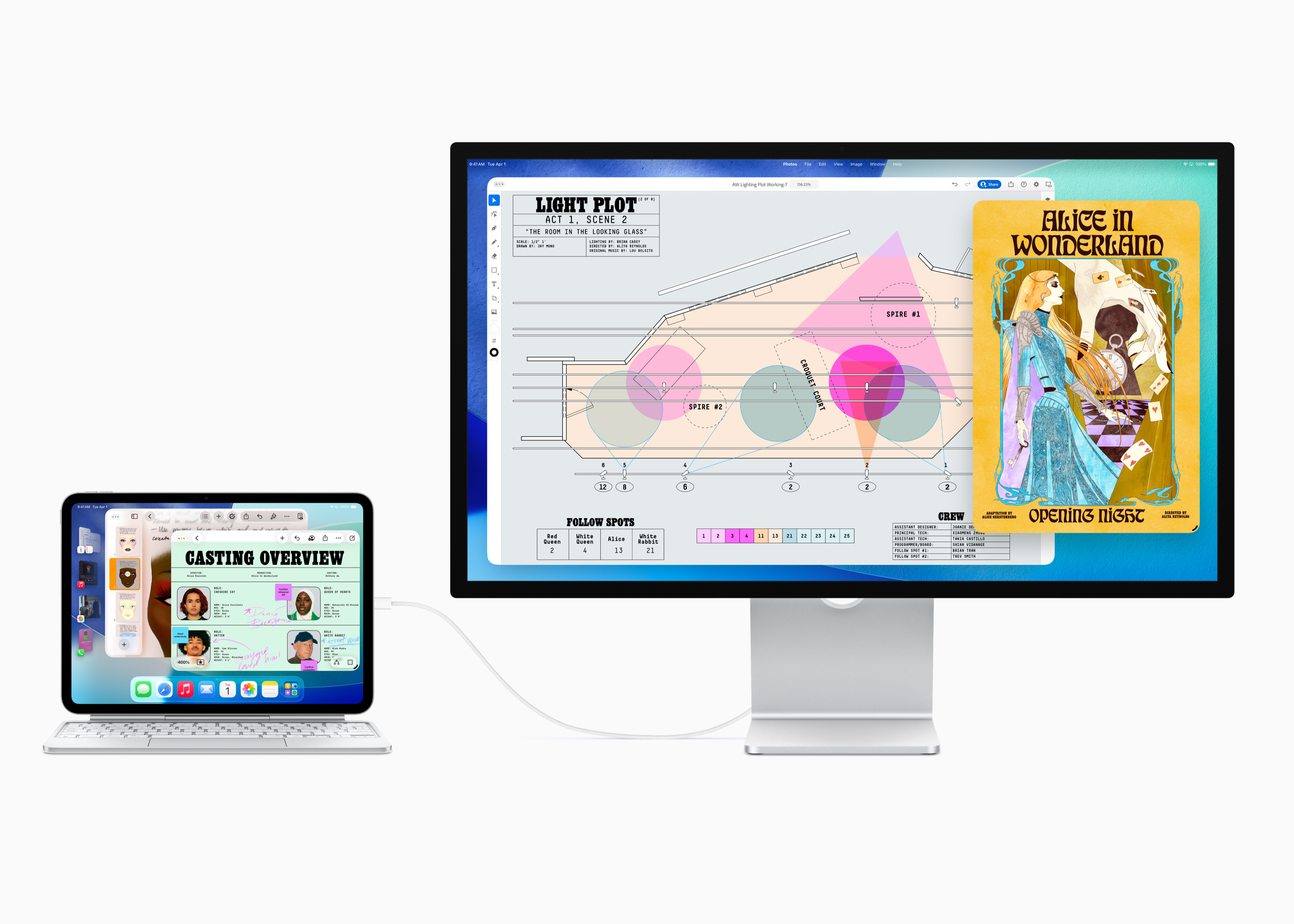
iPadOS 26 introduces powerful new features that make it easy to manipulate, control, organize, and switch between app windows, while maintaining the familiarity and simplicity that iPad users have come to expect. The new window system gives you the flexibility to resize app windows, position them as you like, and open multiple windows at once.
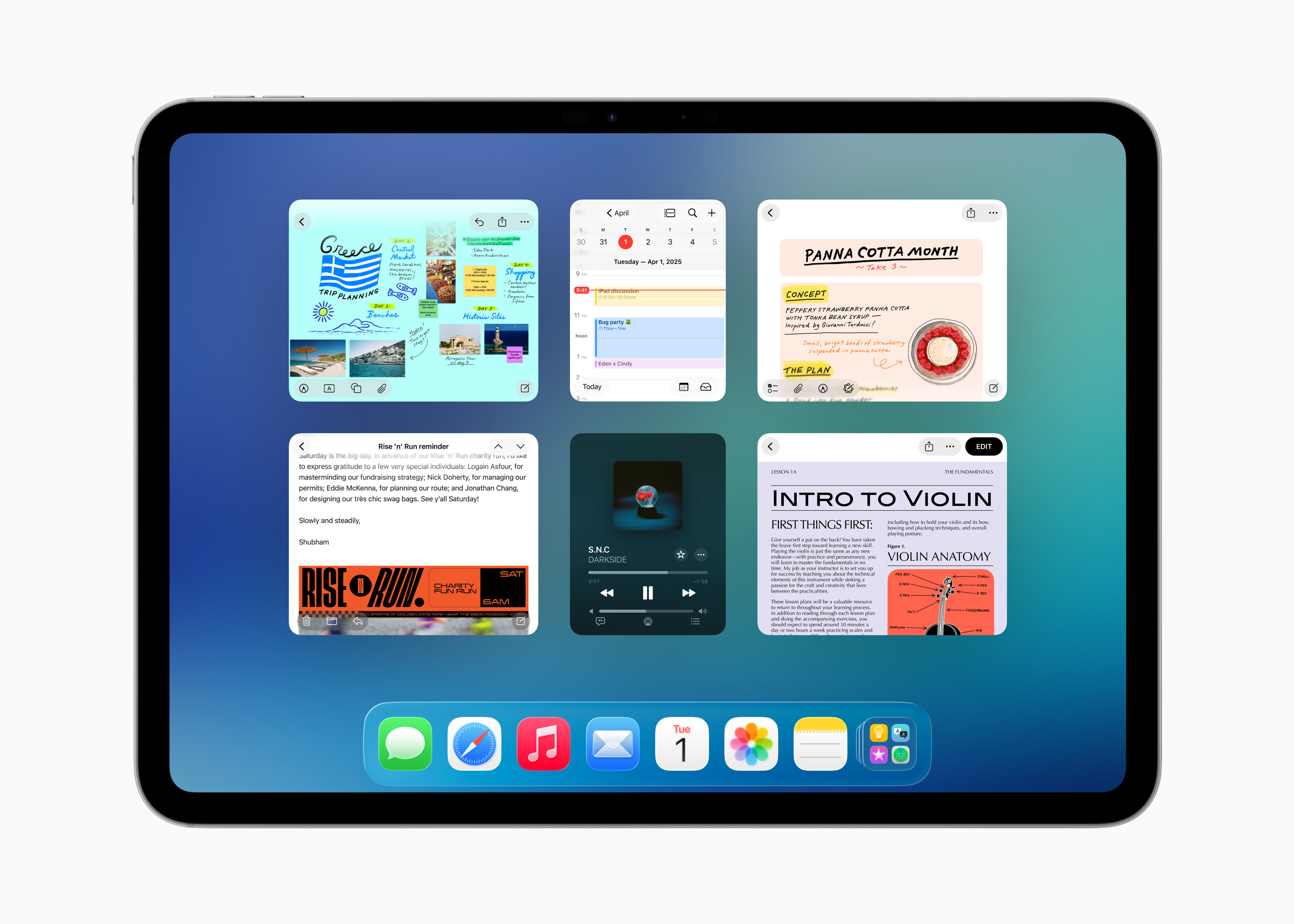
Familiar window controls make it easy to close, minimize, resize, or arrange windows. Window placement is specially designed to take advantage of the unique capabilities of the iPad, allowing you to arrange windows with a simple swipe. What's cool is that if you've previously resized an app's window, it will appear the same size and position when you reopen it.
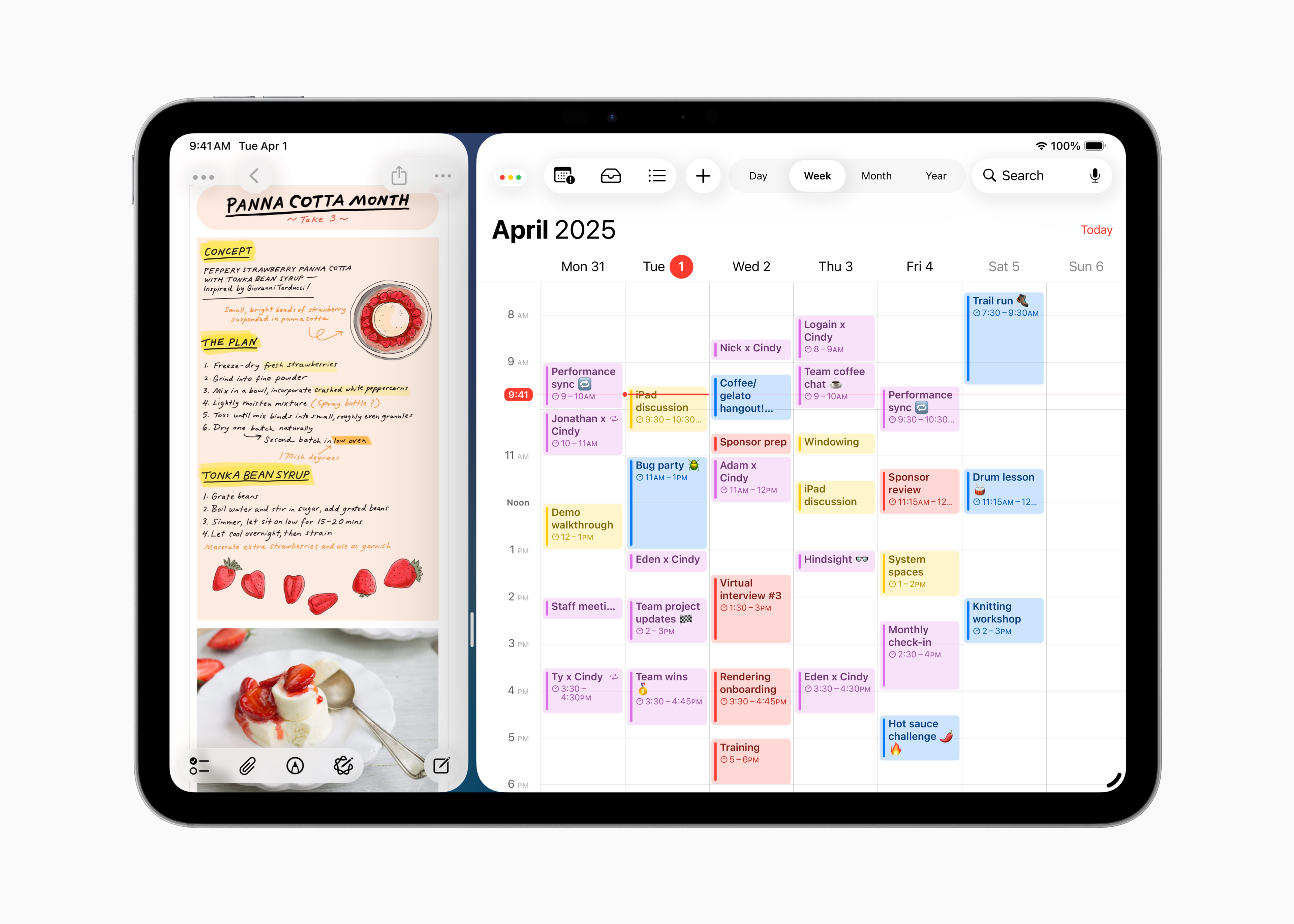
With Exposé, you can see all your open windows spread out across your screen at a glance, making it easy to switch to the one you need. The new window system also works well with Desktop Management for those who want to group windows into separate screens, and works well with external monitors to give you more space between apps.
New Convenient Menu Bar
With the new menu bar, you can access in-app commands with a simple swipe down from the top of the screen or by moving your cursor to the top. You can quickly find a specific feature or related tips in the app using the menu bar search feature. Also, developers can now customize the menu bar in their own apps, providing an even more personalized experience.
The Power of Apple Intelligence
Apple Intelligence, the advanced personal intelligence system that not only delivers useful and relevant information but also represents a major leap forward in AI privacy. Now, this power is enhanced and integrated even more deeply in iPadOS 26, ushering in a new era of communication and creativity.
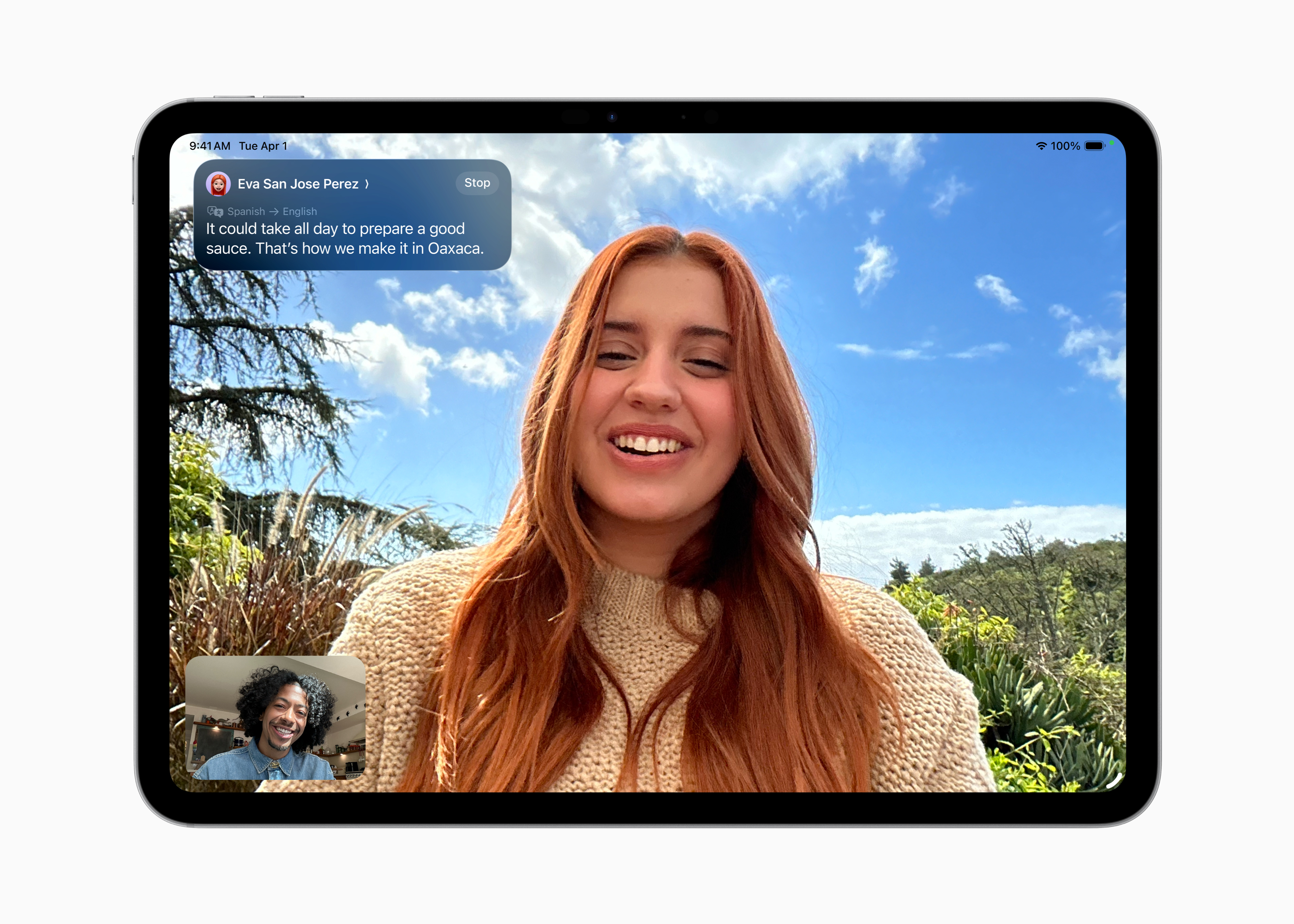
With Live Translation in the Phone, FaceTime, and Messages apps, multilingual communication is easier and more fluid than ever. In Messages, all incoming text messages—even in group chats—are automatically translated into your preferred language. During FaceTime calls, you can see live captions and hear your conversation partner's voice as you make calls. And during regular calls, translations are read aloud throughout the conversation, eliminating any language barriers.
iPadOS 26 also brings new ways to create with Genmoji. You can start with pre-made emojis and descriptions, then customize features like hair length or accessories, and choose the expression you want. Control over features and expressions is expanded in Image Playground, allowing you to apply completely new styles to ChatGPT, like turning your friend's Contact Poster into an oil painting. When you have a specific idea in mind, just tap "Any Style" and describe exactly what style you want. What's more, Image Playground can now send your description or photo to ChatGPT to create a unique image on demand.
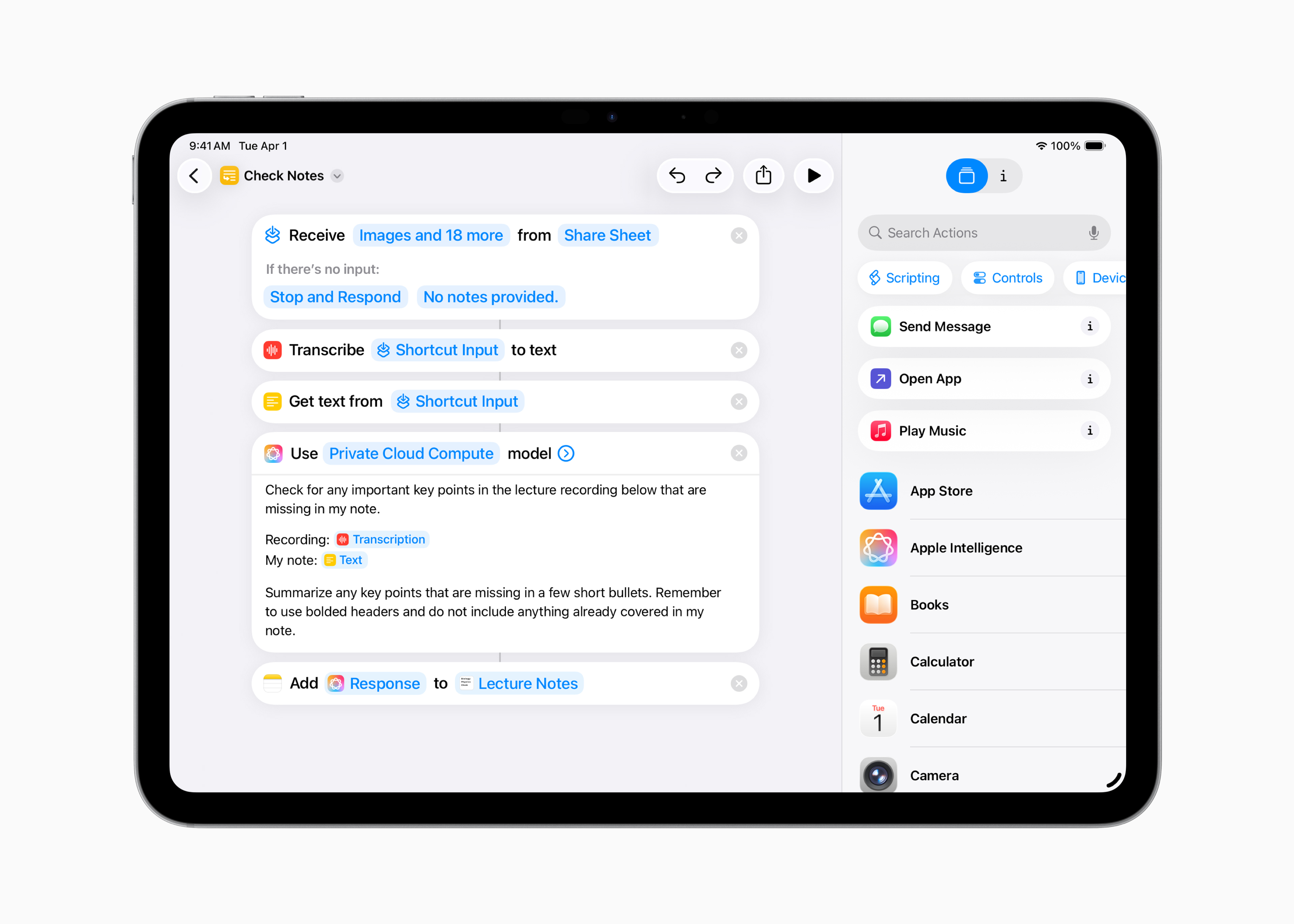
The Shortcuts app has been updated with new intelligent actions that let you create shortcuts with more capabilities than ever before. You can summarize text with the Write Tool or create images with the Image Playground. In particular, you can directly use Apple Intelligence models to create feedback that integrates into the rest of your shortcut. for instance, students can create a shortcut that uses Apple Intelligence to compare a lecture audio transcript with their own notes and fill in any missing key points.
Optimize File Management
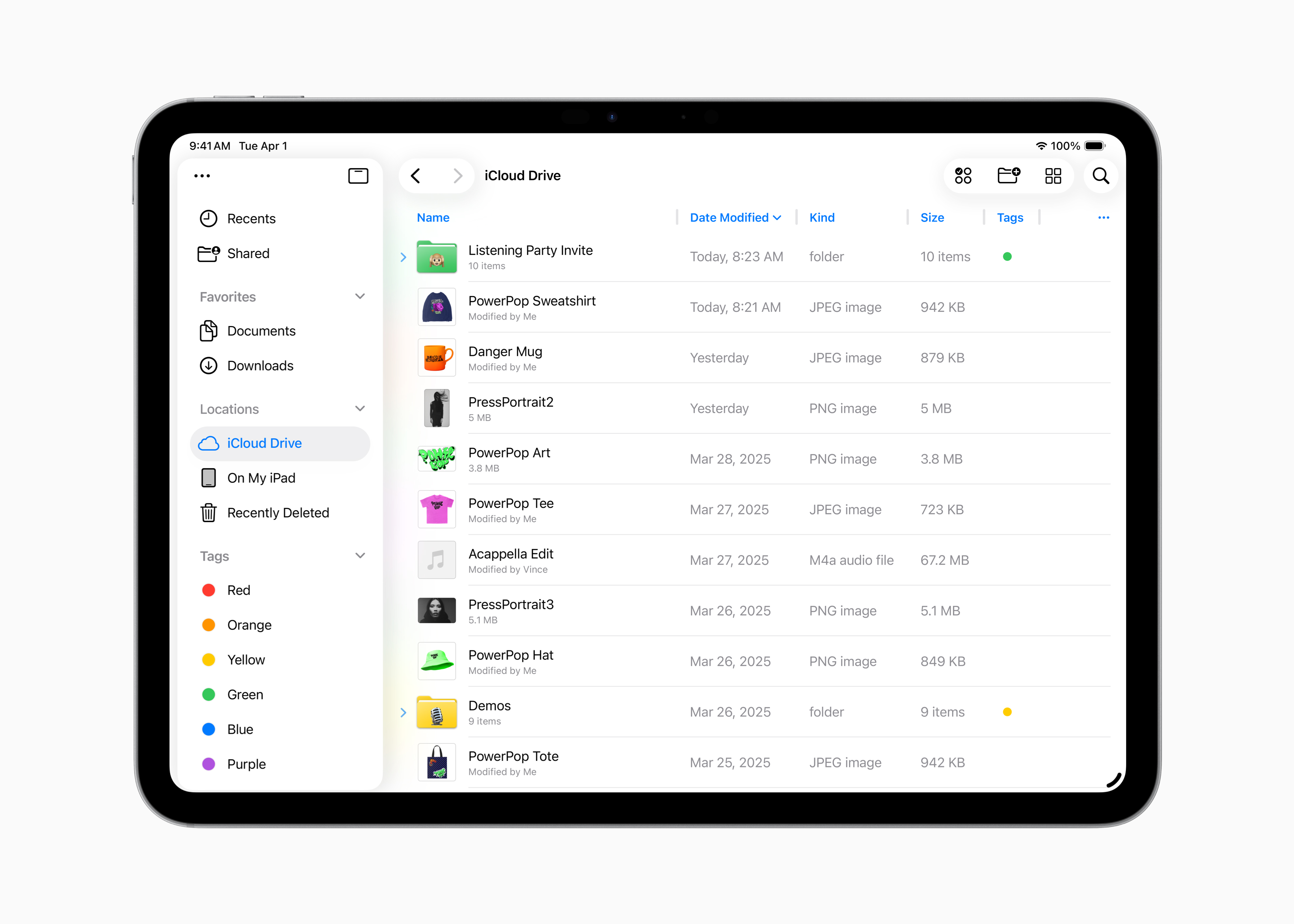
iPadOS 26 brings new ways to manage, access, and edit your files more efficiently. The Files app has been improved with an updated List view, which lets you see more details about your documents in resizable columns and collapsible folders. To make folders easier to identify, the Files app also offers personalization options like colors, icons, and emoji—all of which are synced across your devices. For faster access, you can now drag any folder from the Files app and drop it directly into the Dock. You can set default apps to open specific files or file types if you want.
Preview Application
The good news is that Preview is officially available on iPad! it is a dedicated tool that lets you create quick sketches, as well as view, edit, and mark up PDFs and images with Apple Pencil or touch. You can access all your PDFs and images from the Files app right in Preview, create blank pages, draw and write freely with Apple Pencil, or use AutoFill to quickly fill out PDF forms.
New Ways to Boost Application Performance
Leveraging the power of Apple silicon, iPadOS 26 brings the ability to perform computationally intensive tasks in the background with Background Tasks. When you start a long-running process in an app, Background Tasks will appear in your Live Activity, giving you visibility into the progress and full control over the task being processed. Developers can use the updated Background Tasks API to help users perform long-running tasks in their apps.
iPadOS 26 also introduces new audio features that provide more flexible input customization and smoother recording. You now have more control over your audio input with the ability to select different microphones for individual apps and websites. Recording quality is enhanced with Speech Isolation, which removes background noise for crisp, clear recordings. With AirPods 4, AirPods 4 with Active Noise Cancellation (ANC), and AirPods Pro 2, studio-quality audio recording lets you record content with great sound quality and delivers clear calls.
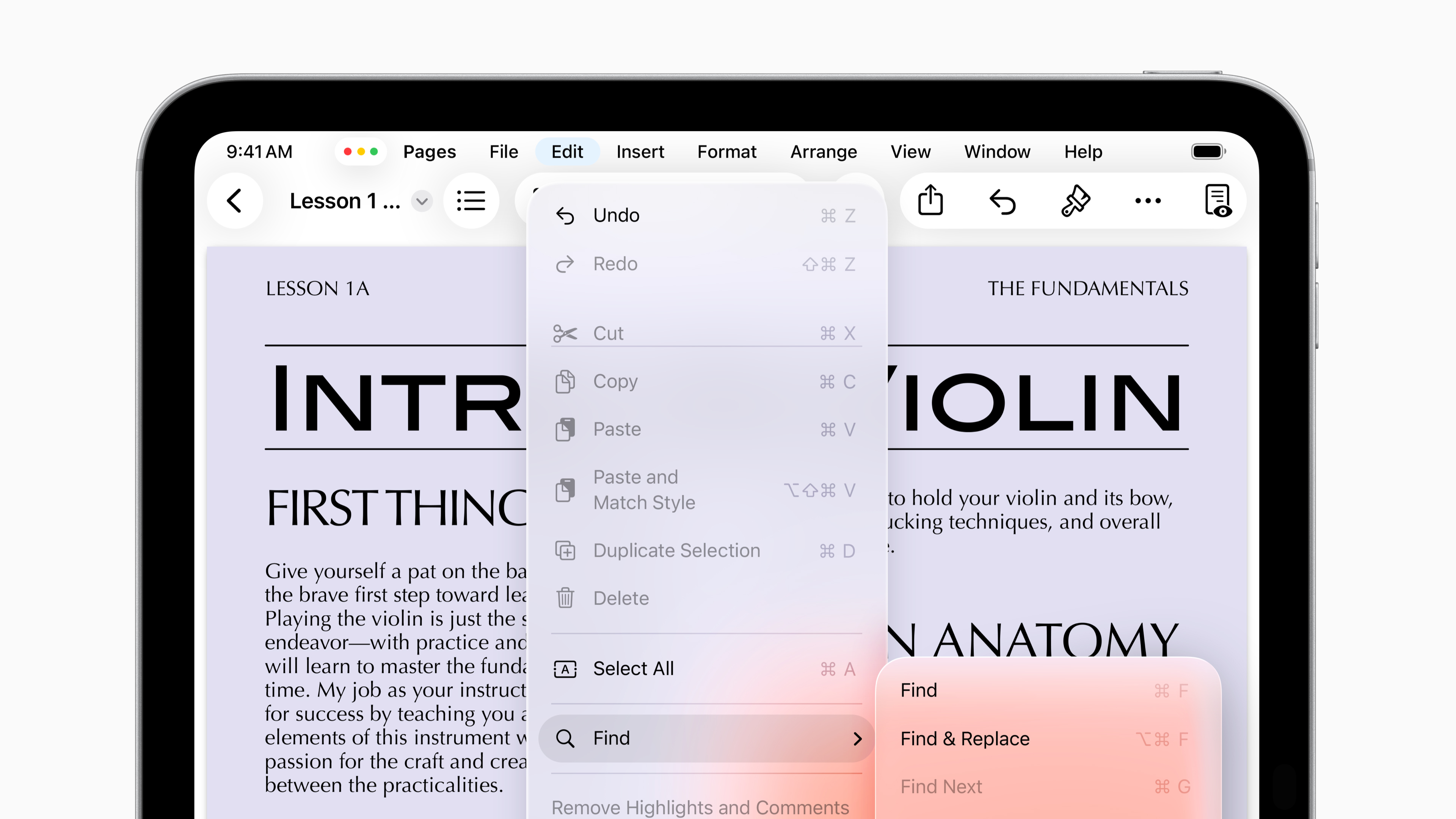
With Local Capture, you can create high-quality recordings right on your iPad using any video conferencing app, and easily share audio and video files Once the call ends. Echo cancellation from other participants prioritizes your voice, helping to pick up your voice clearly on the call.
New Applications and Diverse Communication Methods
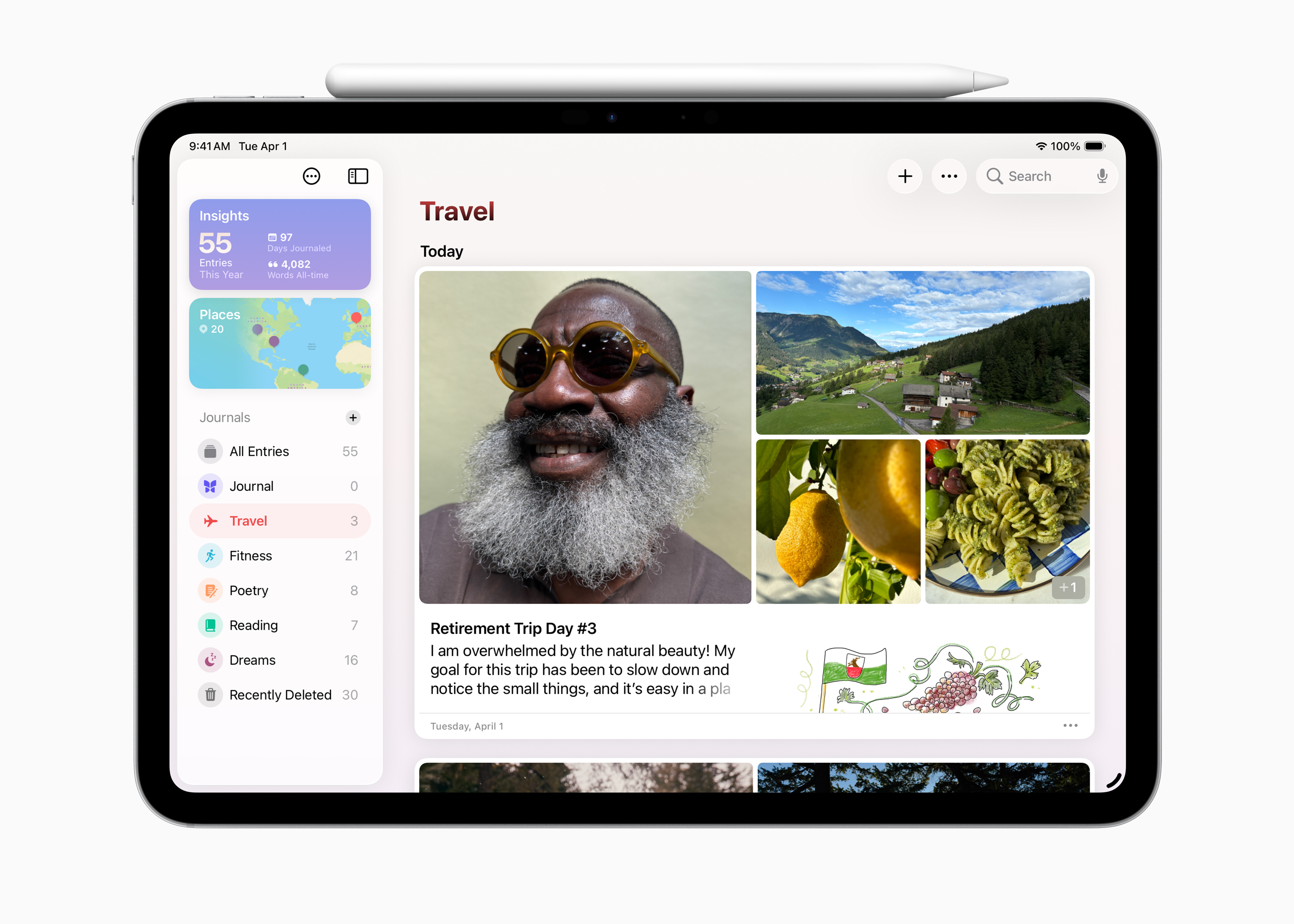
With iPadOS 26, Journal is now available on iPad, making it easy to capture and write about everyday moments and special events. Using Apple Pencil or touch, you can combine drawings and handwriting with photos, videos, audio recordings, locations, moods, and more. You can keep multiple journals about different aspects of your life, and now you can access a beautiful map view that organizes entries by location.
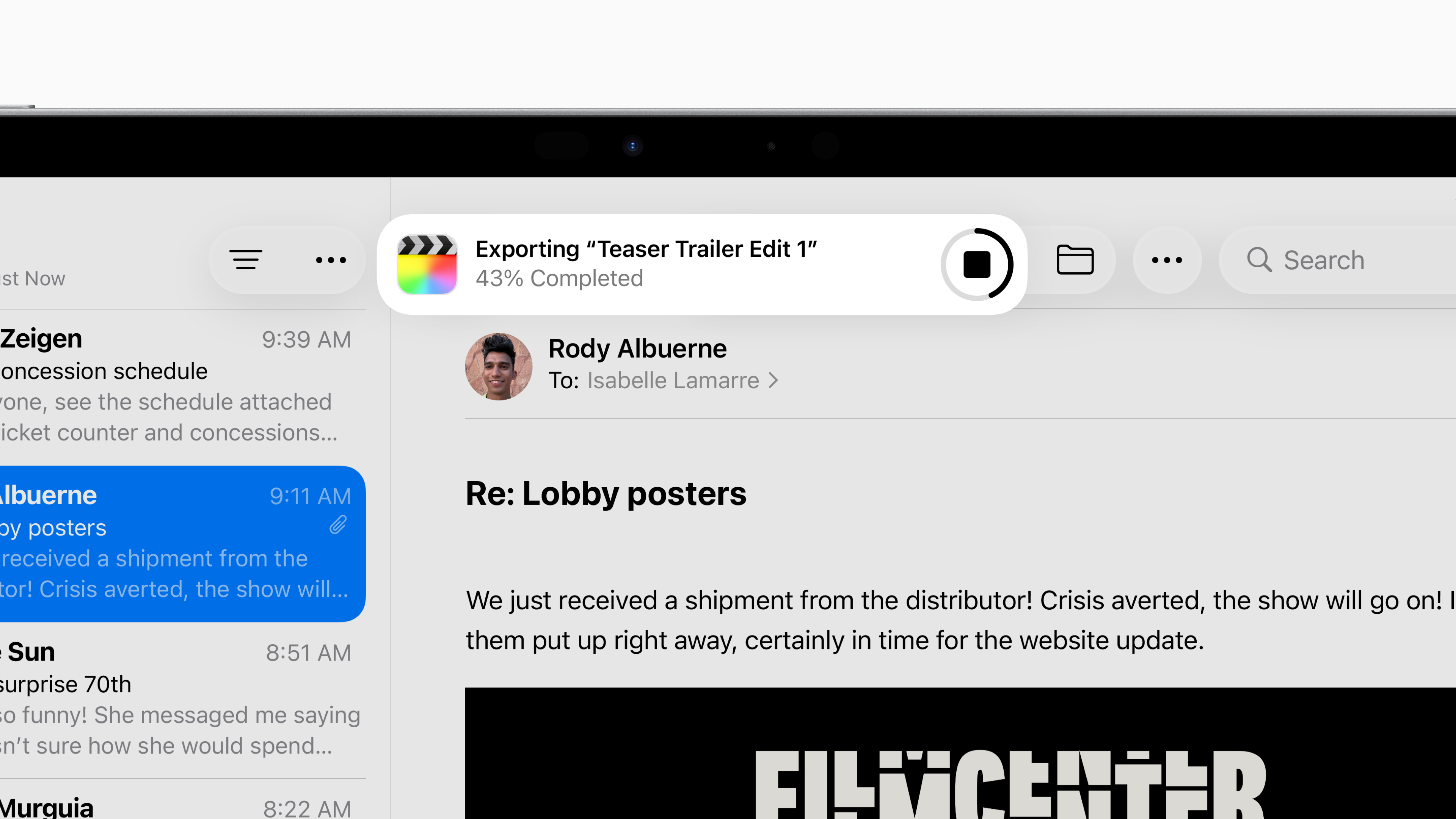
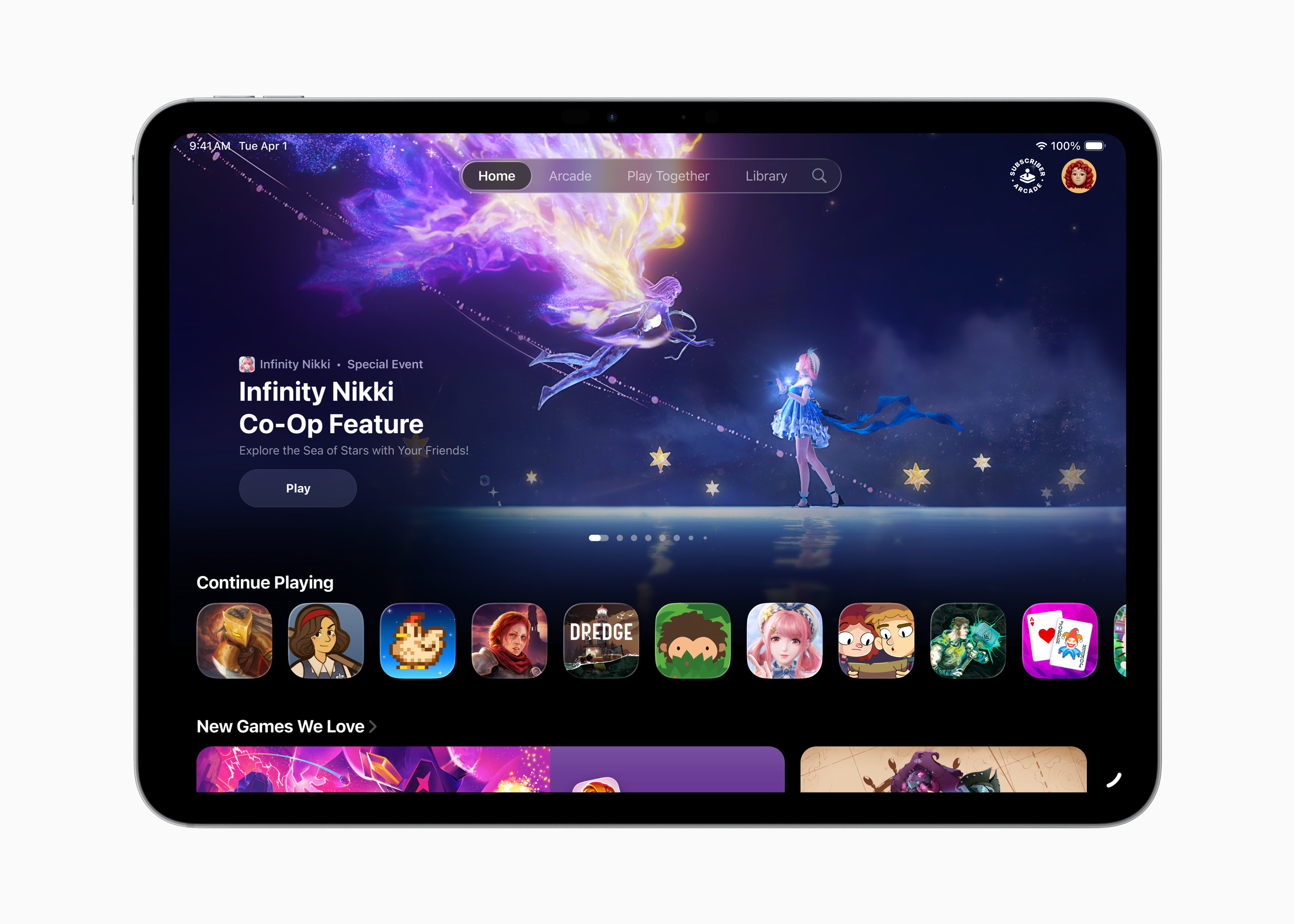
The all-new Apple Games app offers a fun gaming platform with a Game Overlay feature that lets you quickly view new events and updates, adjust settings, call or invite friends mid-game, and more.
The Messages app introduces Backgrounds for conversations, allowing you to personalize conversations with beautiful designs and create unique backgrounds that match your content with Image Playground.
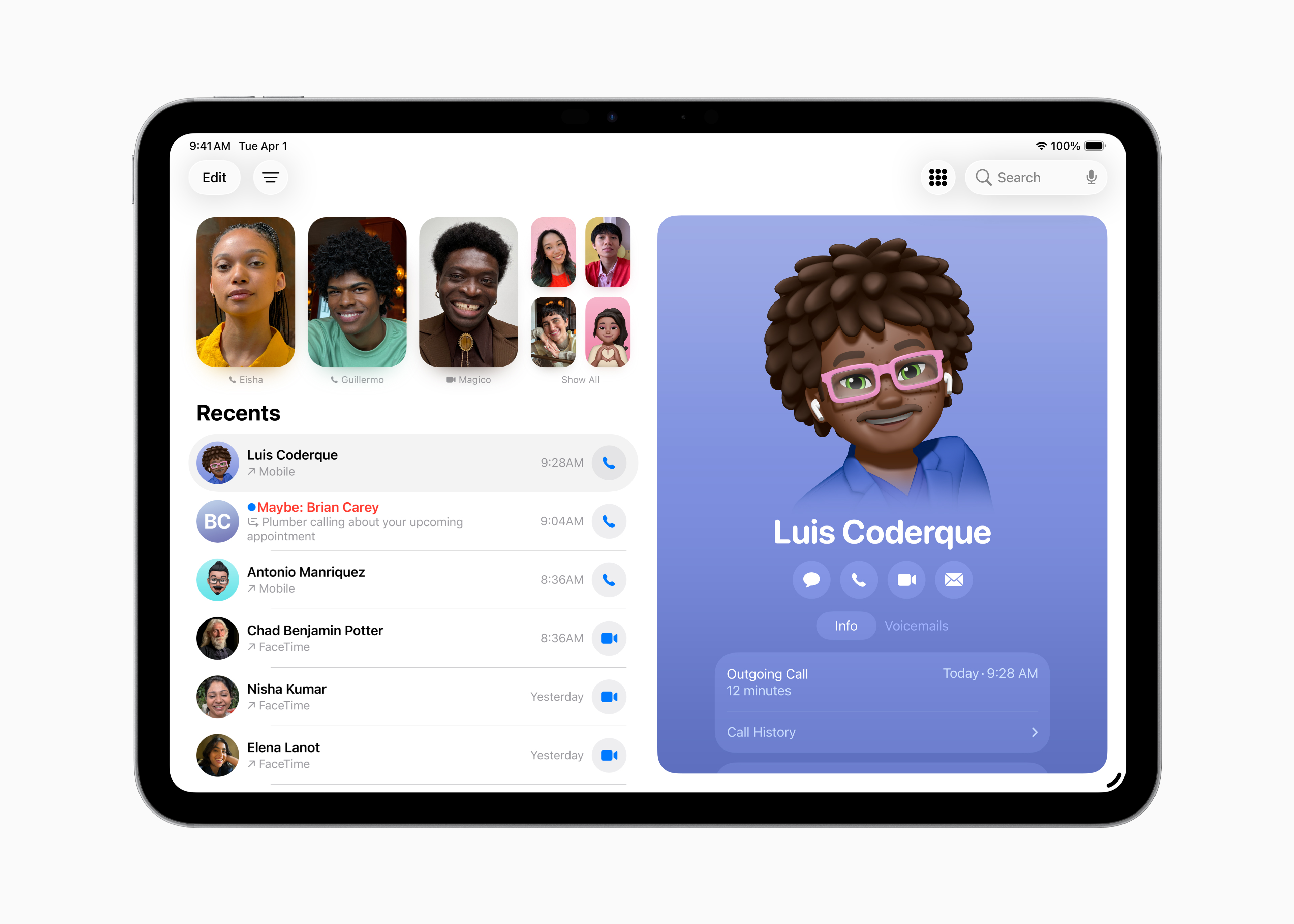
Messages also brings Polls and a new Insights view with a new design that makes it easier to navigate what's being shared in a conversation. There's also better support for group chats with a typing indicator, and the ability to request and receive Apple Cash. The Phone app also makes its debut on iPad, with updates like Hold Assist and Call Screening.
Other Improvements in iPadOS 26
A new reed pen tool is available in the tools panel, using the built-in pen tilt angle to provide a traditional calligraphy experience using Apple Pencil or touch in apps like Notes, Preview, Freeform, and Journal; when using Markup; and in third-party apps using the PencilKit API.
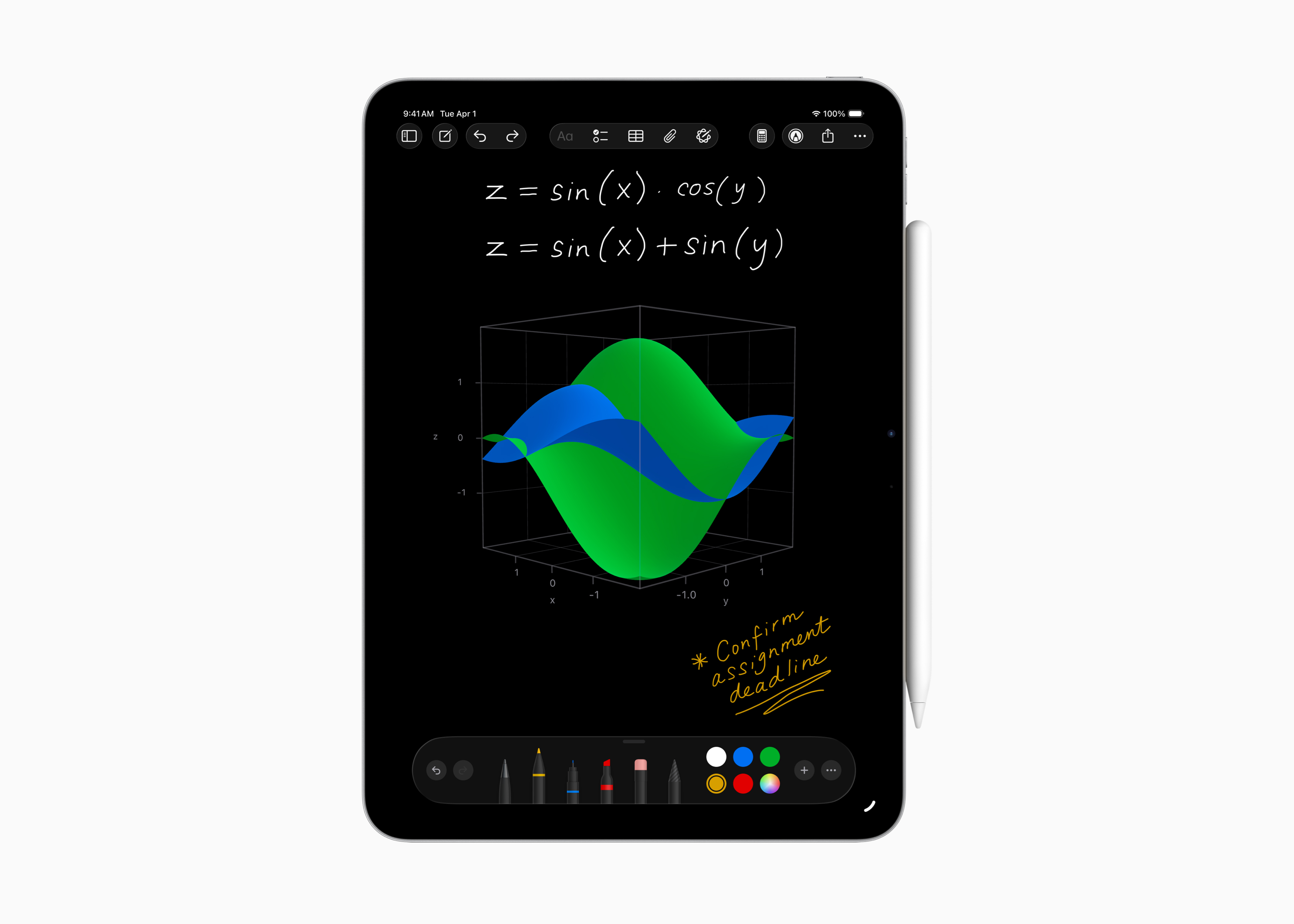
The Calculator app brings new 3D graphing capabilities to Math Notes, allowing you to write equations with three variables and create three-dimensional graphs.
The Notes app adds the ability to import and export notes as markdown files, along with support for recording conversations in the Phone app as audio files with transcripts.
Accessibility features include Accessibility Reader, a new system-wide reading mode designed to make text more readable for users who are blind, have low vision, or have other disabilities that affect their ability to read; an all-new Braille Access experience that provides a friendly interface for users who have connected braille displays; Share Accessibility Settings to temporarily use accessibility settings on someone else's device; and more.
FAQ
What is the main takeaway about Summary of New Features on iPadOS 26?
The key is to understand the core idea, compare the available options, and apply the practical guidance that matches your situation.
What should beginners know about Summary of New Features on iPadOS 26?
Start with the essential steps and terminology. Avoid changing advanced settings until you understand how they affect performance, privacy, cost, or compatibility.
How can I use this information in practice?
Follow the relevant section in order, test one change at a time, and confirm the result before moving to the next step or recommendation.
Related Articles
 Summary of New Features on IPadOS 146 minutes read
 The Basics of Using Ipados9 minutes read
 Ipados 15: Release Date, Features and Supported Devices4 minutes read
 What Is App Exposé: How to Use App Exposé in Ipados3 minutes read
 Top 10 Changes and New Features on iOS 14.2 and Ipados 14.25 minutes read
 Ipados 15 with Widgets and System-wide Note Support6 minutes read
Reader Comments 0
Sign in with email or Google to join the discussion.