
Network equipment
Best Wi-Fi Routers for Budget, Multi-Gig, and Mesh Networks
Compare the TP-Link Archer BE230, Archer AX21, and eero Pro 7 by Wi-Fi standard, radio bands, Ethernet ports, expansion options, and the type of home each router suits.
Browse more Explore computer hardware guides, buying advice, troubleshooting tips and practical information about components, laptops and peripherals.
Compare the TP-Link Archer BE230, Archer AX21, and eero Pro 7 by Wi-Fi standard, radio bands, Ethernet ports, expansion options, and the type of home each router suits.

A bridge is a network device that operates at the data link layer. Through a bridge, data or information is not stored and is sent as packets.

A dedicated mobile hotspot can provide steadier multi-device access, preserve your phone's battery, and serve as a practical travel or outage backup. Here is when the extra device is worth it.
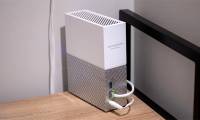
Choose a NAS by drive bays, RAID needs, network speed, media transcoding, and software support. This guide explains the tradeoffs and compares five home-server options.

Roku's Subscriptions menu brings participating services and recently added titles into one screen. Here is what it does, what it does not do, and how to check for it.

Compare five external hard drives for desktop backups, portable use, large media libraries, simple expansion, and rugged travel. Key tradeoffs are explained clearly.

If volume swipes do not work on AirPods Pro 2 or AirPods Pro 3, check the gesture, accessibility setting, connection, charge, and model-specific reset steps.

Compare seven wired headphones across open-back, closed-back, and in-ear designs. Learn which models need an amplifier, isolate sound, or suit portable listening.

Try all five ear-tip sizes, adjust the insertion angle, run the Acoustic Seal Test, and check heart-rate sensor contact. Know when a different earbud design is better.

Check each AirPod's charge, speaker mesh, audio balance, and Bluetooth pairing before resetting anything. These steps isolate charging, device, and hardware faults.

Compare five portable printers by output type, battery setup, paper size, connectivity, and running cost. The right choice depends on whether you print documents, photos, or labels.

Compare five FDM and resin 3D printers by print process, build size, setup, speed, and intended use, with practical checks for choosing the right model.
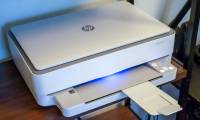
Compare five printers built for different jobs, from home photos and everyday documents to ledger-size office work, professional photo output, and shipping labels.

Evaluate a used PC for NAS duty by checking CPU needs, RAM, drive bays, controllers, CMR drives, networking, power use, cooling, and backup plans.
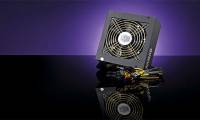
Avoid undersizing a PSU, mistaking efficiency certification for overall quality, and overlooking modular cable compatibility, connectors, and case layout.

Protect an SSD by avoiding unnecessary sustained writes, controlling heat, keeping TRIM enabled, preserving free space, and watching its health indicators.

Diagnose loud laptop fans, switch Windows to a balanced power mode, try a reversible processor limit, and recognize when noise indicates a hardware fault.
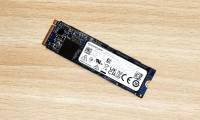
Match an old SATA or NVMe SSD to the correct USB enclosure, install it safely, remove old system partitions, and choose a suitable file system.

Create a Ctrl+Shift+Alt+Win Hyper key with AutoHotkey v2, preserve tap-to-toggle Caps Lock, add shortcuts, and troubleshoot Windows conflicts safely.
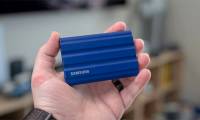
Choose a portable SSD by matching it to your ports and workload, then compare sustained speed, capacity, encryption, durability, warranty, and cable support.