Table of Contents
The right router depends on the home, internet plan, client devices, and number of wired connections. The TP-Link Archer BE230 is the strongest all-around option here for a single-router setup with multi-gigabit Ethernet. The Archer AX21 is a simpler Wi-Fi 6 choice for a modest plan and smaller household. The eero Pro 7 is the premium option when tri-band Wi-Fi 7 and easy mesh expansion justify the cost.
No router can make an internet plan faster than the service entering the home. Published Wi-Fi speed ratings are combined theoretical link rates, not a promise that one phone or laptop will reach that number. Walls, neighbors' networks, device radios, channel width, placement, and wired backhaul can make a larger difference than the number printed on the box.
Quick comparison
| Model | Wireless design | Wired ports | Best fit |
|---|---|---|---|
| TP-Link Archer BE230 | Dual-band Wi-Fi 7, 2.4 and 5GHz | One 2.5GbE WAN, one 2.5GbE LAN, three gigabit LAN | Multi-gig internet or a fast local wired device without paying for 6GHz |
| TP-Link Archer AX21 | Dual-band Wi-Fi 6, 2.4 and 5GHz | One gigabit WAN, four gigabit LAN | Budget upgrade for a smaller home and internet plans at or below gigabit |
| eero Pro 7 | Tri-band Wi-Fi 7, 2.4, 5, and 6GHz | Two auto-sensing 5GbE ports | Premium app-managed network or multi-node mesh with newer clients |
TP-Link Archer BE230: Best balance of price and multi-gig capability
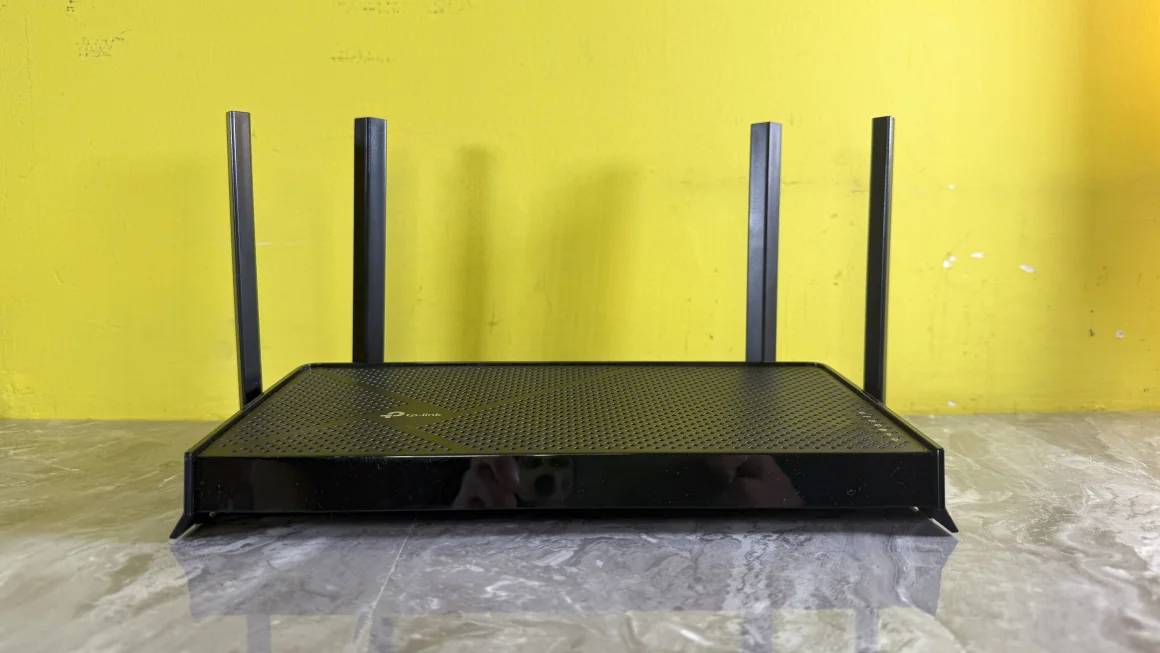
The Archer BE230 is a dual-band BE3600 router. TP-Link lists theoretical rates of 2,882Mbps on 5GHz and 688Mbps on 2.4GHz, four external antennas, EasyMesh support, and a USB 3.0 port for selected storage-sharing functions.
Its most practical advantage is wired connectivity: a 2.5Gbps WAN port can accept internet service above one gigabit, while the separate 2.5Gbps LAN port can feed a fast desktop, network-attached storage device, or multi-gig switch. Three additional gigabit LAN ports serve other wired equipment.
What to know before buying
- It does not have a 6GHz radio. Wi-Fi 7 features can still operate on its 2.4 and 5GHz bands, but buyers specifically seeking a cleaner 6GHz band need a tri-band model and compatible clients.
- A single 2.5GbE LAN connection is the fastest wired path to one local device. More multi-gig devices require a separate compatible switch.
- EasyMesh compatibility can help extend coverage, but hardware version, firmware, and the satellite device determine which backhaul and roaming features are available.
- TP-Link HomeShield includes both standard and optional service features; check the current app description before assuming a particular parental-control or security function is included.
This model suits an apartment or medium-size home where one centrally placed router can cover the important rooms. It is also a reasonable way to add Wi-Fi 7 client support without paying for a high-end tri-band system.
TP-Link Archer AX21: Best budget option
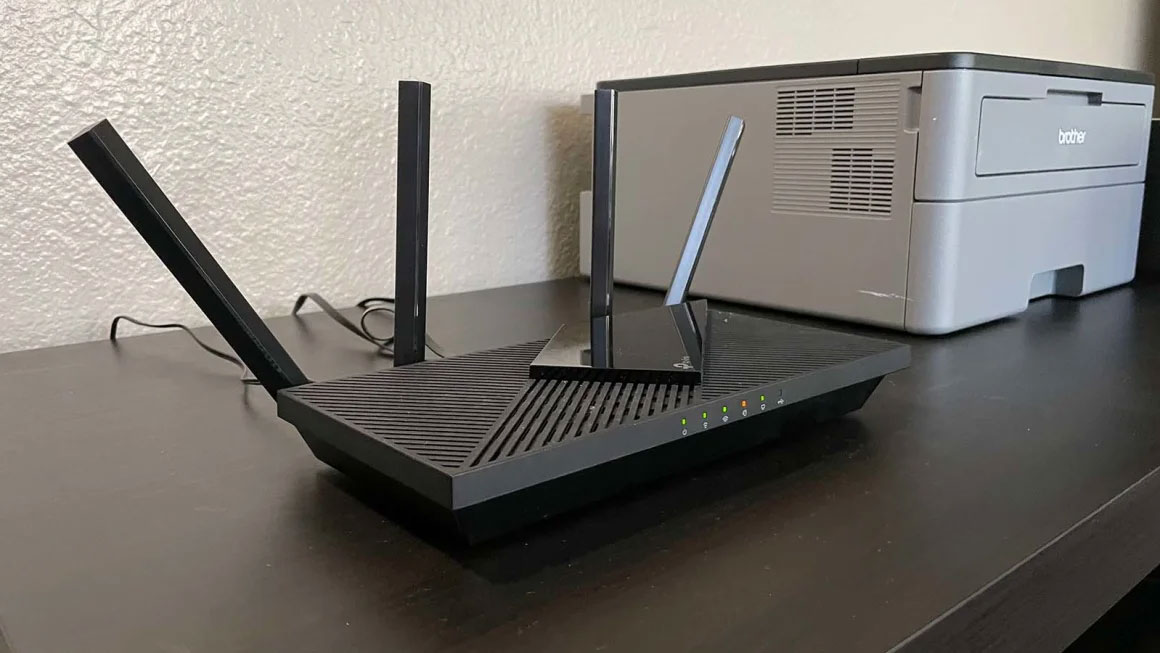
The Archer AX21 is an AX1800 dual-band Wi-Fi 6 router. Its advertised maximum link rates are 1,201Mbps on 5GHz and 574Mbps on 2.4GHz. TP-Link's US specification includes one gigabit WAN port and four gigabit LAN ports, so the wired internet path tops out below a full gigabit after normal protocol overhead.
That is not a meaningful limitation for many households with a few hundred megabits of internet service. Wi-Fi 6 features such as OFDMA can manage multiple active devices more efficiently than much older Wi-Fi 5 hardware, and four LAN ports leave room for a desktop, console, television, or access point.
Choose the AX21 when
- Your internet plan is one gigabit or slower.
- Most devices use Wi-Fi 5 or Wi-Fi 6 rather than 6GHz or Wi-Fi 7.
- You need a reliable basic router, not multi-gig Ethernet or an elaborate mesh system.
- The home is small enough for one well-placed access point.
Hardware versions and regional models can differ. Check the label and regional support page before relying on USB, mesh, or firmware details. If dead zones already exist, a cheap faster router may not solve them; placement or an additional wired access point can be more effective.
eero Pro 7: Best premium mesh option

The eero Pro 7 is a tri-band Wi-Fi 7 device with 2.4, 5, and 6GHz radios. It can operate as the main gateway or as an indoor extender in an eero network. Each unit has two auto-sensing 5GbE ports, so either port can handle the internet or a wired device.
eero's support page advertises up to 4.7Gbps wired and 3.9Gbps wireless performance, support for more than 200 connected devices, and up to 2,500 square feet of coverage per unit. Those are manufacturer maximums; real coverage and throughput will be lower in many buildings.
The eero app is required for setup and management. Adding another compatible unit is straightforward, and wired Ethernet between nodes is preferable when the home allows it. Wireless mesh backhaul shares radio capacity with client traffic and may deliver less speed at a remote node. Mixing Pro 7 units with older eero hardware is supported, but eero warns that older devices can reduce network performance.
Reasons to pay more—and reasons not to
- Buy it for: simple app management, tri-band Wi-Fi 7, 6GHz clients, 5GbE ports, and convenient multi-node expansion.
- Skip it when: the internet plan and devices are all gigabit-class or slower, one inexpensive router already covers the home, or you need many built-in LAN ports.
- Review ongoing costs: some eero services are offered through subscriptions. Decide whether the included controls are sufficient before comparing total cost.
How to choose among the three
- Test the connection at the modem. Use Ethernet and the internet speed test guide to separate an ISP problem from a Wi-Fi problem.
- Map weak rooms. Test from the places where calls, streaming, or gaming actually occur. A large or multi-story home may need mesh or access points rather than one stronger router.
- List device capabilities. A Wi-Fi 7 router remains backward-compatible, but older clients do not gain Wi-Fi 7 radios. Confirm whether important devices support 6GHz, 160/320MHz channels, or multi-gig Ethernet.
- Count ports. Distinguish WAN from LAN ports and reserve wired connections for desktops, consoles, access points, and storage that benefit from predictable latency.
- Plan expansion. If possible, run Ethernet for mesh backhaul. The guide to connecting another router to expand a network explains the basic topology choices.
- Check management and subscriptions. Compare local web administration, mobile-app requirements, parental controls, VPN options, and paid services.
Setup practices that improve any router
- Place the router in an open, elevated, central position—not inside a cabinet, on the floor, or behind a television.
- Install current firmware before configuring advanced features.
- Use WPA3 when all important devices support it, or WPA2/WPA3 transition mode when compatibility is needed. This Wi-Fi security comparison explains the standards.
- Create a long, unique administrator password and a separate guest or IoT network where appropriate.
- Use different test locations and times. One speed result near the router does not describe whole-home performance.
For most buyers choosing only among these models, the Archer BE230 offers the best balance of modern wireless features and useful Ethernet ports. The AX21 is the economical choice when gigabit-class hardware is sufficient, while the eero Pro 7 earns its premium mainly in larger, app-managed, or multi-node networks.
Related Articles
 11 Best Long-range Wi-Fi Routers 201816 minutes read
 The Best Wi-Fi Transmitter, Wi-Fi Modem, Worth Buying for You11 minutes read
 The Best Travel Router You Need to Bring in Your Trip13 minutes read
 Network Communication for Routers: 6 Ways to Network for Routers7 minutes read
 8 Best Wi-Fi Security Routers10 minutes read
 Top 5 Best Tenda Wi-Fi Routers 20216 minutes read
Reader Comments 0
Sign in with email or Google to join the discussion.