Table of Contents
The large speed number on a portable SSD box is usually a best-case sequential result. Your real transfer rate also depends on the computer port, cable, file sizes, drive temperature, remaining free space, and how long the write lasts. Buy for the workload and devices you actually use, not for the highest label.
Start with the computers and devices you will connect
USB-C describes a connector shape, not a guaranteed speed. Check each host device for its supported USB or Thunderbolt mode, then confirm that the SSD and supplied cable support a compatible mode. The slowest part of the connection sets the limit.
| Question | Why it matters |
|---|---|
| Which ports do your devices have? | A 20Gbps or Thunderbolt drive provides no link-speed benefit on a 5Gbps host. |
| Do you need USB-A as well as USB-C? | You may need a rated adapter or second cable; a connector adapter does not increase speed. |
| Will phones, cameras, or consoles use it? | They may limit capacity, file system, power draw, or supported drive types. |
| Will you edit from the drive or just copy files? | Sustained performance and heat matter more for continuous work. |
Look for sustained, not just burst, performance
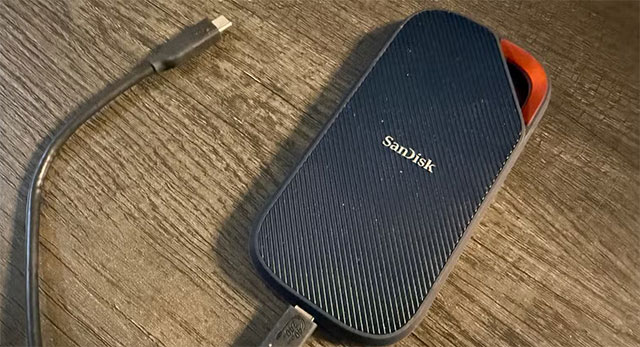
Many SSDs write quickly to a fast cache, then slow down after the cache fills. That is not necessarily a fault, but it can matter when moving a long video project, disk image, or large backup. Small files are also slower than one large sequential file because file-system and metadata work adds overhead.
Read independent tests of the exact capacity you plan to buy. Look for:
- Transfer speed after the initial cache is exhausted.
- Behavior during a long write, not only a short benchmark.
- Performance when the drive is partly full.
- Temperature and whether the controller throttles.
- Random access if you will run applications, games, or virtual machines.
Different capacities in the same product family may use different NAND layouts or cache sizes, and hardware can change between revisions. A result for the 2TB version does not automatically apply to the 500GB version.
Capacity and endurance should match the workload
Leave room for projects to grow and for the SSD controller to manage free blocks. Repeatedly filling a drive to its last few gigabytes can hurt performance and leaves little working space for applications.
Write endurance matters most for sustained capture, scratch files, databases, and frequent large rewrites. Some portable SSD vendors publish a TBW rating; others provide only a warranty period. TBW is a warranty endurance limit, not a precise death date, and a higher number does not prove that every other part of the product is better.
For basic document storage, photo transport, or a game library, port compatibility, capacity, warranty, and price may matter more than the highest endurance figure.
Check encryption and operating-system support
If a drive can be lost, encrypt sensitive data. Vendor-provided hardware encryption may offer convenient unlocking, but confirm which operating systems and devices support its setup and recovery process. A fingerprint reader does not remove the need to store a recovery password or key safely.
Windows users can instead encrypt a removable drive with BitLocker To Go when their Windows edition and target devices support it. Software encryption can limit cross-platform access, so test the actual workflow before trusting the drive with the only copy of important files.
Choose a file system deliberately
- NTFS: appropriate for a Windows-focused working drive, with Windows permissions and other NTFS features.
- exFAT: practical for sharing large files between current Windows and macOS systems, but it lacks some NTFS and APFS capabilities.
- APFS: suited to Mac-only workflows; Windows does not support it natively.
Cameras, televisions, consoles, and phones can impose their own formatting rules. “Compatible with USB-C” does not mean compatible with every USB-C device.
Evaluate heat, impact, dust, and water claims
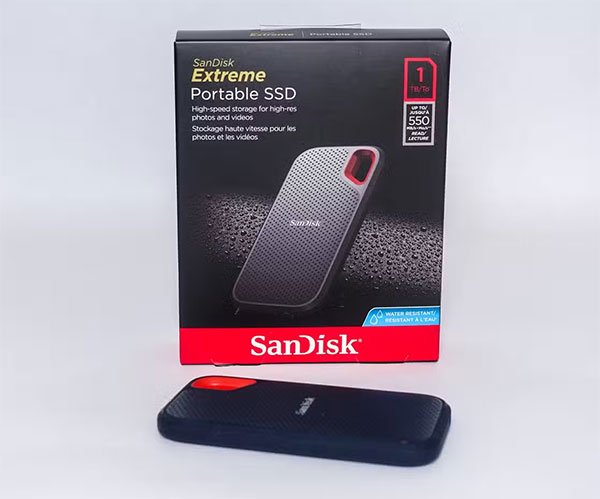
A metal enclosure can help spread heat, but it may feel hot because it is moving heat to the surface. A compact SSD used at a desk has different requirements from one attached to a field camera. If a product advertises an IP rating or drop resistance, read the exact test conditions: port covers, cable connection, surface, drop height, and enclosure condition can affect the claim.
No rugged label protects against file-system corruption from unplugging during a write. Eject the drive through the operating system and keep the cable where it cannot be pulled accidentally.
Compare the complete package
- Usable capacity and price per capacity.
- Host, drive, and cable link support.
- Sustained transfer results for the exact capacity.
- Warranty length, service process, and published endurance where available.
- Cable length and whether replacement cables follow a standard interface.
- Encryption setup, recovery, and target-device compatibility.
- Physical size, weight, heat, and documented environmental protection.
- Vendor firmware or diagnostic support.
An enclosure plus an old SSD can be a good alternative
Reusing a known-good internal SSD can be economical, provided the enclosure matches SATA or NVMe, the M.2 key and length, and the host connection. Review the drive's health, use the correct thermal pad, and remember that an enclosure's bridge chip and USB link can limit performance. This SSD interface guide helps distinguish M.2 SATA from M.2 NVMe before you buy an enclosure.
A heatsink is useful when testing shows sustained thermal throttling, but it is not mandatory for every low-power SSD. Follow the enclosure maker's installation directions rather than forcing a thick pad or heat spreader into the case.
A portable SSD is storage, not a complete backup
Neither SSDs nor hard drives should hold the only copy of irreplaceable data. Both can fail, be lost, or be damaged. Keep another copy on a separate device or service, disconnect backup media when it is not in use, and periodically verify that files can be restored.
Once compatibility and reliability needs are met, pay for extra speed only when your host ports and workload can use it. That is a more useful buying rule than choosing whichever box shows the largest number.
Related Articles
 The Best Portable Software for Your Computer9 minutes read
 Samsung's Portable SSD X5 SSD Is Capable of Copying 20 GB of Data in Just 12 Seconds4 minutes read
 7 Best Portable Ssds7 minutes read
 What Is Safari Privacy Protection Ad Rating?3 minutes read
 Rating Domain: Domain Rating - What Is DR?6 minutes read
 What Is a 'Portable' Application and Why Is It Important?5 minutes read
Reader Comments 0
Sign in with email or Google to join the discussion.