Table of Contents
A used desktop can make an inexpensive, capable home NAS if it has enough drive bays, SATA connections, reliable cooling, and acceptable idle power consumption. It is not automatically cheaper than a purpose-built NAS: the result depends on the hardware you already own, the number of disks, electricity cost, and how much setup and maintenance you are willing to do.
Before buying anything, list the intended workloads. Simple SMB file sharing needs little CPU power; Plex transcoding, containers, surveillance recording, virtual machines, and high-speed iSCSI can change the requirements substantially.
When an old PC makes sense
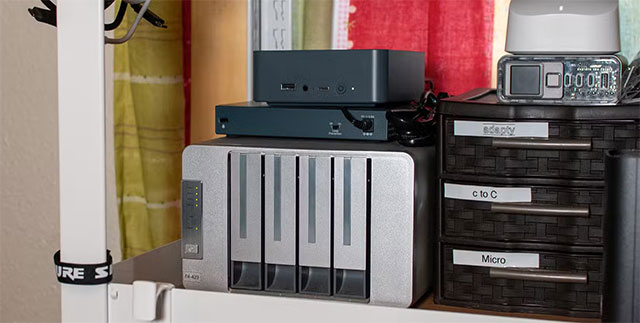
- You already own a reliable tower with several 3.5-inch bays.
- You want more RAM, PCIe expansion, or application hosting than an entry-level appliance offers.
- You are comfortable installing an operating system, checking logs, replacing hardware, and restoring from backup.
- The system's measured idle power is reasonable for a device that may run all day.
A dedicated NAS is usually the easier choice when compact size, low noise, lower power use, vendor support, and a polished setup experience matter more than flexibility.
Hardware checklist for a used-PC NAS
CPU: size it for the actual workload
File sharing, scheduled backups, and media direct-play can run on a modest 64-bit processor. Transcoding is different: Plex can use Intel Quick Sync Video or a supported dedicated GPU for hardware-accelerated streaming, subject to Plex's software and subscription requirements. Check the codec, resolution, tone-mapping, and number of simultaneous transcodes you expect; “an Intel CPU from the last ten years” is too broad to guarantee compatibility.
Virtual machines need additional cores and virtualization support. For a storage-only server, an older high-wattage gaming CPU may increase heat and electricity use without improving file transfers.
RAM: start with the operating system's requirements
TrueNAS currently recommends at least 8GB for basic operation with up to eight drives and more memory for apps, many clients, iSCSI, virtual machines, deduplication, or a large L2ARC cache. Other NAS operating systems have different baselines. Allocate memory for every service you intend to run rather than treating 8GB as universal.
ECC memory can detect and correct certain memory errors, but it works only when the CPU, motherboard, firmware, and modules all support it. It is valuable for a storage server, yet a sound backup strategy remains essential with or without ECC.
Drive bays, ports, and controllers
Count the physical 3.5-inch bays, SATA data ports, SATA power connectors, and PCIe slots. Confirm that installed drives will not block fans or expansion cards. Small-form-factor office PCs and laptops often have excellent idle efficiency but poor disk expansion.
- Check the motherboard manual: populating an M.2 slot can disable specific SATA ports on some boards.
- A PCIe host bus adapter can add ports, but verify operating-system compatibility and whether the selected storage software expects direct disk access.
- Avoid placing ZFS behind a controller that hides drive health or performs hardware RAID unless the platform explicitly supports that design.
- Use a separate, reliable boot device sized for the chosen NAS operating system.
Hard drives: verify the exact model
Prefer drives suited to the workload and confirm whether each exact model uses conventional magnetic recording (CMR) or shingled magnetic recording (SMR). CMR is generally easier to use in RAID, ZFS, and write-heavy arrays. Some SMR drives can work for predictable archival workloads, but their write behavior may perform poorly during rebuilds or sustained random writes.
Do not assume every desktop drive or every capacity in a product family uses the same recording technology. Check the manufacturer's model-specific list, warranty, workload rating, and compatibility guidance.
Network speed
Gigabit Ethernet is adequate for many homes and has a practical ceiling well below the raw 1Gbps signaling rate. A 2.5GbE link can improve large sequential transfers, but every bottleneck matters: switch, client adapter, cabling, disks, protocol overhead, and the NAS itself.
If the board lacks faster Ethernet, confirm that a free PCIe slot can accommodate an adapter and that the NAS operating system supports its chipset. Link aggregation does not usually make one client transfer twice as fast; it mainly helps multiple simultaneous connections when configured correctly.
Power, cooling, and noise
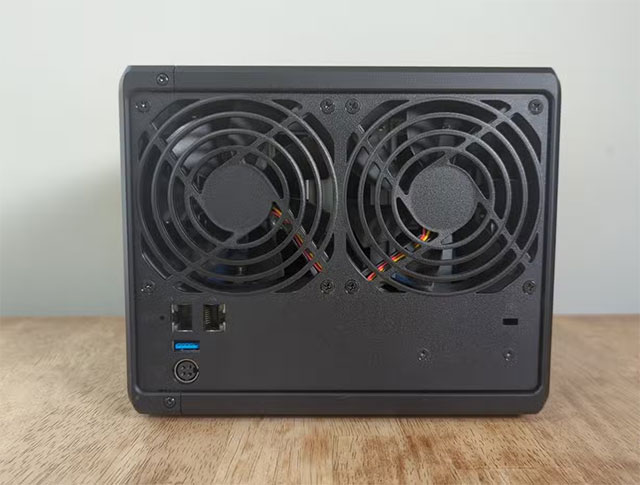
Measure power at the wall after the intended drives are installed. Annual energy use in kilowatt-hours is approximately average watts × 8.76. Multiply that result by the local electricity rate to compare a used PC with a dedicated NAS.
Use a dependable power supply with enough start-up current for all disks and the correct connectors—avoid unsafe splitter chains. Clean dust, replace failing fans, route cables away from airflow, and monitor drive temperatures. A small UPS can allow a controlled shutdown during an outage; it does not replace backups.
Choose the NAS operating system before finalizing hardware
| Option | Good fit | Plan for |
|---|---|---|
| TrueNAS | ZFS storage, snapshots, replication, structured administration | At least 8GB RAM for a basic build, compatible storage controllers, deliberate pool design |
| Unraid | Mixed-size arrays, containers, home-lab workloads | License terms, supported boot method, parity and cache design |
| OpenMediaVault | A lighter Debian-based file server | Plugin choices, filesystem and redundancy configuration |
| General Linux or Windows | Custom services and familiar administration | More manual storage, sharing, monitoring, and update work |
Compare the platforms in OpenMediaVault vs. TrueNAS vs. Unraid, or browse these open-source NAS operating systems. Requirements and licensing can change, so verify them against the current project documentation before installation.
A safe buying and setup checklist
- Inspect the motherboard, capacitors, fans, ports, and power supply for damage.
- Run memory and disk diagnostics before trusting the system with data.
- Check SMART data, warranty status, power-on hours, and error history for every used drive.
- Use matching drive sizes where the chosen RAID or ZFS layout requires them.
- Plan redundancy before copying data; changing a storage layout later can require rebuilding it.
- Keep at least one separate backup, preferably including an offline or off-site copy. RAID or parity improves availability but is not a backup.
- Apply OS updates, use a unique administrator password, restrict remote access, and expose services through a VPN rather than directly to the internet where possible.
- Test a restore before deleting the source files.
For background on the difference between direct, network-attached, and storage-area storage, see this storage configuration overview.
A used PC is the better NAS only when the complete system fits the job. Drive capacity, backups, power use, noise, and maintenance usually matter more than raw CPU performance.
Related Articles
 Should I Use Cheaper Magic Keyboard Alternatives?6 minutes read
 A 7-Item Checklist for Buying a Used iPhone9 minutes read
 Overflowing with Windows 8 Laptop Is Cheaper Than Surface Pro3 minutes read
 The Most Expensive 16 Treasures on the Planet Are Astonishing6 minutes read
 5 Customizations to Do Immediately When Buying a New Smartphone7 minutes read
 Don't Buy a Cheap Laptop If It Doesn't Pass These Tests!7 minutes read
Reader Comments 0
Sign in with email or Google to join the discussion.