
Graphic design
Macromedia Flash - Create Menu Effects
Macromedia Flash is the focus of this article. This lesson will show you how to create a flash menu with the effect when moving the mouse.
Browse more Explore practical Graphic design guides, useful tools, setup instructions and troubleshooting tips for common tasks, features and problems.
Macromedia Flash is the focus of this article. This lesson will show you how to create a flash menu with the effect when moving the mouse.
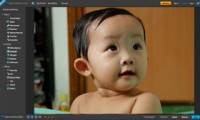
If there is no need for professional photo editing, users can choose one of dozens of programs introduced on the Internet.
Macromedia Flash is the focus of this article. This tutorial is quite complicated but we will try to explain it in the easiest way.

Select is the focus of this article. In this article, I will explain how to create a simple flash menu in flash 8 using the Action Script.
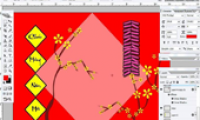
Draw is the focus of this article. Spring can not be missing the wings of good luck. Review the key facts and practical impact.

In part 1, we have taken simple steps to create a petal of spring red with yellow apricot branches using Photoshop.
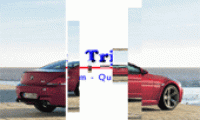
You want to hide an image or a text under a photo and it will only appear when you hover your mouse over?

This tutorial will show you how to make a flash file with the effect of pushing the object away from the cursor by using some Action Script fragments in.
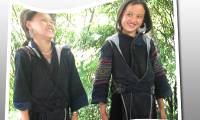
In a recent exercise, I showed you how to create artistic borders and frames for an image. Review the key facts and practical impact.
With this exercise, you will know how to create an attractive appearance of the image object along with the sound in Flash 8 (without using the Action Scrip).

This practical exercise shows you how to use some of the features in the Filter filter to create an abstract graphic, a cube with vertical and horizontal.
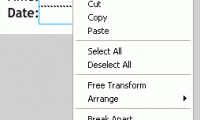
Timedate is the focus of this article. Time is money and we must always know how to hold it. Review the key facts and practical impact.
This exercise will show you how to create a zoomed in and out Movie Clip using the buttons and Action Script in flash 8.

Figure is the focus of this article. A text frame with scroll bar if you create it in HTML is too simple and normal.
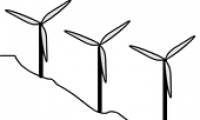
Figure is the focus of this article. A cute image as in animation with a simple hill ramp and several pinwheel trees.

Frame is the focus of this article. This tutorial will show you how to enlarge any image with some flash tips.
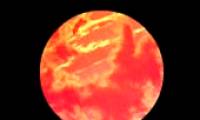
Figure is the focus of this article. This tutorial will show you how to create a moving planet image in a very simple way.

Figure is the focus of this article. This exercise will teach you how to create a broken egg. Review the key facts and practical impact.
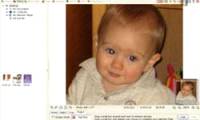
When photographing in low light conditions, photographers often use flash to enhance the light, which causes red-eye phenomenon, because the photographer's.
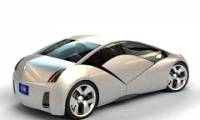
Autodesk has announced the latest version of AliasStudio Personal Learning Edition (PLE) software, allowing industrial designers to create 3D drawings and.