
Office information
5 Useful Add-Ins for Word 2010
In this article, we will find a few free or low-cost Word add-ins that you can use. Review the key facts and practical impact.
Browse more Find practical software and app guides, setup instructions, troubleshooting steps and productivity tips for popular desktop and online applications.
In this article, we will find a few free or low-cost Word add-ins that you can use. Review the key facts and practical impact.
Tutorial is the focus of this article. In the article below, we will guide you how to change the default font in Word 2010.
You can spend a lot of time in formatting and calculating formulas in your spreadsheet, but all your work is wasted if someone enters a value that doesn't.
Tutorial is the focus of this article. Have you ever received Important marked emails?. Review the key facts and practical impact.
For repeating or similar data in Microsoft Excel, you can use the table feature to work most effectively.
The following 5 tips can be applied to any program in Microsoft Office, from using shortcuts to opening documents of old Office versions.
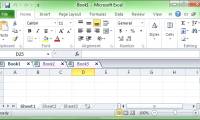
Tabs are an easy way to navigate to multiple documents or pages without having to open multiple times of the same application.
Comparing documents together is a little-known feature of Microsoft Word 2010 but is really handy for everyone, especially for those who work with multiple.
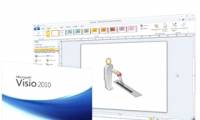
In the Microsoft Visio 2010 model design application, one of the most used features is to assign a Structure - Structure to the chart - Diagrams using.
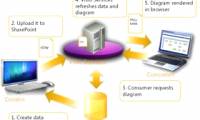
In the following article, we will learn more about the concept and usage of the Container in the process of adding Structure to Diagram in the Microsoft.
Since the official launch of Google Docs on July 7, 2009, the suite of web-based office applications has undergone many changes, including functionality and.
Google Docs is one of the most commonly used cloud applications for storing, editing documents, spreadsheets or presentations.
You are a longtime papercliper, but you don't know all about the tasks on Office. Review the key facts and practical impact.
Microsoft Office 2010 version allows users to easily customize and change the Ribbon toolbar and Quick Access Toolbar, through which we can quickly group and.
In the tutorial article below, we will introduce you to some of the basic features of the Section in the Microsoft Word 2010 application.
In the following tutorial, we will show you some basic and necessary steps to create and print Label in Microsoft Word 2010 program with just a few steps to.

Simple Word options to the most advanced options of Microsoft Word 2010 help you compose and present documents faster.

Google Docs is an online application for creating and managing documents online developed by Google. Review the key facts and practical impact.
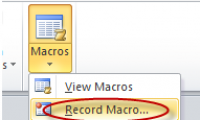
Many people may not know about the benefits of macros when running automatically in Word 2010. Review the key facts and practical impact.
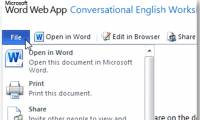
As you know, Microsoft Office Web Apps online service provides users with storage of up to 25GB of free storage through storage on SkyDrive.