
Office information
8 Remarkable Features of Microsoft Word 2013
Recently, Microsoft has released a blockbuster 'Microsoft Word 2013.' Let us also review the remarkable features available in this version.
Browse more Find practical software and app guides, setup instructions, troubleshooting steps and productivity tips for popular desktop and online applications.
Recently, Microsoft has released a blockbuster 'Microsoft Word 2013.' Let us also review the remarkable features available in this version.

In the Microsoft Office product suite, it appears that Word is the slowest and most heavy-duty component.
It can be said that the most interesting thing for Word 2010 is the flexible interface and highly customizable capabilities, allowing to customize what suits.

When you want to change Section Break type in a Word text, or simply manage the Section better, change or reformat from the beginning.

Instead of using tabs to manage multiple Windows as in some applications, MS Excel supports the integration of sheets (spreadsheets) as cards to help you.
Instructions is the focus of this article. Have you ever edited a Word document that included many pages?

In order to have a lively and engaging audience presentation, in addition to the following elements: good content, beautiful effects, you need to add some.

In the following article, we will show you some basic actions to delete empty cells in Excel 2007 or 2010 spreadsheet.

Selecting and shedding colors separately for data areas is especially useful when you have a spreadsheet with lots of different statistics.

In the following article, we will show you some basic steps to assign the Up and Down function buttons in the Excel spreadsheet.
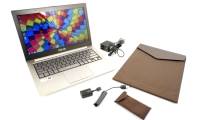
At a price of $ 1,099 (about 23 million), the Asus Zenbook is an acceptable product and is worth considering to replace the MacBook Air with a much higher.

If you want to use a dictionary when processing text and don't intend to use Microsoft Office, the following article will show you how to find and use.

Please help the viewer get comfortable and follow the simple instructions below to help your presentation 'more soulful'.

If your email inbox is out of control, you may have to reconsider the methods for organizing email and deleting the mailbox you used.

Users can use one or more of the tools included in this article to collapse your Inbox and make it easy to find the information you need.

In this article, we will provide information about finding the right anti-spam solution to suit the business needs of the business, for example, the.

Microsoft Word is the focus of this article. We will reveal to you 10 tools in Word 2003, 2007 and 2010 that everyone can 'benefit'.

Mass mailing can easily be personalized through MS Word and other programs, but it can be a bit more complicated to adjust large volumes of emails.

Whether you use Gmail, Thunderbird, Yahoo or Windows Live Mail, we can still provide some useful tips, including backup capabilities, hidden copies and spell.
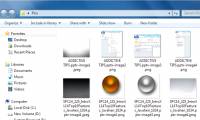
Illustrative images are always an important component of any document, especially in reports and presentations.