Office information
Create and Open Presentations in PowerPoint 2016
PowerPoint 2016 is the focus of this article. PowerPoint files are called presentations. Review the key facts and practical impact.
Browse more Find practical software and app guides, setup instructions, troubleshooting steps and productivity tips for popular desktop and online applications.
PowerPoint 2016 is the focus of this article. PowerPoint files are called presentations. Review the key facts and practical impact.
Whenever you create a new presentation in PowerPoint, you'll need to know how to save it for later access and editing.

Normally when entering 0 on Google Sheets, it will automatically disappear if that 0 is in front of the number LINE.
How to quickly delete the format on the Excel table, to bring the data table back to the normal data area?

Min and Max functions on Excel will use to find the maximum value, the smallest value in the table, or the selected data area.
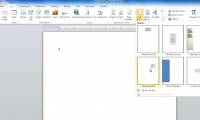
You may want to insert a text box into your document to draw attention to a specific piece of text or allow you to easily move around the text in a document.
You can insert different types of illustrations into your documents to make them more attractive in terms of form.
You can add different shapes to your Word 2007 document, including arrows, captions, squares, asterisks and flow charts.
Word 2007 is the focus of this article. Templates are pre-designed documents that you can use to create new documents of the same format.
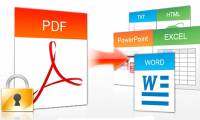
Not easy to find a free PDF editing software that allows you to not only edit text in PDF but also add text, change images or add your own graphics, sign and.
On Excel users can draw lines, arrows with drawing tools are available to represent in diagrams in Excel.

Show Bar Ruler Excel is the focus of this article. Excel's Ruler bar was accidentally hidden, making it difficult for you to adjust the table size.
How to Insert Word Header and Footer is the focus of this article. Word Header and Footer are inserting content at the top and bottom of the page.

PowerPoint has a set of slides for you to use or we can create color effects to apply to PowerPoint slides.
Microsoft has been quite tight-lipped about Office 2019, but the features deployed for Office 365 provide some useful 'clues'.

On Google Sheets there is also the option to change the dot to a comma to separate thousands in the data.

Instead of having to adjust the width and height of columns and manual lines in Excel, you can use the available resizing tool.

To export text from an image, the OCR Text Detection Tool application on Windows 10 will support a simple operation.

Sending emails from Microsoft Excel requires only a few simple scripts. Follow the main steps and troubleshooting guidance.
On Word, there is an option for you to insert text into images, to design banners, greeting cards, increase the art of photos without using editing software.