
Application
How to Recover a Hacked Steam Account in 5 Steps
Use Steam's stolen-account recovery process, prove ownership if the email changed, and secure your account before signing back in.
Browse more Find practical software and app guides, setup instructions, troubleshooting steps and productivity tips for popular desktop and online applications.
Use Steam's stolen-account recovery process, prove ownership if the email changed, and secure your account before signing back in.

Reuse slides, standardize layouts, save chart templates and use five other PowerPoint shortcuts for building and editing presentations.

Set up Excel co-authoring, guide teammates to the right sheets and prevent common errors with protected formulas, notes and data validation.

TeraBox advertises up to 1 TB of free space. Test upload limits, restore speed and mobile features before trusting it with important files.

Use a desktop browser for easier multitasking, precise playback shortcuts, clearer captions and more control over the viewing setup.

Use Excel for flexible calculations and Notion for records with notes, tasks and multiple views. See when it makes sense to use both.

Pick a GIF in Messenger's note editor, check who can see it and share it from the mobile app.

Compare browser access, street imagery, saved places, local listings and directions, then test both maps on routes you actually use.

Read Google Maps traffic, cycling and route colors, and learn why the same color can mean something different on another map layer.

Verify the seller, reverse-search listing photos and check suspicious links. Learn what site ratings and AI detectors can actually tell you.

Check what Spotify already offers for lossless audio, AI credits, search and group listening, and where its discovery and desktop controls still differ.

Find Samsung apps for Windows integration, video editing, RAW photography, local music, phone customization and official remote support.
Compare Google Slides and PowerPoint for templates, mobile edits, sharing, version history and AI. Choose the workflow your team can use consistently.

Switch search engines for one query, find an open tab or bookmark and run Firefox actions directly from the desktop address bar.

Separate work and personal events, choose useful views, automate selected bookings and block time for the work that needs it.

Show your calendar beside email using My Day in new Outlook or the To-Do Bar in classic Outlook for Windows.
Compare Phone Link, KDE Connect, GlideX and AirDroid for notifications, local file transfers, a second display and Android access.

Find current options for media, notes, cleanup, backups and troubleshooting, and see when an older Windows tool still serves a purpose.

Link a logo or other image in an Outlook email signature, use a copy-and-paste workaround if needed and test the result.
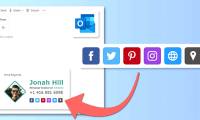
Add descriptive links and small icons with the new Outlook signature editor, then test that the links work in a received email.