Table of Contents
This guide organizes the entries in "4 Best Apps to Keep Your Phone and Computer Connected" and explains what each option, idea, or example offers. It also highlights practical details that matter when comparing the choices.
4. Microsoft Phone Link
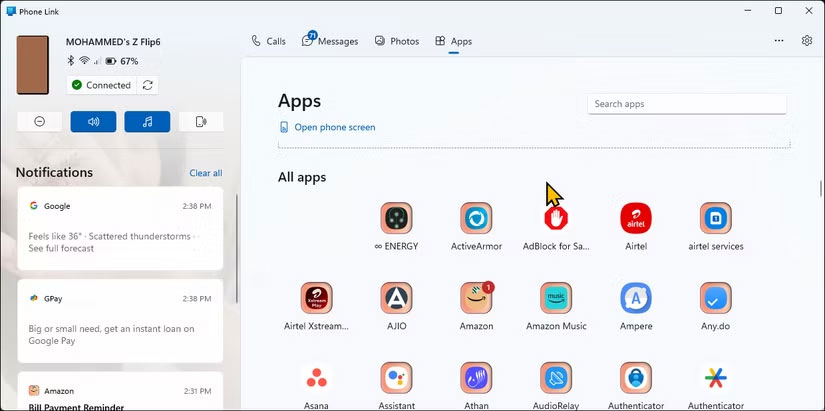
Phone Link has evolved over the years to become a handy cross-device syncing tool that connects your smartphone and Windows PC. Once you connect your phone via the accompanying Link to Windows app, it offers features that go beyond basic notification management.
The app lets you send and receive text messages directly from your PC, complete with full chat history. You can make and receive phone calls, and even quickly view photos from your gallery without picking up your device. The screen mirroring feature displays the entire phone interface on your computer, allowing you to use any Android app on your PC.
Samsung phones unlock exclusive Phone Link features like Instant Hotspot, which automatically connects your PC to your phone's mobile data. You can also copy and paste between devices, allowing you to share your clipboard between your phone and computer.
- Download Phone Link for Windows | Android | iOS (Free)
3. KDE Connect
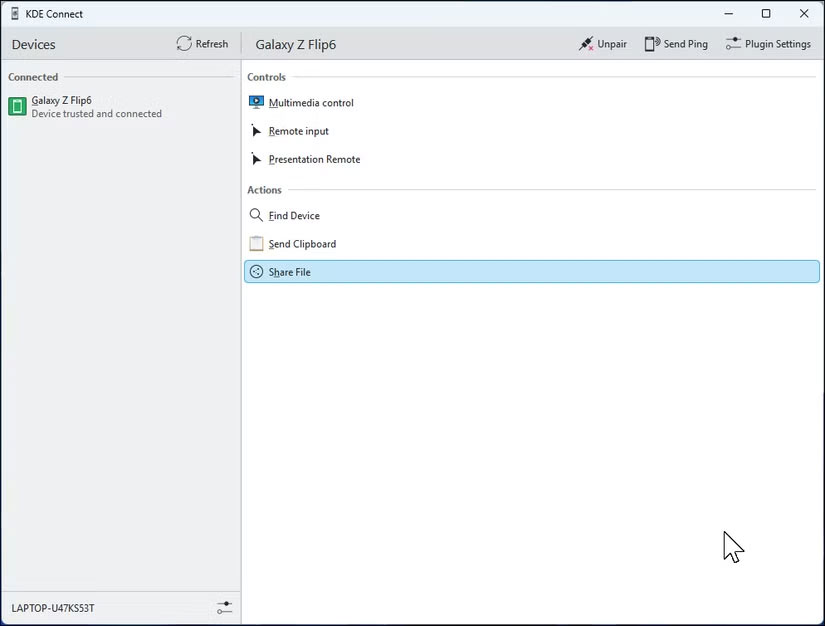
While Phone Link is primarily Windows-focused, KDE Connect offers robust cross-platform connectivity for Windows, Linux, macOS, and Android devices. The app makes file transfers easy, allowing you to send multiple files back and forth over your local network with no size limits. Shared clipboards work seamlessly across devices, and you can even use your phone as a wireless trackpad and keyboard with Remote Input .
Another highlight is the customizable commands. Just tap your phone to lock your computer, adjust the volume, or launch an application. KDE Connect also syncs notifications so you can view and dismiss phone notifications from your computer. Its flexible plugin system lets you customize features to your needs, such as controlling media or using your phone as a remote control for presentations.
- Download KDE Connect for Windows | Linux | macOS | iOS | Android (Free)
2. GlideX
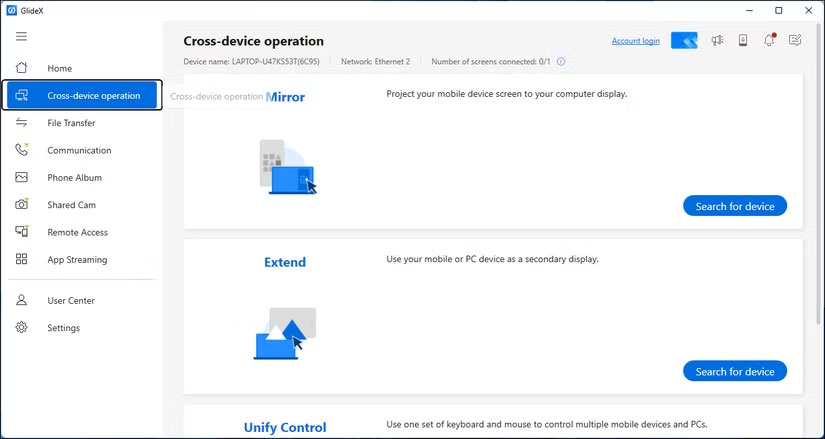
While GlideX handles many of the same functions as Phone Link, such as file transfers and device screen mirroring (though some features require a proprietary version for Asus devices), its unique feature is that it turns any Android or iOS device into a secondary display. The app even supports PC-to-PC connections, allowing you to turn one laptop's screen into an extended display for another.
Developed by Asus, GlideX is a cross-platform utility that connects via Wi-Fi and USB with impressively smooth interaction. Once connected, your phone or tablet becomes a fully functional extended display - you can drag windows onto it, interact with it using touchscreen gestures, and switch between screens using Alt + Tab just like a regular monitor.
- Download GlideX for Windows | macOS | Android | iOS (Free)
1. AirDroid
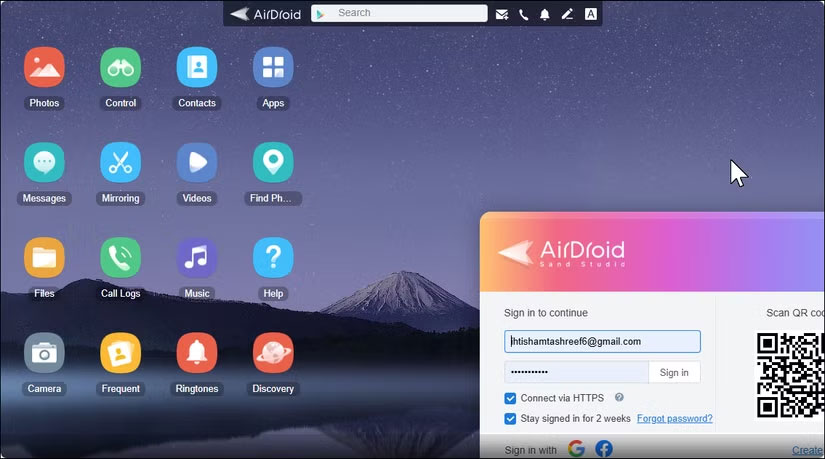
AirDroid was first introduced in 2012, and more than a decade later, it's still relevant. It's one of the few options with a full-featured web interface that lets you remotely control your Android phone from your PC from almost anywhere.
The web-based control panel lets you access your phone without installing additional software. You can view and send SMS messages, transfer files, manage contacts, and even access your phone's camera remotely. The file transfer feature supports resume uploads, so large video transfers won't be interrupted if the connection is lost.
AirDroid gives you full control of your phone from anywhere via a remote connection, although some settings may require root access or a supporting desktop app. It also includes a Find My Phone feature with a remote wipe option.
- Download AirDroid for Windows | macOS | Android | iOS (Free, premium version available)
FAQ
What should you know about 4. Microsoft Phone Link?
Phone Link has evolved over the years to become a handy cross-device syncing tool that connects your smartphone and Windows PC. Once you connect your phone via the accompanying Link to Windows app, it offers features that go beyond basic notification management.
What should you know about 3. KDE Connect?
While Phone Link is primarily Windows-focused, KDE Connect offers robust cross-platform connectivity for Windows, Linux, macOS, and Android devices. The app makes file transfers easy, allowing you to send multiple files back and forth over your local network with no size limits. Shared clipboards work seamlessly across devices.
What should you know about 2. GlideX?
While GlideX handles many of the same functions as Phone Link, such as file transfers and device screen mirroring (though some features require a proprietary version for Asus devices), its unique feature is that it turns any Android or iOS device into a secondary display. The app even supports PC-to-PC connections, allowing you.
What should you know about 1. AirDroid?
AirDroid was first introduced in 2012, and more than a decade later, it's still relevant. It's one of the few options with a full-featured web interface that lets you remotely control your Android phone from your PC from almost anywhere.
Related Articles
 How to Find a Stolen Phone: Clear Instructions11 minutes read
 How to Know If the TV Is Connected to the Phone?7 minutes read
 Are Phone Cleaning Apps Really Effective?4 minutes read
 Apps That Are Secretly Draining Your Phone Battery: Complete Guide6 minutes read
 How to View the Wi-Fi Password on a Connected Windows 11/10/8/7 Computer9 minutes read
 How to View Connected Wi-Fi Password on Phone, Computer5 minutes read
Reader Comments 0
Sign in with email or Google to join the discussion.