Table of Contents
This practical guide explains how to post gif in messenger notes. Follow the steps in order, review the requirements first, and use the troubleshooting notes when a setting or option does not work as expected.
How to post GIFs in Messenger notes
Step 1:
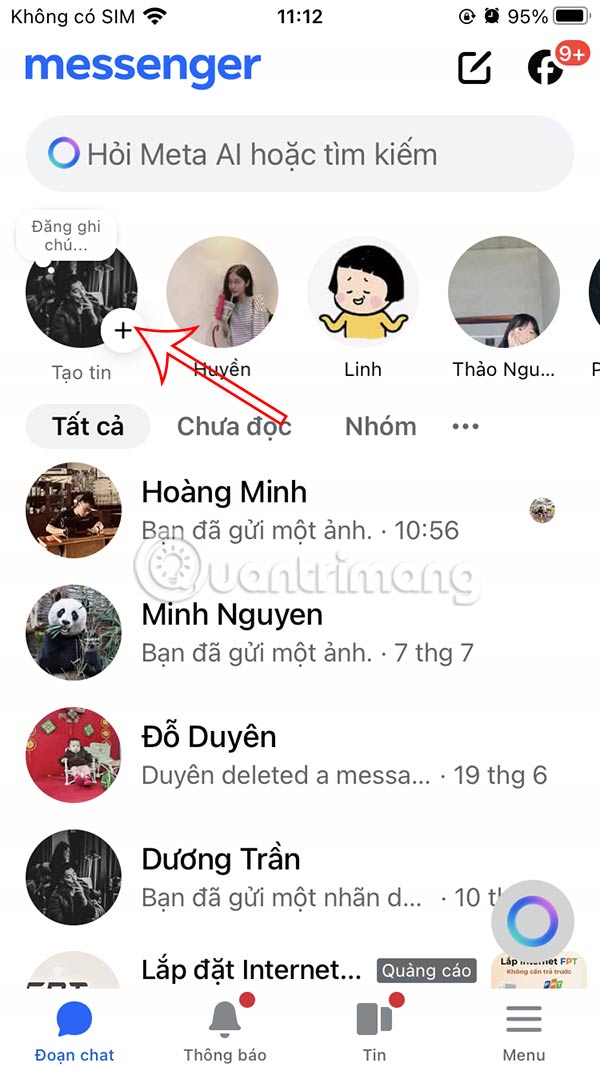
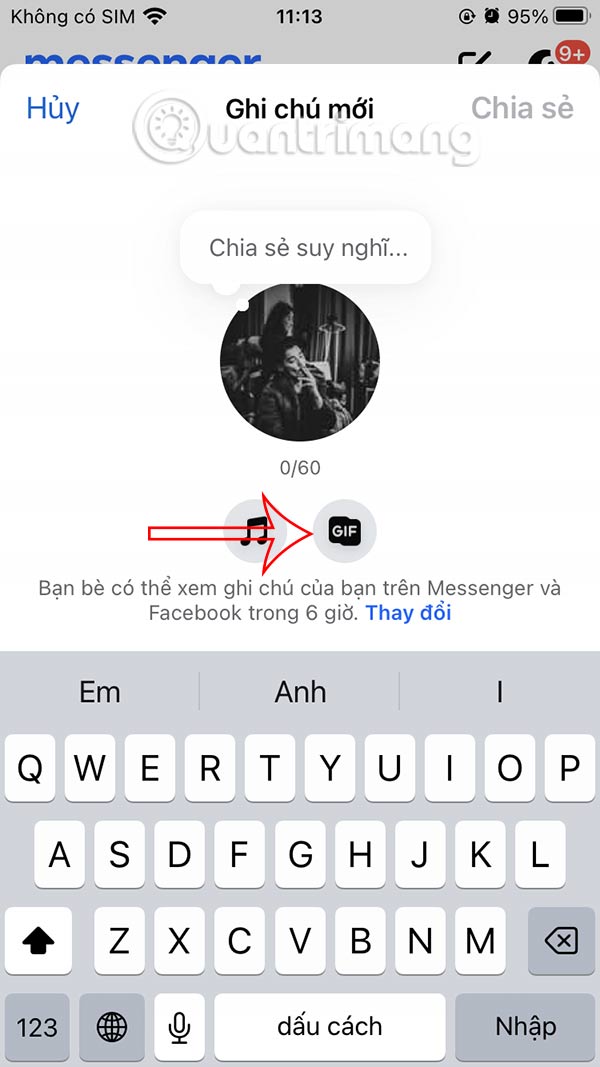
On the Messenger application interface, select the note to do so. Next, select the GIF icon to post an animated image to the Messenger note.
Step 2:
Display the GIF gallery on Messenger for you to search for animations according to your preferences. To quickly find animations, enter the topic you want to search for . Once you have found the animation you want to use, click to post.



Step 3:
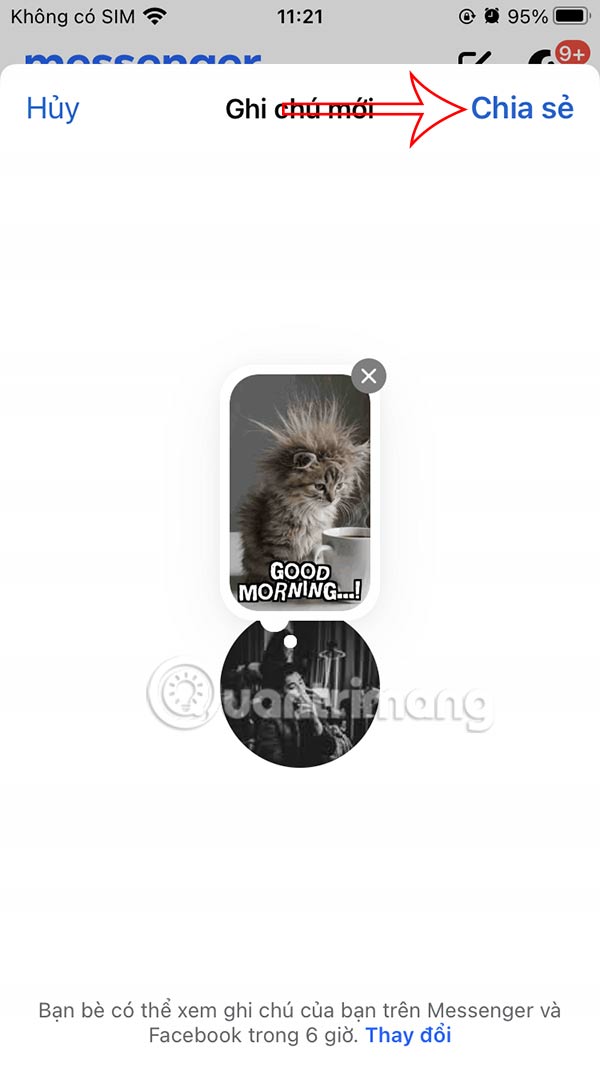
Finally, click the Share button to post the note to your Messenger account. The animation will appear in the note on Messenger and other people who follow you will see this animation.

FAQ
How to post GIFs in Messenger notes?
On the Messenger application interface, select the note to do so. Next, select the GIF icon to post an animated image to the Messenger note.
What does this guide cover?
This guide explains post gif in messenger notes, including the main steps, important details, and practical considerations.
Who is this guide for?
It is designed for readers who want a clear, practical overview and a reliable process they can follow without unnecessary complexity.
Related Articles
 How to Change Messenger Notes Disappearance Time3 minutes read
 Have You Experienced 'My Day' on the Messenger App?: Messenger Day5 minutes read
 How to Send HD Images on Facebook Messenger4 minutes read
 How to Login to Multiple Accounts on Facebook Messenger5 minutes read
 How to Unblock Messenger on Phone, Computer4 minutes read
 How to Use the New Camera Effect on Facebook Messenger5 minutes read
Reader Comments 0
Sign in with email or Google to join the discussion.