Table of Contents
This guide organizes the entries in "7 Browser Tools to Help Detect Counterfeit Goods While Shopping" and explains what each option, idea, or example offers. It also highlights practical details that matter when comparing the choices.
7. BitMind
AI Image Scanning
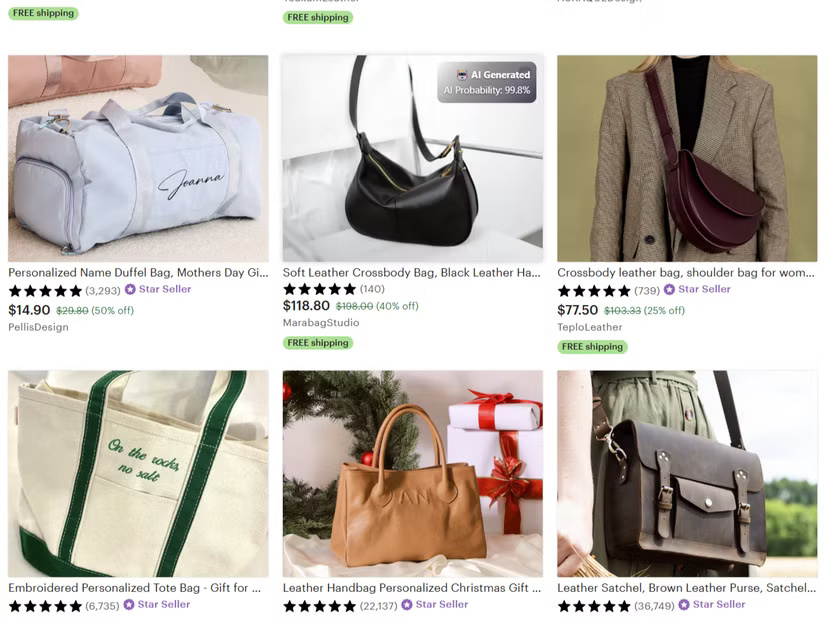
Along with AI-generated fake text and dubious links, images are one of the telltale signs of counterfeit products you see when shopping online. And while there are many tools to detect AI content, BitMind's tool is designed to detect AI-generated images, which you can train your eye to recognize.
6. Windows App & browser control
Block fake content
The first line of defense against counterfeit products and online scams is to prevent them in the first place. Even without a premium antivirus subscription, Windows has a built-in tool that works when you're surfing the web. It won't catch counterfeits when you're shopping online, but it will help filter out malicious content, like pop-ups that often offer fake products and the like.
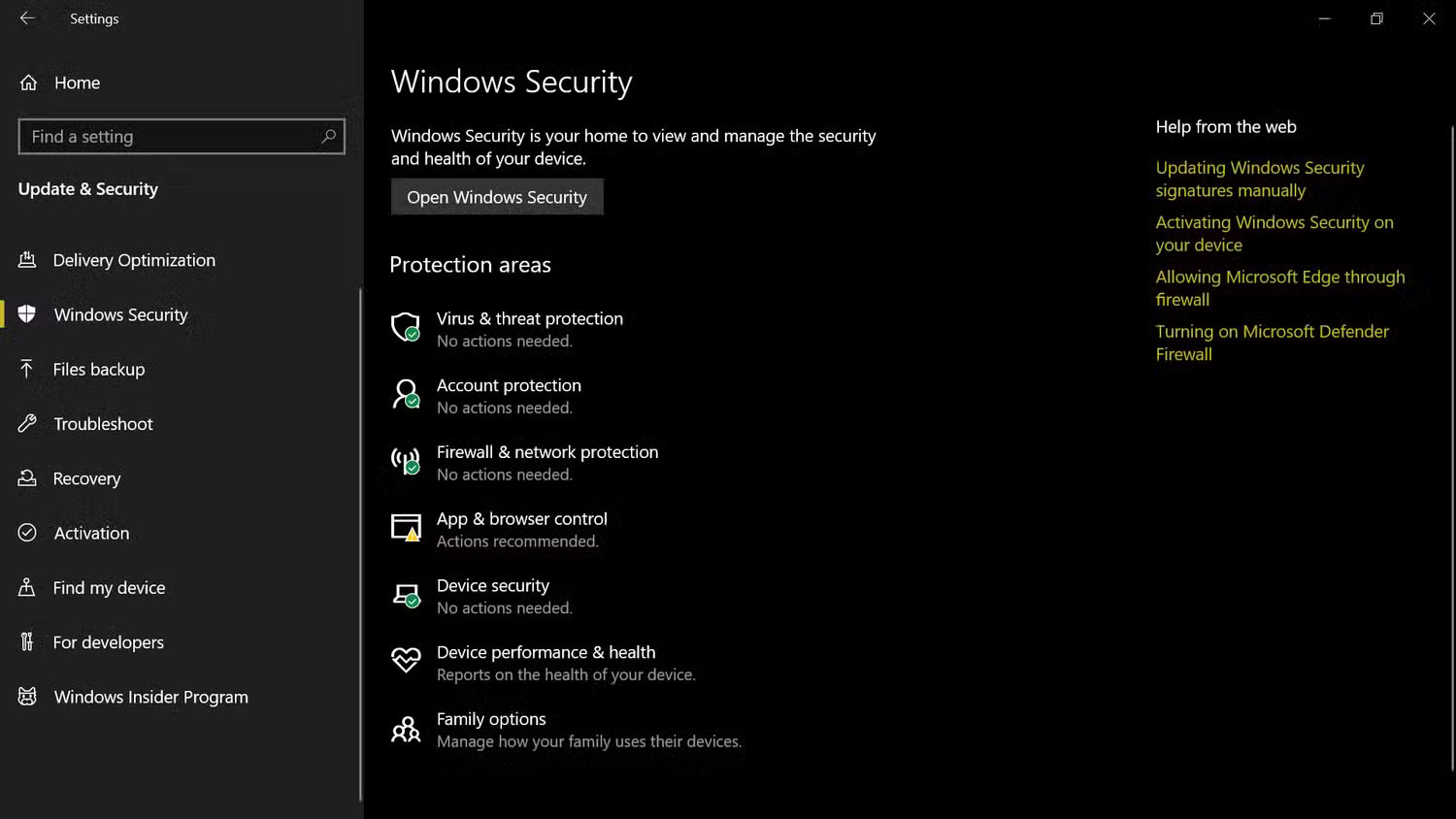
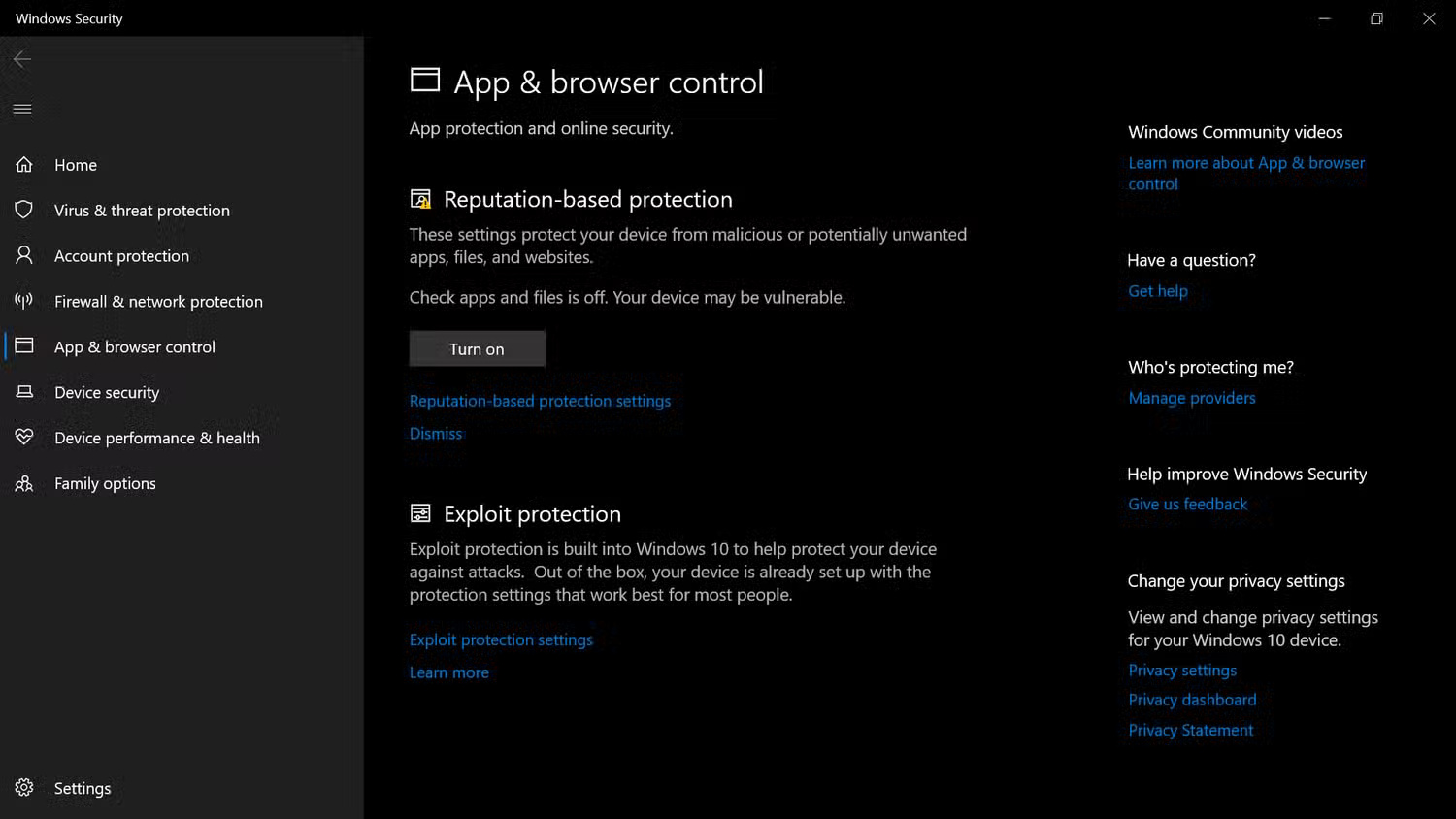
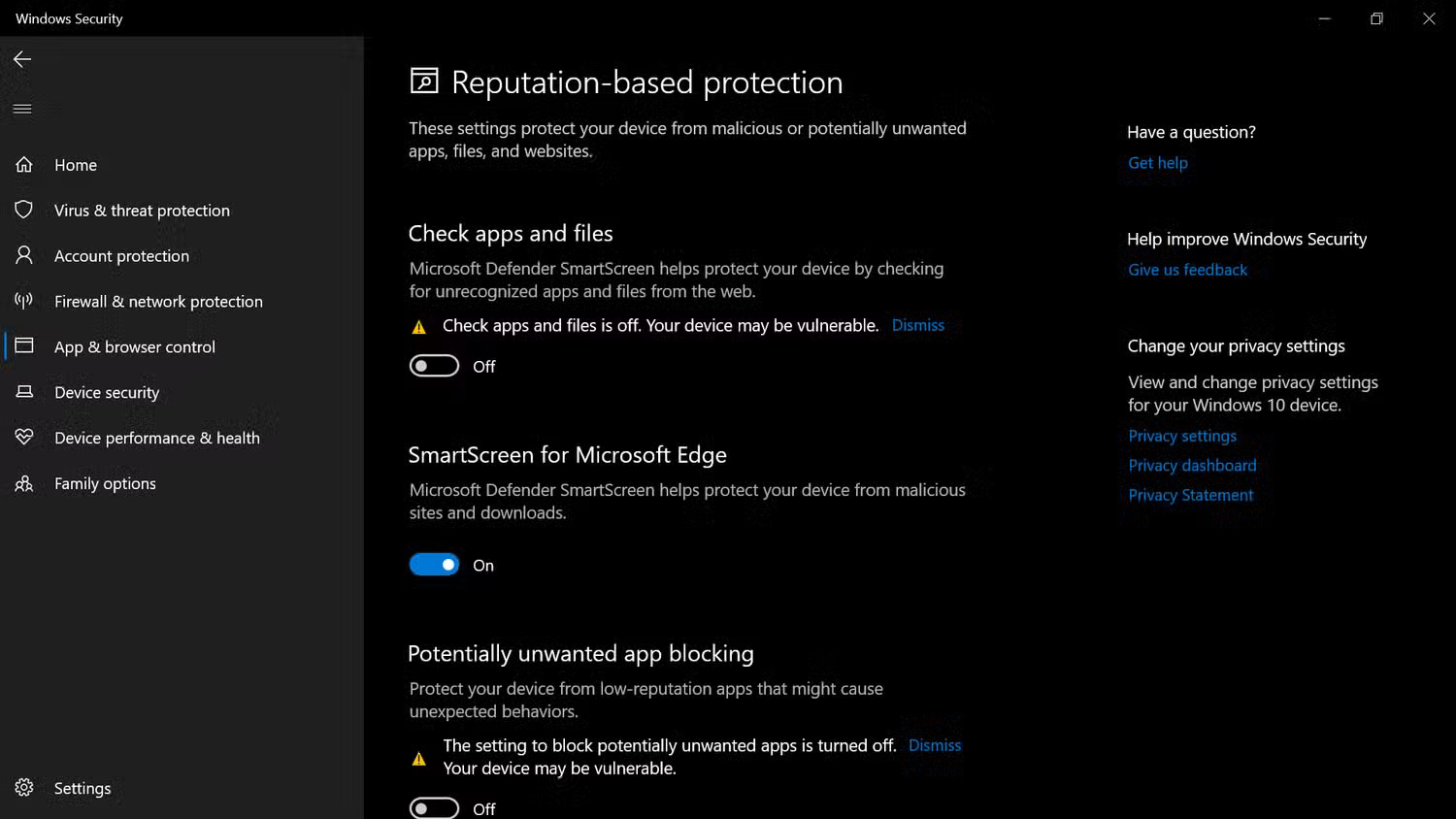
Browser Control is enabled by default now, but strange things have happened, and you should check it anyway.
- Go to Settings > Update & Security > Windows Security > App & browser control .
- If not already enabled, click Turn on to enable Windows App & browser control.
- Now, select Reputation-based protection settings just below that button and toggle all the options to On .
5. Google Transparency Report
Evaluate a website's security before buying
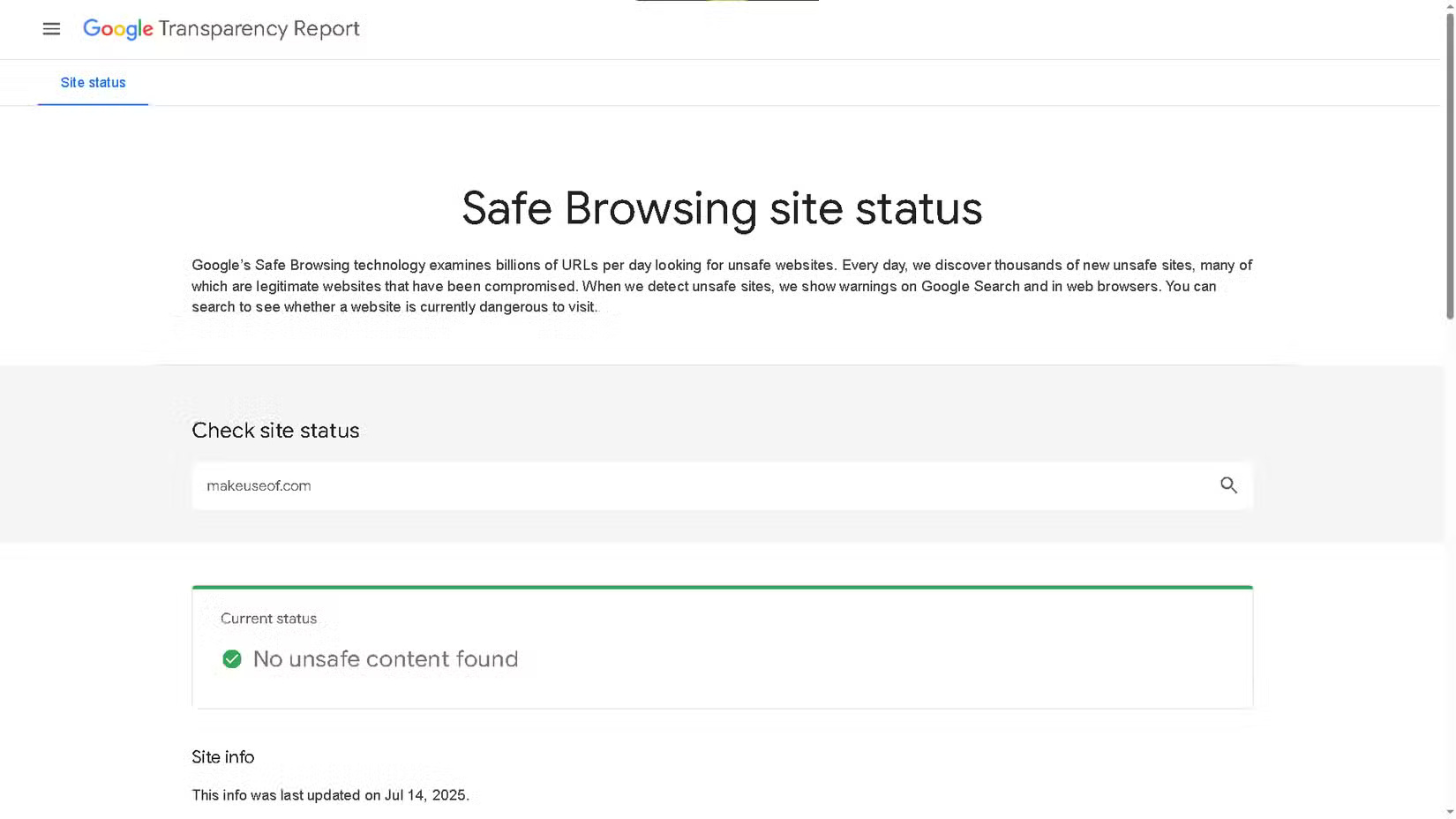
When you're shopping online and come across a brand you want to learn more about, don't rush to visit their website right away, especially if it's a brand you don't recognize. Before you visit, run the website URL through Google's Transparency Report, and it will alert you to any suspicious activity. This is especially useful if you receive a promotional email and want to double-check that the brand is legitimate.
4. Copyleaks
Detect AI-generated text in product reviews and descriptions
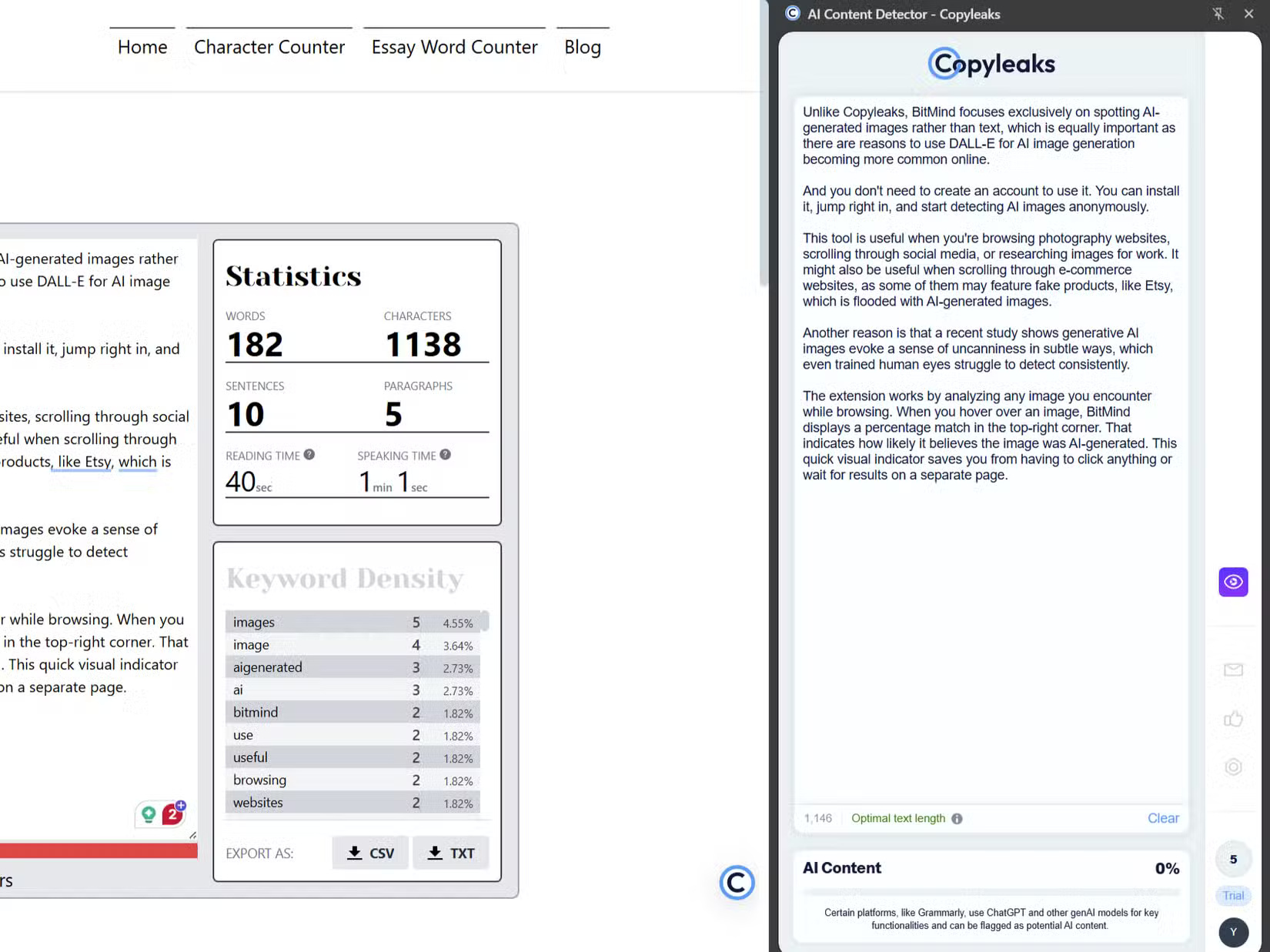
Once you install Copyleaks, you'll have a small, drag-and-drop quick access menu that lets you scan text instantly using the Scan for AI content button. Copyleaks is currently a subscription service, but there is a free trial that grants 5 credits, which is equivalent to 1,000 words, that you can scan for free.
3. Malwarebytes Browser Guard
Like a gatekeeper
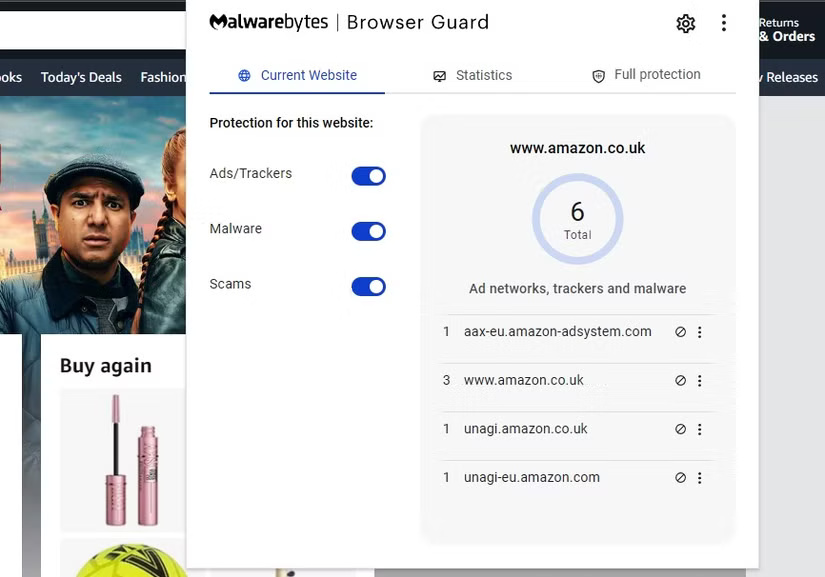
Malwarebytes Browser Guard is a background browser plugin for Chrome, Edge, Firefox, and Safari that requires no action. Installing Malwarebytes Browser Guard is simple. Downloading the plugin from the app store page will install it automatically, so all you have to do is restart your browser and you're done. You don't even need to upgrade to Malwarebytes Premium.
- Download Malwarebytes Browser Guard for Google Chrome | Microsoft Edge | Mozilla Firefox | Apple Safari
2. Trustpilot
Quick assessment of website reliability
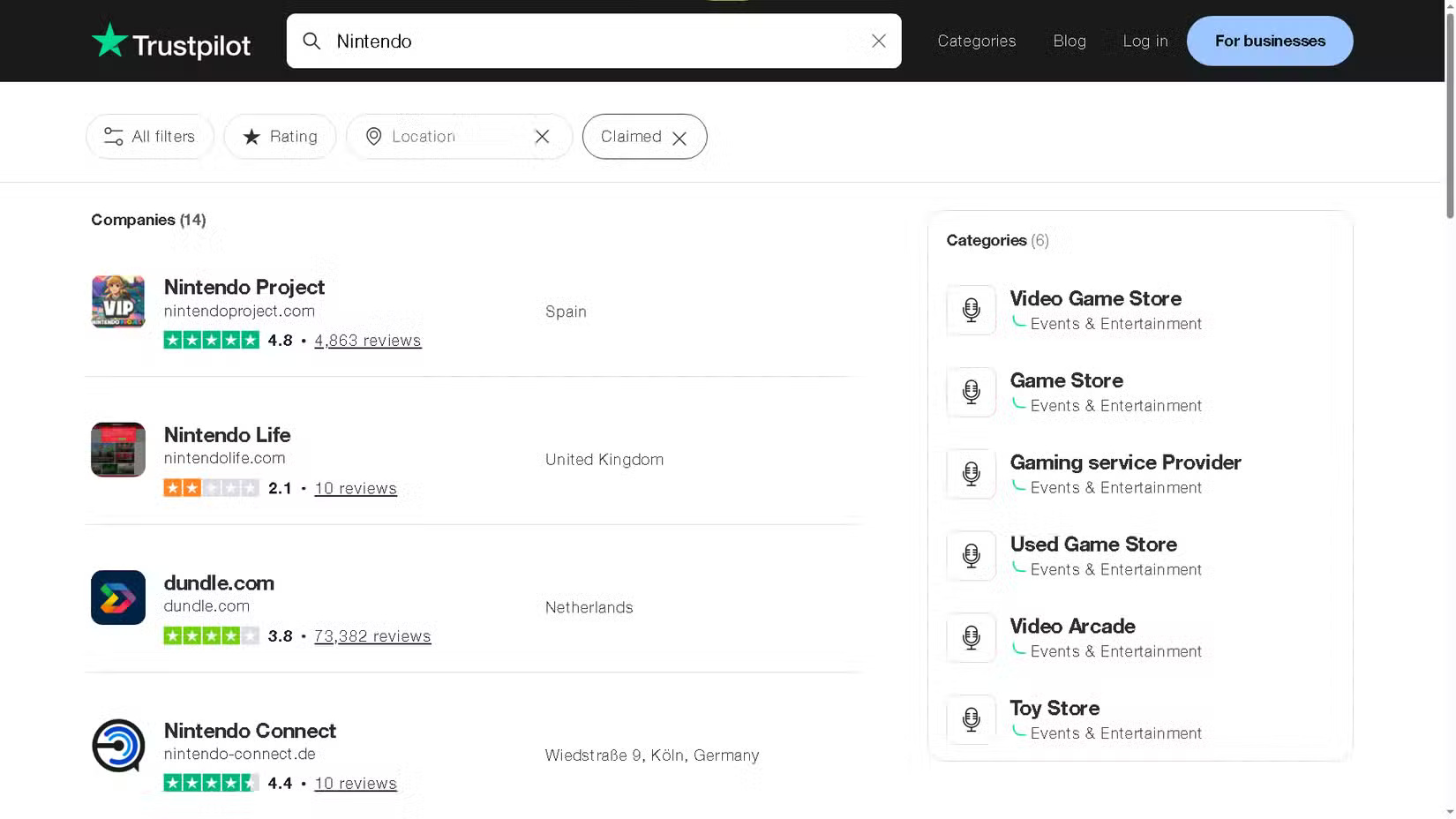
On Trustpilot, enter the brand name and view the results. You can then refine the results by assigning a rating, clicking All filters , adjusting the filters to your liking, and then finishing with Show Results . You can also choose to only show verified profiles, which is any brand that has officially verified their profile.
1. Deepware
Check the authenticity of product videos
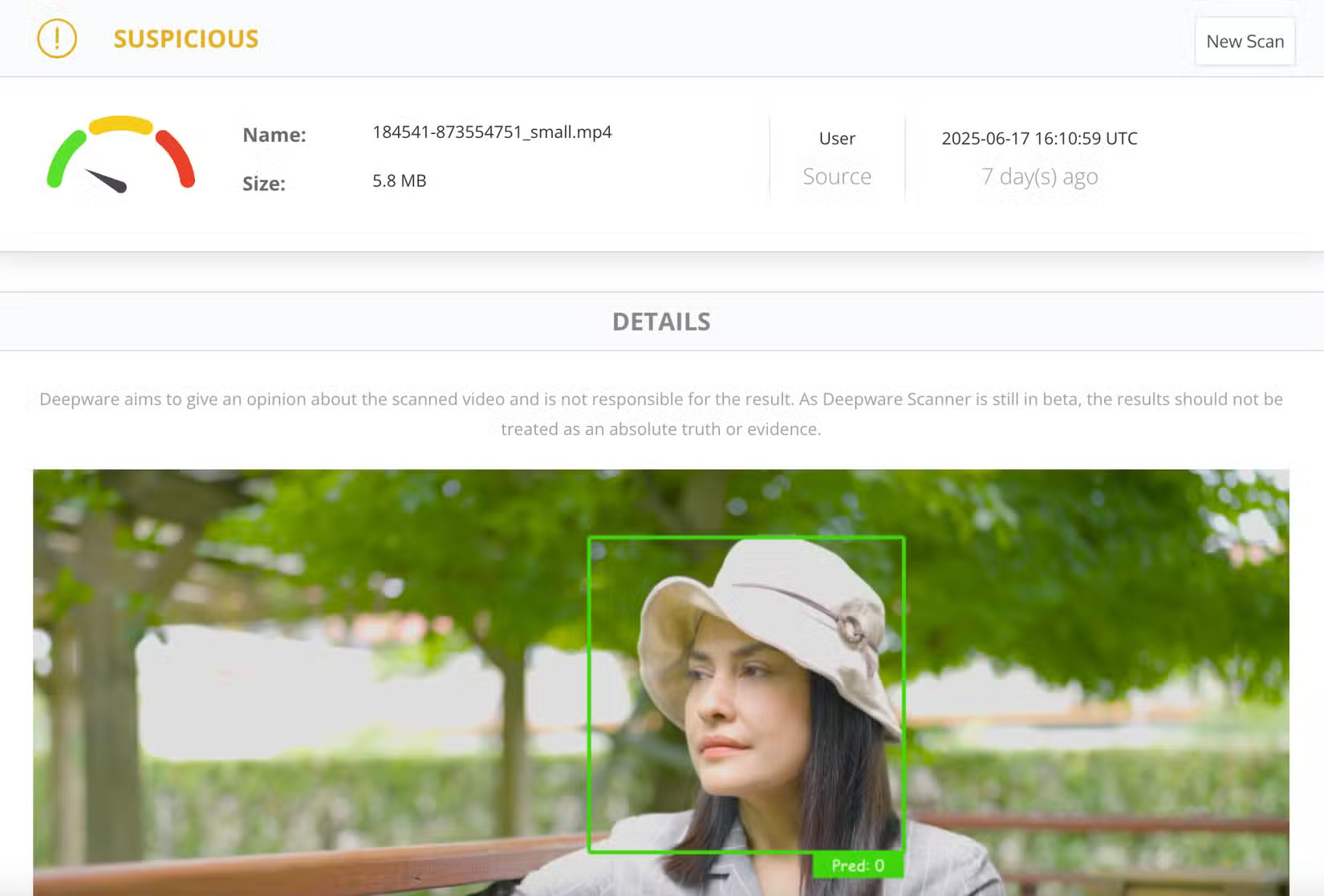
Yes, scammers have even resorted to creating fake AI product videos, and they can be convincing if you don't know the signs. However, Deepware can help fill in some of the gaps in your knowledge. This is one of many tools you can use to spot AI-generated videos, but people like this one because it's free.
FAQ
What should you know about 7. BitMind?
Along with AI-generated fake text and dubious links, images are one of the telltale signs of counterfeit products you see when shopping online. And while there are many tools to detect AI content, BitMind's tool is designed to detect AI-generated images, which you can train your eye to recognize.
What should you know about 6. Windows App & browser control?
The first line of defense against counterfeit products and online scams is to prevent them in the first place. Even without a premium antivirus subscription, Windows has a built-in tool that works when you're surfing the web. It won't catch counterfeits when you're shopping online, but it will help filter out malicious content.
What should you know about 5. Google Transparency Report?
Evaluate a website's security before buying
What should you know about 4. Copyleaks?
Detect AI-generated text in product reviews and descriptions
Related Articles
 How to Quickly Identify Counterfeit or Genuine Goods with Qr3 minutes read
 5 Secrets About Duty-free Goods That No Employee Dares to Reveal6 minutes read
 How to Distinguish 'Fake' USB from Real Goods2 minutes read
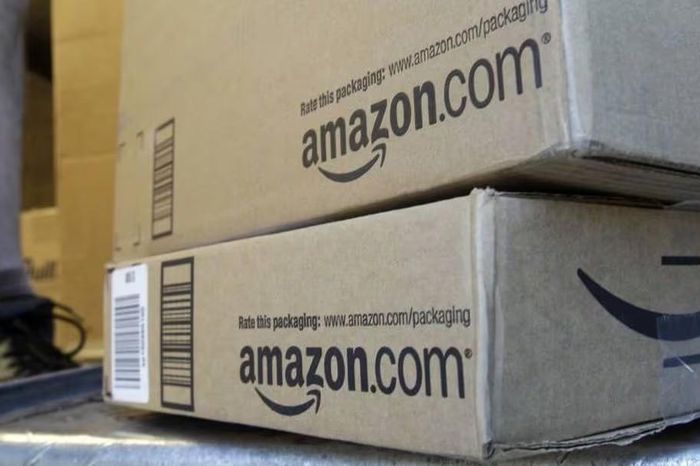 Amazon Discovered More Than 7 Million Counterfeit Products, 700,000 Fraudulent6 minutes read
 How to Accurately Distinguish iPhone 6 or iPhone 6s?8 minutes read
 How to Distinguish Between Genuine and Counterfeit Smartphones6 minutes read
Reader Comments 0
Sign in with email or Google to join the discussion.