Table of Contents
This guide organizes the entries in "8 Useful Samsung Apps That Don't Come Pre-Installed on Galaxy Phones" and explains what each option, idea, or example offers. It also highlights practical details that matter when comparing the choices.
8. Samsung Flow
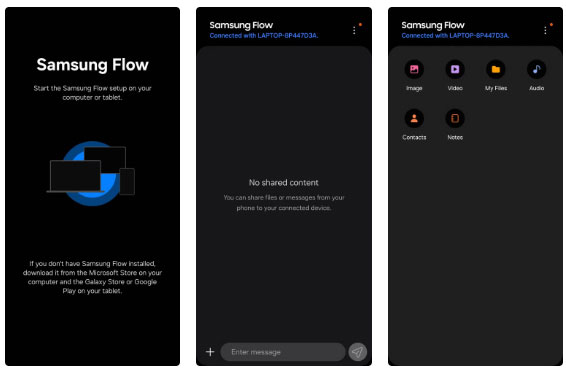
While there's no shortage of apps that let you connect your Android phone to your Windows PC, Galaxy users have a particularly reliable option in Samsung Flow. The app lets you view your phone's notifications on your PC and wirelessly transfer files, contacts, and notes between devices.
Samsung Flow also offers the option to mirror your phone screen directly to your PC, so you can interact with mobile apps and games using your PC's keyboard and mouse.
Getting started with Samsung Flow is simple: Just install the app on both your Galaxy phone and Windows PC, pair the devices, and you're done. It's the perfect solution for anyone who spends hours on their computer but still needs quick access to their phone.
- Download Samsung Flow for Android and Windows (Free)
7. Samsung Email
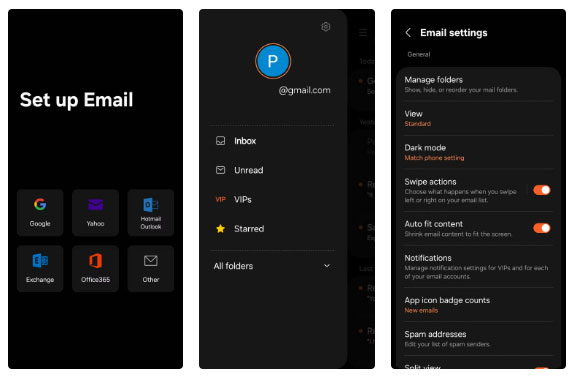
While the built-in Gmail app is sufficient for most Samsung Galaxy users, Samsung also offers its own email app. The app has over 1 billion downloads and an impressive 4.5-star average rating on the Play Store, but Samsung rarely promotes it.
Samsung Email supports all major email providers, including Outlook, Yahoo, Exchange, and IMAP. The app also integrates a variety of customizable priority, security, and productivity features.
While Samsung Email doesn't offer any groundbreaking features, it does stand out with its clean, no-frills interface. One of its biggest advantages over Gmail is that it's ad-free — you won't see sponsored messages or promotional tabs cluttering up your inbox.
Overall, if you're looking for a reliable, distraction-free way to manage email on your Galaxy device, Samsung Email is definitely worth a try.
- Download Samsung Email (Free)
6. Samsung Studio
The Gallery app on Samsung phones includes a surprisingly capable video editor. It lets you trim, crop, and mute video files easily on your phone. However, it's not a full-fledged editor. For example, if you apply a filter, add text, or adjust the playback speed, the effect will apply to the entire video, not just a specific section.
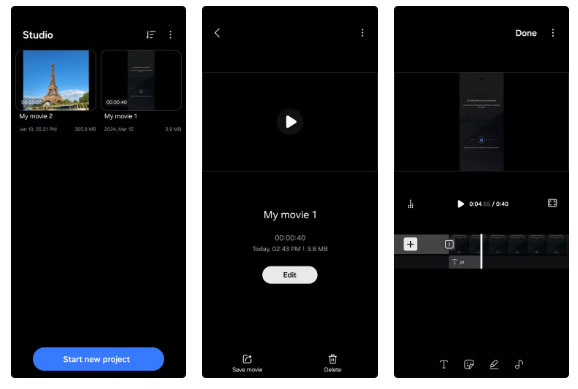
Samsung Studio is a more advanced video editing tool that brings desktop-level flexibility to your Galaxy phone. Unlike the basic Gallery editor, Studio offers a full timeline view, giving you precise control over your edits.
You can add, combine, or rearrange multiple clips, apply effects or text to each segment, and insert smooth transitions between scenes. Samsung Studio also has all the essential editing tools available in the Gallery app.
Samsung Studio is ideal for anyone who wants to create vlogs, Instagram Reels, or fun family videos – straight from their phone without having to transfer to a computer.
- Download Samsung Studio (Free)
5. Expert RAW
The Camera app on Samsung phones offers some useful features like scene suggestions, a built-in GIF recorder, adding watermarks, and more. But if you have a high-end Galaxy device and know your way around manual camera settings, Samsung's Expert RAW app is a must-have.
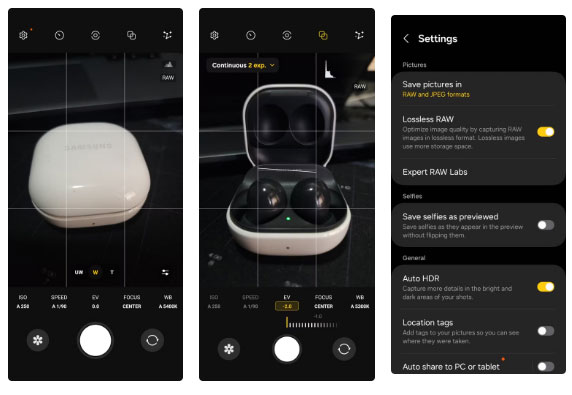
One of the biggest advantages of using Expert RAW over the default Camera app is image quality. Unlike JPEG, which compresses images to reduce file size, RAW files retain the original, uncompressed data captured by the camera sensor. This gives you much more flexibility and detail when editing your photos in post-production.
Expert RAW also supports advanced features like multiple exposure photography and astrophotography. For enthusiasts who want full control over ISO, shutter speed, and white balance, this app can turn your Galaxy phone into a professional photography tool.
- Download Expert RAW (Free)
4. Galaxy Enhance-X
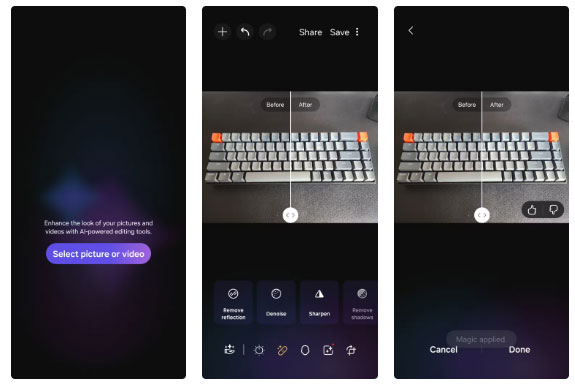
Editing can turn a good photo into a great one. However, if you don't want to do the hard work of manually adjusting brightness, contrast, sharpness, etc., Galaxy Enhance-X is the app for you.
This free app uses AI to automatically fix and enhance your photos with just one tap. All you have to do is open the image in the Galaxy Enhance-X app and tap a button. For those who prefer manual control, Enhance-X also allows for manual adjustments, so you can tweak the blur, noise level, and sharpness to your liking.
Galaxy Enhance-X also supports short videos. Single Take analyzes 10-second videos and uses AI to create the best stills, boomerangs, filtered photos, and slow-motion videos. Meanwhile, Long Exposure mode can add a smooth, dreamy motion blur effect that looks like it was shot with a DSLR camera.
- Download Galaxy Enhance-X (Free)
3. Smart Tutor
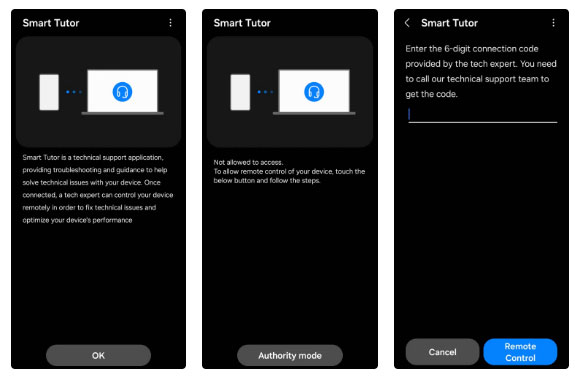
It's much easier to let tech support figure out what's wrong than to struggle to explain it over the phone or visit a service center, which is exactly what Samsung's Smart Tutor app is designed for.
When you contact Samsung Technical Support, the Smart Tutor app can allow them to diagnose and fix your phone remotely. It's not pre-installed on Galaxy devices (because most users probably never need it), but it can save you hours of frustration when dealing with technical issues.
While the idea of remote access may seem invasive, Samsung designed the app with privacy in mind. After setting up the Smart Tutor app, you'll need to provide a unique code to Samsung's technical support team.
Even if they gain remote access to your device, you have the option to block access to sensitive apps like Messages, Photos, or banking tools. Plus, you can end the session at any time. This is especially useful for non-tech-savvy users or anyone who is tired of calling customer service over and over again.
- Download Smart Tutor (Free)
2. Samsung Music
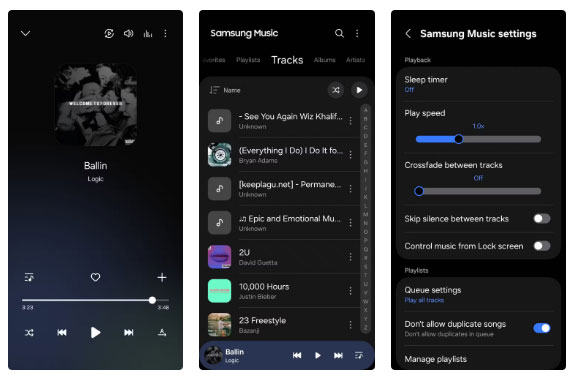
Music streaming apps like Spotify, Tidal, and YouTube Music have become the go-to choice for most people these days. But if you're someone who likes to own your own music collection or just want a simple offline player without all the fuss, Samsung Music is worth a try.
The app's interface is clean, responsive, and completely ad-free, making it ideal for anyone who misses the old music players that used to come pre-installed on Android phones.
Samsung Music offers all the essential features you'd expect, including a sleep timer, playback speed control, and customizable playlists. You can even set songs as ringtones or alarm sounds directly from the app.
- Download Samsung Music (Free)
1. Good Lock
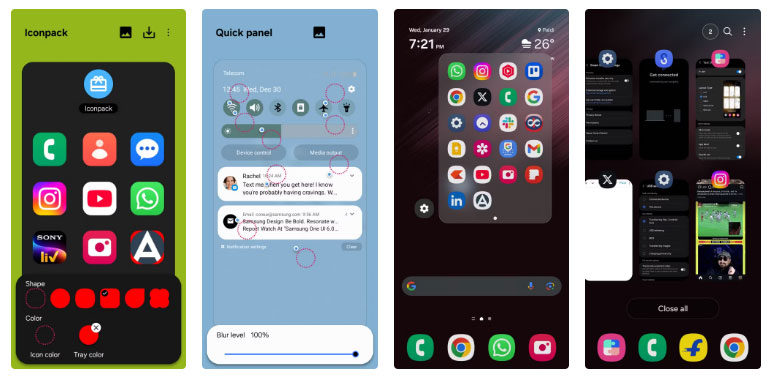
Of all the apps Samsung offers, if there's one that everyone wants pre-installed on every Galaxy phone, it's Good Lock. It offers a powerful suite of customization tools that can really take your Galaxy experience to the next level.
Good Lock includes modular apps called modules, each designed to customize a specific aspect of your device. For example, the Theme Park module goes beyond the basic themes, allowing you to customize elements like the quick settings panel, icons, volume sliders, and more.
Next up is RegiStar, a module that brings iPhone-style back-touch gestures to Galaxy phones. Another great feature is One Hand Operation+, which adds swipe gestures for quick access to favorite apps, actions, or settings.
This is clearly one of the most powerful apps Samsung has ever created, and deserves to be a default app on every Galaxy phone.
- Download Good Lock (Free)
It's no surprise that your Galaxy phone comes pre-installed with several Samsung apps, such as Gallery, Smart Switch, Health, Wallet, and more. However, the apps highlighted above are really worth your attention. They offer powerful features that go beyond what you'd normally expect from stock tools.
FAQ
What should you know about 8. Samsung Flow?
While there's no shortage of apps that let you connect your Android phone to your Windows PC, Galaxy users have a particularly reliable option in Samsung Flow. The app lets you view your phone's notifications on your PC and wirelessly transfer files, contacts, and notes between devices.
What should you know about 7. Samsung Email?
While the built-in Gmail app is sufficient for most Samsung Galaxy users, Samsung also offers its own email app. The app has over 1 billion downloads and an impressive 4.5-star average rating on the Play Store, but Samsung rarely promotes it.
What should you know about 6. Samsung Studio?
The Gallery app on Samsung phones includes a surprisingly capable video editor. It lets you trim, crop, and mute video files easily on your phone. However, it's not a full-fledged editor. For example, if you apply a filter, add text, or adjust the playback speed, the effect will apply to the entire video, not just a specific.
What should you know about 5. Expert RAW?
The Camera app on Samsung phones offers some useful features like scene suggestions, a built-in GIF recorder, adding watermarks, and more. But if you have a high-end Galaxy device and know your way around manual camera settings, Samsung's Expert RAW app is a must-have.
Related Articles
 Pre-installed Apps That Can Be Safely Uninstalled on Samsung Phones7 minutes read
 8 Useful Apps on Samsung Galaxy S218 minutes read
 5 Great Apps to Install on Samsung Galaxy Phones4 minutes read
 6 Samsung-exclusive Apps That Make You Think You Made the Right5 minutes read
 Why No Third-party Photo Editing Apps on Samsung Galaxy Phones?6 minutes read
 Official Information About Samsung Galaxy S8, S8 Plus: Price, Date of Sale, Specifications12 minutes read
Reader Comments 0
Sign in with email or Google to join the discussion.