
Archive - Share
How to Download Your Own YouTube Shorts or Watch Others Offline
Download a Short you uploaded through YouTube Studio, save your own Short to a phone, or use YouTube's official offline feature for other creators' videos.
Browse more Find practical software and app guides, setup instructions, troubleshooting steps and productivity tips for popular desktop and online applications.
Download a Short you uploaded through YouTube Studio, save your own Short to a phone, or use YouTube's official offline feature for other creators' videos.

Compare 11 current YouTube alternatives for polished hosting, live streams, educational talks, archives, short videos, paid creator content, and decentralized publishing.

Download your own YouTube upload, convert its audio to MP3 locally with VLC or FFmpeg, use licensed Audio Library tracks, and avoid risky converter sites.

Find out why a shared Google Drive video cannot be downloaded, request the correct permission, change settings on a file you own, and troubleshoot authorized downloads.

Download your own uploads through YouTube Studio, save eligible videos for offline viewing in the YouTube app, and avoid unsafe URL tricks and extensions.

Manage passwords securely with Google Password Manager on computer, Android, or iPhone, including individual deletion, delete-all warnings, export safety, and password checkup.

Use Chrome's error code to diagnose DNS, proxy, firewall, network, or website problems, then apply the safest fixes from simple checks to a network reset.

Choose a March 8 card template, write a personal message, check text contrast and privacy, download the finished image, and share it safely.

The 2024 Opera GX Nitro promotion is over. Learn how to verify a current Discord trial, check eligibility and renewal terms, redeem it securely, or cancel before billing.
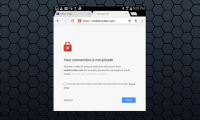
What causes the 'Your connection is not private' error on Chrome browser?. Read the key facts, context, and practical takeaways.

Do you feel your photo is pretty ordinary? Try transforming it into pixel art; it'll be much more interesting.

Change editable Canva element colors with the color panel, use exact HEX values, and recolor non-editable images with the Duotone filter.
Remove unwanted text from your own image with Photoshop's Remove tool or Content-Aware Fill, then repair difficult backgrounds without obvious blur or repeated texture.
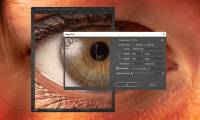
It's quite easy to zoom in on images without losing quality, and there are many tools that can help you do this – many of them AI-powered.
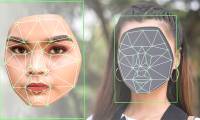
Face swapping is one of many ways to have fun with photos. Online tools and websites allow you to perform face swap edits without needing any advanced photo…

Learn how to find a Canva frame, place a photo inside it, reposition and edit the image, and download the finished design.

Use Canva's AI background tool to replace a photo backdrop from a text description, compare generated options, and continue editing the selected result.

Upload a palette image to Canva, use its colors across a page, and review the result so text, graphics, and backgrounds remain clear and consistent.

Build a Canva mind map from a template, use Magic Write to draft concise branch content, customize the layout, and export the finished diagram.

Run an i-Speed test, choose a measurement point, understand download, upload, ping, and jitter, and compare results under consistent conditions.