Table of Contents
An online card maker can turn a March 8 message into a shareable image in a few minutes. Choose a template, write a specific greeting, check that the text is readable, download the image, and send it through the recipient’s preferred channel.
The original embedded card tools are no longer included because they relied on non-YouTube iframes. Use the current card maker directly and avoid entering private contact lists or social-media credentials into an unfamiliar service.
Write the message before choosing a design
A useful greeting should sound like you, identify what you appreciate, and fit the relationship. Avoid generic praise about appearance or assumptions that every woman wants flowers, gifts, or a public post.
- For a family member: “Happy International Women’s Day. Thank you for the patience and warmth you bring to our family. I hope March 8 gives you time for something you enjoy.”
- For a friend: “Happy March 8! I’m grateful for your honesty, humor, and support. I hope the year ahead brings you good work and good people.”
- For a colleague: “Wishing you a meaningful International Women’s Day. Thank you for your judgment, collaboration, and the care you bring to our work.”
- For a partner: mention a real shared moment or quality rather than using a mass-produced romantic line.
Create the card with an online template
Step 1: Open a reputable card-design service. One example in the original guide is ThiepMung; its interface and available March 8 templates may change.
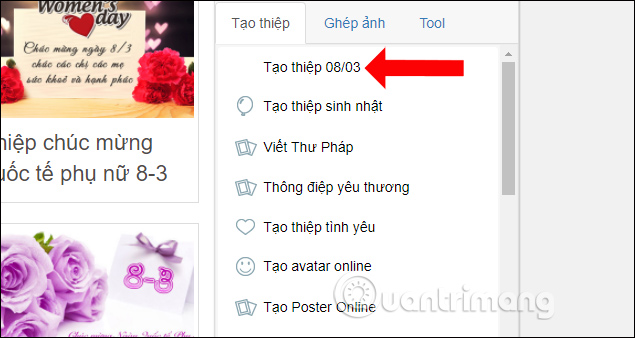
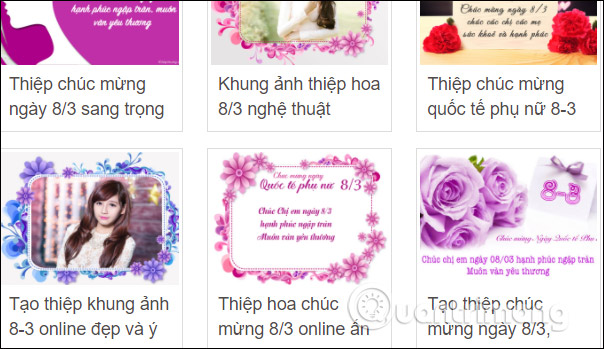
Step 2: Browse the International Women’s Day category and choose a layout that suits the recipient and where the card will be viewed. A vertical design usually works well in phone messages; a horizontal design can suit email or a desktop post.
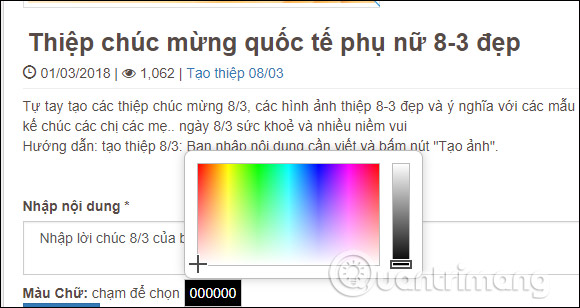
Step 3: Enter the greeting. Keep important text away from decorative edges, use a font that supports all required characters, and choose a color with strong contrast against the background.
Step 4: Select Create image or the equivalent preview command.
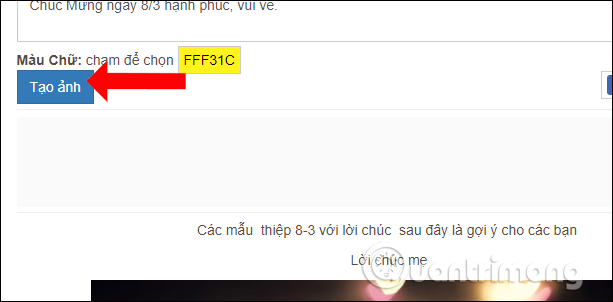
Inspect the result at full size. Check spelling, names, line breaks, punctuation, and whether decorative elements cover any words.
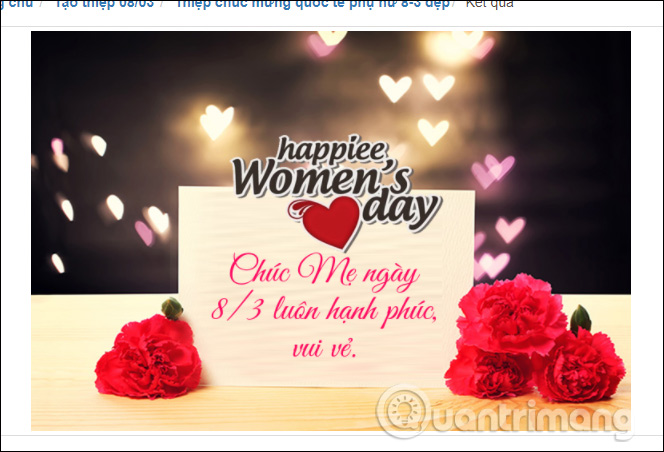
Step 5: Download the card as PNG or JPEG. PNG generally keeps text and simple graphics crisp; JPEG can create a smaller file for photographic designs.
Send the downloaded file yourself instead of giving a card site access to your social account. If the service offers a direct Share button, review the audience and final post before publishing.
Make the card easier to read
- Use one or two fonts and avoid long text in all capitals.
- Keep body text large enough to read on a phone without zooming.
- Do not put red text on a busy pink background; add a solid or translucent text panel if needed.
- Use meaningful alternative text when posting the image on a platform that supports it.
- If the message contains important information, include it in the accompanying text as well as in the image.
Share it respectfully
Send a private message unless you know the recipient welcomes public tags. Do not upload a person’s photo without permission, and remove location, phone number, workplace, or other unnecessary personal details from the design. For a workplace greeting, make it inclusive and voluntary rather than treating colleagues as a single stereotype.
The design is secondary. A short, accurate, personal note will usually have more value than a crowded card filled with generic phrases.
Related Articles
 How to Create Cards 8/3, Celebrate International Women's Day4 minutes read
 How to Make Cards March 8 with Simple Roll Paper3 minutes read
 How to Make Cards 8/3 for Clumsy Boys3 minutes read
 Design Your Own Tet Greeting Card in 5 Steps: New Year Greeting Card3 minutes read
 How to Design Greeting Cards on Canva AI4 minutes read
 Make a Greeting Card for Vietnamese Women on October 20 Online3 minutes read
Reader Comments 0
Sign in with email or Google to join the discussion.