Table of Contents
YouTube officially supports downloading in two main situations: creators can download videos they uploaded, and eligible viewers can save supported videos for offline playback inside YouTube. The offline copy is protected app data, not a transferable MP4 file.
For someone else’s video, use YouTube’s Download button, a download link supplied by the creator, or obtain the rights holder’s permission and source file. YouTube’s terms restrict downloading except where the service permits it, the rights holders authorize it, or applicable law allows it.
Download a video you uploaded
On a computer:
- Sign in to the correct channel at YouTube Studio.
- Select Content in the left panel.
- Find the video or Short, open its three-dot menu, and choose Download.
- Save it under a clear filename and verify that it plays.
YouTube documents this in its download-your-uploads guide. Keep the original recording and editing project because a platform download may not preserve the master quality, separate tracks, captions, or project metadata.
For a large archive of your own channel data, review Google Takeout as an export option. Confirm what the export contains and keep enough local storage before starting.
Use YouTube’s offline Download button
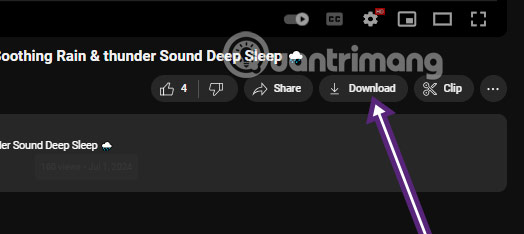
Where the account, plan, region, device, and video are eligible, select the menu beside a result or open the watch page and choose Download.
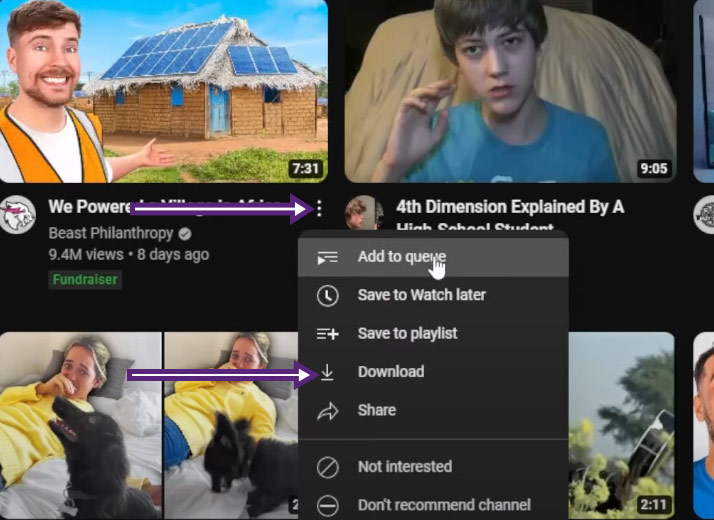
Select the available quality if prompted. Higher quality uses more storage, and not every video can be downloaded.
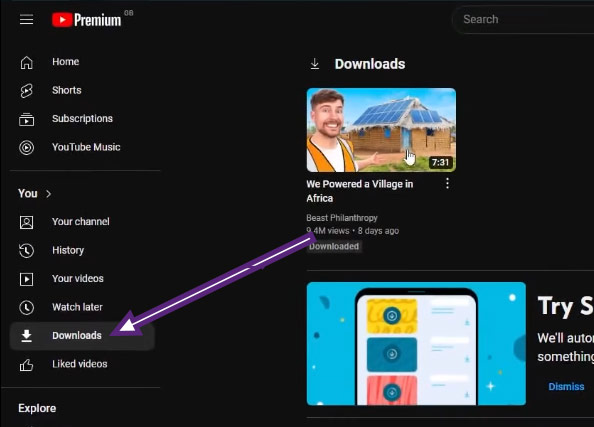
Find saved videos under Downloads in the YouTube app or supported client.
YouTube’s offline-viewing guide explains the current process. The app may need to reconnect periodically, and a video can become unavailable if its rights or status changes. “Save to Watch later” is only a playlist action and is not an offline download.
Ask the creator for a source file
When you need a portable file for editing, teaching, archiving, or a presentation, contact the creator or rights holder. State:
- which video and portion you need;
- how and where it will be used;
- whether it will be edited, published, or shared;
- the required resolution and format;
- how long you need to keep it.
A creator can provide an approved file or license through a normal file-transfer service. Personal or educational intent does not by itself create download or reuse permission.
Why browser media detectors are unreliable
Some browsers have displayed a media-download arrow for streaming pages. The screenshot below shows a legacy Cốc Cốc interface.
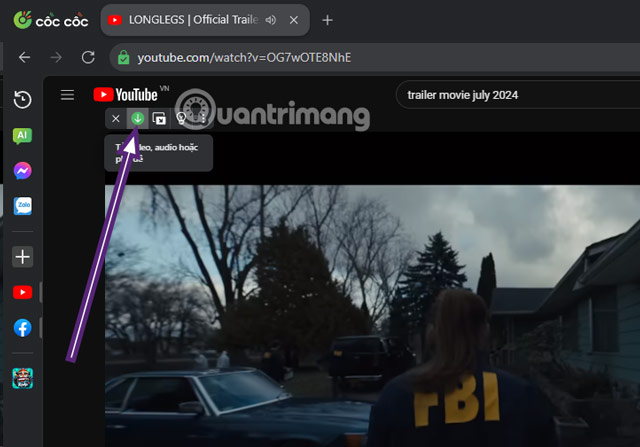
A detected stream does not establish a right to download it. YouTube can deliver audio and video separately, change URLs, or restrict playback, so a browser detector may return low quality, omit audio, or stop working. Use it only for media the site and rights holder expressly allow you to save.
Do not use “ss” URL tricks or clone sites
Older guides advise adding characters to a YouTube address. That changes the destination to a third-party site; it is not a YouTube feature.
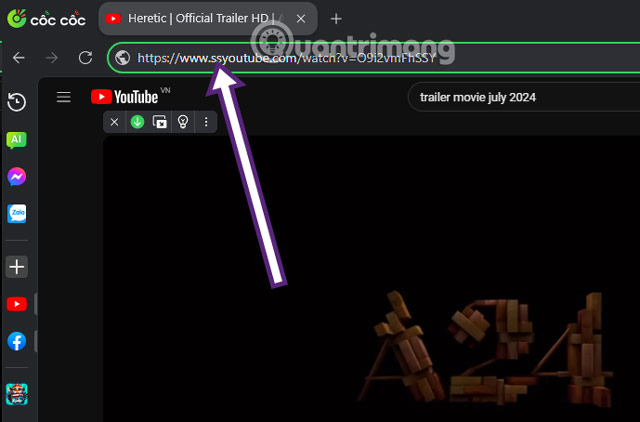
The redirected page may imitate a video converter, display misleading download ads, or change operators without notice.
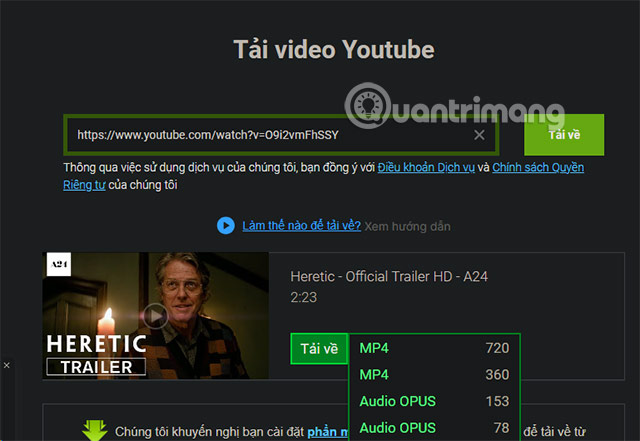
The same caution applies to sites that ask you to paste a YouTube URL and choose a format.
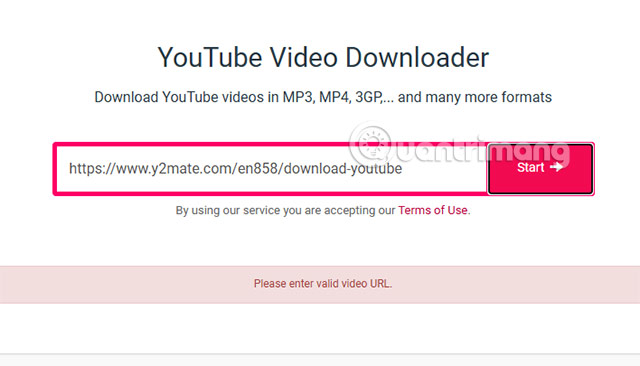
Do not enter your Google password, session cookie, verification code, or payment information. Close notification prompts, and never open an .exe, .msi, .apk, or browser-extension package when you expected a video.
Avoid unofficial browser extensions and download managers
Extensions advertised as YouTube downloaders can request permission to read and change data on every page. A tool absent from the official extension store, installed through another extension, or delivered as a side-loaded package deserves particular caution.
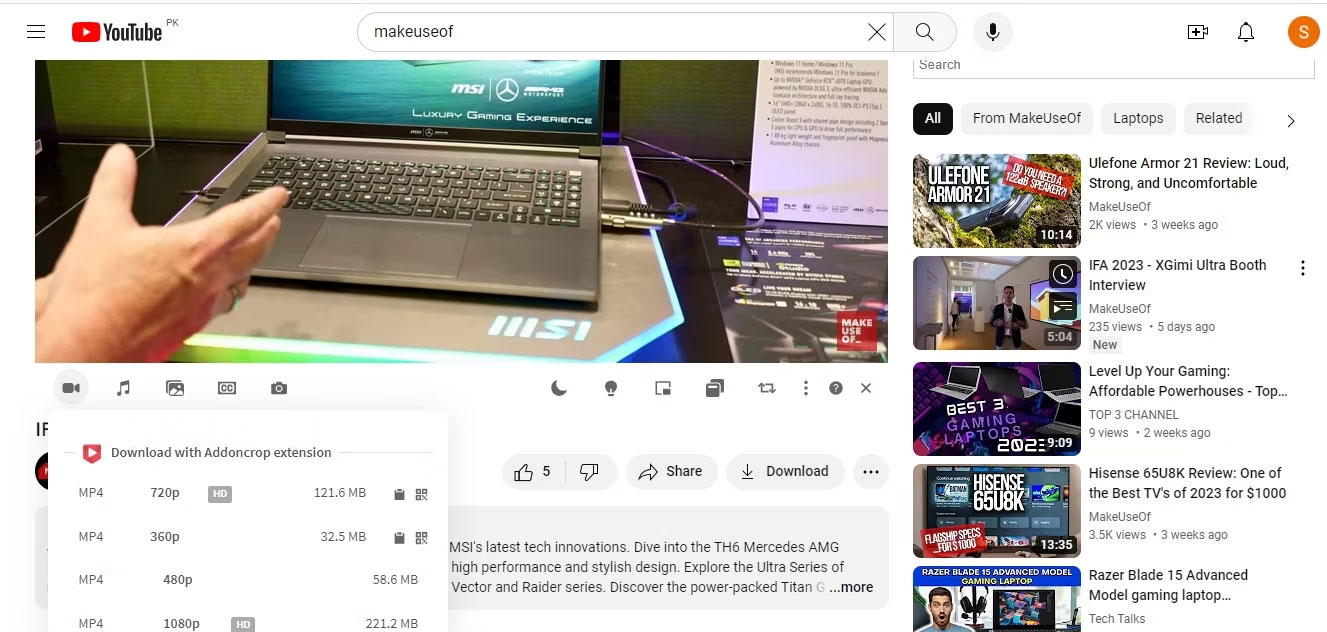
General download managers can be legitimate for ordinary files, but detecting a YouTube stream does not override YouTube’s controls or copyright. Install software only from its verified publisher and decline unrelated bundled components.
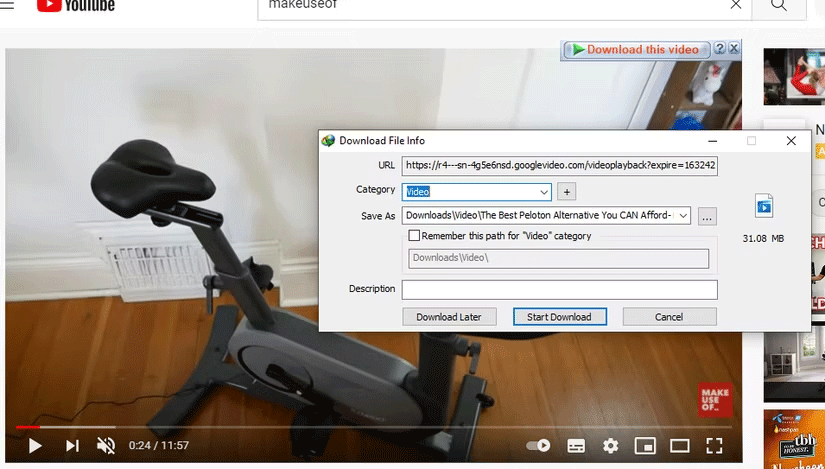
Extensions that send the video to an outside “helper” site add another party to the process and can expose browsing data.

Check storage and remove offline copies
- Choose a quality appropriate to the device and available storage.
- Use YouTube’s Downloads settings to remove items you no longer need.
- Remember that offline downloads may expire or require reconnection.
- Do not treat an app download as a backup of your own original work.
- For organization-owned devices, follow the approved media and storage policy.
Before reusing a downloaded video
Download permission and reuse permission are separate. Check copyright, music licensing, privacy, model releases, trademarks, and the creator’s stated license before editing or publishing the file. Keep written permission and attribution details with the project.
Related Articles
 The Easiest Way to Download Videos from YouTube3 minutes read
![[Summary] the Easiest Way to Download YouTube Videos](/data/thumbs_200x120/[summary]-the-easiest-way-to-download-youtube-videos_thumbs_200x120_xiiqM7twC.png) [Summary] the Easiest Way to Download YouTube Videos4 minutes read
[Summary] the Easiest Way to Download YouTube Videos4 minutes read 10 Ways to Download YouTube Videos Fast and Simple14 minutes read
 Simple Way to Quickly Download YouTube Videos2 minutes read
 2 More Ways to Download YouTube Videos on Computers, Phones Without3 minutes read
 How to Download YouTube Videos to Android Phones5 minutes read
Reader Comments 0
Sign in with email or Google to join the discussion.