Table of Contents
YouTube provides two legitimate download paths. Creators can download a video or Short they uploaded, and eligible viewers can use YouTube’s offline feature for supported videos. An offline YouTube download stays inside the app; it is not an exportable video file.
For a Short made by someone else, use the creator’s download link or permission when provided. Do not use a downloader to bypass YouTube controls, privacy settings, copyright, or regional restrictions.
Download a Short you uploaded on a computer
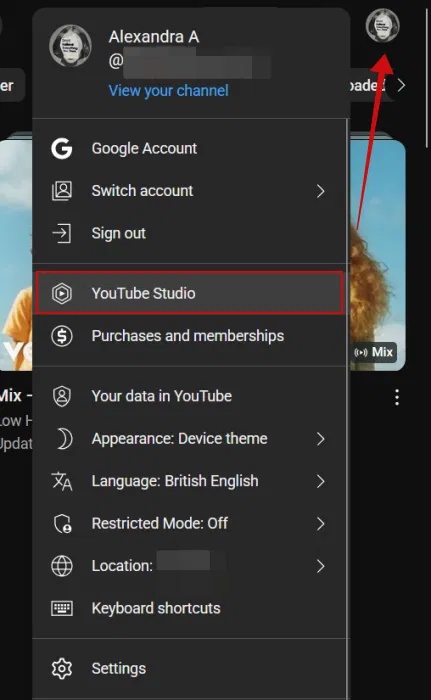
Step 1: Sign in to the correct channel, click your profile picture, and open YouTube Studio.
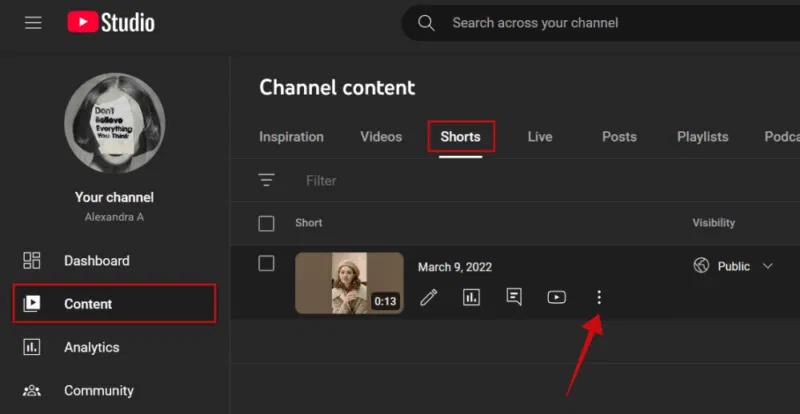
Step 2: Select Content in the left panel. Open or filter the Shorts list, find the video, and select its three-dot menu.
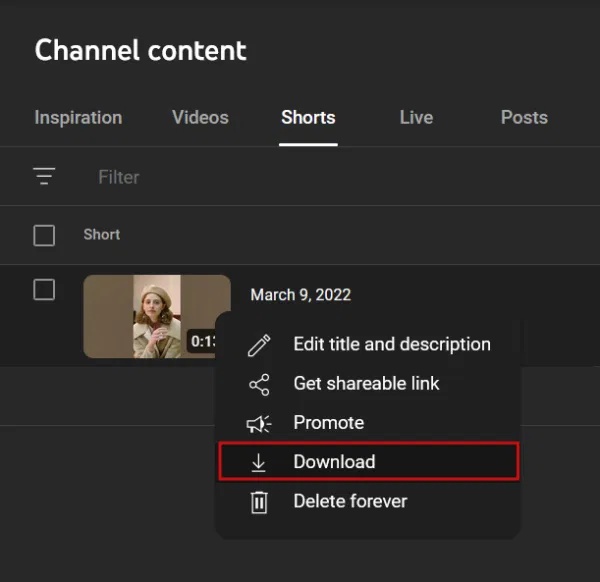
Step 3: Choose Download and save the file.
Google’s official upload-download guide notes that some edited or restricted videos may behave differently. Keep the original camera or editing-project file because a YouTube download may not preserve the source quality or all production data.
Save your own Short to a phone
Step 1: In the YouTube or YouTube Studio app, open Your videos.
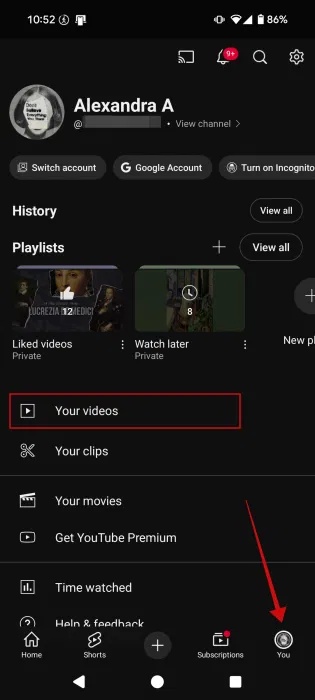
Step 2: Open the Shorts tab, tap the three dots beside your upload, and choose Save to device when available.
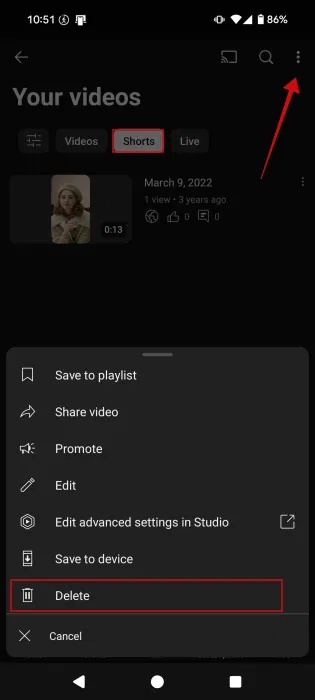
Do not choose Delete. Deleting removes the upload from your channel and is not a download method. If Save to device is absent, try YouTube Studio on a computer or confirm that you are signed in as the channel owner.
Watch another creator’s Short offline
If your account, plan, region, and the video are eligible:
- Open the Short or its watch page in the official YouTube app.
- Tap Download or the supported offline control.
- Choose a quality if prompted.
- Find it later under Downloads in YouTube.
YouTube’s offline-viewing instructions explain the supported workflow. Availability differs by region and membership, and some content cannot be downloaded. The app may need to reconnect periodically to confirm availability.
“Save” is not the same as “Download”
- Save to playlist or Watch later: stores a reference in your YouTube account and still needs online access.
- Download for offline viewing: stores protected app data for playback inside YouTube.
- Save to device for your upload: creates a video file you can use outside the app.
Why third-party downloader apps are risky
Older tutorials often recommend pasting a Shorts URL into a downloader app or website. The screenshot below shows that legacy workflow.
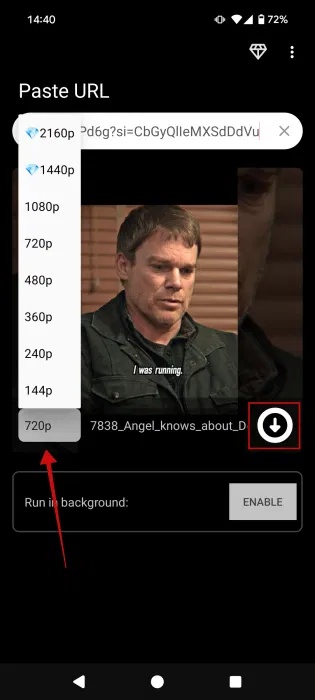
Such services may display deceptive download buttons, collect URLs and device data, request excessive permissions, bundle unwanted software, or return an executable file instead of a video. They can also conflict with YouTube’s terms or a creator’s rights.
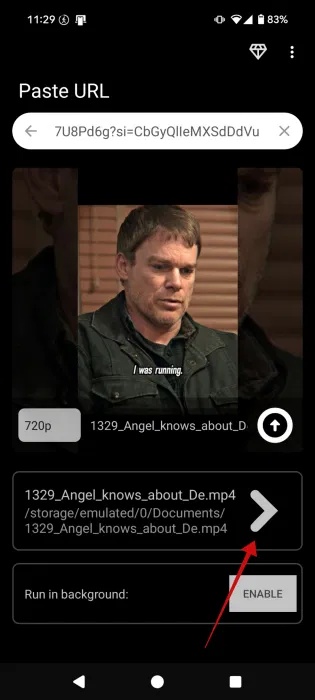
Do not enter a Google password, session cookie, or verification code into a downloader. Avoid sideloaded APKs advertised as YouTube downloaders, including modified clients that are unavailable from the normal app store. A claim that an APK is “official” does not make it safe.
Use the file responsibly
- Downloading your own upload does not grant rights to music, clips, or images licensed only for YouTube use.
- Get permission before reposting another creator’s Short on a different platform.
- Retain attribution and license information where required.
- For collaboration, ask the creator to send the original file through an approved file-sharing service.
- Keep the source project and original media; a platform copy is not a reliable archive.
Related Articles
 How to Block YouTube Shorts3 minutes read
 What Is YouTube Shorts? Can You Become a Rival of TikTok?3 minutes read
 How to Add YouTube Shorts Video Effects3 minutes read
 How to Hide YouTube Shorts Videos on Computer3 minutes read
 YouTube Shorts Adds TikTok-style Artificial Voices3 minutes read
 How to View YouTube Shorts in Landscape Mode2 minutes read
Reader Comments 0
Sign in with email or Google to join the discussion.