Table of Contents
A strong Wi-Fi password is important, but it does not fix every router weakness. If your router still permits WPS PIN enrollment, an attacker may target that shortcut instead of guessing the full WPA2 passphrase. Check the router's settings and disable WPS unless a device genuinely requires it.
What WPS does
Wi-Fi Protected Setup was designed to connect devices without typing a long wireless password. Routers may support one or more enrollment methods:
- Push button: Press a physical or on-screen WPS button, then start WPS on the client during a short enrollment window.
- PIN: Enter an eight-digit router or client PIN.
- NFC or USB: Less common methods supported by some older equipment.
Push-button pairing can be convenient for printers, streaming boxes, and other devices with awkward input controls. The problem is that WPS has a history of weak implementations, especially when PIN enrollment remains enabled.
Why WPS PIN is risky
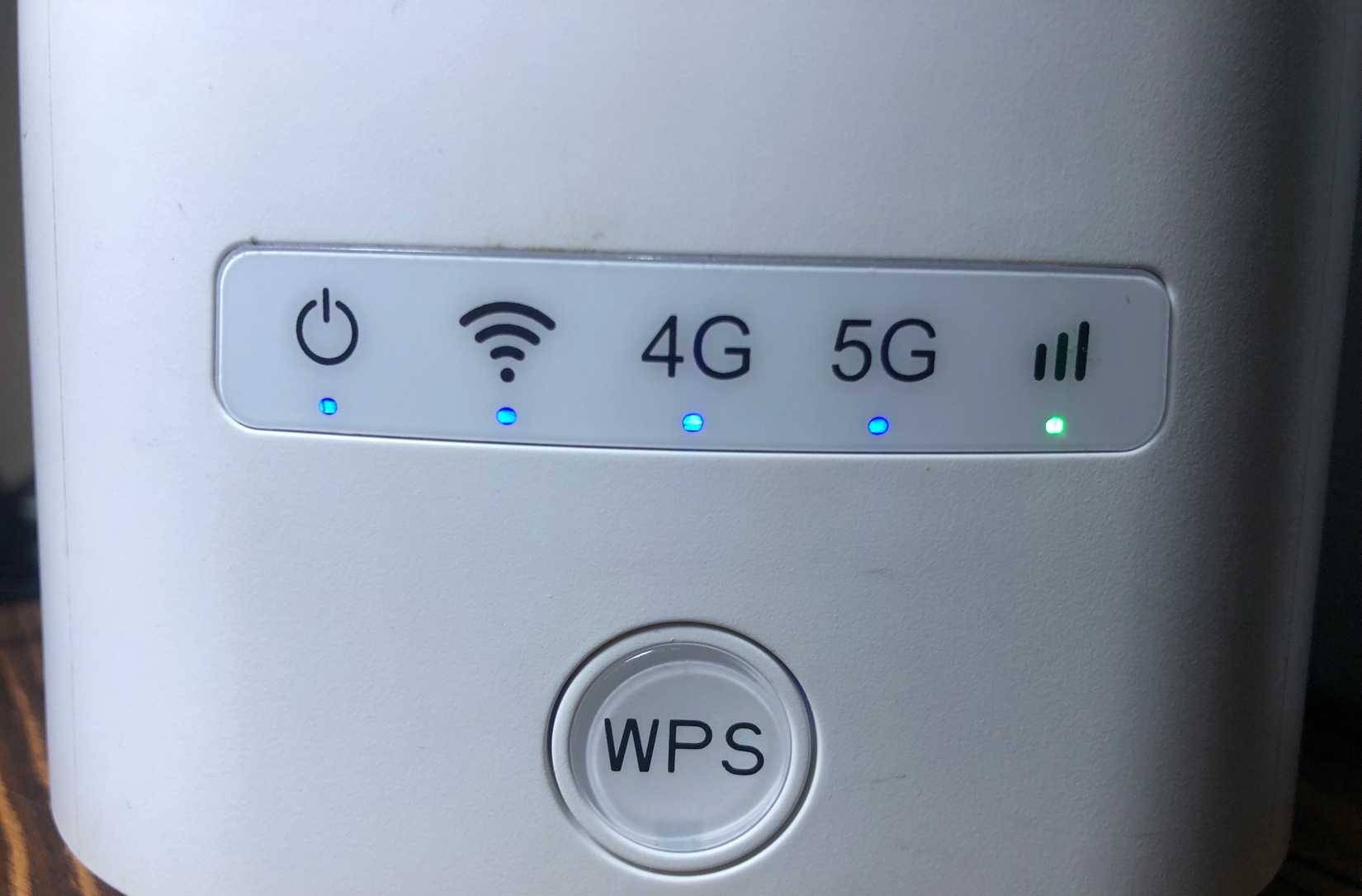
The original external-registrar PIN design validates sections of the PIN separately. That greatly reduces the number of combinations an attacker must test compared with a normal eight-digit value. A router that permits repeated attempts without effective rate limiting can therefore expose the network even when the Wi-Fi passphrase itself is long and random.
This is not the same as breaking WPA2 encryption directly. The attacker abuses the enrollment process that is allowed to reveal or provision network access. Changing the Wi-Fi password alone does not remove that path if vulnerable WPS PIN enrollment remains active.
Is the push button equally dangerous?
No. Push-button WPS normally requires physical access and opens only a short pairing window, so it is safer than an always-listening PIN method. It still authorizes any compatible device attempting to enroll during that window, however. In a shared office, apartment, dorm, or public-facing location, physical access to the router may not be trustworthy.
How to check and disable WPS
- Connect to the router through Ethernet or your existing Wi-Fi network.
- Open the router's management app or enter its local gateway address in a browser. Common addresses include
192.168.0.1and192.168.1.1, but use the address printed on the router or shown as the network's default gateway. - Sign in with the router administrator account. This is separate from the Wi-Fi password on many models.
- Open Wireless, Wi-Fi, WPS, Advanced, or Security.
- Turn off WPS. If the router separates methods, disable WPS PIN, Router PIN, and External Registrar at minimum.
- Save the settings and restart the router if prompted.
- Return to the page and confirm the setting stayed disabled. Some older firmware re-enables WPS after a reset.
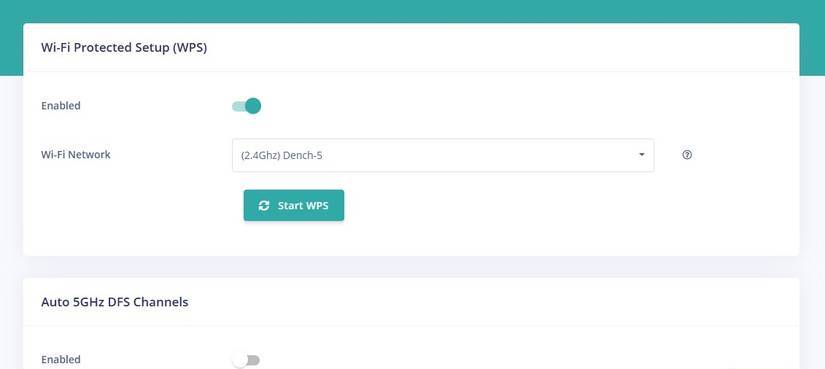
If the interface offers no way to disable PIN-based WPS, install a current firmware update from the router manufacturer. Replace hardware that is no longer supported and continues to expose a vulnerable WPS implementation.
Safer ways to connect devices
- Enter the Wi-Fi password manually.
- Share a Wi-Fi QR code from a trusted phone or router app.
- Use a properly isolated guest or IoT network for devices that do not need access to computers and storage on the main LAN.
- Use Wi-Fi Easy Connect when both the router and client support it.
- If an old device supports only WPS, enable push-button pairing briefly, connect the device, and disable WPS again.
Other router settings to review
| Setting | Safer choice | Why it matters |
|---|---|---|
| Wi-Fi encryption | WPA3-Personal, or WPA2-AES when WPA3 is unavailable | WEP, WPA, and WPA/TKIP are obsolete. Avoid mixed modes that keep weak protocols enabled solely for old devices. |
| Router administrator password | A unique, strong password | A default or reused admin password can let a local attacker change DNS, encryption, and other router settings. |
| Remote administration | Disabled unless specifically required and secured | An internet-exposed management page increases attack surface. |
| Firmware updates | Automatic updates, or regular manual checks | Updates correct known implementation vulnerabilities. |
| Guest network | Client isolation and no LAN access | Guests and untrusted IoT devices should not be able to reach personal devices or the router interface. |
| UPnP | Disabled when unused | Applications can otherwise request automatic inbound port mappings. |
Quick home Wi-Fi security checklist
- Disable WPS PIN and, when possible, WPS entirely.
- Use WPA3-Personal or WPA2-AES with a unique passphrase.
- Change the router's administrator password.
- Update firmware and replace unsupported hardware.
- Disable remote management from the internet unless it is necessary.
- Isolate guest and IoT devices from the main network.
- Review connected-device lists for anything unfamiliar.
For more practical maintenance, browse the TipsMake Wi-Fi guides. If you suspect someone is already using the network, follow these steps to remove unauthorized Wi-Fi users and secure the router.
Related Articles
 7 Attacks That Can Defeat a Strong Password7 minutes read
 How to Create a Strong Yet Easy-to-Remember Password4 minutes read
 How to Use Ascii Characters to Create Strong Passwords5 minutes read
 6 Useful Android Settings You May Not Know Yet9 minutes read
 5 Websites Create the Most Powerful Random Password7 minutes read
 Why Do You Need Both Encryption and Passwords to Be Secure?8 minutes read
Reader Comments 0
Sign in with email or Google to join the discussion.