Table of Contents
Top Software to Increase Wi-Fi Speed, Network Speed is easier to approach with a clear overview and reliable steps. This guide organizes the essential information, highlights practical details, and explains what to check along the way.
Key Takeaways
- Review internet cell boost.
- Explore ashampoo internet accelerator.
- Understand NetSpot.
1. Internet Cell Boost
Internet Cell Boost automatically optimizes your connection to speed up your network without requiring any technical knowledge. The interface is simple and straightforward to use, supporting all types of connections such as Wi-Fi, DSL, modem or satellite.
The software takes advantage of operating system and connection features to improve Internet speed. Six built-in tools help optimize the connection, ensuring a stable and faster network.
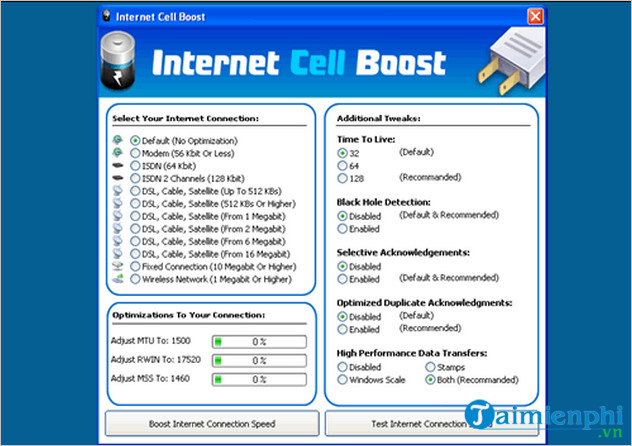
Monitor Network & Internet Connection in Internet Cell Boost provides download and upload graphs with detailed statistics. This tool helps monitor network speed in real time, including current, average and peak speed.
=> Download link for Internet Cell Boost here.
2. Ashampoo Internet Accelerator
Internet speed is limited by the bandwidth of your ISP and your computer configuration. With just one click, the software analyzes and optimizes the settings that affect your internet. Ashampoo Internet Accelerator optimizes your connection by automatically adjusting system parameters. You can still make manual adjustments if necessary.
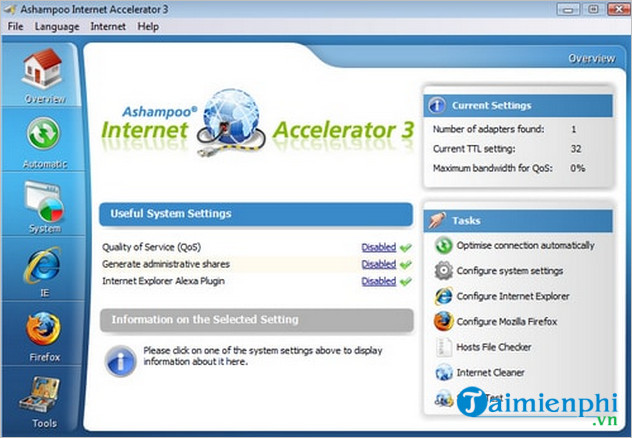
In addition to optimizing wifi speed, Ashampoo Internet Accelerator also supports checking connection speed, analyzing network parameters, cleaning junk files and blocking ads while surfing the web. Thanks to that, you can access the Internet faster and more stably.
=> Ashampoo Internet Accelerator download link here.
3. NetSpot
NetSpot scans surrounding WiFi networks, helping you measure signal strength, frequency, and other important parameters. This helps you determine the optimal location for your WiFi router, improving connection speed.
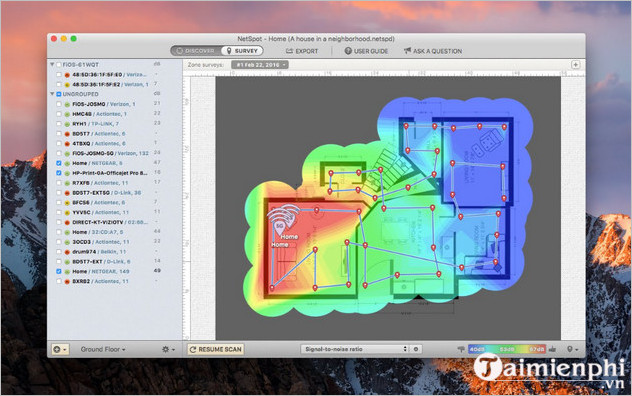
NetSpot automatically creates WiFi heat maps, showing areas with strong (red) and weak (blue) signals. This allows you to spot problems and optimize your network in time.
The software supports macOS 10.10+ and Windows 7/8/10/11, compatible with 802.11a/b/g/n/ac/ax wireless network adapters. In addition to improving speed, NetSpot helps analyze and troubleshoot WiFi problems effectively.
=> NetSpot download link here.
4. Modem Booster
Modem Booster optimizes computer resources, reduces lag, freezing and improves Internet speed, providing a smooth web surfing experience.
The software automatically adjusts modem settings, synchronizes with ISP to speed up the network. Advanced you can customize MTU, TTL, RWIN and Cache according to their needs.
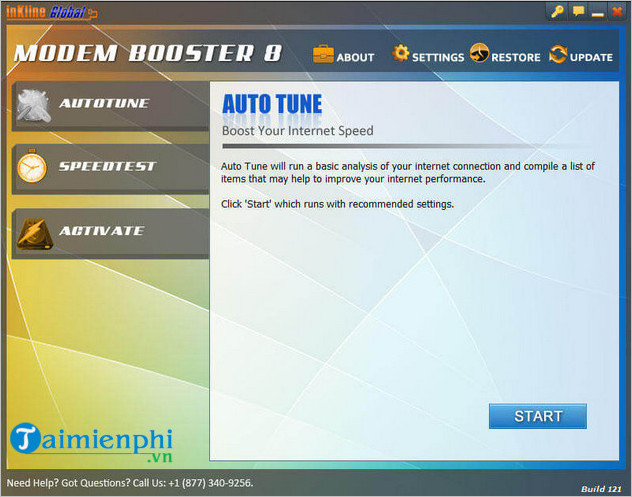
Modem Booster doubles the speed of downloading software, videos, MP3s, pictures and web pages, and improves video, audio streaming.
The software is compatible with all types of modems, from 33.6k, 56k to DSL, Cable, ADSL, ISDN and Satellite. Advanced Ping technology ensures stable connection, optimizing network performance.
=> Download link for Modem Booster here.
5. Google Web Accelerator
Google Web Accelerator, a free tool from Google, optimizes web browsing speed by pre-fetching content, compressing data, and sharing cache. The software helps pages load faster and improves stability when accessing the Internet.
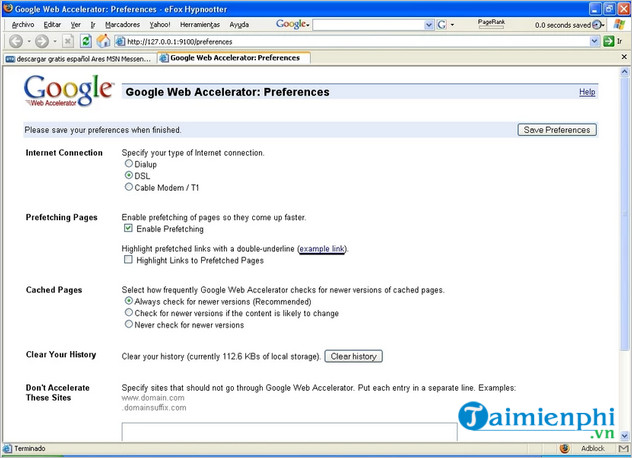
Google Web Accelerator also allows you to control your Internet connection, ensuring stable browsing speed. This feature helps monitor network status accurately, optimizing web surfing performance.
=> Link to download Google Web Accelerator here.
Slow network speed interrupts your work or entertainment activities? TipsMake.com will bring you 10 simple and effective tips to speed up your home WiFi. Let's take a look!
Final Thoughts
The most reliable way to handle top software to increase Wi-Fi speed, network speed is to follow the process in order, verify each important setting, and test the result before moving on. Use the guidance above as a practical reference, then adjust the details for your device, software version, or specific goal.
FAQ
What should I know first about Top Software to Increase Wi-Fi Speed, Network Speed?
The Internet plays an important role in work and daily life.
How do I get the best results with Top Software to Increase Wi-Fi Speed, Network Speed?
Use current software or equipment, follow the steps in order, review the recommended settings, and test one change at a time so you can identify what improves the result.
What should I do if Top Software to Increase Wi-Fi Speed, Network Speed doesn't work as expected?
Check compatibility, permissions, connectivity, and version-specific settings. Restart the relevant device or app, then repeat the process carefully before trying a more advanced fix.
Related Articles
 How to Speed up Wi-Fi Network, Increase Wi-Fi Signal9 minutes read
 Select the Location of the Router to Increase the Wi-Fi Wave5 minutes read
 8 Ways to Increase Wi-Fi Speed for Laptops: Best Options Compared10 minutes read
 Tell You 5 Ways to Increase Network Speed Extremely Fast and Effective4 minutes read
 Internet Acceleration 20% Faster in Windows3 minutes read
 Tips to Speed up the Wi-Fi Network at the Company18 minutes read
Reader Comments 0
Sign in with email or Google to join the discussion.