Table of Contents
Having a few add-ons—apps or plugins, it doesn't matter—will make Plex a lot easier to use, like organizing your library or finding other uses for it.
No one dislikes Plex being easier to use; many people just take the time to use the built-in tools before starting to integrate another add-on, be it an app or a plugin.
Having a few add-ons—apps or plugins, it doesn't matter—will make Plex a lot easier to use, whether it's organizing your library or finding other uses for it. Taking the time to set them up will save you many trouble down the road.
TinyMediaManager

Many people not only regret not trying tinyMediaManager sooner, but also skip it in favor of a subscription to FileBot, which helps organize their Plex library. But they want a free option.
TinyMediaManager does exactly what FileBot does—provides a way to organize large parts of your Plex library with consistent naming, accurate metadata extraction, and even movie images. While it doesn't have an option to download subtitles, FileBot is still useful if you need anything other than English.
Plexamp

You can enjoy your Plex music collection natively, whether it's through the Plex app or a browser, but that's where people get it wrong. Plexamp is a much more convenient solution because it only deals with the music on your server. It's lightweight, simple, and has both a desktop app and a mobile app for download!
Tautulli

Plex Dash is perfectly capable of revealing subtle details about your server, like who's watching what, the most-watched series of the month, and how well your server is performing. But with subscriptions on the rise, people want an alternative that doesn't require a Plex Pass to access all of those features, and that's where Tautulli comes in.
While Tautulli doesn't provide information about processor and bandwidth usage, which many people don't necessarily need since their Plex server is limited to their home, the add-on still tracks activity, stats, history, and even sends out newsletters to notify others of new content.
WebTools-NG
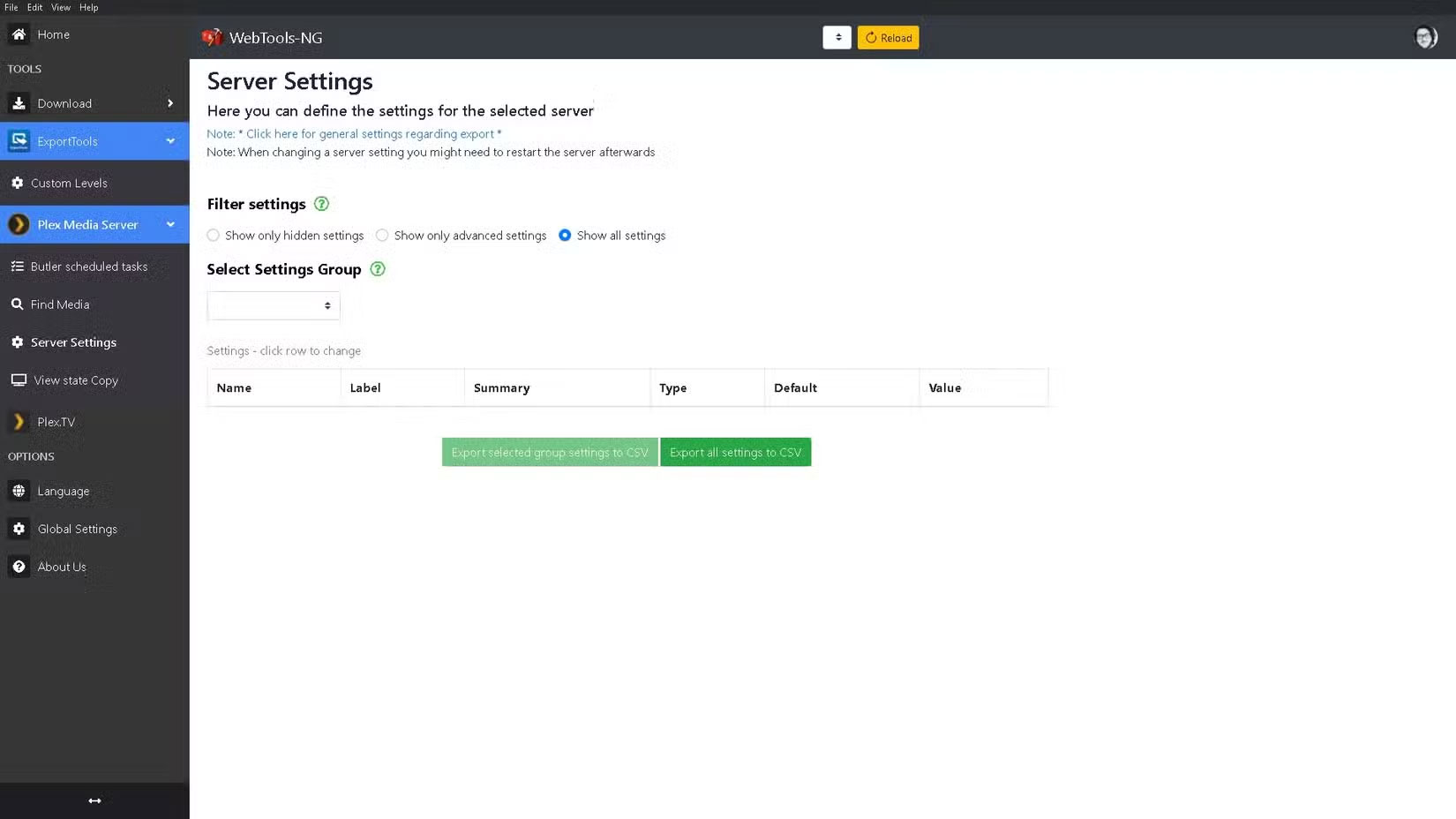
No matter how hard you try, at some point you'll need to diagnose a problem with your Plex server, especially if your family uses it. For example, if your content suddenly gets deleted due to a hard drive failure. With WebTools-NG, you'll have a CSV file ready for Excel or Google Sheets, using the ExportTools feature, that includes data about the missing content.
Another type of information you might find useful is tracking the codec, whether it's audio or video. If your device doesn't support a video or audio codec you don't have, you'll either hear nothing, see nothing, or both. It's tedious, but fortunately WebTools-NG isn't something you'll have to use very often.
Plex has its own free content to watch

This is a bit of a cheat, but Plex has its own 'add-on' that provides free content to your server, like movies and series. This feature is already built into Plex, so no installation is required. Go to Settings , then Online Media Sources , and enable LIVE TV And MOVIES & SHOWS .
Free content and live TV channels are fine, but the annoying ads are what keep many people away from cable TV in the first place. Turns out, free content is just an add-on to your Plex server when you're not in the mood to watch a show you've already seen a million times.
While each one requires a little setup, the time you spend fiddling with menus is nothing compared to tweaking Plex until it works just the way you want it to. Try out just a few and you'll find yourself using them much sooner!
FAQ
What should you know about the options in this guide?
In practical terms, having a few add-ons—apps or plugins, it doesn't matter—will make Plex a lot easier to use, like organizing your library or finding other uses for it.
Which option is the best choice?
The best choice depends on your priorities, compatibility, budget, and the specific features discussed in the comparison.
What should you compare before deciding?
Compare core features, limitations, ease of use, compatibility, and long-term value before making a decision.
Related Articles
 7 Plex Apps Everyone Should Try Once6 minutes read
 Link Download Plex 1.27.1.1571-2fface663 minutes read
 How to Install Plex on Windows 10 and Watch Movies Anywhere8 minutes read
 How to Turn an Old Laptop into a Plex Media Server9 minutes read
 7 Hidden Plex Settings You Should Use9 minutes read
 How to Create a Plex Server on Raspberry Pi 45 minutes read
Reader Comments 0
Sign in with email or Google to join the discussion.