Table of Contents
To avoid being affected by items on Facebook Reels videos, the app has an option to clean up the video viewing interface similar to the cleanup feature on TikTok.
To avoid being affected by the items in Facebook Reels videos, the application has an option to reduce the video viewing interface similar to the cleanup feature on TikTok. Then all video titles, captions or other icons are hidden, helping you watch videos more clearly without covering the image. Below are instructions to enable the Facebook Reels video viewing interface reduction mode.
Instructions to clean up Facebook Reels video interface
Step 1:
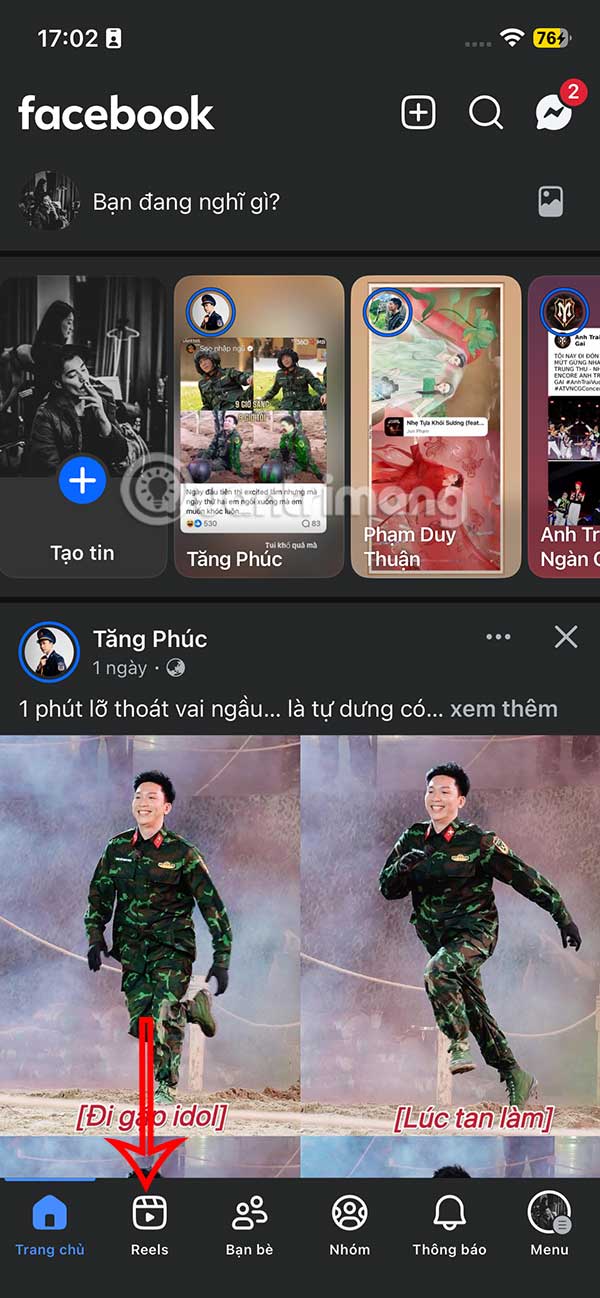
On the Facebook interface, click on Reels To make adjustments.
Step 2:
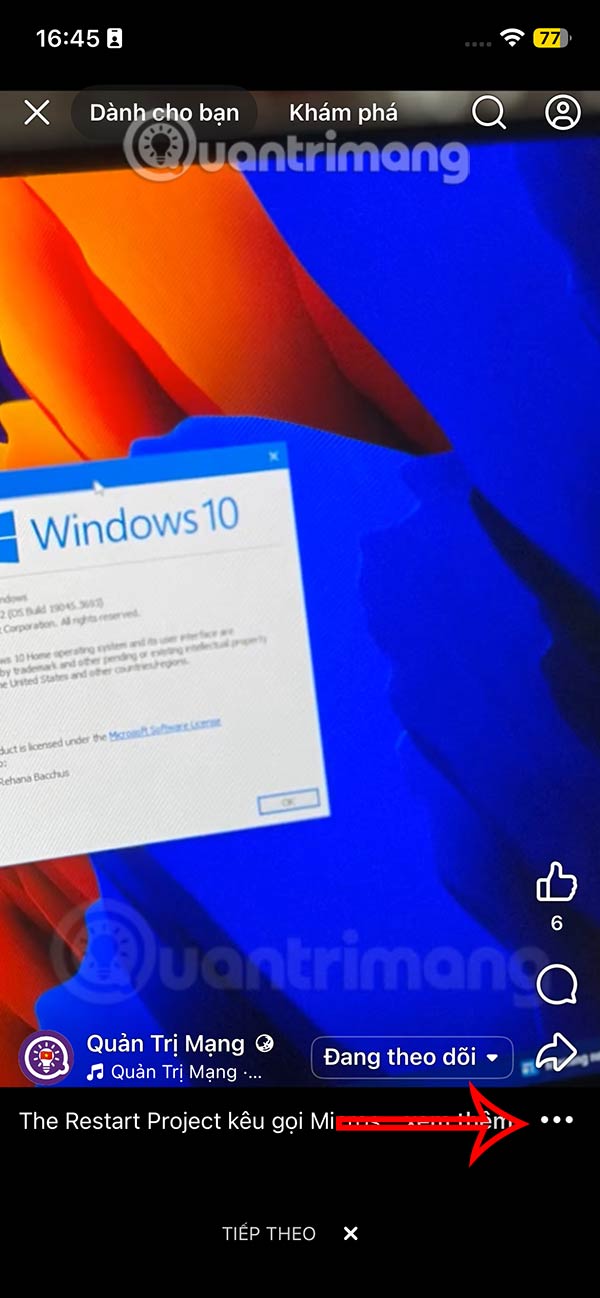
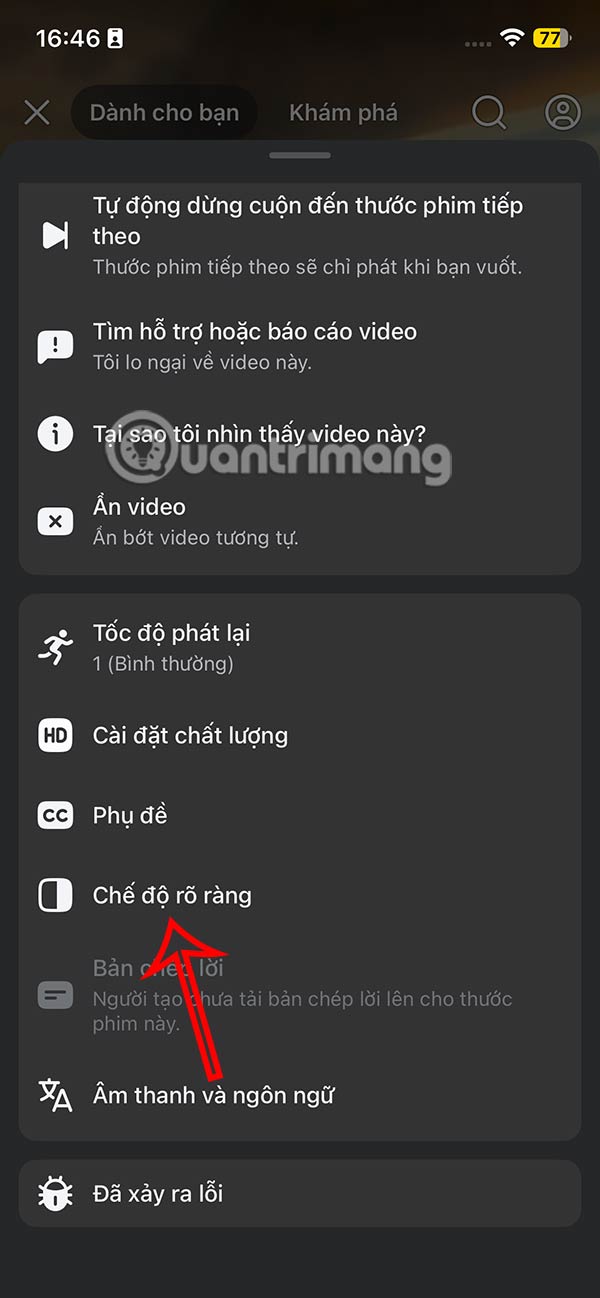
In the Facebook Reels video viewing interface, we click on The 3-dot icon On the right side of the interface. At this time, the custom interface for Reels videos is displayed, the user clicks on The Clear Mode setting As shown below.
Step 3:
Now you will see The Facebook Reels video viewing interface is simplified As shown below, when all other items are hidden, the comment box is left below for you to send comments if you want. So this guide will not be disturbed, or have the image covered if there are subtitles for Facebook Reels videos.

To return to the normal Reels video interface, just tap the compact icon.
FAQ
How do you clean up facebook reels video viewing interface: step-by-step guide?
In practical terms, to avoid being affected by items on Facebook Reels videos, the app has an option to clean up the video viewing interface similar to the cleanup feature on TikTok.
What should you check before getting started?
Review the requirements, compatible device or software version, and any warnings described in the guide before making changes.
What should you do if the steps do not work?
Repeat the steps in order, confirm that your app or system is up to date, and review the troubleshooting details provided above.
Related Articles
 Facebook Reels Will Increase Video Length to 90 Minutes: What to Know4 minutes read
 Facebook Reels Video Voiceover Tutorial3 minutes read
 Meta Launched Facebook Reels Simultaneously in 150 Countries4 minutes read
 Guide to Finding Previously Watched Facebook Reels Videos5 minutes read
 Instructions for Pinning Reels Instagram Videos: Key Facts4 minutes read
 How to Use the Instagram Reels Video Editing Tool: Step-by-Step Guide4 minutes read
Reader Comments 0
Sign in with email or Google to join the discussion.