Table of Contents
Some of the key benefits of using open source software are transparency, flexibility, and true ownership of the notes.
Note-taking apps are everywhere, but many of the most popular—like Evernote or Notion —are closed source. Some of the key benefits of using open source software are transparency, flexibility, and true ownership of your notes. Plus, these apps are often free, highly customizable, and supported by passionate communities that are constantly tweaking and improving them.
1. Simplenote
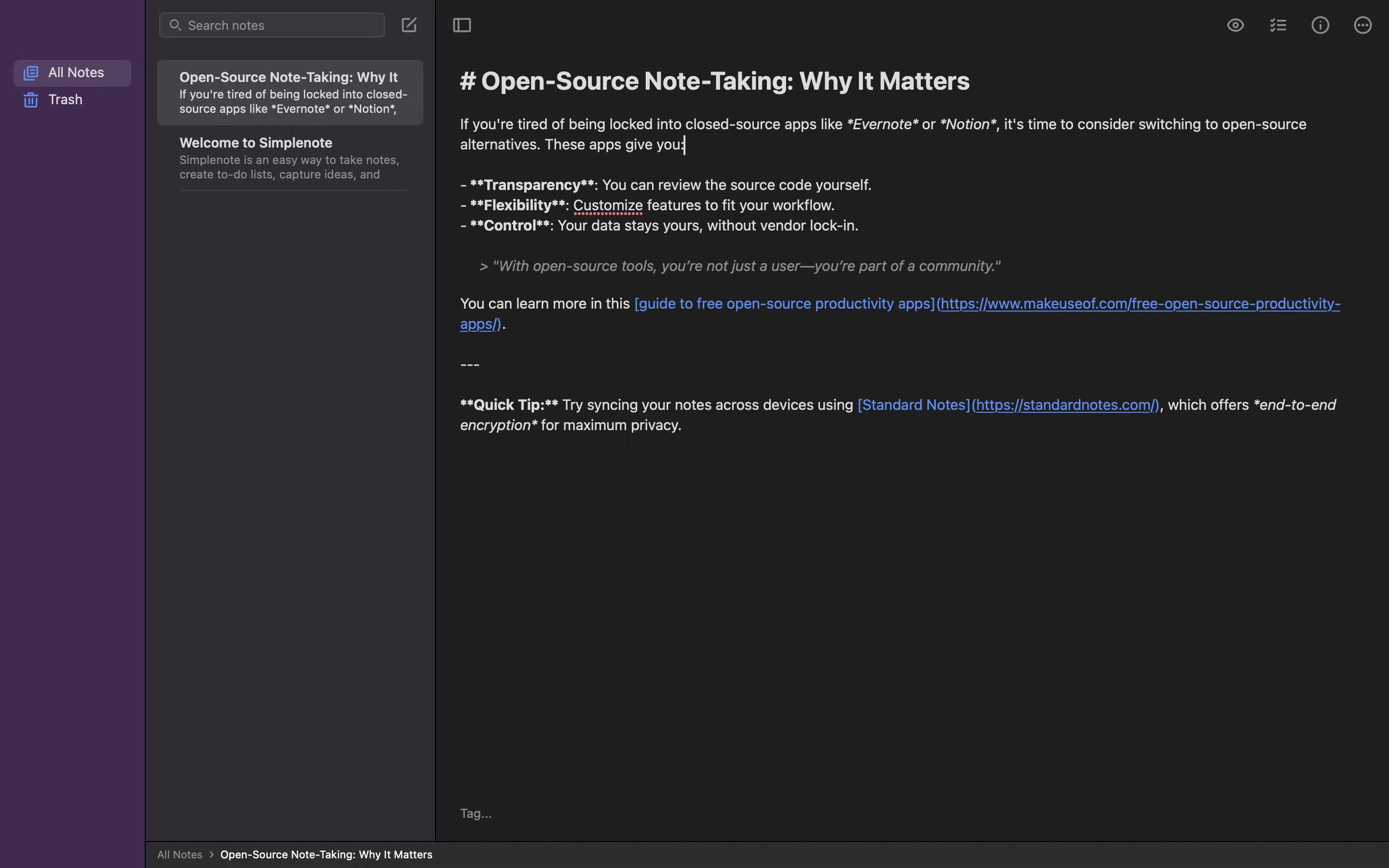
As the name suggests, Simplenote is all about simplicity. It's no wonder Simplenote is called a minimalist's dream. Instead of bloating the interface with tons of features you'll never use, the app gives you just enough to take notes. No complicated menus or unnecessary clutter, just a distraction-free space ready to jot down your thoughts whenever you want.
Although it's designed to be simple, you can link notes together, which is useful for cross-referencing. You can also search for notes if you need information, and Simplenote has a Publish feature if You should publish your notes online for everyone to access.
2. Logseq
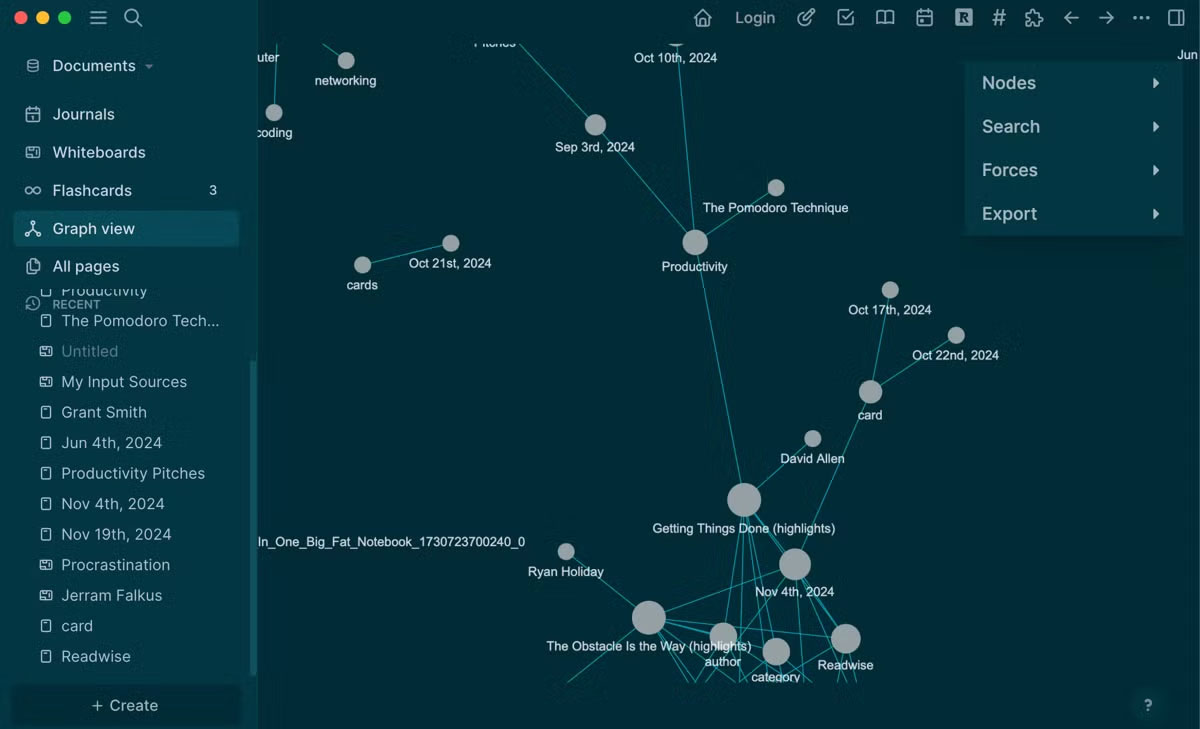
Logseq is another solid open-source note-taking app. If you've used Obsidian, Logseq is a great alternative. Instead of using traditional folders to organize your notes, it uses an outline and backlinking system that lets you build a web of connected ideas. It's a great note-taking app if you want to create a personal knowledge management system instead of just taking notes.
3. Joplin
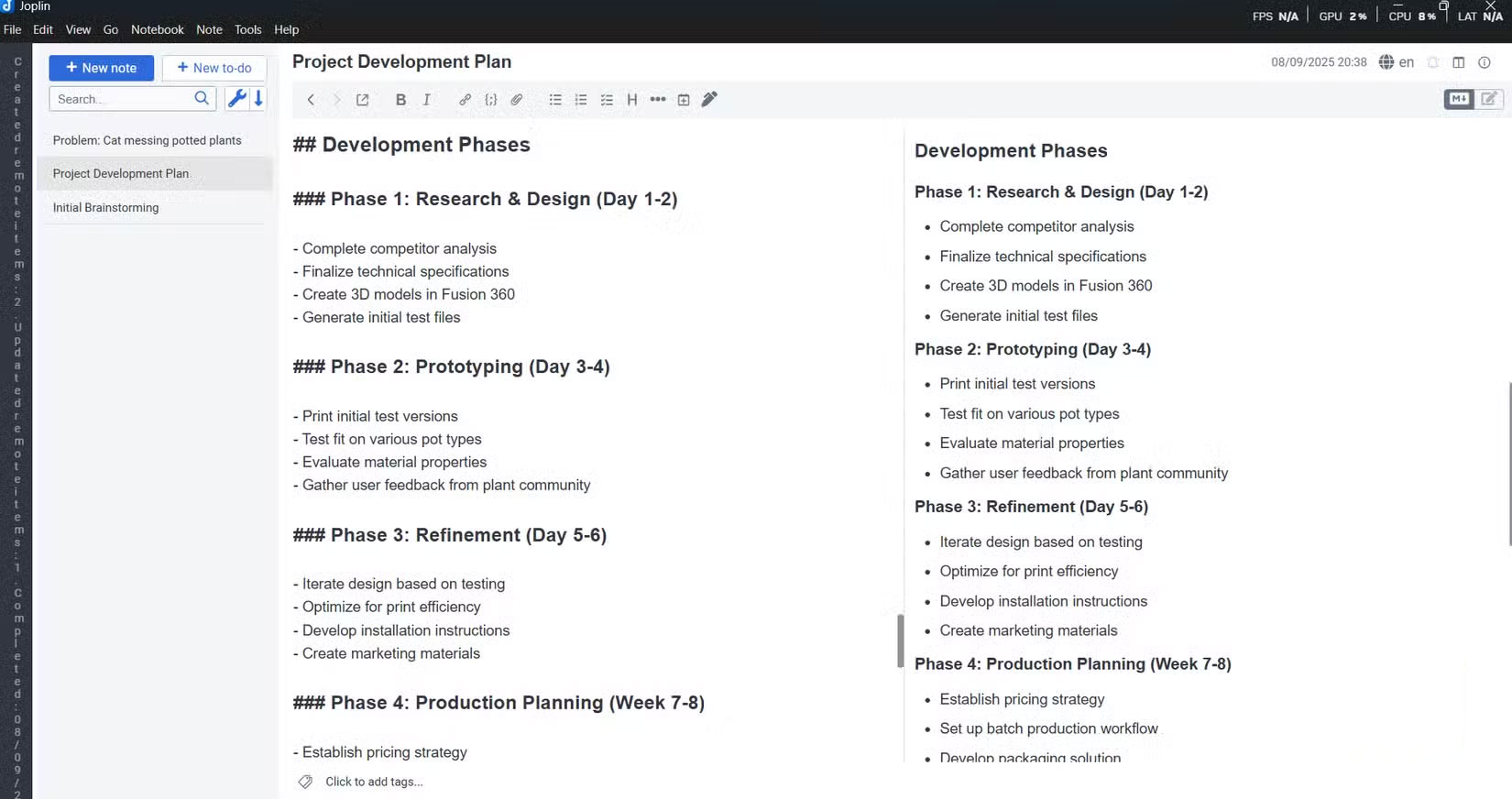
Joplin is a note-taking app that comes with everything You should jot down your ideas. Unlike minimalist note-taking apps, Joplin supports rich text formatting, Markdown, attachments, images, and even web clippings via a browser extension. This makes it versatile enough for everything from basic note-taking to storing research papers, PDFs, or project documents. Joplin is also a solid alternative to Obsidian.
The app is also customizable through plugins and offers end-to-end encryption to keep user data private. However, you don't necessarily need to use the cloud as Joplin is one of the best offline note-taking apps that lets you sync your data whenever you want.
4. Standard Notes
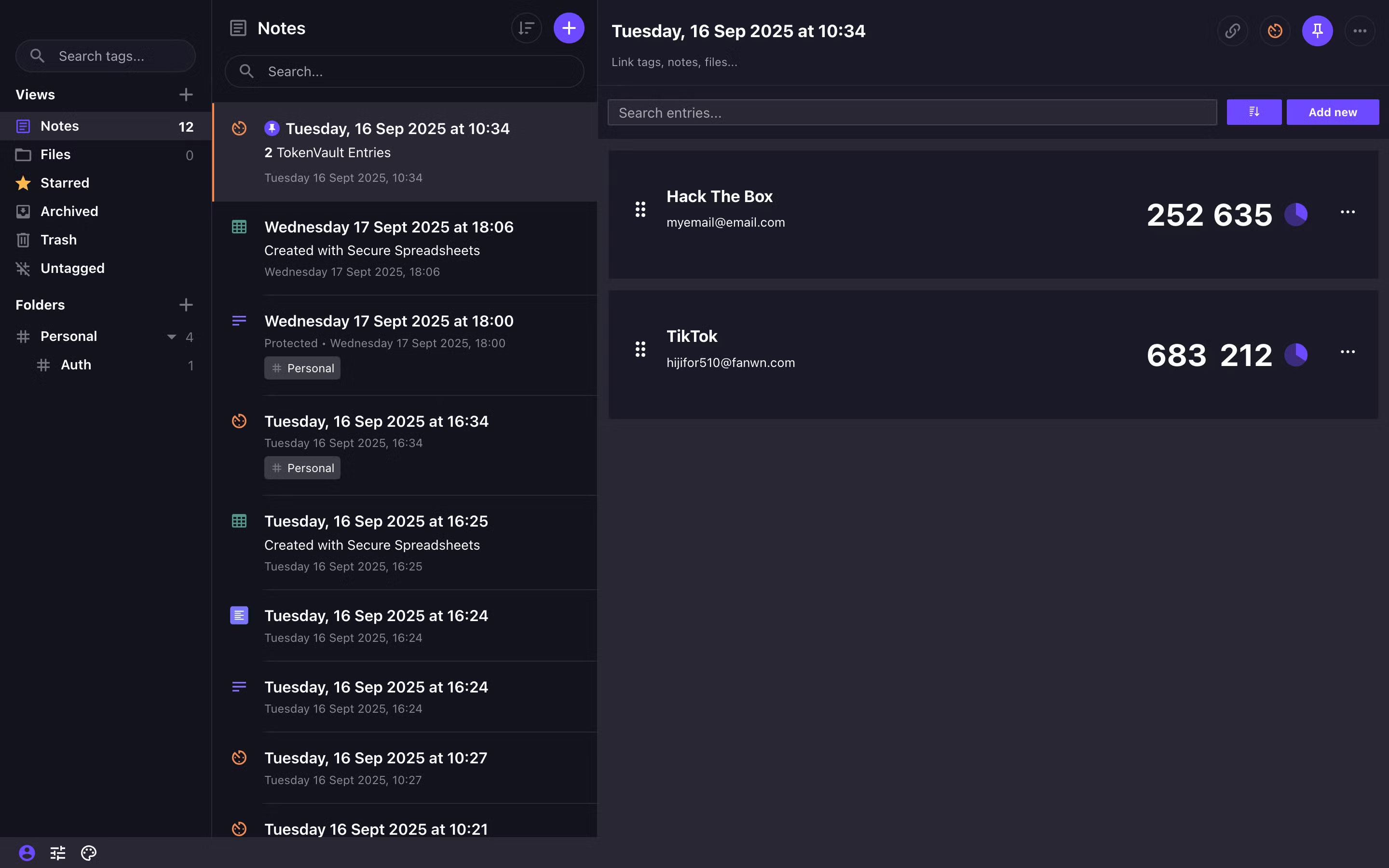
Standard Notes is a privacy-first note-taking app that stands out for its focus on encryption and durability. However, it is a powerful note-taking app with a wide range of features, making it one of the best. In terms of security and privacy, the app uses end-to-end encryption to protect your notes. Furthermore, the app does not support password resets, thus minimizing the risk of potential attacks.
Even though notes are encrypted, Standard Notes still lets you password-protect any note in the app.
5. Zettlr
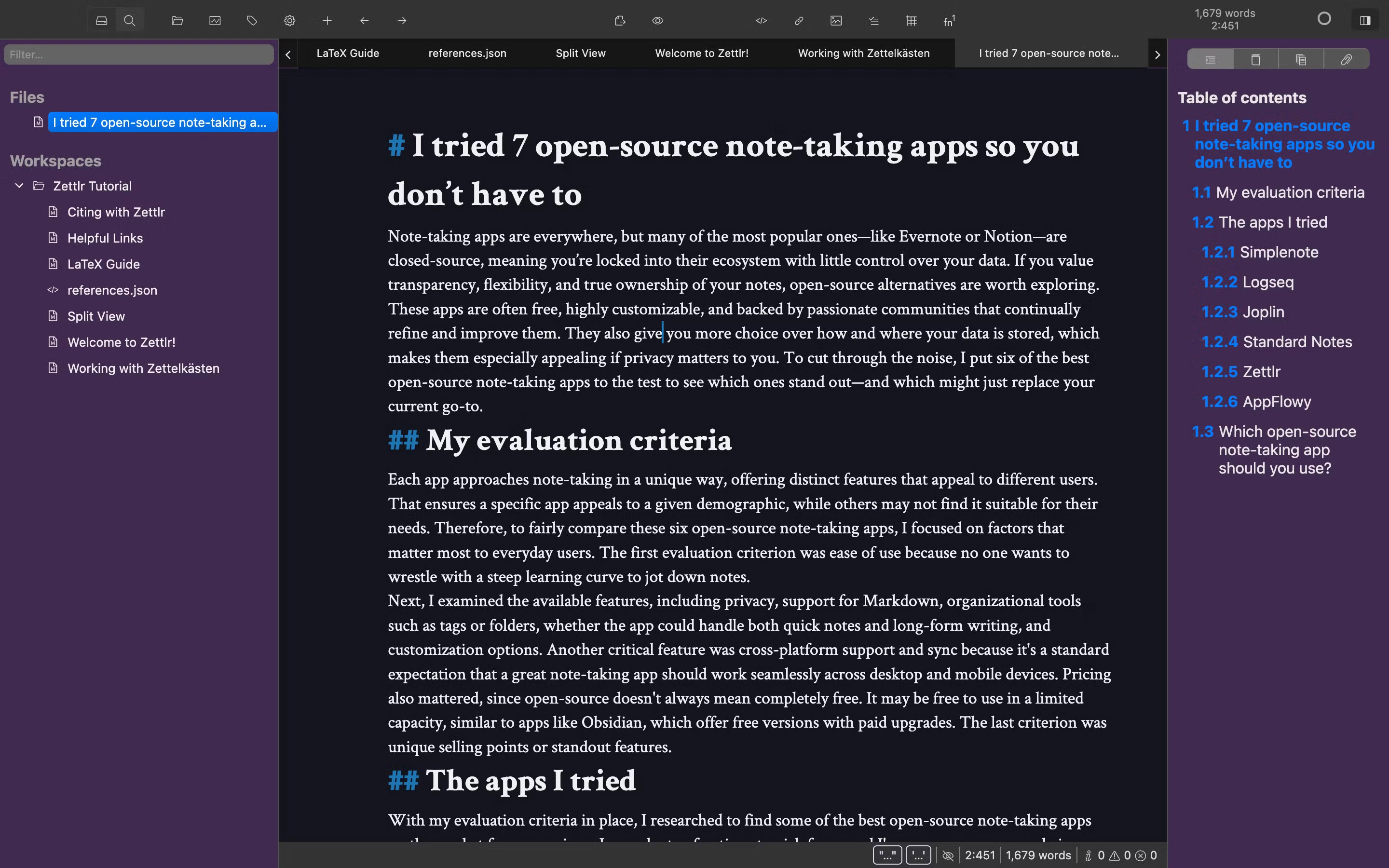
Zettlr is a Markdown-focused editor designed for writers, researchers, and students. It's an offline note-taking app, so each note is a Markdown file stored on your device. Unlike other note-taking apps, Zettlr feels closer to a full-fledged writing environment. For students and researchers, the app supports citation management, so if you've used the Zotero plugin for Word, you'll feel right at home.
Zettlr also makes it easy to see all the references in the current file in the sidebar. You can also cross-link files or use tags to link your notes.
6. AppFlowy
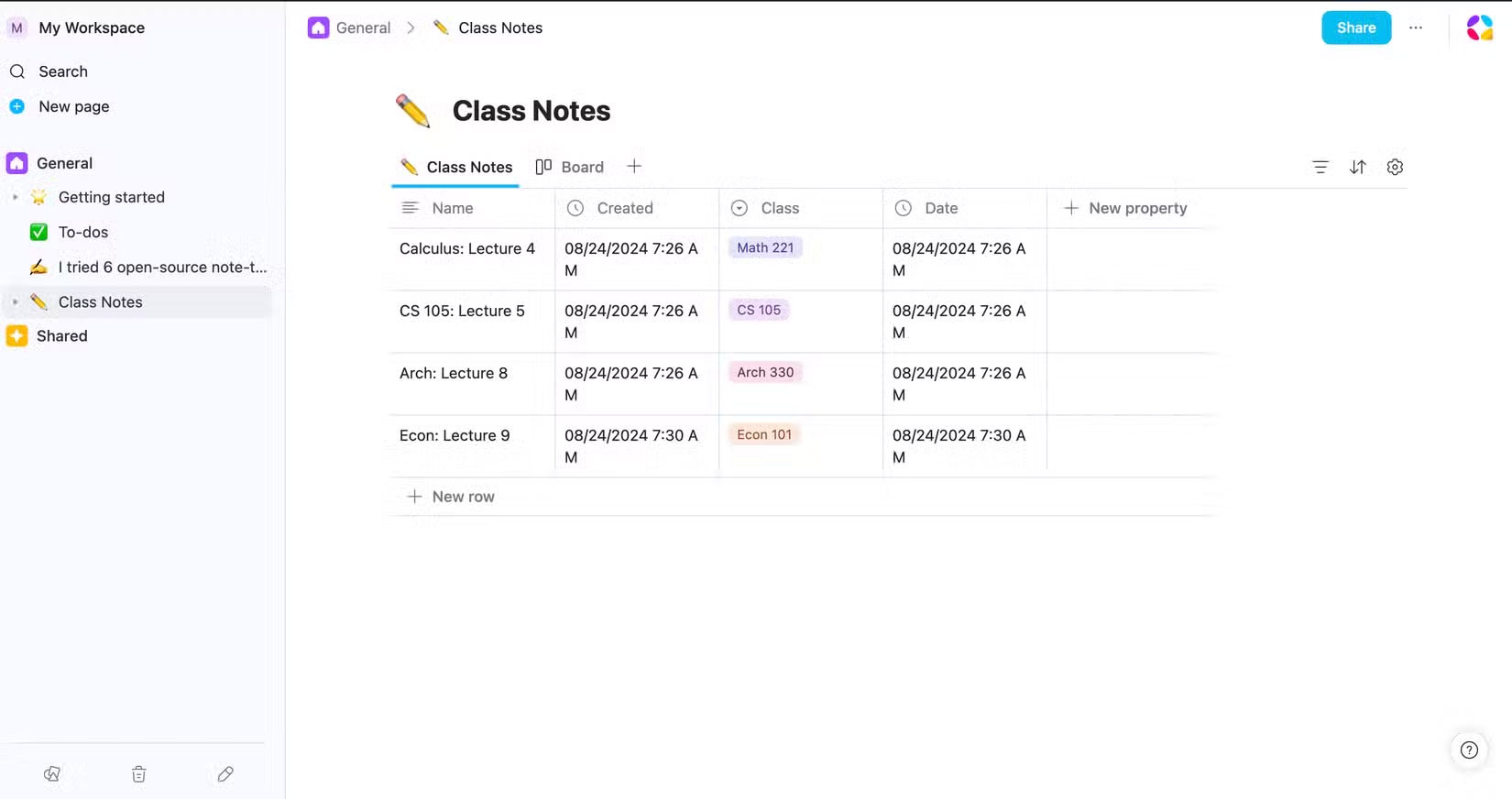
AppFlowy is known as the open source version of Notion, and for good reason. Its interface is heavily inspired by Notion, from its block-based editing system to the ability to create pages, databases, Kanban boards, and structured notes with a clean and intuitive interface.
The app supports Markdown, but also offers shortcuts to create different types of blocks, from lists, code, and embeds to titles, math equations, and toggle buttons. You can also link to other pages, just like in Notion. AppFlowy comes with built-in templates for different use cases created by teams or the community.
FAQ
What should you know about the options in this guide?
In practical terms, some of the key benefits of using open source software are transparency, flexibility, and true ownership of the notes.
Which option is the best choice?
The best choice depends on your priorities, compatibility, budget, and the specific features discussed in the comparison.
What should you compare before deciding?
Compare core features, limitations, ease of use, compatibility, and long-term value before making a decision.
Related Articles
 A Feature Every Note Taking App Needs!: Complete Guide5 minutes read
 7 Top Distraction-free Note-taking Apps for Windows: Best Options Compared7 minutes read
 Top 10 Note-Taking Apps for Linux8 minutes read
 Best AI Note-Taking Apps for Studying and Working7 minutes read
 Android Note Apps: The 10 Best Free Note Taking Apps for Android10 minutes read
 10 Open Source Android Apps You Can't Live Without8 minutes read
Reader Comments 0
Sign in with email or Google to join the discussion.