Table of Contents
Plex outperforms Kodi in terms of usability, stability, and even offers some features you wouldn't know you were missing.
Many people are initially skeptical about Plex, as it seems too flashy to be taken seriously. They are also concerned about its limitations compared to Kodi, but once installed, all doubts are gone. It turns out that Plex is superior to Kodi in terms of usability, stability, and even offers some features you wouldn't expect to miss.
Plex offers superior setup and user experience
Easy setup and intuitive interface make the difference
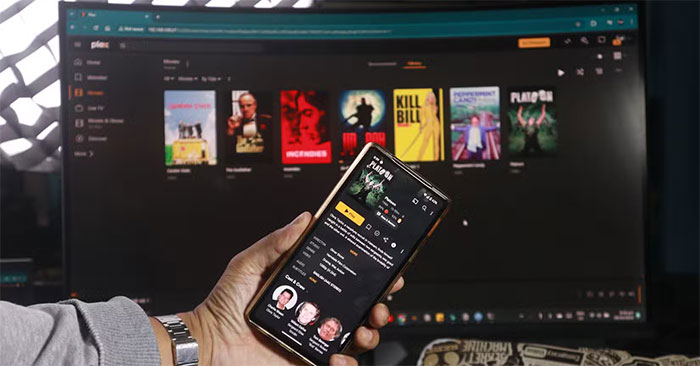
Even for experienced Kodi users, setup can be a pain. Gathering the correct metadata for playlists, organizing your library, and troubleshooting when things go wrong can be time-consuming, especially if you want everything to look perfect. With Plex, setup takes less than 30 minutes, and is easy and intuitive. Using an old MacBook Pro as a server, you just point Plex to your media folders, and it automatically organizes everything with attractive images, full descriptions, and detailed information.
Within minutes, you'll have Plex installed on your Fire TV Stick, phone, and iPad, and the interface will sync seamlessly across all three devices. There's no need to worry about tweaking settings or poor data capture. It also looks great right out of the box, although customization options are limited compared to Kodi, which offers a variety of beautiful skins.
Streaming and remote access are real game changers
Access your media library anywhere, on any device
Kodi works fine as long as you're on the same local network, but setting it up remotely is so complicated that it's not really worth the effort. With Plex, remote streaming isn't just built in by default; it's one of its standout features. Now you can access your entire media library, whether you're in the next room or 1,000 miles away, as long as the server is running.
Plex also offers impressive transcoding capabilities, adjusting video quality depending on your device and network speed. While Kodi can stutter when playing larger files, Plex automatically transcodes them for smaller devices and slower connections without any tweaking. You can also share your library with friends and family on the other side of the world without having to tweak settings or download third-party plugins.
Plex has some cool extra features built in.
There are many more features than the basic ones.
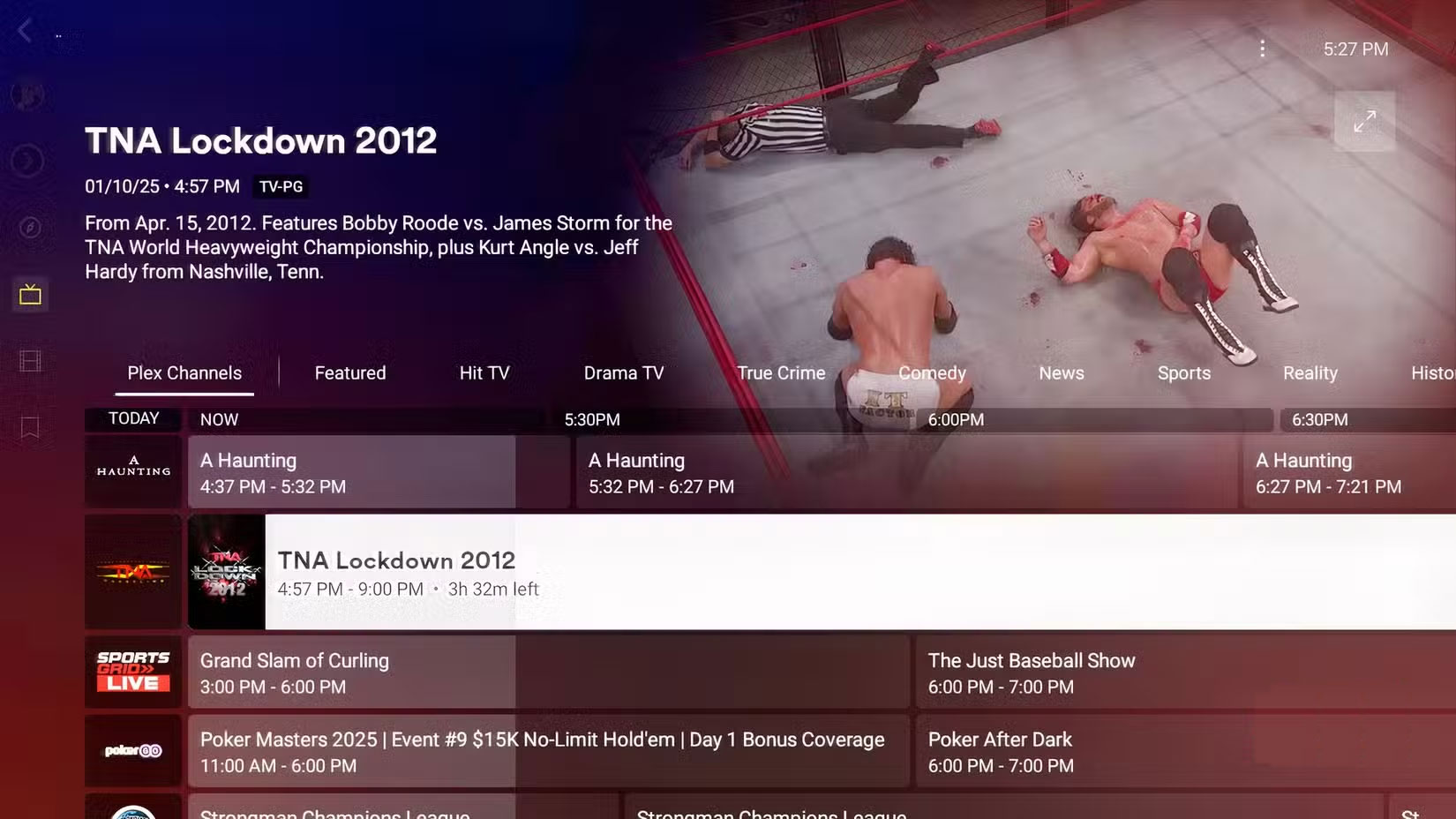
One of the biggest surprises about installing Plex is the extra features it offers beyond local file playback. If you have a tuner, you can watch live TV over the air; however, if you rely solely on streaming, there's a large, curated library of free, ad-supported content to enjoy. Premium You can integrate Tidal and Spotify for streaming music, although this may seem redundant to some, given that all their devices already support them.
One particularly useful feature is Plex's Discover feature. Do you ever find yourself switching between streaming platforms looking for a specific movie or show? With Discover, you can search across all your platforms, including HBO Max, Netflix, Disney+, Apple TV+, and more, directly from Plex. This Plex feature is slowly becoming everyone's new universal search bar.
Kodi diehards will no doubt claim that all of the above features are available with the right add-ons, but in the age of streaming, where most entertainment is available at the touch of a button, this is simply not enough. Plex's features are available right out of the box, and you don't have to scour the internet for a solution if you run into another problem along the way. Another plus is that Plex is rapidly developed, officially supported, and regularly updated, keeping everything up to date and secure.
FAQ
Why Are People Leaving Kodi for Plex: Explained?
In practical terms, plex outperforms Kodi in terms of usability, stability, and even offers some features you wouldn't know you were missing.
What factors are most important?
The article highlights that it turns out that Plex is superior to Kodi in terms of usability, stability, and even offers some features you wouldn't expect to miss.
What is the main takeaway?
The main takeaway is that plex offers superior setup and user experience Easy setup and intuitive interface make the difference Even for experienced Kodi users, setup can be a pain.


Reader Comments 0
Sign in with email or Google to join the discussion.