Table of Contents
Start in Plex Web → Settings → Privacy if you want to hide what you watch. To limit data that goes to Plex or its advertising partners, review the separate advertising and server playback controls as well.
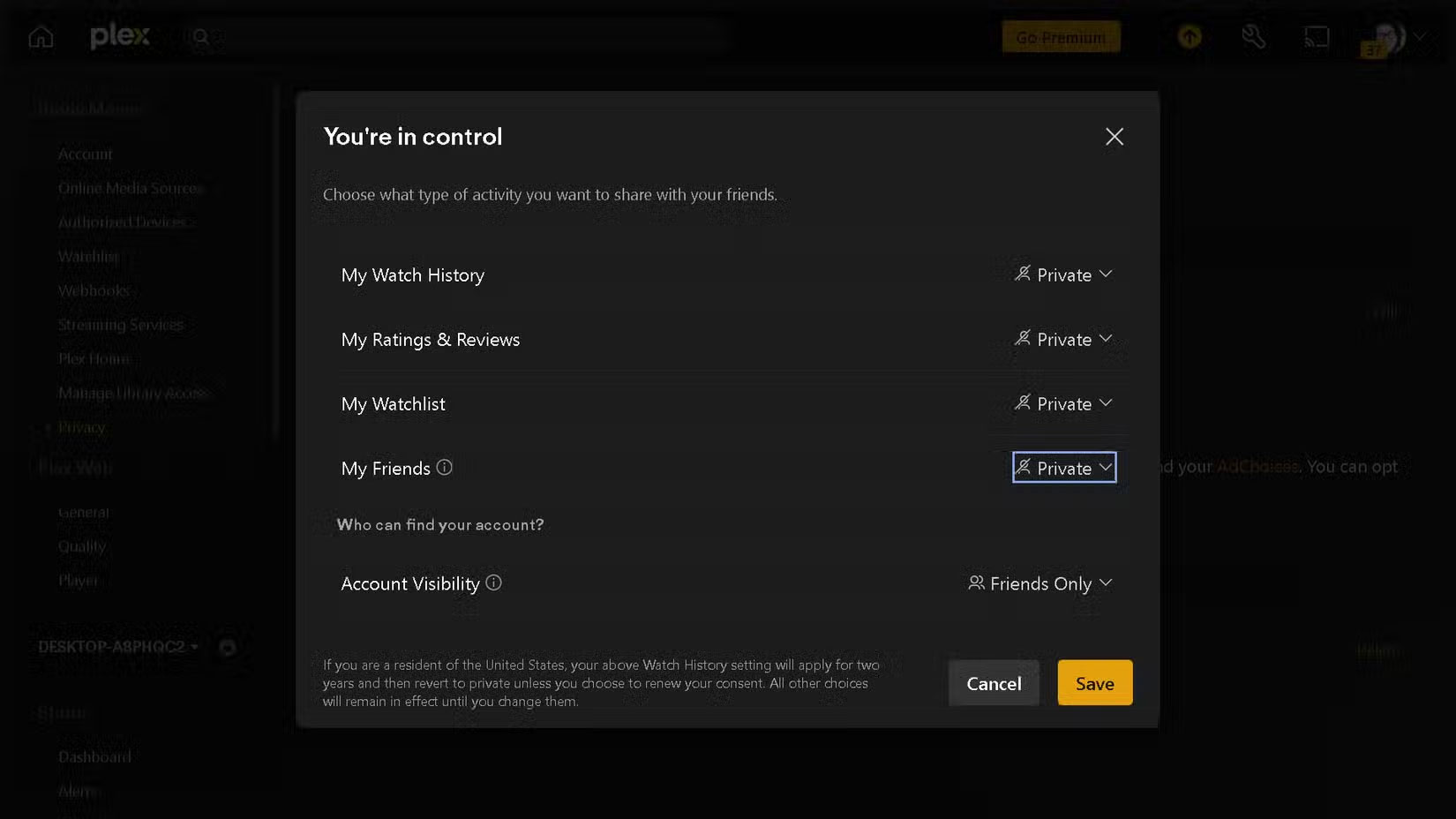
Hide your Plex profile activity
- Open Settings → Privacy in Plex Web.
- Under Account Visibility & Activity Sharing, select Edit.
- Set watch activity, ratings, your watchlist, and your friends list to Private wherever that option is offered. Choose the most restrictive option shown for account visibility, then save.
Use Private for individual activities you want to keep to yourself. Plex’s Activity Feed documentation explains how those choices affect visibility. If you run your own server, its Dashboard has a separate playback history.
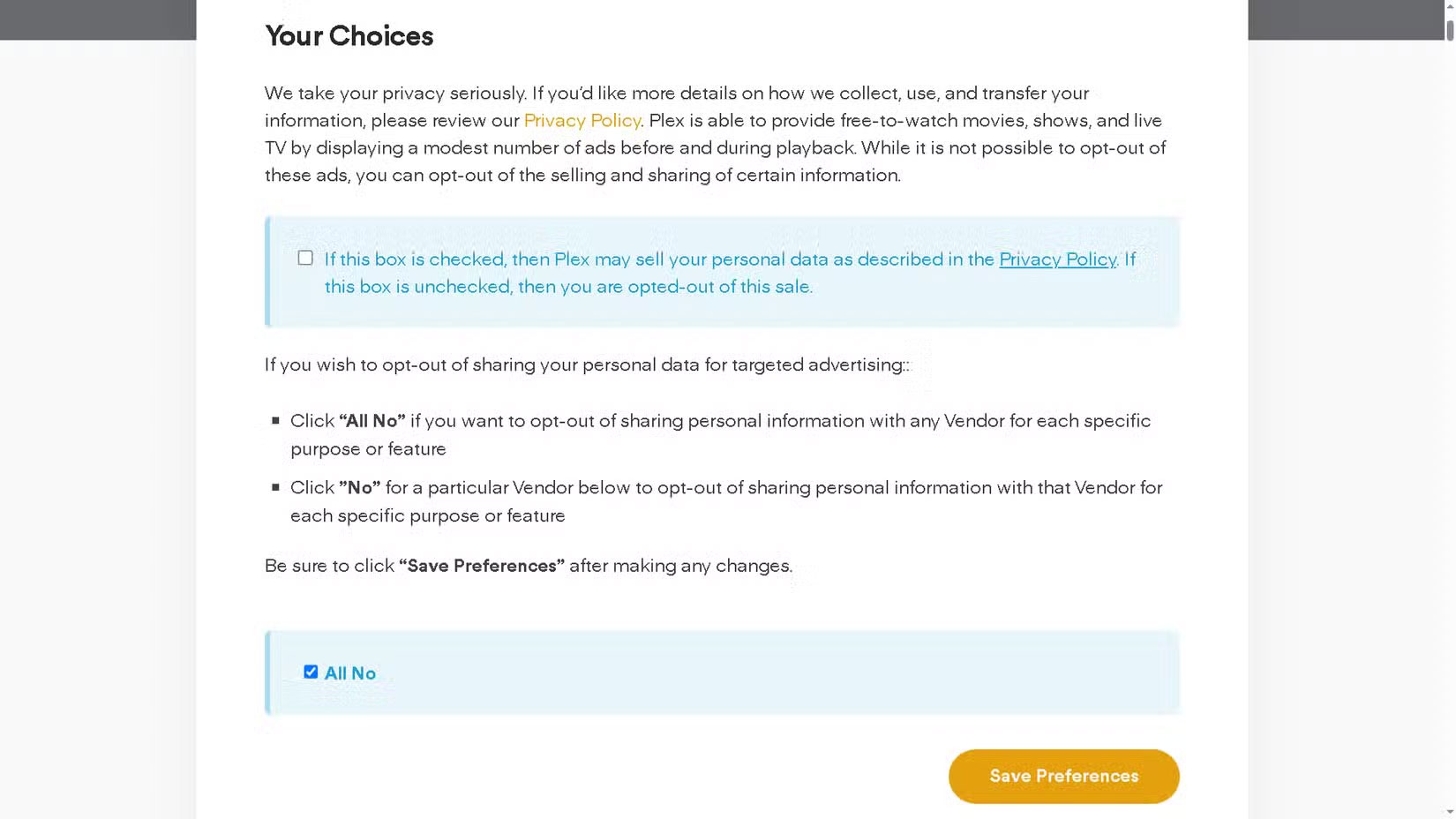
Update advertising and data-sharing preferences
In Settings → Privacy, open the privacy or advertising preferences link. On Plex’s Opt-Out Choices page, turn off the personal-data sale setting and decline the optional vendor permissions shown, then save. The controls can depend on your region and account. Free Plex streams may still show ads.
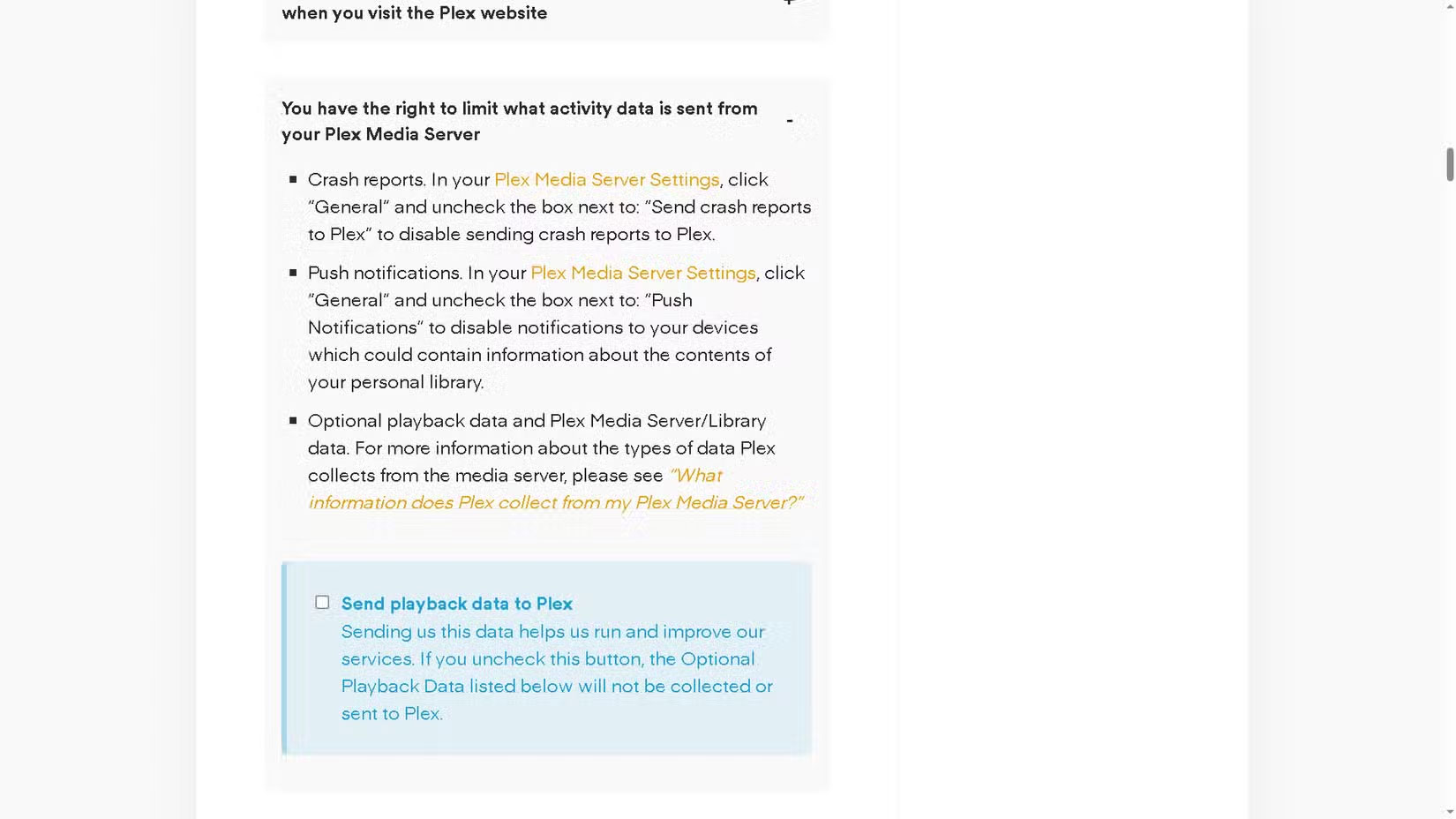
Turn off optional playback data from your server
While signed in, open the Plex Privacy Policy. Under Your Plex Privacy Rights, expand the section about limiting data sent from your Plex Media Server and clear Send playback data to Plex. This controls optional server playback data. For crash reports, check the server’s separate Settings → General control.
Hide Plex’s free streaming catalog
If you use Plex for your own media, go to Settings → Online Media Sources. Edit Live TV and Movies & Shows and set the sources you don’t use to Disabled. This changes what appears in your Plex apps. If you want to replace the free catalog altogether, compare free streaming services or self-hosted media server options.
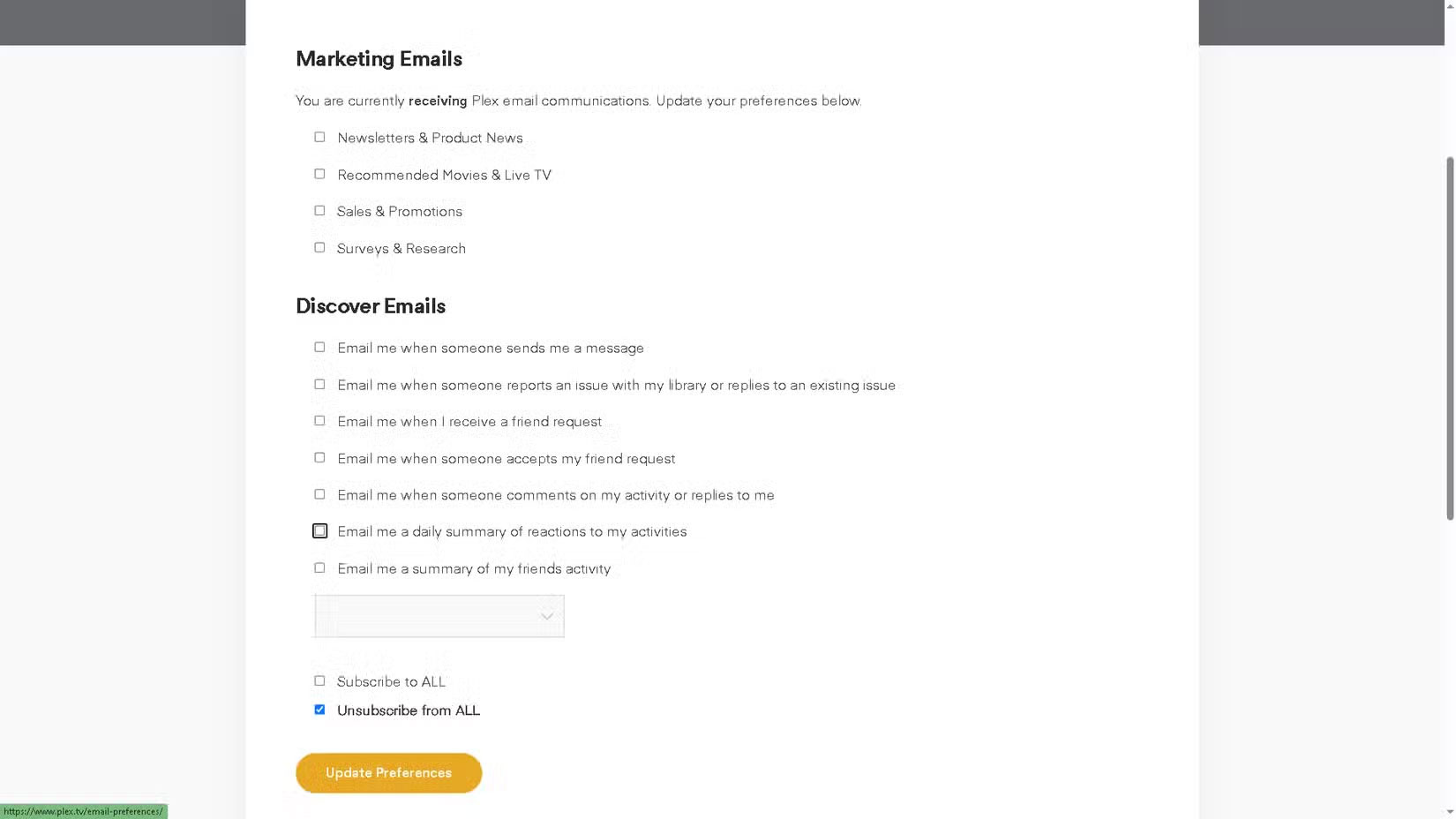
Unsubscribe from marketing emails
Open Settings → Account, follow the email preferences link, clear the subscriptions you don’t want, and select Update Preferences. This manages the categories shown on that page.
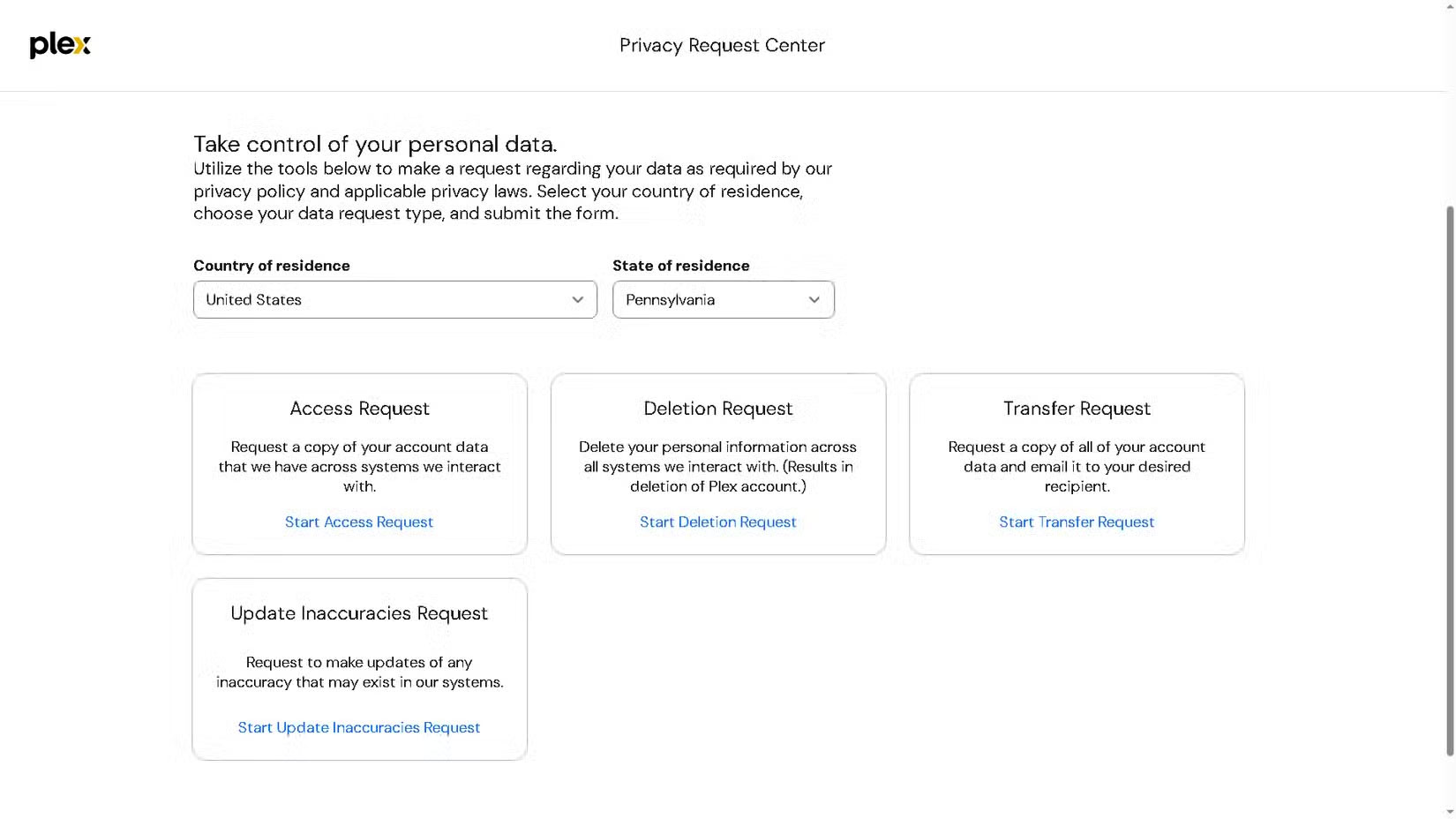
Request a copy of your data or delete your account
Follow the request link under Your Plex Privacy Rights in the privacy policy. If your goal is to see what Plex holds, choose a data access request. Use the deletion request only if you intend to close the account. Plex says deletion removes access to the account and associated subscriptions, including Plex Pass.





Reader Comments 0
Sign in with email or Google to join the discussion.